































Table of Contents
- Key Points
- Understanding OpenAI API Stream Responses
- Best Practices for OpenAI API Streaming
- Step-by-Step Guide to Using OpenAI API Streaming
- Pros and Cons of OpenAI API Streaming
- FAQ
- Related Questions


Understanding OpenAI API Stream Responses
What is a Stream?
A stream, in essence, is an ongoing sequence of data elements that can be processed as they arrive
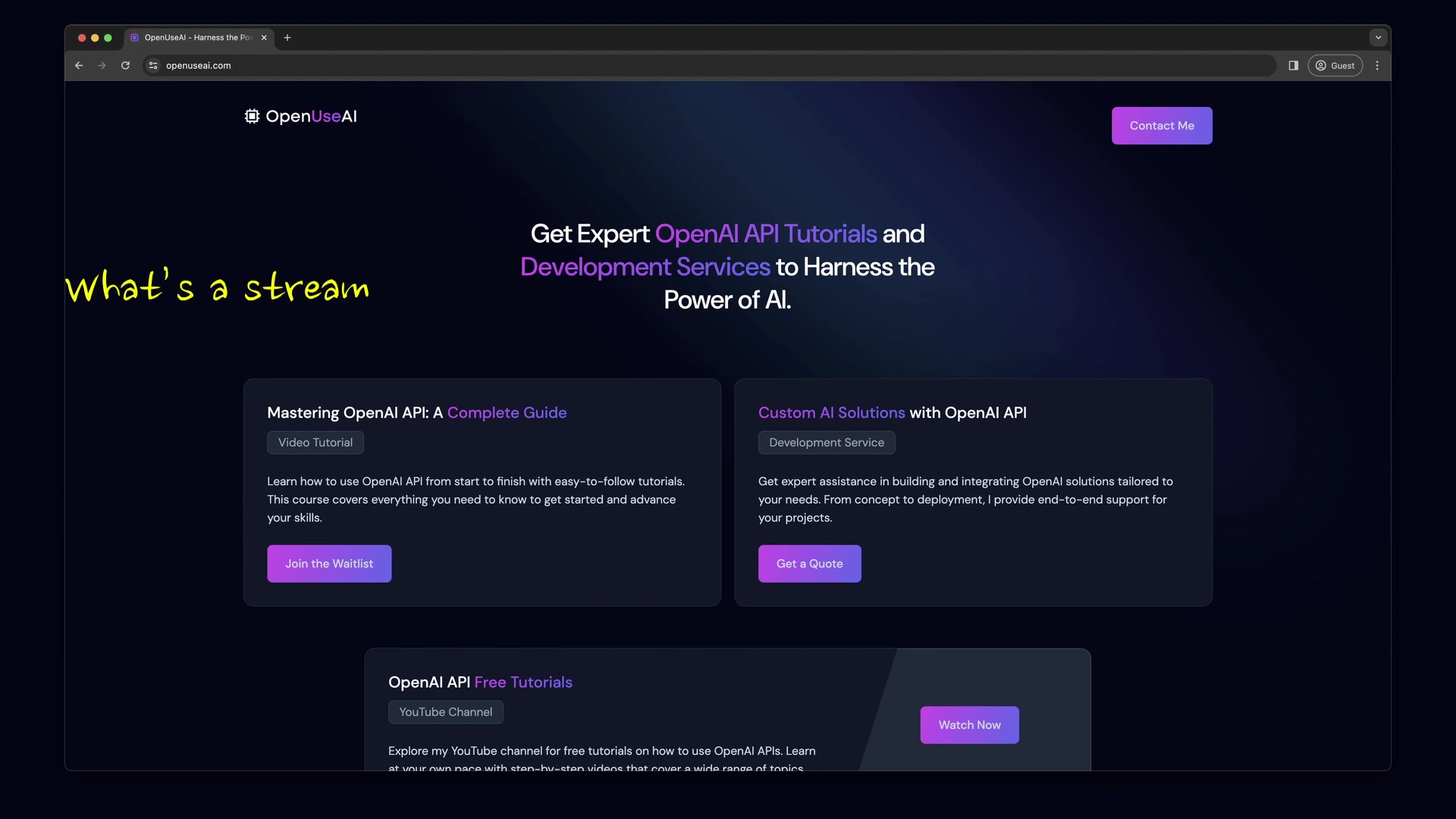
. This contrasts with traditional methods where you must wait for the entire dataset to be available before processing can begin. Imagine watching a video that loads piece by piece instead of waiting for the whole thing to download – that's the principle behind streaming.
Benefits of Using Streams:
- Handle Large Amounts of Data Efficiently: Streams allow applications to handle vast quantities of data without needing to store everything in memory simultaneously. This is crucial for scalability and performance.
- Real-time Data Processing: Streams are ideally suited for applications that require real-time or near real-time data processing, enabling immediate responses and actions based on incoming data.
- Improved Responsiveness: Users experience faster feedback as data is processed and displayed incrementally, leading to a better overall experience.
By understanding these fundamental aspects, you'll appreciate the value of implementing stream responses in your applications that leverage the OpenAI API. This sets the stage for the practical implementations discussed later in this article.
Why Use OpenAI API Stream Responses?
OpenAI provides the capability to stream API responses for both the Chat Completions API and the Assistants API
. Leveraging streaming offers several compelling advantages:
- Reduced Latency: Instead of waiting for the entire response to be generated, you can start processing and displaying content as it becomes available. This significantly reduces perceived latency, especially for lengthy generations.
- Enhanced User Experience: Streaming enables a more interactive and engaging user experience. For example, in a chatbot application, users see responses appear word-by-WORD, simulating a real-time conversation.
- Efficient Resource Utilization: Processing data in chunks allows for better resource management, particularly when dealing with complex AI models that can generate extensive outputs.
OpenAI follows the Server-Sent Events (SSE) standard for streaming . This standard facilitates unidirectional communication from the server to the client, making it well-suited for streaming API responses. Additionally, OpenAI's official Node.js and Python libraries come equipped with helpers that simplify the parsing and handling of SSE events, making implementation easier.
Best Practices for OpenAI API Streaming
Securing Your API Key
Protecting your OpenAI API Key is paramount. Exposing your API key can lead to unauthorized usage and unexpected costs. Here are essential security practices:
- Use Environment Variables: Store your API key as an environment variable
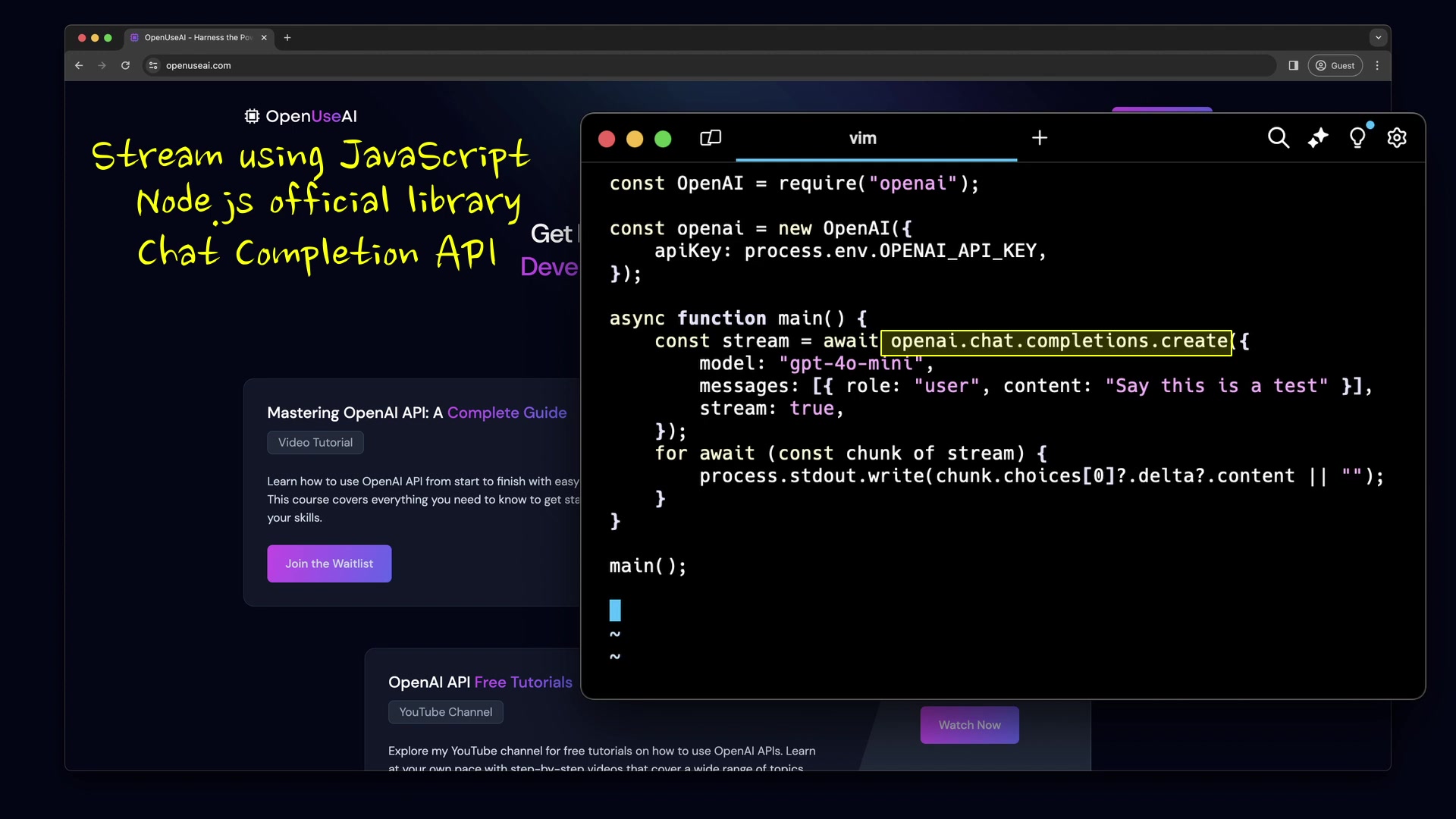
. This prevents the key from being hardcoded into your application, where it could be accidentally exposed.
- Avoid Committing Keys to Version Control: Never commit your API key to a public or even private version control repository (e.g., GitHub). Use environment variables and secure configuration management.
- Implement Rate Limiting: Implement rate limiting in your application to prevent abuse. This can help protect against unauthorized or excessive API usage.
- Monitor API Usage: Regularly monitor your OpenAI API usage to detect any anomalies or suspicious activity.
- Restrict API Key Usage: If possible, restrict the usage of your API key to specific domains or IP addresses.
- Regenerate Keys Periodically: Periodically regenerate your API keys to minimize the potential impact of a compromised key.
Handling Errors and Exceptions
When implementing streaming, it's crucial to handle errors and exceptions gracefully. Here’s how:
- Wrap API Calls in Try-Except Blocks: Use
try-exceptblocks in Python ortry-catchblocks in JavaScript to catch potential exceptions during the API call. - Handle Network Errors: Be prepared to handle network-related errors, such as timeouts or connection resets, that can occur during streaming.
- Implement Retry Mechanisms: Implement retry mechanisms with exponential backoff to handle transient errors. This allows your application to automatically recover from temporary issues.
- Log Errors: Log any errors that occur during streaming to help with debugging and troubleshooting.
- Terminate Streams Gracefully: If an unrecoverable error occurs, ensure that you terminate the stream gracefully and inform the user accordingly.
Optimizing Stream Performance
To ensure optimal performance, consider these tips:
- Use Efficient Parsing Techniques: Use efficient parsing techniques to process the streamed data chunks. The official OpenAI libraries typically provide optimized parsing methods.
- Buffer Data: Consider buffering data on the client-side to improve perceived responsiveness. This can smooth out the presentation of the data to the user.
- Optimize Network Connections: Ensure that your network connections are optimized for streaming. This may involve adjusting buffer sizes or using connection pooling.
- Monitor Stream Health: Monitor the health of the stream to detect any performance bottlenecks or issues.




Most people like

































Report
Please select a reason for reporting
- 13 Reasons to Switch from Snapchat to Text Messaging
- 7 Powerful Speech to Text Apps to Boost Productivity
- 10 Best Speech to Text Tools for Effortless Transcription
- 13 Free Tools to Easily Transcribe Audio to Text
- 15 Surprising Ways Google's Speech-to-Text Boosts Productivity
- 7 Best Free Online Audio to Text Transcription Tools
- 9 Tips to Transcribe Speech to Text Faster and Better
- 13 Best Speech to Text Software for Windows 10 in 2023
- 7 Tips for Choosing the Best Transcriber for Audio to Text
- 11 Reasons Why Dragon Speech-to-Text Apps are Game-Changers
- 6 Secrets to Enhance Your Speech to Text Transcription
- 6 Brilliant Ways to Boost Productivity with Talk-to-Text on Your MacBook
- 6 Ways Transcription Software Converts Audio to Text
- 8 Tips to Transcribe Speech to Text Like a Pro
- 6 Reasons IBM Watson Speech to Text is a Game-Changer
- 14 Powerful Ways Talk-to-Text Improves Your Workflow
- 12 Top Windows Speech-to-Text Software for Efficient Transcription
- 12 Game-Changing Benefits of Apple's Speech to Text Technology
- 9 Powerful Use Cases for AWS Speech to Text Technology
- 10 Easy Steps to Transcribe YouTube Videos to Text
- transcription audio en texte
- online audio transcription
- free audio file transcription
- free ai audio transcription
- audio transcription service
- audio transcription online free
- audio transcription free online
- audio to transcription software
- audio and transcript
- ai audio transcription free
- voice recording to text converter
- translate voice recording to text
- record voice to text
- audio recording to text converter
- voice recording and transcription
- chatgpt voice to text
- gmail voice to text
- speech to text reader
- speech to text ai free
- speech to talk
- Create Engaging Animated Explainer Videos with a Free AI Tool
- Stop Multi-Subscribing: Benchmark Top AI Visual Models in One Canvas
- Best Seedance 2.5 API Provider: Every Price on the Market, Checked at Source
- AI OnlyFans: How to Generate $30,000/Month (Legally)
- Transform Your Script into an Engaging Video with AI Video Maker!
- AI Marketing Automation: A Comprehensive Guide for Small Businesses
- Midjourney Alternative for Anime Art Creators: Why PixAI May Be Better for Character Workflows
- 10 Things Most People Get Wrong About AI Image Search
- AI Girlfriend Apps: Top Choices Redefining Relationships 2025
- How to Reduce Quoting Errors in Salesforce with AI-Assisted Quote Creation
- AI Resume Builders: EnhanceCV, ResumeNerd AI, & Teal Compared
- ResumeAI: Crafting ATS-Optimized Resumes with AI
- AI in Resume Writing: A New Era for Job Seekers
- AI Resume Tools: Streamline Your Job Search and Land Your Dream Role
- AI Resume Optimization: The Right Way to Land Interviews
- Crafting a Killer Resume with AI: A Step-by-Step Guide
- Crafting a Winning Resume: AI Tools and Expert Tips
- AI Job Search: Level Up Your Career with AI Automation
- Empower Your Career Journey: Dynamic Resumes with AI
- AI Resume Builder: Create Professional Resumes Effortlessly

Copyright ©2026 toolify