































Table of Contents
- Key Points
- Understanding OpenAI's Structured Output API
- Supported Schemas and Data Types
- Step-by-Step Guide: Working with Structured Outputs
- Understanding OpenAI Pricing for Structured Outputs
- Advantages and Disadvantages of Using Structured Outputs
- Key Features of OpenAI's Structured Output API
- Practical Use Cases for Structured Outputs
- FAQ
- Related Questions


Understanding OpenAI's Structured Output API
What is Structured Output in the OpenAI API?
The Structured Output API is a significant update from OpenAI designed to allow developers to reliably get structured data back from their models. This is particularly useful in AI projects where consistent, predefined formats are crucial. The update focuses on ensuring that model outputs reliably adhere to developer-supplied JSON Schemas.
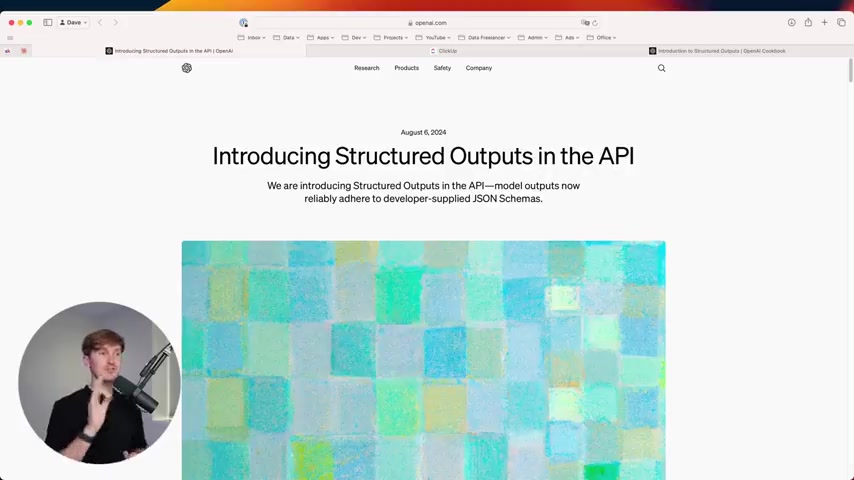
This means less time spent validating outputs and more time building robust AI applications.
This enhancement builds on previous methods like function calling and JSON mode, addressing their limitations by providing stricter adherence to the defined schemas. For instance, while JSON mode guarantees a valid JSON output, it doesn't enforce the content within the schema, which this new API now ensures. This is a big step toward making AI-driven systems more predictable and reliable. The new model gpt-4o-2024-06-06 is part of this feature and is designed to ensure model-generated outputs will exactly match JSON Schemas that the developers provides.
Key Benefits of Structured Outputs:
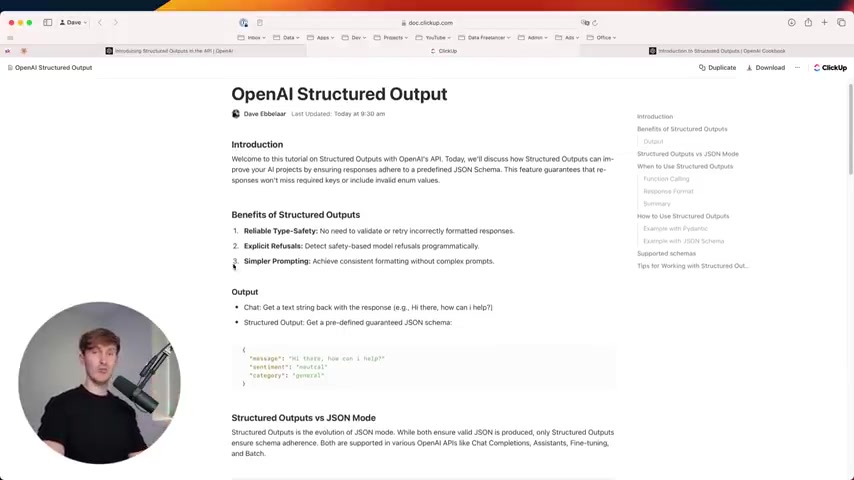
- Reliable Type-Safety: Eliminates the need to re-validate or retry incorrectly formatted responses.
- Explicit Refusals: Detects safety-based model refusals programmatically, improving model safety.
- Simpler Prompting: Achieves consistent formatting without the need for complex prompts.
The primary aim is to guarantee that responses conform to a particular schema, giving developers more control and assurance over the data they receive. This is especially important in applications such as Data Extraction, answer generation, and multi-step agent workflows where structured data is critical.
Structured Outputs vs. JSON Mode: What's the Difference?
While both Structured Outputs and JSON Mode ensure valid JSON is produced, Structured Outputs go a step further by enforcing schema adherence.
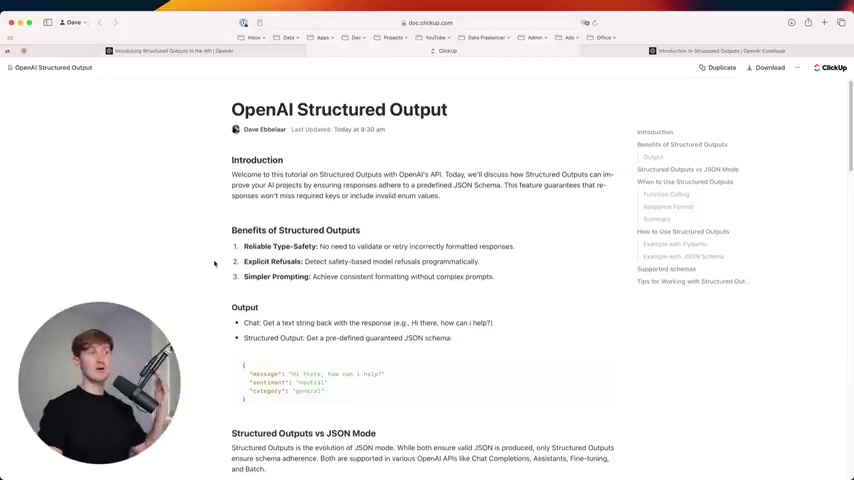
This means that responses are not only valid JSON but also contain the specific keys, data types, and enum values as predefined in the schema. JSON mode ensures that the output is valid JSON, Structured Outputs guarantee that the content of the JSON also matches your pre-defined expectations.
Here’s a breakdown of the key differences:
- JSON Mode:
- Guarantees that the output is a valid JSON.
- Does not enforce the structure or content of the JSON.
- May still produce unexpected or invalid data.
- Structured Outputs:
- Guarantees that the output is a valid JSON.
- Enforces adherence to a predefined JSON Schema.
- Ensures responses contain the correct keys, data types, and enum values.
This makes Structured Outputs particularly useful when you need highly structured and predictable data, such as when integrating AI with existing systems or databases that require specific data formats.
When to Use Structured Outputs?
Structured Outputs are most beneficial in scenarios where data must conform to a specific format.
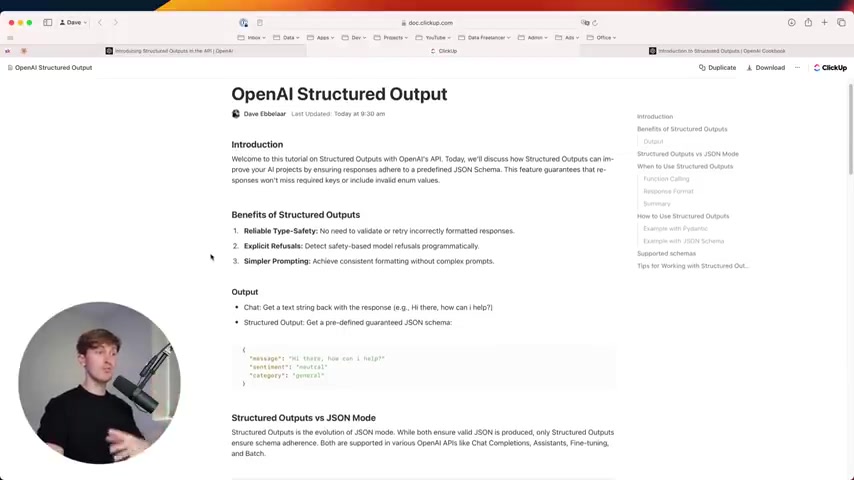
Consider using Structured Outputs when:
- You need to extract data with predefined fields (e.g., extracting product information from customer reviews).
- You require type-safe data to prevent runtime errors (e.g., ensuring numerical values are always numbers).
- You want to enforce valid enum values to ensure data consistency (e.g., limiting sentiment values to 'positive', 'negative', or 'neutral').
- Building agents that follow specific instructions and must return data in a certain format. Structured outputs are really effective at keeping a consistent format without really complex prompts.
In essence, if you find yourself repeatedly validating and reformatting AI outputs, Structured Outputs can significantly streamline your workflow and improve data quality.
Function Calling and Structured Outputs
Function calling is another method provided by OpenAI to interact with external APIs or execute specific code snippets based on model responses. Although both function calling and structured outputs provide ways to interact with external tools, there are key differences to consider.
Structured outputs are more focused on data extraction, validation and standardization. They are useful when the goal is to get structured data, not to make models take action.
With Function calling, you specify functions that the model can call. Structured output you define the format you want to have, so it can focus on those key details.
Practical Implementation of Structured Outputs in Python
Now, let's dive into a practical example of how to implement Structured Outputs using Python. To effectively use this API, you'll need the OpenAI Python library and a basic understanding of JSON schemas.
Step 1: Setting up Your Environment
First, ensure you have the OpenAI library installed. If not, you can install it using pip:
pip install openaiStep 2: Defining a JSON Schema
Next, define a JSON schema that represents the structure of the data you want to extract. This schema will guide the model in formatting its response.
json_schema = {
    "type": "object",
    "properties": {
        "message": {
            "type": "string",
            "description": "The extracted message from the text"
        },
        "sentiment": {
            "type": "string",
            "enum": ["positive", "negative", "neutral"],
            "description": "The sentiment of the message"
        },
        "category": {
            "type": "string",
            "description": "The category the message belongs to"
        }
    },
    "required": ["message", "sentiment", "category"]
}
Step 3: Interacting with the OpenAI API
Now, interact with the OpenAI API, specifying the JSON schema in the response_format parameter:
import openai

client = openai.OpenAI(
    api_key="YOUR_API_KEY",
)

def get_structured_response(query, schema):
    response = client.chat.completions.create(
        model="gpt-4o-2024-06-06",
        messages=[{
            "role": "system",
            "content": "You are an AI assistant tasked with extracting information and determining its sentiment and category."
        }, {
            "role": "user",
            "content": query
        }],
        response_format={"type": "json_object", "schema": schema}
    )
    return response.choices[0].message.content

# Example usage
query = "I am having trouble with my order, and the product is damaged."
schema = json_schema

structured_data = get_structured_response(query, schema)
print(structured_data)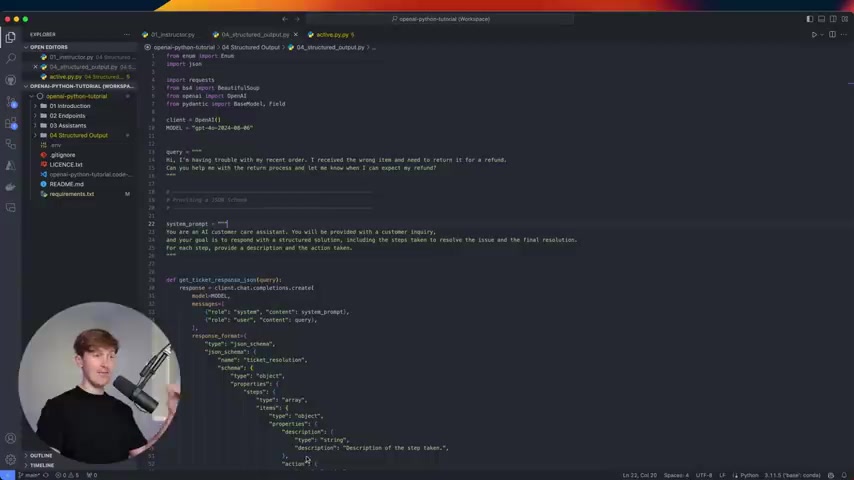
This code snippet demonstrates how to set up the API request and retrieve a structured response based on your defined schema. Note that you should replace YOUR_API_KEY with your actual OpenAI API Key. gpt-4o-2024-06-06 is the model that supports structured outputs so you should select the correct one.





Most people like


































Report
Please select a reason for reporting
- 13 Reasons to Switch from Snapchat to Text Messaging
- 7 Powerful Speech to Text Apps to Boost Productivity
- 10 Best Speech to Text Tools for Effortless Transcription
- 13 Free Tools to Easily Transcribe Audio to Text
- 15 Surprising Ways Google's Speech-to-Text Boosts Productivity
- 7 Best Free Online Audio to Text Transcription Tools
- 9 Tips to Transcribe Speech to Text Faster and Better
- 13 Best Speech to Text Software for Windows 10 in 2023
- 7 Tips for Choosing the Best Transcriber for Audio to Text
- 11 Reasons Why Dragon Speech-to-Text Apps are Game-Changers
- 6 Secrets to Enhance Your Speech to Text Transcription
- 6 Brilliant Ways to Boost Productivity with Talk-to-Text on Your MacBook
- 6 Ways Transcription Software Converts Audio to Text
- 8 Tips to Transcribe Speech to Text Like a Pro
- 6 Reasons IBM Watson Speech to Text is a Game-Changer
- 14 Powerful Ways Talk-to-Text Improves Your Workflow
- 12 Top Windows Speech-to-Text Software for Efficient Transcription
- 12 Game-Changing Benefits of Apple's Speech to Text Technology
- 9 Powerful Use Cases for AWS Speech to Text Technology
- 10 Easy Steps to Transcribe YouTube Videos to Text
- transcription audio en texte
- online audio transcription
- free audio file transcription
- free ai audio transcription
- audio transcription service
- audio transcription online free
- audio transcription free online
- audio to transcription software
- audio and transcript
- ai audio transcription free
- voice recording to text converter
- translate voice recording to text
- record voice to text
- audio recording to text converter
- voice recording and transcription
- chatgpt voice to text
- gmail voice to text
- speech to text reader
- speech to text ai free
- speech to talk
- How SEO and Marketing Dashboards Empower Agencies to Drive Results
- How to Use AI Tools to Find Internal Linking Opportunities Across a Business Website
- Discover Your Perfect Haircut with AI Hairstyle Apps
- Free Reputation Calculator Tools: How They're Adapting to Score AI Visibility, Not Just Rankings
- Design Professional Flyers for Free on Your Phone
- Best Free Flyer Maker Apps for Android: Design Like a Pro
- How to Know If Your Business Is Ready for an AI Customer Service Agent
- Revolutionizing Storytelling: From Novels to Screenplays with AI
- Create Engaging Animated Explainer Videos with a Free AI Tool
- Stop Multi-Subscribing: Benchmark Top AI Visual Models in One Canvas
- AI & Elections: Defending Democracy Against Misinformation
- Navigating Political Discourse: AI, Deepfakes, and Reality Checks
- Detecting Political Bias in News Articles: A Powerful AI Algorithm
- AI Bias Unveiled: Political Leanings in ChatGPT & Beyond
- Revolutionize Learning: Discover Quizzes AI for Engaging Interactive Quizzes
- From AI-Generated to Audience-Ready: How Quillbot Humanize AI Is Changing the Content Editing Process
- Building an AI Writing Stack in 2026: LLMs, Detectors, and Humanizers
- 7 Top AI-Powered Database Assistant Platforms
- An Objective Look at Modern Web-Based Visual Modifications
- My Honest Experience with VideoAI: The Secret Weapon for Creators Who Need Character Voices

Copyright ©2026 toolify