































Table of Contents
- Key Points
- Introduction to Text-to-Speech Technology
- Core Features: Speechify
- Getting Started with NaturalReader
- Pricing Comparison: NaturalReader and Speechify
- Speechify: Pros and Cons
- Core Features: NaturalReader
- Use Cases: NaturalReader
- Frequently Asked Questions
- Related Questions



Introduction to Text-to-Speech Technology
The Evolution of Text-to-Speech
Text-to-Speech technology has come a long way.
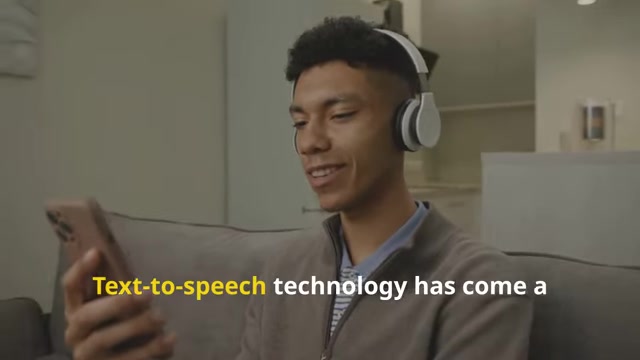
What once sounded robotic and unnatural has transformed into sophisticated AI-powered systems capable of mimicking human speech with impressive accuracy. This evolution has opened doors for diverse applications across education, productivity, and accessibility. The core concept of TTS involves converting written text into spoken words. Early TTS systems relied on pre-recorded sound snippets and rule-based pronunciation, resulting in a stilted and often unintelligible output. Modern TTS engines employ advanced machine learning algorithms and neural networks, enabling them to analyze text contextually, generate nuanced pronunciations, and even emulate different speaking styles and accents.
Accessibility for All:
One of the most significant impacts of TTS technology is its ability to empower individuals with disabilities. For those with visual impairments, dyslexia, or other reading difficulties, TTS provides a valuable alternative to traditional reading methods. It allows them to access information, engage with educational materials, and participate in the digital world on a more equitable footing.
Boosting Productivity and Learning:
Beyond accessibility, TTS has also become a powerful tool for boosting productivity and enhancing learning experiences. Students can listen to textbooks and notes while multitasking, reinforcing their understanding and saving valuable study time. Professionals can utilize TTS to review documents, emails, and reports hands-free, maximizing their efficiency during commutes or other tasks. The ability to adjust playback speed further enhances productivity, allowing users to consume information at their preferred pace.
Why Choose Text-to-Speech?
There are many reasons to use text-to-speech. The benefits are numerous, ranging from improving accessibility to boosting productivity and even offering a new way to enjoy literature.
- Accessibility: TTS makes content accessible to people with visual impairments, dyslexia, or other reading difficulties.
- Multitasking: Listen to documents, articles, and books while doing other things, like commuting or exercising.
- Learning: Improve comprehension and retention by listening to material while reading along.
- Reduce Eye Strain: Give your eyes a break by listening to content instead of reading it on a screen.
- Enjoy Reading Differently: Experience books and articles in a new way by listening to them.
With such versatility, text-to-speech is more than just a tool; it's a way to make information more accessible and learning more efficient for everyone.
Core Features: Speechify
Speed and Convenience
Speechify is engineered for speed and convenience, providing a seamless listening experience for users who want to quickly consume large amounts of text.

Some of the features include:
- High-Speed Playback: Listen at significantly faster speeds without losing clarity.
- Seamless Integration: Works with web browsers, mobile apps, and cloud-based services.
- Voice Customization: Choose from a variety of premium AI voices, including celebrity voices in some plans.
- Cross-Platform: Available on desktop, iOS, and Android devices.
- Import Options: Easily import PDFs, web articles, and other text formats.
By providing speed and great integration, Speechify serves as a handy tool for consuming information.
Core Features: NaturalReader
Realistic AI Voices and Accessibility
NaturalReader is widely recognized for its lifelike AI voices and robust accessibility features.

This makes it an excellent tool for students, professionals, and anyone who prefers listening to text rather than reading it. Let's take a look at some of its key features:
- Offline Mode: Access your content even without an internet connection.
- OCR Capability: Extract text from images or scanned documents to convert into speech.
- Multiple Formats: Supports PDFs, Word documents, eBooks, and more.
- Customizable Voices: Adjust voice, speed, and pitch to suit your preferences.
- Cross-Platform: Available on desktop, mobile, and as a browser extension.
This set of features makes NaturalReader a versatile option for different reading needs.
Use Cases: NaturalReader
How NaturalReader is used in the real world
NaturalReader can be used for a variety of uses, including OCR, learning, and more. Here are some real-world scenarios where this could be useful:
-
Students: Listen to textbooks and study materials to enhance comprehension and retention.

-
Professionals: Review documents and reports hands-free, improving productivity during commutes or other tasks.
-
Individuals with Visual Impairments: Access written content and participate more fully in the digital world.
-
People with Dyslexia: Overcome reading challenges and enjoy literature through audio conversion.
-
Reducing Screen Time: Give your eyes a break by listening to content instead of staring at a screen.
These are just a few instances. NaturalReader can be helpful in a variety of situations.





Most people like


































Report
Please select a reason for reporting
- 13 Reasons to Switch from Snapchat to Text Messaging
- 7 Powerful Speech to Text Apps to Boost Productivity
- 10 Best Speech to Text Tools for Effortless Transcription
- 13 Free Tools to Easily Transcribe Audio to Text
- 15 Surprising Ways Google's Speech-to-Text Boosts Productivity
- 7 Best Free Online Audio to Text Transcription Tools
- 9 Tips to Transcribe Speech to Text Faster and Better
- 13 Best Speech to Text Software for Windows 10 in 2023
- 7 Tips for Choosing the Best Transcriber for Audio to Text
- 11 Reasons Why Dragon Speech-to-Text Apps are Game-Changers
- 6 Secrets to Enhance Your Speech to Text Transcription
- 6 Brilliant Ways to Boost Productivity with Talk-to-Text on Your MacBook
- 6 Ways Transcription Software Converts Audio to Text
- 8 Tips to Transcribe Speech to Text Like a Pro
- 6 Reasons IBM Watson Speech to Text is a Game-Changer
- 14 Powerful Ways Talk-to-Text Improves Your Workflow
- 12 Top Windows Speech-to-Text Software for Efficient Transcription
- 12 Game-Changing Benefits of Apple's Speech to Text Technology
- 9 Powerful Use Cases for AWS Speech to Text Technology
- 10 Easy Steps to Transcribe YouTube Videos to Text
- transcription audio en texte
- online audio transcription
- free audio file transcription
- free ai audio transcription
- audio transcription service
- audio transcription online free
- audio transcription free online
- audio to transcription software
- audio and transcript
- ai audio transcription free
- voice recording to text converter
- translate voice recording to text
- record voice to text
- audio recording to text converter
- voice recording and transcription
- chatgpt voice to text
- gmail voice to text
- speech to text reader
- speech to text ai free
- speech to talk
- Meshy AI: How to Create 3D Models from Text and Images
- How SEO and Marketing Dashboards Empower Agencies to Drive Results
- How to Use AI Tools to Find Internal Linking Opportunities Across a Business Website
- Discover Your Perfect Haircut with AI Hairstyle Apps
- Free Reputation Calculator Tools: How They're Adapting to Score AI Visibility, Not Just Rankings
- Design Professional Flyers for Free on Your Phone
- Best Free Flyer Maker Apps for Android: Design Like a Pro
- How to Know If Your Business Is Ready for an AI Customer Service Agent
- Revolutionizing Storytelling: From Novels to Screenplays with AI
- Create Engaging Animated Explainer Videos with a Free AI Tool
- Automate Lead Generation: A Comprehensive Guide with AI Agents
- Revideo.io: The Future of Reverse Video Search Technology
- Revolutionizing Email Marketing Agency with AI
- Breaking the Character Drift Dilemma: A Practical Test of Smart Shot
- Meshy AI: How to Create 3D Models from Text and Images
- ASOMobile Helps Teams Benchmark App Store Screenshots Against Competitors
- How to Match LMS Software With Your Organization's Training Plan
- How to Convert BTC to HNT
- Unleashing the Power of AI: Cognizant's Roadmap for Transformation
- Frame to Video Review: A Practical Look at Turning Two Still Frames Into Motion

Copyright ©2026 toolify