































Table of Contents
- Key Points
- Understanding the Basics of Object Recognition
- Object Recognition Software Comparison
- Step-by-Step Guide to Training a Custom Object Recognition Model
- Pros and Cons: Amazon Rekognition
- Key Features of Object Recognition Software
- Real-World Use Cases of Object Recognition
- Frequently Asked Questions
- Related Questions


Understanding the Basics of Object Recognition
What is Object Recognition?
Object recognition is a computer vision technology that enables computers to identify and classify objects in images or videos.
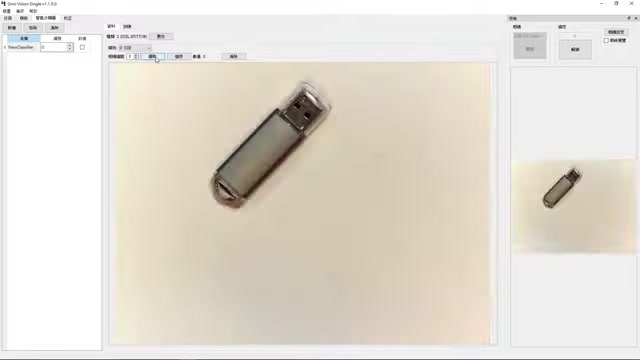
Unlike simple image classification, object recognition pinpoints the location of each object and categorizes it. This technology relies on machine learning algorithms, particularly deep learning, to analyze visual data and learn patterns associated with different objects. By training on vast datasets of labeled images, these algorithms can generalize and accurately recognize objects, even under varying conditions such as changes in lighting, perspective, and occlusion. Advanced object recognition models can detect multiple objects simultaneously and provide detailed information about each object's position, size, and orientation.
Key Components of Object Recognition Systems
An object recognition system generally consists of several key components working in harmony:
- Image Acquisition: This is the initial step where the system captures images or videos using cameras or other sensors. The quality of the acquired data significantly impacts the overall performance of the recognition process.
- Preprocessing: Raw images often contain noise and variations that can hinder object detection. Preprocessing techniques such as noise reduction, contrast enhancement, and resizing are applied to improve image quality and standardize the data.
- Feature Extraction: This critical step involves extracting relevant features from the preprocessed images. Features can include edges, corners, textures, and other visual attributes that help distinguish different objects. Traditionally, hand-engineered features were used, but modern systems rely on deep learning models to automatically learn relevant features.
- Classification: The extracted features are fed into a classification algorithm, which assigns labels to the identified objects. Common classification methods include Support Vector Machines (SVM), decision trees, and neural networks. Deep learning models, such as Convolutional Neural Networks (CNNs), have become the dominant approach for classification due to their superior performance.
- Post-processing: The final step involves refining the results of the classification process. Techniques such as bounding box refinement and non-maximum suppression are used to improve the accuracy and consistency of the object detection results.
Deep Learning and Convolutional Neural Networks (CNNs)
Deep learning, particularly Convolutional Neural Networks (CNNs), has revolutionized the field of object recognition. CNNs are a type of neural network specifically designed to process visual data.
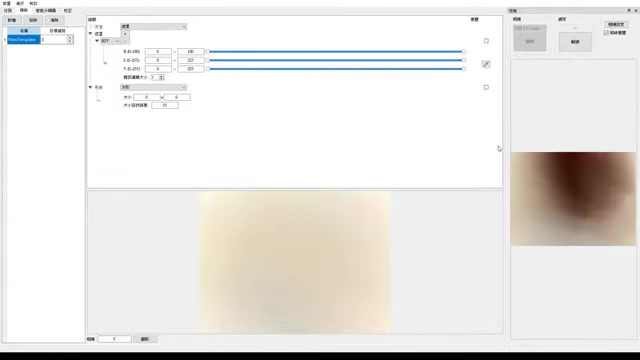
They consist of multiple layers of interconnected nodes that automatically learn hierarchical representations of images. CNNs excel at feature extraction due to their ability to learn complex patterns from raw pixel data.
CNNs work by convolving learned filters across the input image, capturing spatial relationships between pixels. These filters detect features such as edges, textures, and shapes. The output of each convolution is passed through an activation function, introducing non-linearity and enabling the network to learn more complex representations. Pooling layers reduce the dimensionality of the feature maps, making the network more robust to variations in object size and orientation.
Popular CNN architectures for object recognition include:
- AlexNet: One of the pioneering deep CNNs that demonstrated the power of deep learning for image classification.
- VGGNet: Known for its deep architecture with small convolutional filters, improving accuracy and reducing the number of parameters.
- GoogLeNet (Inception): Introduces the concept of inception modules, which allow the network to learn features at multiple scales simultaneously.
- ResNet: Addresses the vanishing gradient problem in very deep networks using residual connections, enabling the training of networks with hundreds of layers.
- EfficientNet: Focuses on optimizing network size and computational efficiency, achieving state-of-the-art performance with fewer resources.
Step-by-Step Guide to Training a Custom Object Recognition Model
Step 1: Data Collection and Annotation
The first step in training a custom object recognition model is to gather a large and diverse dataset of images or videos containing the objects you want to detect. The dataset should cover various perspectives, lighting conditions, and occlusions to ensure the model generalizes well. Once the data is collected, you need to annotate each image by drawing bounding boxes around the objects of interest and assigning labels to them.
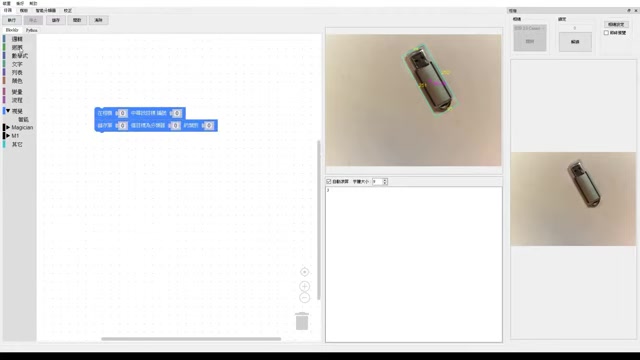
This process can be time-consuming, but it is crucial for the model's accuracy. Tools like LabelImg and VGG Image Annotator (VIA) can help simplify the annotation process. Ensure the dataset is balanced, meaning that there are roughly equal numbers of examples for each object class. An imbalanced dataset can lead to biased models that perform poorly on under-represented classes.
Step 2: Choosing a Framework and Model
Selecting the right framework and model is critical for achieving optimal performance. Popular deep learning frameworks for object recognition include TensorFlow, PyTorch, and Keras. TensorFlow is known for its scalability and production readiness, while PyTorch is favored for its flexibility and research-friendliness. Keras provides a high-level API that simplifies the process of building and training neural networks. As for the model, consider using pre-trained models like YOLO (You Only Look Once) or SSD (Single Shot MultiBox Detector). These models have been trained on vast datasets and can be fine-tuned for your specific task, reducing the amount of training data and time required. Alternatively, you can build a custom CNN architecture tailored to your specific needs. However, this requires more expertise and experimentation.
Step 3: Model Training and Validation
With the data annotated and the framework/model chosen, the next step is to train the object recognition model. Divide the dataset into training, validation, and testing sets. The training set is used to teach the model, the validation set is used to tune hyperparameters and prevent overfitting, and the testing set is used to evaluate the final performance of the model. During training, monitor the loss and accuracy metrics on both the training and validation sets. If the validation loss starts to increase while the training loss continues to decrease, it indicates overfitting. Techniques such as data augmentation, dropout, and early stopping can help mitigate overfitting. Experiment with different hyperparameters, such as learning rate, batch size, and number of epochs, to find the optimal configuration for your model.
Step 4: Evaluation and Deployment
Once the model is trained and validated, evaluate its performance on the testing set. Metrics such as mean Average Precision (mAP) and Intersection over Union (IoU) are commonly used to assess the accuracy of object detection models. If the performance is satisfactory, the model can be deployed for real-world applications. Deployment options include cloud-based services, embedded systems, and mobile devices. Consider optimizing the model for inference speed and memory usage to ensure it meets the performance requirements of your target platform. Tools such as TensorFlow Lite and ONNX can help with model optimization and deployment.








Most people like






























Report
Please select a reason for reporting
- 13 Reasons to Switch from Snapchat to Text Messaging
- 7 Powerful Speech to Text Apps to Boost Productivity
- 10 Best Speech to Text Tools for Effortless Transcription
- 13 Free Tools to Easily Transcribe Audio to Text
- 15 Surprising Ways Google's Speech-to-Text Boosts Productivity
- 7 Best Free Online Audio to Text Transcription Tools
- 9 Tips to Transcribe Speech to Text Faster and Better
- 13 Best Speech to Text Software for Windows 10 in 2023
- 7 Tips for Choosing the Best Transcriber for Audio to Text
- 11 Reasons Why Dragon Speech-to-Text Apps are Game-Changers
- 6 Secrets to Enhance Your Speech to Text Transcription
- 6 Brilliant Ways to Boost Productivity with Talk-to-Text on Your MacBook
- 6 Ways Transcription Software Converts Audio to Text
- 8 Tips to Transcribe Speech to Text Like a Pro
- 6 Reasons IBM Watson Speech to Text is a Game-Changer
- 14 Powerful Ways Talk-to-Text Improves Your Workflow
- 12 Top Windows Speech-to-Text Software for Efficient Transcription
- 12 Game-Changing Benefits of Apple's Speech to Text Technology
- 9 Powerful Use Cases for AWS Speech to Text Technology
- 10 Easy Steps to Transcribe YouTube Videos to Text
- transcription audio en texte
- online audio transcription
- free audio file transcription
- free ai audio transcription
- audio transcription service
- audio transcription online free
- audio transcription free online
- audio to transcription software
- audio and transcript
- ai audio transcription free
- voice recording to text converter
- translate voice recording to text
- record voice to text
- audio recording to text converter
- voice recording and transcription
- chatgpt voice to text
- gmail voice to text
- speech to text reader
- speech to text ai free
- speech to talk
- How to Use AI Tools to Find Internal Linking Opportunities Across a Business Website
- Discover Your Perfect Haircut with AI Hairstyle Apps
- Free Reputation Calculator Tools: How They're Adapting to Score AI Visibility, Not Just Rankings
- Design Professional Flyers for Free on Your Phone
- Best Free Flyer Maker Apps for Android: Design Like a Pro
- How to Know If Your Business Is Ready for an AI Customer Service Agent
- Revolutionizing Storytelling: From Novels to Screenplays with AI
- Create Engaging Animated Explainer Videos with a Free AI Tool
- Stop Multi-Subscribing: Benchmark Top AI Visual Models in One Canvas
- Best Seedance 2.5 API Provider: Every Price on the Market, Checked at Source
- Top AI Social Media Management Tools: Automate Your Content Strategy
- Free AI Text to Video Generator: Create Stunning Videos from Text
- Discover 17 ChatGPT Alternatives: A Comprehensive Comparison
- Character.AI vs. Janitor AI: Which AI Chat Platform Reigns Supreme?
- Top Virtual Assistant Companies in 2026: Reviews, Pricing, and Plans Compared
- Unveiling FaceCheck.ID: Revolutionizing Reverse Image Searches with AI
- 11 Best AI Dialers in 2026: Features, Pricing, Pros and Cons
- How I Direct Consistent AI Clips: A Hands-On Guide to Multi-Model Generation
- A Realistic Review of the Photo Generator Image Tool
- Playwright MCP Server: Automated Web Testing with Agent Mode

Copyright ©2026 toolify