































Table of Contents
- Key Points
- The Rise of Open Source Document Parsing
- Building Your Knowledge Extraction Pipeline with Docling
- Docling: Weighing the Advantages and Disadvantages
- Frequently Asked Questions about Docling
- Related Questions


The Rise of Open Source Document Parsing
Why Choose Open Source for AI?
When building AI agents, access to your own data is paramount.

This could include a variety of sources, such as documents, PDFs, and websites. These sources provide your AI agent with specific knowledge about your company or the problem you're trying to solve, enabling them to perform tasks more effectively. Several online tools can assist in parsing this data, but most of these solutions come at a cost. These tools are often closed source, which means you need to get an API key and send data to their platform for parsing, adding an extra layer of complexity and potential cost to the process.
Fortunately, open source alternatives exist that work just as well, giving you complete control over your data and your AI agents. Open source tools are beneficial for the following reasons:
- Control: With open source, you control the entire process from data extraction to embedding. No third-party API is needed, and your data remains within your environment.
- Customization: You can modify and extend the code to perfectly fit your specific needs, tailoring the parsing pipeline to your unique data structures.
- Transparency: You know exactly what's happening with your data, enhancing security and trust.
- Community Support: Open source projects often have large and active communities providing support, documentation, and ongoing improvements.
- Cost-Effectiveness: Typically, you avoid licensing fees, greatly reducing the costs associated with proprietary solutions.
The value of knowledge extraction pipelines cannot be overstated. By giving your AI agents access to your specific data, you unlock opportunities for improved customer support, more effective decision-making, and deeper insights into your business operations.
Introducing Docling: An Open Source Hero
Docling is a powerful, flexible open-source document processing library that transforms various document formats into a unified format.

It boasts advanced document understanding capabilities, driven by state-of-the-art AI models for layout analysis and table structure recognition.
Key features of Docling include:
- Universal Format Support: Handles PDFs, DOCX, XLSX, PPTX, Markdown, HTML, images, and more.
- Advanced Understanding: Leverages AI for layout analysis and table structure recognition.
- Flexible Output: Exports to HTML, Markdown, JSON, or plain text.
- High Performance: Designed for efficient processing on local hardware.
The whole system runs locally on standard computers and is designed to be extensible. This extensibility means developers can add new models or modify the pipeline for specific needs, making it particularly useful for tasks like enterprise document search, passage retrieval, and knowledge extraction. Docling's advanced chunking and processing capabilities make it an ideal tool for providing GenAI applications with knowledge through RAG (Retrieval Augmented Generation) pipelines.
This guide focuses on building an end-to-end Document Extraction pipeline using Docling in Python, allowing you to parse PDFs and websites and make them available in a chat application. This means browsing through a vector database, searching for relevant context, and answering questions with citations.
Comparing Docling to Closed Source Alternatives
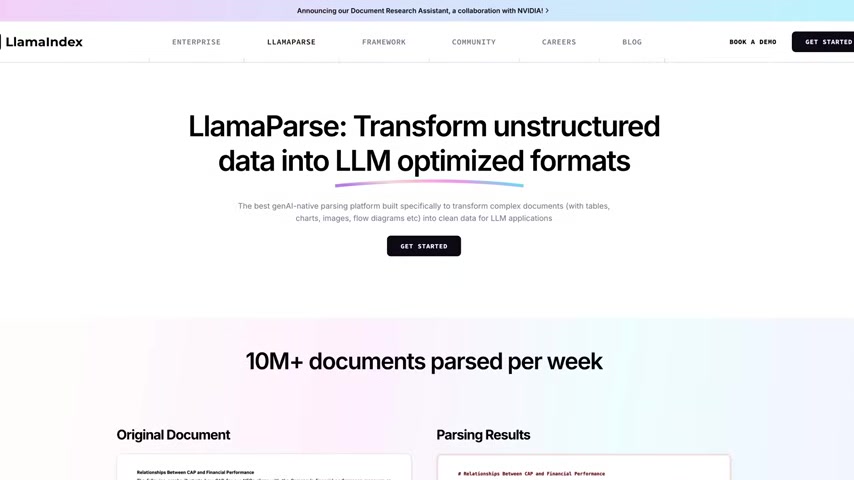
Docling, as a fully open-source library, presents a stark contrast to many commercially available document parsing tools. While services like Chatbase, Microsoft Azure AI Document Intelligence, Amazon Textract, and LlamaParse offer powerful capabilities, they often come with limitations associated with closed-source software:
- Licensing Costs: These services typically require an API key and charge based on usage, which can become expensive at scale.
- Data Privacy Concerns: Sending sensitive documents to a third-party platform for parsing raises data privacy and security concerns.
- Limited Customization: The parsing logic is pre-defined and may not be easily customized to handle unique document structures or specific extraction requirements.
Docling provides an alternative where you can do data parsing at no cost without giving your data to a third party. By understanding its key features, it can help streamline a multitude of tasks from data gathering to retrieval of context-specific documents.
Building Your Knowledge Extraction Pipeline with Docling
Essential Techniques: Extraction, Parsing, Chunking, Embedding & Retrieval
Throughout the setup, fundamental techniques are paramount to building a knowledge system for an AI agent
. These include extraction, parsing, chunking, embedding, and retrieval. Before you get started, there are some prerequisites:
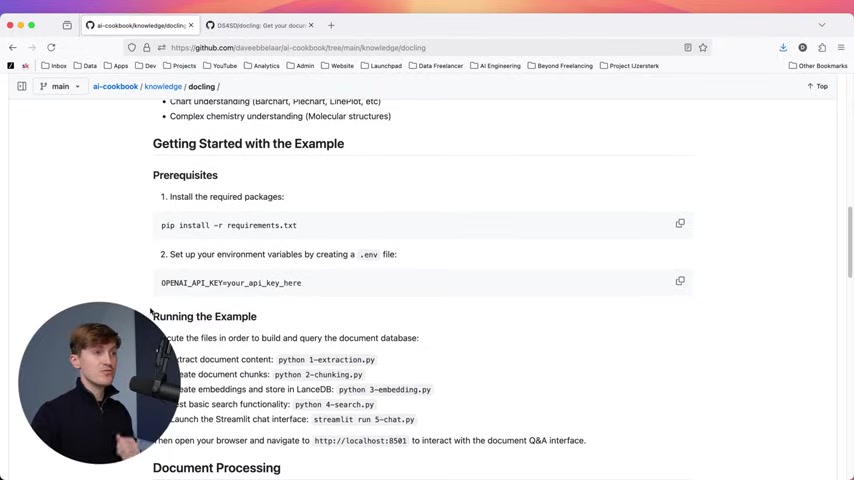
- Install the required packages using:
pip install -r requirements.txt - Set up your environment variables by creating a
.envfile, and include your OpenAI API Key.
Let’s explore these steps in more detail.
- Extraction: Data is the first thing that needs to be obtained. It begins with extracting data from a document by using the document converter from Docling. You can install this after a simple
pip install docling, which is in the requirements.txt. Once you’ve successfully installed Docling, you can use your project to convert a PDF or any URL into a format to read. - Parsing: Next, parsing will assist in identifying the most important features of the document such as text, paragraphs, and lists. It preserves the original format into markdown to make it easier to manipulate.
- Chunking: From here, chunking will logically split data for processing and categorization. The Hybrid chunker comes from the Docling library, which can assist in chunking code too small and splitting chunks too large with text fitting parameters.
- Embedding: Embedding creates vectors for context through an embedding model. You can use any model such as OpenAI models.
- Retrieval: Finally, vector database has the ability to then be browsed, searched, and then provide results within a chat application.
Running the Docling Example
To demonstrate a practical implementation, consider the following steps to run the example provided. Make sure the installation goes in order. Keep your .env file safe from unauthorized access.
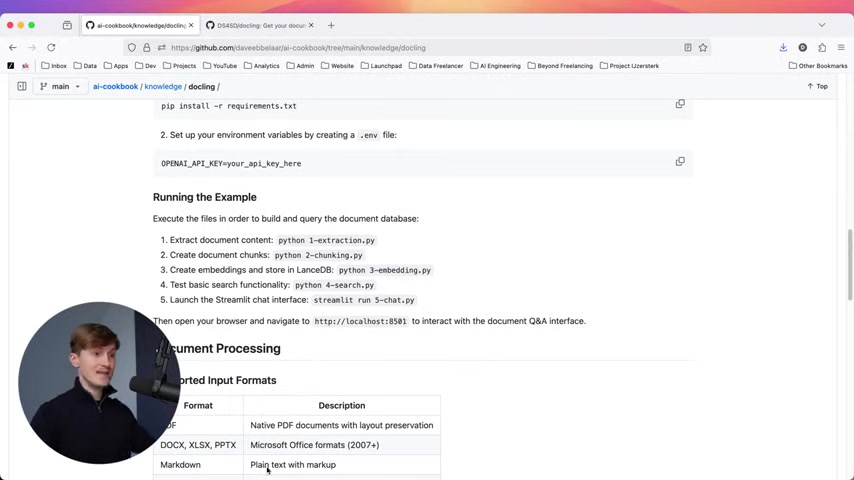
- Extract document content with
python 1-extraction.py. - Create document chunks with
python 2-chunking.py. - Create embeddings and store in LanceDB with
python 3-embedding.py. - Test basic search functionality with
python 4-search.py. - Launch the Streamlit chat interface with
streamlit run 5-chat.py.
Open your browser and navigate to localhost:8501 to interact with the document Q&A interface.





Most people like


































Report
Please select a reason for reporting
- 13 Reasons to Switch from Snapchat to Text Messaging
- 7 Powerful Speech to Text Apps to Boost Productivity
- 10 Best Speech to Text Tools for Effortless Transcription
- 13 Free Tools to Easily Transcribe Audio to Text
- 15 Surprising Ways Google's Speech-to-Text Boosts Productivity
- 7 Best Free Online Audio to Text Transcription Tools
- 9 Tips to Transcribe Speech to Text Faster and Better
- 13 Best Speech to Text Software for Windows 10 in 2023
- 7 Tips for Choosing the Best Transcriber for Audio to Text
- 11 Reasons Why Dragon Speech-to-Text Apps are Game-Changers
- 6 Secrets to Enhance Your Speech to Text Transcription
- 6 Brilliant Ways to Boost Productivity with Talk-to-Text on Your MacBook
- 6 Ways Transcription Software Converts Audio to Text
- 8 Tips to Transcribe Speech to Text Like a Pro
- 6 Reasons IBM Watson Speech to Text is a Game-Changer
- 14 Powerful Ways Talk-to-Text Improves Your Workflow
- 12 Top Windows Speech-to-Text Software for Efficient Transcription
- 12 Game-Changing Benefits of Apple's Speech to Text Technology
- 9 Powerful Use Cases for AWS Speech to Text Technology
- 10 Easy Steps to Transcribe YouTube Videos to Text
- transcription audio en texte
- online audio transcription
- free audio file transcription
- free ai audio transcription
- audio transcription service
- audio transcription online free
- audio transcription free online
- audio to transcription software
- audio and transcript
- ai audio transcription free
- voice recording to text converter
- translate voice recording to text
- record voice to text
- audio recording to text converter
- voice recording and transcription
- chatgpt voice to text
- gmail voice to text
- speech to text reader
- speech to text ai free
- speech to talk
- ChatGPT Knows Ford. It Just Doesn't Quote Ford
- Meshy AI: How to Create 3D Models from Text and Images
- How SEO and Marketing Dashboards Empower Agencies to Drive Results
- How to Use AI Tools to Find Internal Linking Opportunities Across a Business Website
- Discover Your Perfect Haircut with AI Hairstyle Apps
- Free Reputation Calculator Tools: How They're Adapting to Score AI Visibility, Not Just Rankings
- Design Professional Flyers for Free on Your Phone
- Best Free Flyer Maker Apps for Android: Design Like a Pro
- How to Know If Your Business Is Ready for an AI Customer Service Agent
- Revolutionizing Storytelling: From Novels to Screenplays with AI
- Your Business Data Could Be Worth Up to $4M. Find Out Without Uploading a Single File.
- Can an eSIM Plan Save You Time During Travel Setup?
- AI Video Editor Review: A Hands-On Look at Prompt-Based Video Editing
- Keep Characters Consistent Across Scenes With Image-to-Video AI
- How to Convert BTC to HNT
- ProxyWing DuckDuckGo Proxy Review: Plans, Setup and Who It Is For
- ChatGPT Knows Ford. It Just Doesn't Quote Ford
- Automate Lead Generation: A Comprehensive Guide with AI Agents
- Revideo.io: The Future of Reverse Video Search Technology
- Revolutionizing Email Marketing Agency with AI

Copyright ©2026 toolify