































Table of Contents
- Key Points
- Unveiling the OpenAI Realtime API
- Getting Started with OpenAI's New Real-Time API
- Setting Up and Using the OpenAI Realtime API Console
- Understanding OpenAI API Pricing
- Weighing the Pros and Cons of the OpenAI Realtime API
- Exploring the Core Features of the OpenAI Realtime API
- Exploring the Diverse Use Cases of the OpenAI Realtime API
- Frequently Asked Questions About the OpenAI Realtime API
- Related Questions


Unveiling the OpenAI Realtime API
What is the OpenAI Realtime API?
The OpenAI Realtime API is a Game-changer for developers looking to create truly interactive applications. It's designed to provide real-time, two-way communication, enabling a level of responsiveness that wasn't previously possible.
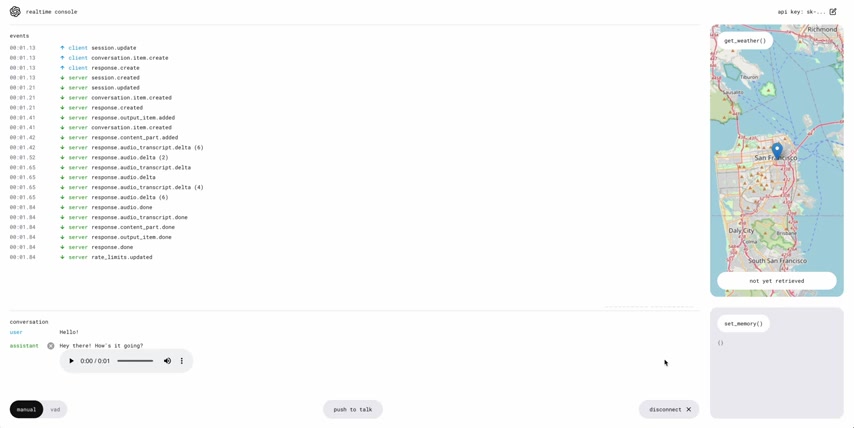
Traditional APIs often rely on a request-response model, which can introduce latency and limit the fluidity of interaction. The Realtime API, on the other hand, leverages WebSockets to maintain a persistent connection, allowing data to be pushed in both directions instantly.
Think of it as moving from a series of phone calls to a continuous conversation. Instead of initiating a new connection each time you need to exchange information, you establish a single connection that remains open, allowing for seamless and immediate communication. This is particularly crucial for applications where timing is critical, such as:
- Voice assistants: Responding to voice commands with minimal delay.
- Interactive games: Providing real-time feedback and updates to players.
- Collaborative tools: Enabling multiple users to work together seamlessly.
- Real-time data dashboards: Displaying up-to-the-second information.
The OpenAI Realtime API empowers developers to craft richer, more engaging experiences that feel natural and intuitive. It moves beyond the limitations of traditional APIs, paving the way for a new generation of interactive AI-powered applications.
The key benefits of using the Realtime API include enhanced responsiveness, reduced latency, and improved user engagement. By understanding its capabilities, developers can unlock a wealth of opportunities to create innovative and impactful applications.
Key Components of the Realtime API
To fully leverage the OpenAI Realtime API, it's essential to understand its key components. These elements work together to enable real-time communication and interaction:
- WebSockets: The foundation of the Realtime API, WebSockets provide a persistent, two-way communication channel between the client and the server.
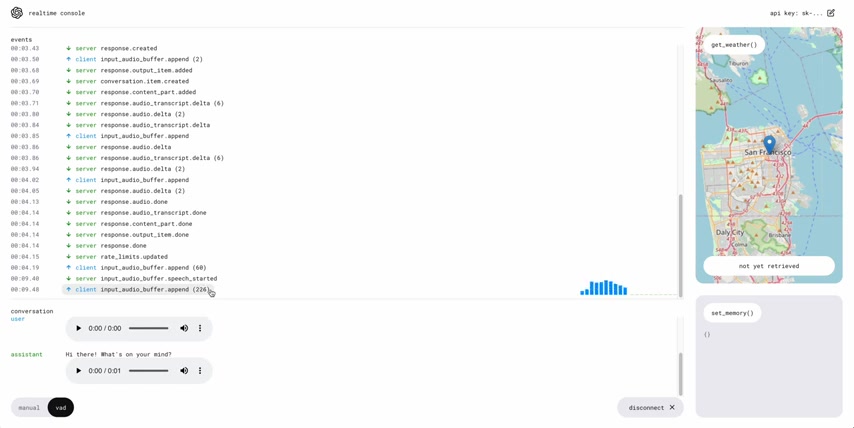
This allows for instant data transfer in both directions, minimizing latency and enabling real-time updates. The API's use of web sockets enables real-time interaction which is great for applications that require instant updates.
- Client: The client-side component of the API handles user input, sends requests to the server, and processes responses. It's responsible for rendering the user interface and providing a seamless interactive experience. The client interacts with the server with websocket connections.
- Server: The server-side component receives requests from the client, processes them using OpenAI's AI models, and sends back responses. It also manages the persistent WebSocket connection and ensures data integrity. There are a lot of server-client messages that appear in the Realtime API’s interface.
- Function Calling: A powerful feature that allows the API to trigger specific actions or functions based on user input. This enables developers to integrate external tools and services into their applications. OpenAI’s Real-Time API opens up a lot of possibilities for developers to create interactive applications with function calling.
- State Management: The API's stateful nature allows it to maintain context across multiple interactions. This is crucial for applications that require a continuous conversation or a persistent understanding of the user's needs. This helps prevent the loss of chat history, which would make the chatbot have less context of what the conversation is about.
Understanding these components is vital for building robust and scalable real-time applications. By mastering their interactions, developers can create innovative solutions that leverage the full potential of the OpenAI Realtime API.
The combination of the above components provides an excellent starting point for development.
Getting Started with OpenAI's New Real-Time API
Key Takeaways
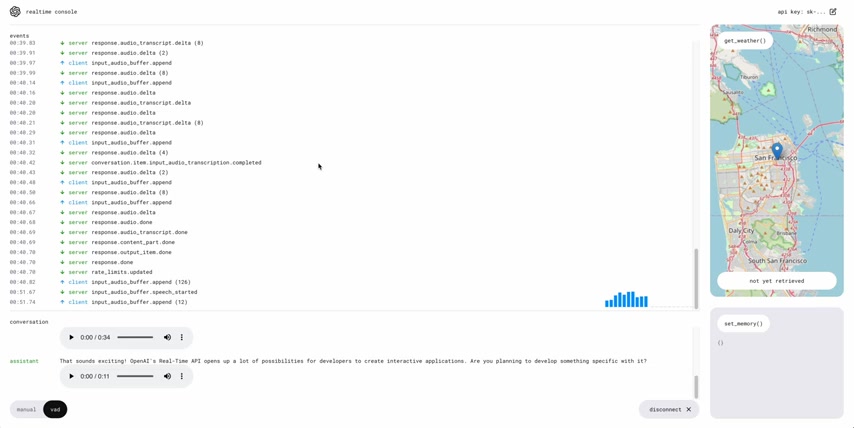
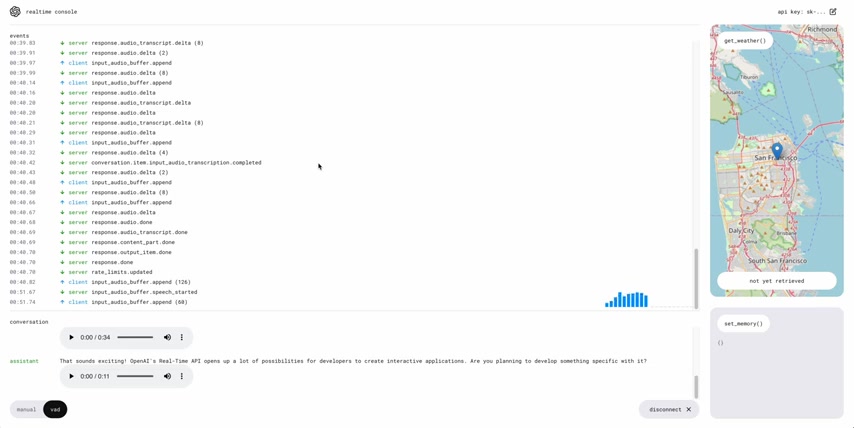
This project uses React, NodeJS, JavaScript and TypeScript, as indicated in the project Readme. As shown in the video, the OpenAI Realtime API is set up with WebSockets to send all of the small packets of information from the server to the client, creating real-time two way communication which is good for applications that require instant updates.
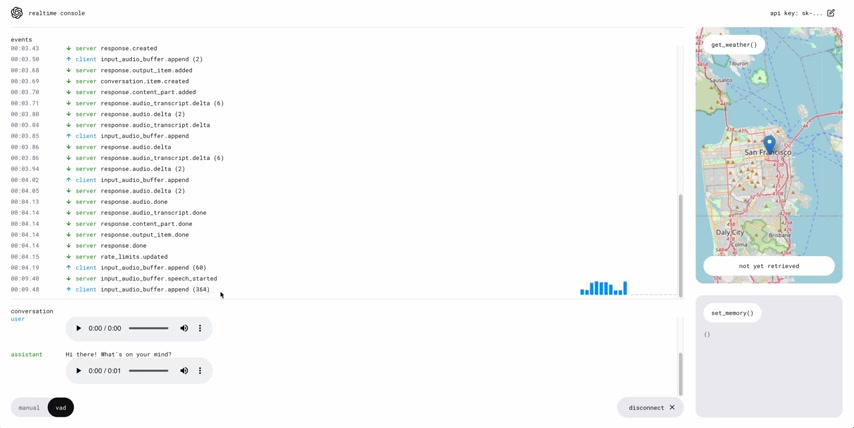
OpenAI’s Real-Time API opens up a lot of possibilities for developers to create interactive applications, like setting the weather in a location on the map. Function calling is useful for developers to integrate external tools and services into their applications.
Setting Up and Using the OpenAI Realtime API Console
Cloning the Repository
The first step in using the OpenAI Realtime API is to set up the console. This involves cloning the necessary repository from GitHub.
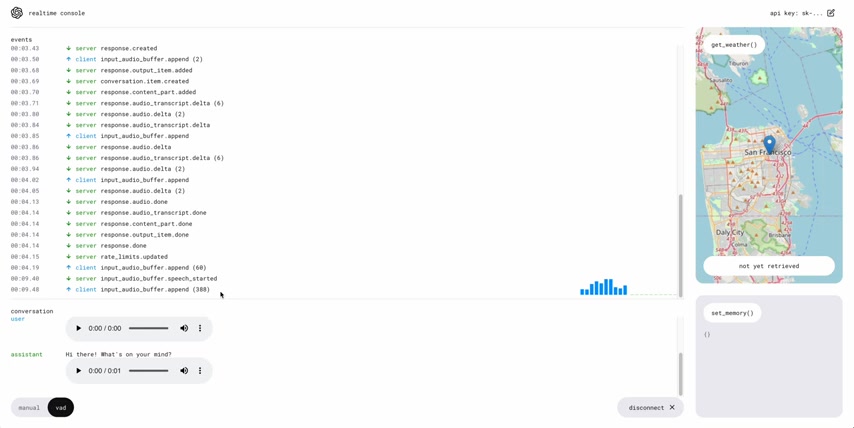
This repository contains all the code and resources needed to run the console locally.
Use the following command in your terminal to clone the repository:
git clone https://github.com/openai/openai-realtime-consoleThis command downloads the entire repository to your local machine, allowing you to access and modify the code as needed.
Installing Dependencies
Once you've cloned the repository, you need to install the required dependencies. These dependencies are listed in the package.json file and include libraries and tools necessary for running the console.
Navigate to the cloned repository in your terminal:
cd openai-realtime-consoleThen, use either pnpm or npm to install the dependencies:
pnpm installor
npm installThis command downloads and installs all the necessary packages, ensuring that your environment is ready to run the console.
Configuring the .env File
The OpenAI Realtime API requires an API key to authenticate your requests. This key needs to be stored securely in a .env file. Create a new file named .env in the root directory of the repository. Within this file, add the following lines:
OPENAI_API_KEY=YOUR_API_KEY
REACT_APP_LOCAL_RELAY_SERVER_URL=http://localhost:8081
Replace YOUR_API_KEY with your actual OpenAI API key. You can obtain this key from the OpenAI platform by navigating to the dashboard and selecting 'API Keys'.
The REACT_APP_LOCAL_RELAY_SERVER_URL specifies the address of your local relay server, which is typically http://localhost:8081. You can change this if the relay server is running on a different port.
Important: Keep your API key secret and do not commit it to version control.
Starting the Relay Server and Front End
To run the OpenAI Realtime API console, you need to start both the relay server and the front end. The relay server acts as an intermediary between the client and the OpenAI API, handling authentication and request routing.
First, start the front end by running:
npm startThis command starts the React application, which will typically open in your browser at http://localhost:3000.
Next, in a separate terminal, start the relay server by running:
pnpm run relayThis command starts the Node.js relay server, which will listen for incoming requests on port 8081.
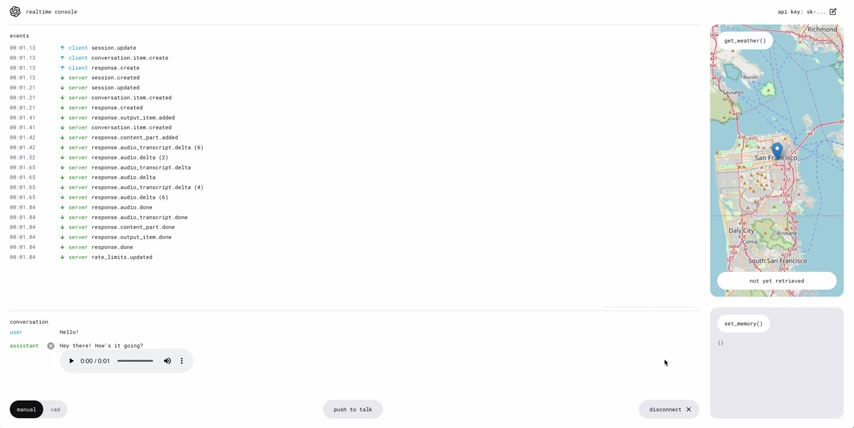
Once both the front end and relay server are running, you should be able to access the Realtime API console in your browser and start experimenting with its features.
By following these steps, you can quickly set up the OpenAI Realtime API console and begin building interactive applications.
Exploring the Core Features of the OpenAI Realtime API
Real-Time Audio Transcription
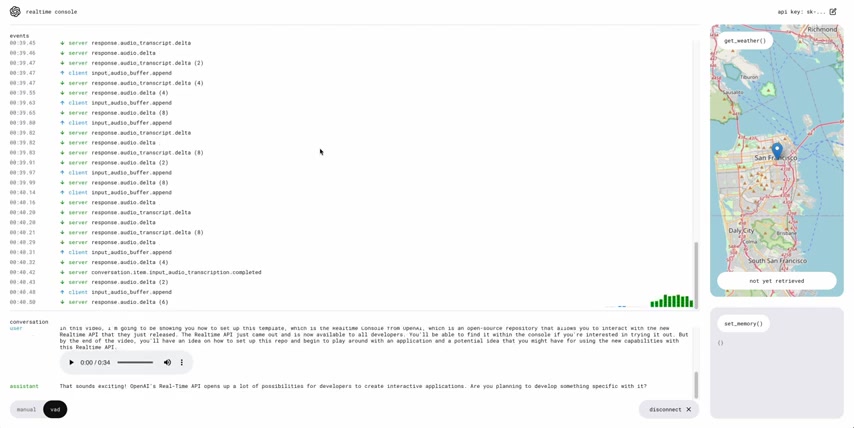
One of the standout features of the OpenAI Realtime API is its ability to perform real-time audio Transcription. As audio is streamed to the API, it's transcribed into text with minimal delay. This opens up many possibilities for applications that require live Speech-to-Text conversion.
- Live captioning: Generate real-time captions for videos or presentations.
- Voice-controlled applications: Enable users to interact with applications using their voice.
- Real-time meeting transcription: Capture meeting notes automatically.
The API's transcription capabilities are powered by advanced Speech Recognition models, delivering accurate and reliable results even in noisy environments. The real time aspect of the API gives developers the ability to create many solutions, such as speech-to-text apps.
Function Calling
Function calling enables the API to trigger specific actions or functions based on user input.
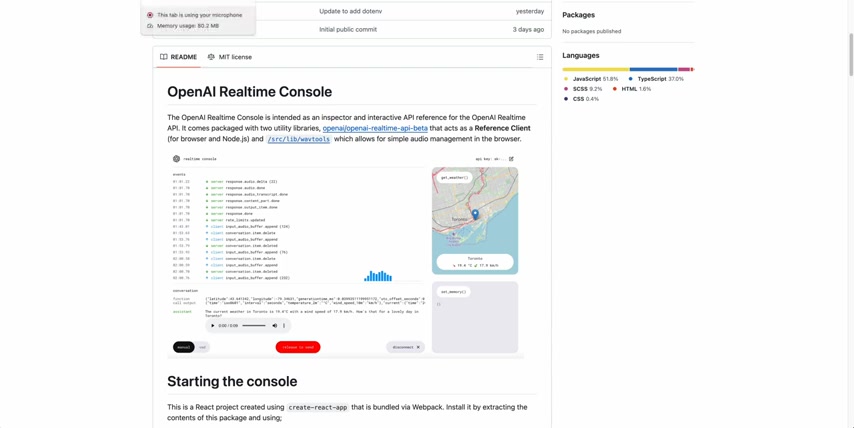
This allows developers to integrate external tools and services into their applications seamlessly. The function calling ability is a feature that allows other tools to be linked into the Realtime API.
- Retrieving weather information: Call an external weather API to provide real-time forecasts.
- Setting reminders: Integrate with a calendar application to schedule reminders.
- Sending emails: Trigger an email to be sent based on user commands.
Function calling empowers developers to create highly customized and context-aware applications that can respond intelligently to user needs.
Stateful Conversations
The OpenAI Realtime API maintains state across multiple interactions, allowing applications to remember previous turns in the conversation.
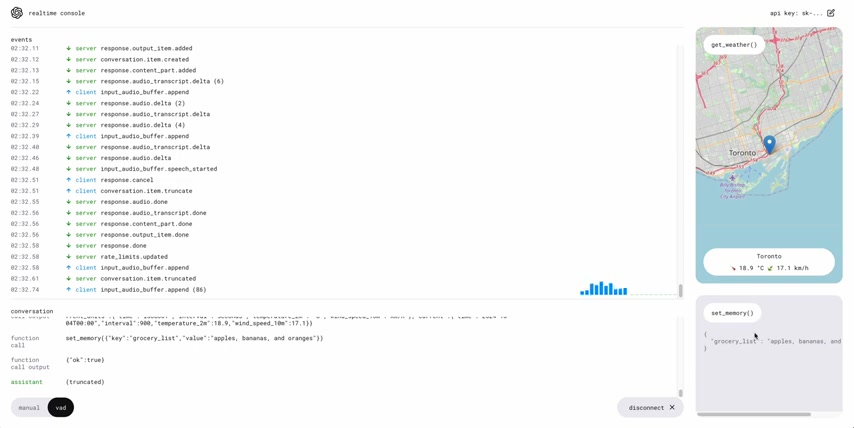
This is essential for building complex dialogues or applications that require a persistent understanding of the user's goals.
- Multi-turn dialogues: Engage in natural, flowing conversations with users.
- Context-aware assistance: Provide personalized recommendations based on previous interactions.
- Persistent settings: Remember user preferences and settings across sessions.
The API's stateful nature allows developers to create more sophisticated and user-friendly applications that adapt to the user's needs over time.











Most people like




























Report
Please select a reason for reporting
- 13 Reasons to Switch from Snapchat to Text Messaging
- 7 Powerful Speech to Text Apps to Boost Productivity
- 10 Best Speech to Text Tools for Effortless Transcription
- 13 Free Tools to Easily Transcribe Audio to Text
- 15 Surprising Ways Google's Speech-to-Text Boosts Productivity
- 7 Best Free Online Audio to Text Transcription Tools
- 9 Tips to Transcribe Speech to Text Faster and Better
- 13 Best Speech to Text Software for Windows 10 in 2023
- 7 Tips for Choosing the Best Transcriber for Audio to Text
- 11 Reasons Why Dragon Speech-to-Text Apps are Game-Changers
- 6 Secrets to Enhance Your Speech to Text Transcription
- 6 Brilliant Ways to Boost Productivity with Talk-to-Text on Your MacBook
- 6 Ways Transcription Software Converts Audio to Text
- 8 Tips to Transcribe Speech to Text Like a Pro
- 6 Reasons IBM Watson Speech to Text is a Game-Changer
- 14 Powerful Ways Talk-to-Text Improves Your Workflow
- 12 Top Windows Speech-to-Text Software for Efficient Transcription
- 12 Game-Changing Benefits of Apple's Speech to Text Technology
- 9 Powerful Use Cases for AWS Speech to Text Technology
- 10 Easy Steps to Transcribe YouTube Videos to Text
- transcription audio en texte
- online audio transcription
- free audio file transcription
- free ai audio transcription
- audio transcription service
- audio transcription online free
- audio transcription free online
- audio to transcription software
- audio and transcript
- ai audio transcription free
- voice recording to text converter
- translate voice recording to text
- record voice to text
- audio recording to text converter
- voice recording and transcription
- chatgpt voice to text
- gmail voice to text
- speech to text reader
- speech to text ai free
- speech to talk
- Revolutionizing Storytelling: From Novels to Screenplays with AI
- Create Engaging Animated Explainer Videos with a Free AI Tool
- Stop Multi-Subscribing: Benchmark Top AI Visual Models in One Canvas
- Best Seedance 2.5 API Provider: Every Price on the Market, Checked at Source
- AI OnlyFans: How to Generate $30,000/Month (Legally)
- Transform Your Script into an Engaging Video with AI Video Maker!
- AI Marketing Automation: A Comprehensive Guide for Small Businesses
- Midjourney Alternative for Anime Art Creators: Why PixAI May Be Better for Character Workflows
- 10 Things Most People Get Wrong About AI Image Search
- AI Girlfriend Apps: Top Choices Redefining Relationships 2025
- Experience the Future of Virtual Assistants with F.R.I.D.A.Y. AI
- Learn How to Train an AI to Play Snake with Reinforcement Learning
- Creating a Unique AI Game Environment with Pygame
- Mastering the Classic Java Snake Game
- Discover the Power of Codex: Snake Game Created in Python
- Building an AI to Master Snake Game
- Revolutionize the Classic Snake Game with AI
- Websim AI: Create Games and Apps with Just a Few Prompts
- Reviving Childhood Memories: Snake Game Enhanced with AI
- Unleashing the Power of AI in the Snake Game

Copyright ©2026 toolify