































Table of Contents
- Key Points
- Understanding OpenAI's Structured Output API
- Diving Deeper: Code Examples
- Step-by-Step Guide to Structured Output Implementation
- Structured Output Pros and Cons
- Frequently Asked Questions (FAQ)
- Related Questions


Understanding OpenAI's Structured Output API
What are OpenAI Structured Outputs?
OpenAI has introduced the concept of Structured Outputs, which are model outputs that reliably adhere to developer-defined JSON Schemas

. In essence, this means that the AI models are now better equipped to provide responses in a predictable and structured format. This enhancement ensures that responses are more reliable, consistently formatted, and less prone to errors.
The implications of this update are far-reaching. With Structured Outputs, developers can:
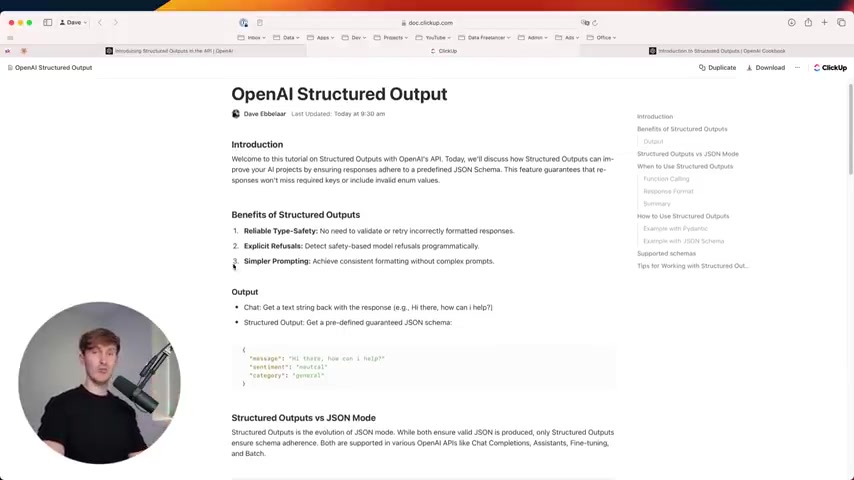
- Ensure Reliable Type-Safety: Eliminate the need to validate or retry incorrectly formatted responses, thereby improving overall system reliability.
- Implement Explicit Refusals: Detect safety-based model refusals programmatically, enhancing safety and compliance.
- Simplify Prompting: Achieve consistent formatting without complex prompts, making it easier to manage and maintain AI interactions.
This enhanced structural integrity is a Game-changer because it mitigates the risks of missing required keys or including invalid enum values. The transition to structured outputs represents a significant leap forward in the evolution of OpenAI APIs, guaranteeing schema adherence across various applications, including Chat Completions, Assistants, Fine-tuning, and Batch processing. This structured approach is particularly beneficial for developers aiming to build multi-agent systems or pipelines that demand reliable internal routing, providing a seamless and consistent framework for AI integrations.
Structured Output vs. JSON Mode & Function Calling
Historically, developers have utilized methods such as JSON mode and function calling to achieve structured outputs from OpenAI's API. While these methods have been useful, they have certain limitations. Structured Outputs offer a more robust and predictable approach.
- JSON Mode: While ensuring that a valid JSON is produced, it does not guarantee adherence to a specific schema. Models operating in JSON mode might still generate outputs with missing keys or incorrect enum values.
- Function Calling: This powerful feature allows models to execute code or invoke specific functions. However, it requires the model to understand and follow complex instructions, which can be error-prone.
Structured Outputs effectively bridge the gap by providing a framework for JSON schemas. This guarantees that the AI's responses will not only be valid JSON but also structurally sound. This level of precision significantly reduces the need for extensive data validation and error handling.
Here's a comparison:
| Feature | Structured Outputs | JSON Mode | Function Calling |
|---|---|---|---|
| Schema Adherence | Guaranteed | Limited | Requires complex instructions |
| Type Safety | Reliable | Limited | Limited |
| Explicit Refusals | Supported | Not Supported | Not Supported |
| Prompt Simplicity | High | Medium | Low |
To illustrate the advantage, consider the task of creating an AI assistant that extracts information from customer inquiries to categorize support tickets:
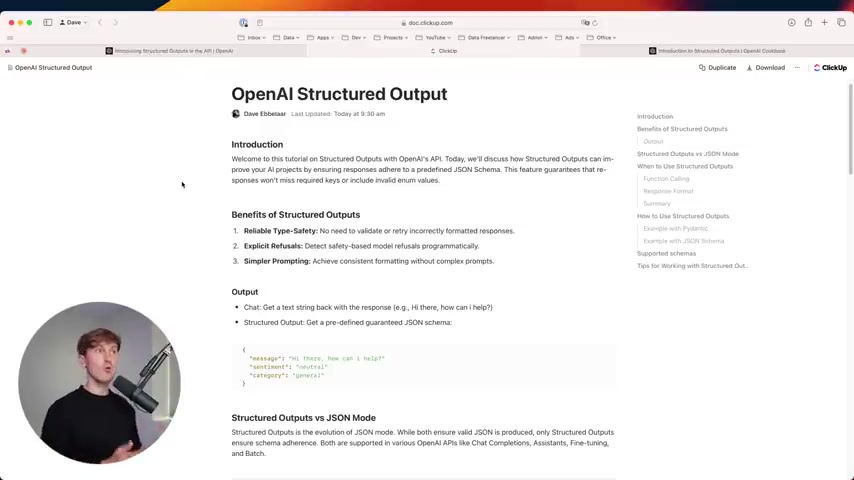
By providing a predefined JSON schema, Structured Outputs ensure that the AI assistant always returns a structured categorization, thereby streamlining data entry and improving operational efficiency. The result? The process becomes far more reliable.
When to Use Structured Outputs
Knowing when to deploy Structured Outputs is critical to maximizing its benefits. Consider using this feature when:
- You’re Connecting Models to Tools: Use Structured Outputs when you need reliable schema adherence for your AI model's responses. This can improve data integration across applications and workflows.
- You’re Building Applications with Complex Logic: When designing intricate applications that rely on structured data for functionality or automated workflows, Structured Outputs guarantee that responses Align with necessary structures and data formats.
- Streamlined Model Responses: If you want to Present information with a structured format, then Structured Output will make all model responses adhere to the same format, creating a consistent and more reliable user experience.
For instance, integrating Structured Outputs when querying a database to assist users with orders guarantees a consistent format for the database interactions. If the model is asked for the reasoning behind a generated answer for a support ticker resolution, Structured Outputs ensures that all of the data sent in the response will be valid JSON. This level of structured interaction greatly enhances the overall efficiency of AI driven solutions.
Diving Deeper: Code Examples
Implementing Structured Output with Python
Implementing structured output in Python with OpenAI’s API is straightforward. You can define JSON schemas or leverage Pydantic models to specify the desired structure of the output. First, ensure that you are using the new gpt-4o model. Second, update your openai Package.
Here's a breakdown:
-
Setting Up the Environment: Make sure you have installed the
openaiandpydanticpackages. Include necessary imports. Below is an example of what to import:import requests from bs4 import BeautifulSoup import json from openai import OpenAI from pydantic import BaseModel, Field -
Defining a Pydantic Model: Use Pydantic to define the structure. Models are typically based on type annotations in python.
from pydantic import BaseModel, Field class TicketResolution(BaseModel): description: str = Field(description="Description of the step taken.") action: str = Field(description="Action taken to resolve the issue.") class Step(BaseModel): steps: list[str] = Field(…) final_resolution: str = Field(…) -
Calling the OpenAI API: Interact with the OpenAI API by setting a model and response format:
client = OpenAI() MODEL = "gpt-4o-2024-05-06" def get_ticket_response_pydantic(query: str): response = client.chat.completions.create( model=MODEL, messages=[ {"role": "system", "content": SYSTEM_PROMPT}, {"role": "user", "content": query}, ], response_format=TicketResolution ) return completion.choices[0].message response_pydantic = get_ticket_response_pydantic(query) response_pydantic.model_dump() -
Running the Code: Running the code creates the chat and displays the results.
-
Benefits: As shown in the example, the method used is highly efficient for developing data-driven tasks such as summarizing data and Customer Service bots.
Refining AI Interactions: A Focus on Prompt Engineering and System Design
Developing AI solutions extends beyond basic coding practices. Mastery in Prompt engineering and comprehensive system design is essential to build robust and reliable AI systems. These elements guide the behavior of your AI model and ensure that it aligns with desired objectives.
-
Importance of Prompt Engineering
- Crafting detailed descriptions for all fields (for Pydantic models) is key.
- Effective prompts lead to better performance and more accurate outputs.
-
Balancing Data Types
- Mix and match different data types (e.g., Boolean, Enum) effectively to streamline system design.
- Different data types can reduce error in system design.
By fine-tuning prompts and data types, developers can ensure that the AI's responses are accurate, reliable, and aligned with the desired outcomes, enhancing the overall quality and utility of AI-driven solutions.
Step-by-Step Guide to Structured Output Implementation
Setting up Your Development Environment
Before diving into coding, it's important to set up your development environment correctly. This involves installing necessary packages and verifying their configurations. The following steps will guide you through setting up a robust environment for OpenAI’s Structured Outputs.
-
Install the OpenAI Library: The OpenAI library provides the necessary tools to interact with OpenAI’s models. Install it using pip:
pip install openaiEnsure that you have the latest version of the OpenAI library to access the new Structured Outputs features.
-
Install Pydantic: Pydantic is instrumental in defining data structures and performing data validation. Add it to your project with:
pip install pydanticPydantic simplifies the process of defining data schemas and ensures that the data adheres to these schemas, thus minimizing errors.
-
Import Necessary Libraries: In your Python script, import the required libraries:
import requests from bs4 import BeautifulSoup import json from openai import OpenAI from pydantic import BaseModel, FieldThese imports ensure that you have access to all the components needed to interact with OpenAI and define your data models.
-
Setting Up OpenAI Authentication: Authenticate with OpenAI by setting your API key. It is crucial to protect this key and avoid hardcoding it directly into your script. A safe practice is to set it as an environment variable:
import os
os.environ["OPENAI_API_KEY"] = "YOUR_API_KEY"  # Never hardcode your key like this!

client = OpenAI()
Replace
"YOUR_API_KEY"with your actual API key.


Most people like




































Report
Please select a reason for reporting
- 13 Reasons to Switch from Snapchat to Text Messaging
- 7 Powerful Speech to Text Apps to Boost Productivity
- 10 Best Speech to Text Tools for Effortless Transcription
- 13 Free Tools to Easily Transcribe Audio to Text
- 15 Surprising Ways Google's Speech-to-Text Boosts Productivity
- 7 Best Free Online Audio to Text Transcription Tools
- 9 Tips to Transcribe Speech to Text Faster and Better
- 13 Best Speech to Text Software for Windows 10 in 2023
- 7 Tips for Choosing the Best Transcriber for Audio to Text
- 11 Reasons Why Dragon Speech-to-Text Apps are Game-Changers
- 6 Secrets to Enhance Your Speech to Text Transcription
- 6 Brilliant Ways to Boost Productivity with Talk-to-Text on Your MacBook
- 6 Ways Transcription Software Converts Audio to Text
- 8 Tips to Transcribe Speech to Text Like a Pro
- 6 Reasons IBM Watson Speech to Text is a Game-Changer
- 14 Powerful Ways Talk-to-Text Improves Your Workflow
- 12 Top Windows Speech-to-Text Software for Efficient Transcription
- 12 Game-Changing Benefits of Apple's Speech to Text Technology
- 9 Powerful Use Cases for AWS Speech to Text Technology
- 10 Easy Steps to Transcribe YouTube Videos to Text
- transcription audio en texte
- online audio transcription
- free audio file transcription
- free ai audio transcription
- audio transcription service
- audio transcription online free
- audio transcription free online
- audio to transcription software
- audio and transcript
- ai audio transcription free
- voice recording to text converter
- translate voice recording to text
- record voice to text
- audio recording to text converter
- voice recording and transcription
- chatgpt voice to text
- gmail voice to text
- speech to text reader
- speech to text ai free
- speech to talk
- ChatGPT Knows Ford. It Just Doesn't Quote Ford
- Meshy AI: How to Create 3D Models from Text and Images
- How SEO and Marketing Dashboards Empower Agencies to Drive Results
- How to Use AI Tools to Find Internal Linking Opportunities Across a Business Website
- Discover Your Perfect Haircut with AI Hairstyle Apps
- Free Reputation Calculator Tools: How They're Adapting to Score AI Visibility, Not Just Rankings
- Design Professional Flyers for Free on Your Phone
- Best Free Flyer Maker Apps for Android: Design Like a Pro
- How to Know If Your Business Is Ready for an AI Customer Service Agent
- Revolutionizing Storytelling: From Novels to Screenplays with AI
- Keep Characters Consistent Across Scenes With Image-to-Video AI
- How to Convert BTC to HNT
- ProxyWing DuckDuckGo Proxy Review: Plans, Setup and Who It Is For
- ChatGPT Knows Ford. It Just Doesn't Quote Ford
- Automate Lead Generation: A Comprehensive Guide with AI Agents
- Revideo.io: The Future of Reverse Video Search Technology
- Revolutionizing Email Marketing Agency with AI
- Breaking the Character Drift Dilemma: A Practical Test of Smart Shot
- Meshy AI: How to Create 3D Models from Text and Images
- ASOMobile Helps Teams Benchmark App Store Screenshots Against Competitors

Copyright ©2026 toolify