































Table of Contents
- Key Points
- Mastering Python Dictionary Methods
- Best practices
- Advantages and Disadvantages of Using Dictionaries
- FAQ
- Related Questions


Mastering Python Dictionary Methods
What are Python Dictionaries?
Python dictionaries are a fundamental data structure that allow you to store and retrieve data using key-value pairs. Each key in a dictionary is unique and immutable (e.g., strings, numbers, or tuples), while the values can be of any data type. Dictionaries are incredibly versatile and are often used in scenarios where you need to quickly look up information based on a specific identifier.
Unlike lists or tuples, dictionaries are unordered (though from Python 3.7 onwards, they maintain insertion order). This means that the items are not stored in a specific sequence. Dictionaries are defined using curly braces {} and each key-value pair is separated by a colon :.
my_dictionary = {
 "name": "Alice",
 "age": 30,
 "city": "New York"
}
In this example, name, age, and city are keys, and Alice, 30, and New York are their respective values. Dictionaries are mutable, which means you can add, modify, or remove items after the dictionary is created.
Dictionaries are very useful and very common when it comes to data structures. In Python, you can even nest one dictionary inside another for advanced configurations and settings.
The update() Method: Adding and Modifying Dictionary Items
The update() method is used to add new key-value pairs to a dictionary or update the values of existing keys. If the key already exists, the value is updated. If the key doesn't exist, a new key-value pair is added. The update() method accepts another dictionary or an iterable of key-value pairs as input.
info = {
 'name': 'Karan', 'age': 19, 'eligible': True
}

info.update({'age':20})
print(info) # Output: {'name': 'Karan', 'age': 20, 'eligible': True}

info.update({'DOB':'2001'})
print(info) # Output: {'name': 'Karan', 'age': 20, 'eligible': True, 'DOB': '2001'}
As shown, the update() method helps keep your code organized, easy to change, easy to debug and is considered the best way to add more info in a dictionary, or to change existing information.
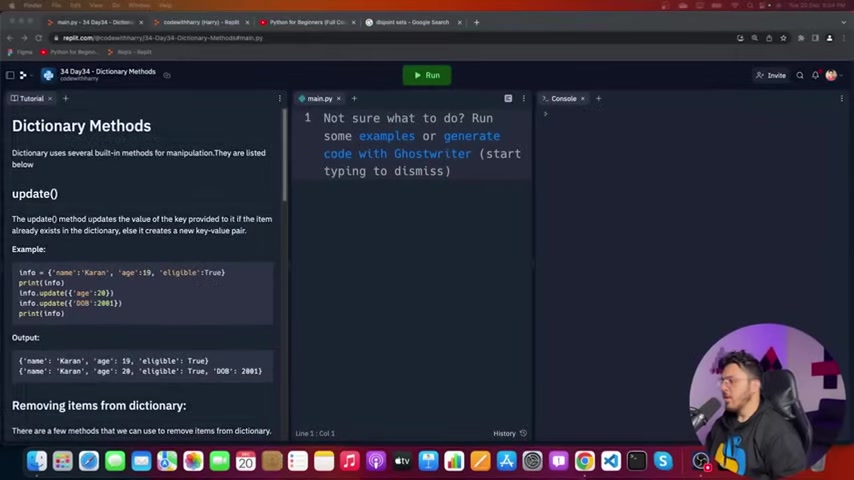
There are several built-in methods for manipulation in Python. The update() method updates the value of the key provided to it if the item already exists in the dictionary; else it creates a new key-value pair.
Here’s how you can update employee performance data using the update() method:
ep1 = {122: 45, 123: 89, 567: 69, 670: 69}
ep2 = {222: 67, 566: 90}

ep1.update(ep2)
print(ep1) # Output: {122: 45, 123: 89, 567: 69, 670: 69, 222: 67, 566: 90}
The clear() Method: Removing All Items from a Dictionary
The clear() method removes all items from a dictionary, leaving it empty. This is useful when you want to reset a dictionary or reuse it for a different purpose.
info = {
 'name': 'Karan', 'age': 19, 'eligible': True
}

info.clear()
print(info) # Output: {}
This is especially useful in Python because it empties the dictionary in place. That is, all the key-value pairs will be deleted from the same memory, and you can begin again using the dictionary. There are other ways to empty out a dictionary, but this is the most elegant.
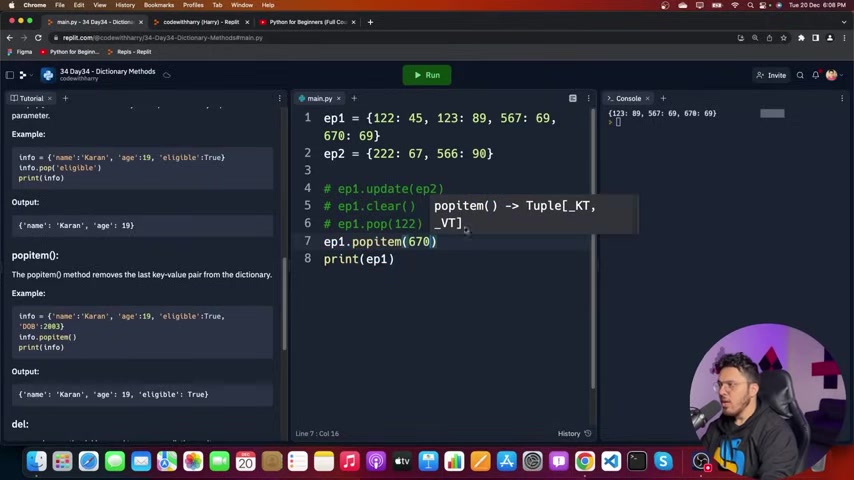
Here we can use clear() method to clear all of the items from the list.
The pop() Method: Removing Items by Key
The pop() method removes the item with the specified key and returns its value. If the key is not found, it raises a KeyError unless a default value is provided. The pop() method is useful when you want to remove an item and also retrieve its value.
info = {
 'name': 'Karan', 'age': 19, 'eligible': True
}

name = info.pop('name')
print(name) # Output: Karan
print(info) # Output: {'age': 19, 'eligible': True}

# info.pop('address') # KeyError: 'address'

address = info.pop('address', 'Unknown')
print(address) # Output: Unknown
As mentioned, the pop function is used to remove an item with a certain key. This is very useful if you find yourself having a large dataset, and you need to filter the amount of keys, removing any keys that you will not use. It reduces memory use and processing power when performing certain operations.
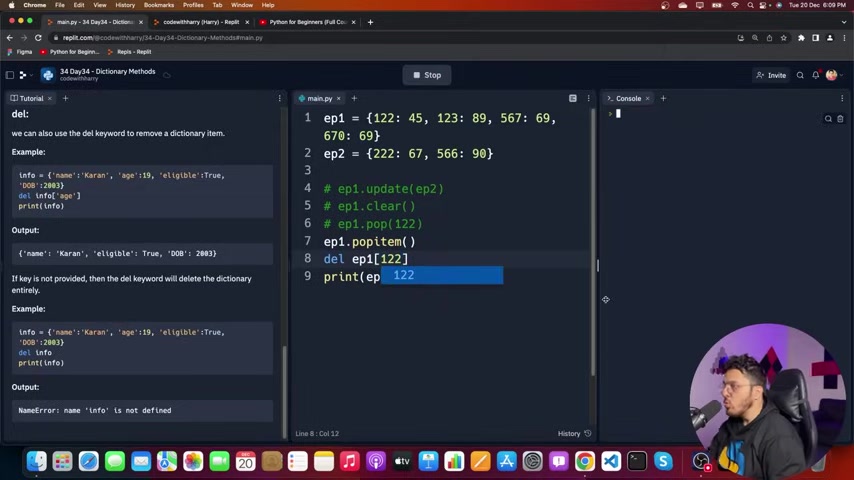
The pop() method removes the key-value pair whose key is passed as a parameter.
The popitem() Method: Removing the Last Inserted Item
The popitem() method removes and returns the last inserted key-value pair from the dictionary. In Python versions before 3.7, popitem() removed an arbitrary item because dictionaries were unordered. However, since Python 3.7, dictionaries maintain insertion order, so popitem() removes the last inserted item.
info = {
 'name': 'Karan', 'age': 19, 'eligible': True
}

item = info.popitem()
print(item) # Output: ('eligible', True)
print(info) # Output: {'name': 'Karan', 'age': 19}
Note: Attempting to use popitem() on an empty dictionary will raise a KeyError.
For removing the key-value pair from the dictionary in Python, there are actually several other methods, but the popitem is considered the most elegant. The choice of method is up to you, but it’s helpful to consider what you need in order to come to a decision.
The del Keyword: Removing Items and Dictionaries
The del keyword is used to delete items from a dictionary or to delete the entire dictionary. To delete a specific item, you need to specify the key. To delete the entire dictionary, you simply specify the dictionary name.
info = {
 'name': 'Karan', 'age': 19, 'eligible': True
}

del info['age']
print(info) # Output: {'name': 'Karan', 'eligible': True}

del info
# print(info) # NameError: name 'info' is not defined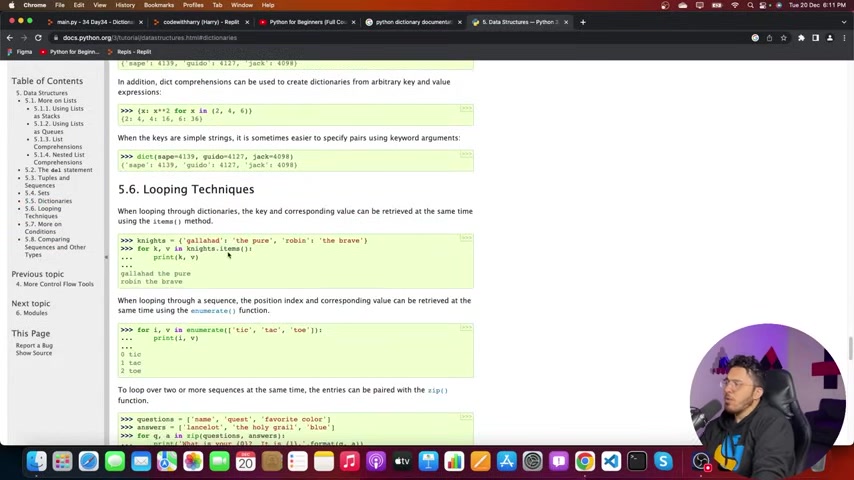
Here we can also use the del keyword to remove a dictionary item. The important thing is that you must provide the item key. For example, it would look like the following:
del ep1[122]If key is not provided, then the del keyword will delete the dictionary entirely.
Dictionaries vs. Sets: Understanding the Difference
It's important to distinguish between Python dictionaries and sets. Both use curly braces {}, but they serve different purposes.
- Dictionaries: Store key-value pairs. Keys are unique, and values can be of any data type.
- Sets: Store unique, unordered elements. Sets do not have key-value pairs.
# Dictionary
my_dictionary = {
 'name': 'Alice', 'age': 30
}

# Set
my_set = {1, 2, 3, 4, 5}
The key difference is that dictionaries involve a mapping where every value that comes with a unique key, and sets don’t. With sets, you just add a large number of variables and they just exist.
Understanding when to use a dictionary vs. a set is crucial for writing efficient and effective Python code.








Most people like

































Report
Please select a reason for reporting
- 13 Reasons to Switch from Snapchat to Text Messaging
- 7 Powerful Speech to Text Apps to Boost Productivity
- 10 Best Speech to Text Tools for Effortless Transcription
- 13 Free Tools to Easily Transcribe Audio to Text
- 15 Surprising Ways Google's Speech-to-Text Boosts Productivity
- 7 Best Free Online Audio to Text Transcription Tools
- 9 Tips to Transcribe Speech to Text Faster and Better
- 13 Best Speech to Text Software for Windows 10 in 2023
- 7 Tips for Choosing the Best Transcriber for Audio to Text
- 11 Reasons Why Dragon Speech-to-Text Apps are Game-Changers
- 6 Secrets to Enhance Your Speech to Text Transcription
- 6 Brilliant Ways to Boost Productivity with Talk-to-Text on Your MacBook
- 6 Ways Transcription Software Converts Audio to Text
- 8 Tips to Transcribe Speech to Text Like a Pro
- 6 Reasons IBM Watson Speech to Text is a Game-Changer
- 14 Powerful Ways Talk-to-Text Improves Your Workflow
- 12 Top Windows Speech-to-Text Software for Efficient Transcription
- 12 Game-Changing Benefits of Apple's Speech to Text Technology
- 9 Powerful Use Cases for AWS Speech to Text Technology
- 10 Easy Steps to Transcribe YouTube Videos to Text
- transcription audio en texte
- online audio transcription
- free audio file transcription
- free ai audio transcription
- audio transcription service
- audio transcription online free
- audio transcription free online
- audio to transcription software
- audio and transcript
- ai audio transcription free
- voice recording to text converter
- translate voice recording to text
- record voice to text
- audio recording to text converter
- voice recording and transcription
- chatgpt voice to text
- gmail voice to text
- speech to text reader
- speech to text ai free
- speech to talk
- How to Use AI Tools to Find Internal Linking Opportunities Across a Business Website
- Discover Your Perfect Haircut with AI Hairstyle Apps
- Free Reputation Calculator Tools: How They're Adapting to Score AI Visibility, Not Just Rankings
- Design Professional Flyers for Free on Your Phone
- Best Free Flyer Maker Apps for Android: Design Like a Pro
- How to Know If Your Business Is Ready for an AI Customer Service Agent
- Revolutionizing Storytelling: From Novels to Screenplays with AI
- Create Engaging Animated Explainer Videos with a Free AI Tool
- Stop Multi-Subscribing: Benchmark Top AI Visual Models in One Canvas
- Best Seedance 2.5 API Provider: Every Price on the Market, Checked at Source
- Top AI Social Media Management Tools: Automate Your Content Strategy
- Free AI Text to Video Generator: Create Stunning Videos from Text
- Discover 17 ChatGPT Alternatives: A Comprehensive Comparison
- Character.AI vs. Janitor AI: Which AI Chat Platform Reigns Supreme?
- Top Virtual Assistant Companies in 2026: Reviews, Pricing, and Plans Compared
- Unveiling FaceCheck.ID: Revolutionizing Reverse Image Searches with AI
- 11 Best AI Dialers in 2026: Features, Pricing, Pros and Cons
- How I Direct Consistent AI Clips: A Hands-On Guide to Multi-Model Generation
- A Realistic Review of the Photo Generator Image Tool
- Playwright MCP Server: Automated Web Testing with Agent Mode

Copyright ©2026 toolify