































Table of Contents


Building a React Frontend with a Django API
Setting Up Your React API URL
The first step in integrating a Django API with a React frontend is defining the base URL for your API calls.
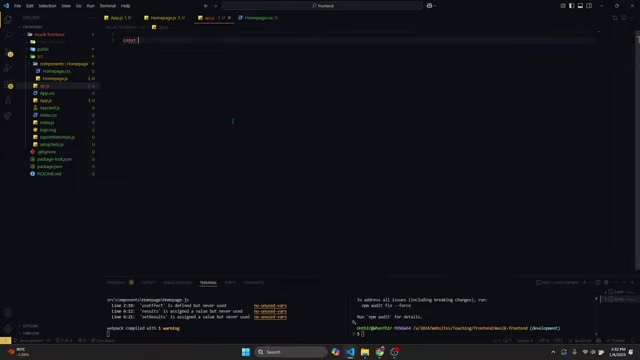
This provides a centralized location to manage your API endpoint, making your code more maintainable and easier to update if the API address changes. Here’s how you can set up the API URL:
const API_URL = 'http://127.0.0.1:8000/api';In this example, API_URL is a constant variable that stores the address of your Django API. It’s crucial to ensure that this URL matches the actual endpoint where your Django API is hosted. This base URL will be used as the foundation for all subsequent API requests. Remember to adjust the port number if your Django server is running on a different port.
Keywords: React, Django, API URL, Frontend, Backend
Creating an API Service File
To maintain a clean and organized codebase, it’s best practice to encapsulate all API-related logic within a dedicated service file.
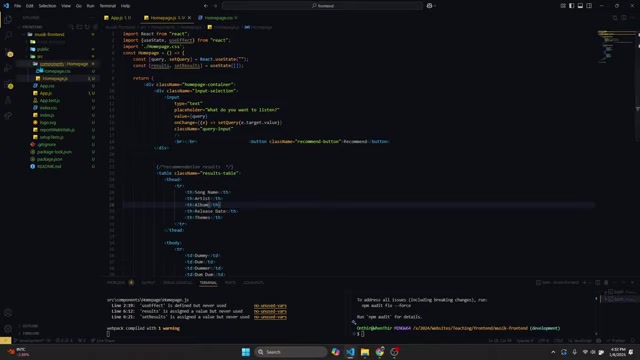
This segregation enhances code reusability and makes debugging simpler. Here's how to create an api.js file and define your API functions:
- Create
api.js: Within yoursrcfolder in the React project, create a new file namedapi.js. This file will house all functions related to making API calls. - Define
createRecommendationfunction: Insideapi.js, define a function namedcreateRecommendation. This function will be responsible for sending a request to your Django API to fetch song recommendations. The function takes a query parameter, which is the user's search input.
Keywords: React, Django, API service, frontend, code organization, api.js
Asynchronous API Calls in React
To handle API calls efficiently, especially those that might take some time to complete, it's important to use asynchronous functions. The async and await keywords in JavaScript are perfect for this.
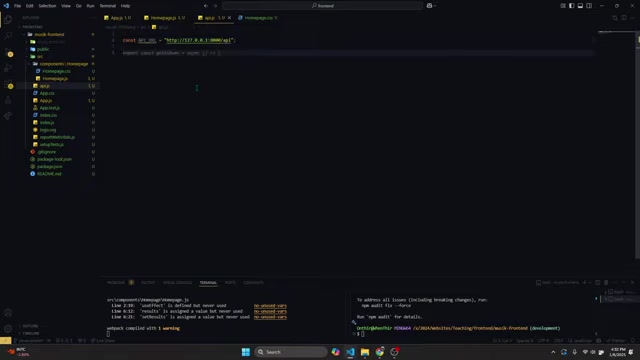
Here's how you can implement an asynchronous API call:
export const createRecommendation = async (query) => {
  try {
    const response = await fetch(`${API_URL}/recommender/`, {
      method: 'POST',
      headers: {
        'Content-Type': 'application/json'
      },
      body: JSON.stringify(query)
    });

    if (!response.ok) {
      throw new Error('Failed to fetch recommendations');
    }

    const data = await response.json();
    return data;
  } catch (error) {
    console.error('Error in createRecommendation:', error);
    throw error; // Re-throw the error to be caught by the calling component
  }
};
In this code snippet:
asynckeyword: Marks thecreateRecommendationfunction as asynchronous.await fetch(...): Sends a POST request to the Django API, waiting for the response.- Error Handling: Checks if the response is successful (
response.ok). If not, it throws an error. response.json(): Parses the JSON response.try...catchblock: Catches any errors that occur during the API call.
By using async and await, you ensure that your React component remains responsive while waiting for the API to return data. This example effectively utilizes the fetch API to send a POST request, including necessary headers and body data. The JSON.stringify(query) ensures that your data is sent in the correct format, which is essential for interacting with your Django API.
Keywords: React, Django, asynchronous API, frontend, async, await, fetch API, error handling
Handling CORS Errors in React and Django
A common issue when integrating React and Django is encountering CORS (Cross-Origin Resource Sharing) errors. This happens when your React app, running on one domain (e.g., localhost:3000), tries to make a request to your Django API, running on a different domain (e.g., localhost:8000). Browsers block these requests by default for security reasons.
To resolve CORS errors, you need to configure your Django project to allow requests from your React app's domain. Here's how:
-
Install
django-cors-headers:pip install django-cors-headers -
Add
corsheaderstoINSTALLED_APPSinsettings.py:INSTALLED_APPS = [ ..., 'corsheaders', ] -
Add
CorsMiddlewaretoMIDDLEWAREinsettings.py:MIDDLEWARE = [ 'corsheaders.middleware.CorsMiddleware', 'django.middleware.common.CommonMiddleware', ..., ]Note: Ensure that
CorsMiddlewareis placed beforeCommonMiddleware. -
Configure
CORS_ALLOWED_ORIGINSinsettings.py:CORS_ALLOWED_ORIGINS = [ 'http://localhost:3000', ]This setting tells Django to allow requests from your React app running on
http://localhost:3000.Remember to replace `





Most people like




































Report
Please select a reason for reporting
- 13 Reasons to Switch from Snapchat to Text Messaging
- 7 Powerful Speech to Text Apps to Boost Productivity
- 10 Best Speech to Text Tools for Effortless Transcription
- 13 Free Tools to Easily Transcribe Audio to Text
- 15 Surprising Ways Google's Speech-to-Text Boosts Productivity
- 7 Best Free Online Audio to Text Transcription Tools
- 9 Tips to Transcribe Speech to Text Faster and Better
- 13 Best Speech to Text Software for Windows 10 in 2023
- 7 Tips for Choosing the Best Transcriber for Audio to Text
- 11 Reasons Why Dragon Speech-to-Text Apps are Game-Changers
- 6 Secrets to Enhance Your Speech to Text Transcription
- 6 Brilliant Ways to Boost Productivity with Talk-to-Text on Your MacBook
- 6 Ways Transcription Software Converts Audio to Text
- 8 Tips to Transcribe Speech to Text Like a Pro
- 6 Reasons IBM Watson Speech to Text is a Game-Changer
- 14 Powerful Ways Talk-to-Text Improves Your Workflow
- 12 Top Windows Speech-to-Text Software for Efficient Transcription
- 12 Game-Changing Benefits of Apple's Speech to Text Technology
- 9 Powerful Use Cases for AWS Speech to Text Technology
- 10 Easy Steps to Transcribe YouTube Videos to Text
- transcription audio en texte
- online audio transcription
- free audio file transcription
- free ai audio transcription
- audio transcription service
- audio transcription online free
- audio transcription free online
- audio to transcription software
- audio and transcript
- ai audio transcription free
- voice recording to text converter
- translate voice recording to text
- record voice to text
- audio recording to text converter
- voice recording and transcription
- chatgpt voice to text
- gmail voice to text
- speech to text reader
- speech to text ai free
- speech to talk
- Create Engaging Animated Explainer Videos with a Free AI Tool
- Stop Multi-Subscribing: Benchmark Top AI Visual Models in One Canvas
- Best Seedance 2.5 API Provider: Every Price on the Market, Checked at Source
- AI OnlyFans: How to Generate $30,000/Month (Legally)
- Transform Your Script into an Engaging Video with AI Video Maker!
- AI Marketing Automation: A Comprehensive Guide for Small Businesses
- Midjourney Alternative for Anime Art Creators: Why PixAI May Be Better for Character Workflows
- 10 Things Most People Get Wrong About AI Image Search
- AI Girlfriend Apps: Top Choices Redefining Relationships 2025
- How to Reduce Quoting Errors in Salesforce with AI-Assisted Quote Creation
- AI Resume Builders: EnhanceCV, ResumeNerd AI, & Teal Compared
- ResumeAI: Crafting ATS-Optimized Resumes with AI
- AI in Resume Writing: A New Era for Job Seekers
- AI Resume Tools: Streamline Your Job Search and Land Your Dream Role
- AI Resume Optimization: The Right Way to Land Interviews
- Crafting a Killer Resume with AI: A Step-by-Step Guide
- Crafting a Winning Resume: AI Tools and Expert Tips
- AI Job Search: Level Up Your Career with AI Automation
- Empower Your Career Journey: Dynamic Resumes with AI
- AI Resume Builder: Create Professional Resumes Effortlessly

Copyright ©2026 toolify