































Table of Contents
- Key Points
- Understanding Spec-Driven Development
- GitHub's Spec Kit: Your SDD Toolkit
- Getting Started with Spec Kit: A Step-by-Step Guide
- Spec Kit: Weighing the Pros and Cons
- Frequently Asked Questions
- Related Question


GitHub's Spec Kit: Your SDD Toolkit
Introducing GitHub's Spec Kit
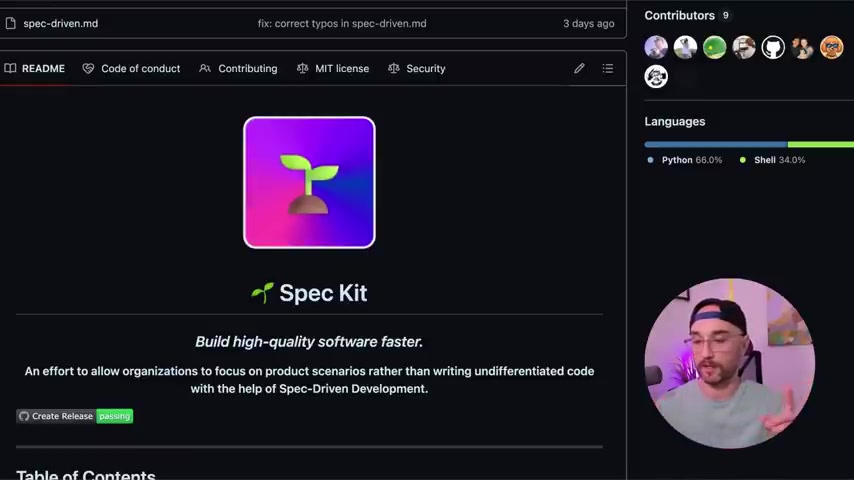
GitHub's Spec Kit

is a newly released open-source tool designed to streamline SDD, which allows you to specify how it goes through each command sequentially until you build out all your specs. It integrates seamlessly with popular AI coding agents such as GitHub Copilot Agent, Claude Code, and Gemini CLI. Moreover, the tool is expected to become available in even more tools, such as Codex, soon!
Unlike other tools, Spec Kit emphasizes a highly structured and researched approach. It allows you to pull in external data, leverage existing resources, and carefully define the specifications before diving into code.
This structured approach is a departure from tools like Kiro.dev, which, while pioneering the SDD space, could become expensive. More importantly, Spec Kit offers a comparable functionality across a broad array of development platforms, thus making it more widely-accessible. Most importantly, Spec Kit is more thorough. It can use already installed MCP servers. It takes a bit longer, but gets you a much better plan.
Spec Kit and Test-Driven Development (TDD)
What sets Spec Kit apart? It is its commitment to Test-Driven Development (TDD)
. It's an implementation plan that describes the strategy for generating ordered, testable tasks following TDD principles. TDD is a development process where tests are created before the code. This ensures that from the start, the system is verifiable.
Spec Kit encourages writing and executing tests to validate each functionality. Every task generated requires passing validation. TDD should actually be called STDD! Just kidding (editor's note: that was a bad joke). This methodology makes the overall development process more resilient.
But, what happens if something is unclear? Spec Kit highlights areas needing clarification, such as user authentication methods or data retention policies. It encourages an iterative process where you clarify those ambiguities, thus ensuring a more robust specification.
Getting Started with Spec Kit: A Step-by-Step Guide
Initial Setup
Getting started with Spec Kit

is remarkably simple. To begin, open your terminal and paste this command:
uvx -f git+https://github.com/github/spec-kit.git specify init <PROJECT_NAME>Replace <PROJECT_NAME> with the name of your project. For example:
uvx -f git+https://github.com/github/spec-kit.git specify init vision_based_calorie_counterThis command initializes your project, downloads all necessary templates and scripts, and creates a basic directory structure . You will immediately see the Spec Kit logo, so you know it is initiated. The tool will also then ask which code agent you would like to use.
Choosing Your AI Assistant
Spec Kit is designed to work with multiple AI assistants. You'll be prompted to select from GitHub Copilot, Claude Code, and Gemini CLI.
Selecting an assistant configures the tool to use that AI model for code generation and task execution. This is also when it creates slash commands and scripts.
The system creates a memory folder as well. This includes:
- configuration.md
- configuration_update_checklist.md
- scripts
- templates
Once selected, the tool creates the memory folder for constitutions. This ensures better user experience and control.
Creating Specifications and Implementing Tasks
With the setup complete, you can start defining specifications. The spec file must include feature involves data! This should be your top focus, as you avoid implement, meaning no tech stack or code structure should come into play until the very end! In Visual Studio Code, type / to see all available commands. Use /specify to create specifications. At this point, give as much detail as you can, describing user goals, use cases, and user stories. Be as thorough as possible!
Next, you can use /plan

command to generate implementation plans and tasks. Then, once the system runs through, it is going to ask to make executables. For the project to run, always select YES! Spec Kit will automatically generate tasks. This tool will get you 75% of the way there, if not more!









Most people like




























Report
Please select a reason for reporting
- 13 Reasons to Switch from Snapchat to Text Messaging
- 7 Powerful Speech to Text Apps to Boost Productivity
- 10 Best Speech to Text Tools for Effortless Transcription
- 13 Free Tools to Easily Transcribe Audio to Text
- 15 Surprising Ways Google's Speech-to-Text Boosts Productivity
- 7 Best Free Online Audio to Text Transcription Tools
- 9 Tips to Transcribe Speech to Text Faster and Better
- 13 Best Speech to Text Software for Windows 10 in 2023
- 7 Tips for Choosing the Best Transcriber for Audio to Text
- 11 Reasons Why Dragon Speech-to-Text Apps are Game-Changers
- 6 Secrets to Enhance Your Speech to Text Transcription
- 6 Brilliant Ways to Boost Productivity with Talk-to-Text on Your MacBook
- 6 Ways Transcription Software Converts Audio to Text
- 8 Tips to Transcribe Speech to Text Like a Pro
- 6 Reasons IBM Watson Speech to Text is a Game-Changer
- 14 Powerful Ways Talk-to-Text Improves Your Workflow
- 12 Top Windows Speech-to-Text Software for Efficient Transcription
- 12 Game-Changing Benefits of Apple's Speech to Text Technology
- 9 Powerful Use Cases for AWS Speech to Text Technology
- 10 Easy Steps to Transcribe YouTube Videos to Text
- transcription audio en texte
- online audio transcription
- free audio file transcription
- free ai audio transcription
- audio transcription service
- audio transcription online free
- audio transcription free online
- audio to transcription software
- audio and transcript
- ai audio transcription free
- voice recording to text converter
- translate voice recording to text
- record voice to text
- audio recording to text converter
- voice recording and transcription
- chatgpt voice to text
- gmail voice to text
- speech to text reader
- speech to text ai free
- speech to talk
- Create Engaging Animated Explainer Videos with a Free AI Tool
- Stop Multi-Subscribing: Benchmark Top AI Visual Models in One Canvas
- Best Seedance 2.5 API Provider: Every Price on the Market, Checked at Source
- AI OnlyFans: How to Generate $30,000/Month (Legally)
- Transform Your Script into an Engaging Video with AI Video Maker!
- AI Marketing Automation: A Comprehensive Guide for Small Businesses
- Midjourney Alternative for Anime Art Creators: Why PixAI May Be Better for Character Workflows
- 10 Things Most People Get Wrong About AI Image Search
- AI Girlfriend Apps: Top Choices Redefining Relationships 2025
- How to Reduce Quoting Errors in Salesforce with AI-Assisted Quote Creation
- Convert PDF to Audio: Free Urdu Text-to-Speech Tool
- Automatically Transcribe and Subtitle Audio and Video with Descript
- Revolutionize your video editing with AI-generated transcripts
- Mastering Wordpad: Essential Tips for Windows 10 Users
- AfirstSoft PDF Editor: The Ultimate PDF Solution of 2025
- UPDF: The Ultimate PDF Editor for iPadOS and macOS
- Translate PDF Documents: A Comprehensive Guide with OnlineDocTranslator
- Tenorshare PDNob PDF Editor: Smarter AI-Powered Editing
- uPDF Pro Review: AI-Powered PDF Editing for Professionals
- Master the Art of Wrapping Text in Illustrator CC

Copyright ©2026 toolify