































Table of Contents
- Key Points
- Understanding AI-Powered Git Commit Message Generation
- Exploring the Code Structure
- How to Install and Use AI-Commit
- Pricing
- Analyzing the Upsides and Downsides of AI-Commit
- Core Features
- Use Cases
- Frequently Asked Questions
- Related Questions


Exploring the Code Structure
The 'run_command' Function
def run_command(command: list[str] | str):
    try:
        result = subprocess.run(
            command,
            capture_output=True,
            text=True,
            check=True,
            timeout=10,
        )
        return result.stdout
    except subprocess.CalledProcessError as e:
        print(f"
Error: {e.stderr=}")
        sys.exit(1)
This function
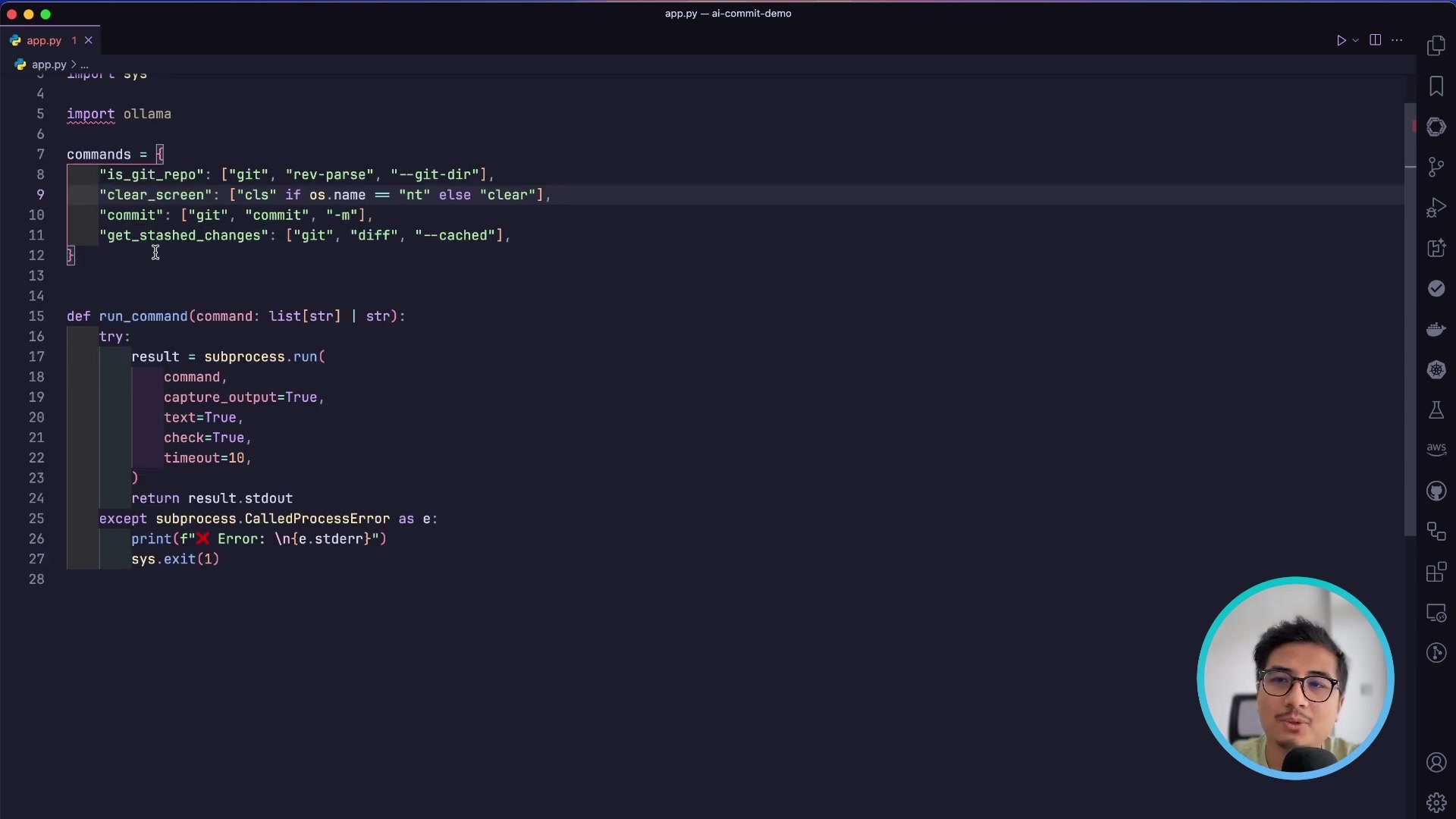
is a core component, responsible for executing commands directly on the system's command line. It utilizes Python’s subprocess module to run external processes, capture their output, and manage potential errors.
This function’s parameters are:
- command (list[str] | str): Specifies the command to be executed, either as a list of strings (suitable for commands with multiple arguments) or as a single STRING.
The code handles error gracefully in a try...except block.
- The function then attempts to execute the given command using subprocess.run(). Several arguments are passed:
capture_output=True: This captures the standard output and standard error streams of the command.text=True: Opens the files in text mode, the stdout and stderr streams will be strings, and encoding is handled transparentlycheck=True: If the process exits with a non-zero exit code, a CalledProcessError will be raised.timeout=10: Limits the execution time of the command to 10 seconds. If the command takes longer, a TimeoutExpired exception is raised. This prevents commands from running indefinitely and hanging the application.
Command definitions
commands = {
    "is_git_repo": ["git", "rev-parse", "--is-inside-work-tree"],
    "clear_screen": ["cls"] if os.name == "nt" else ["clear"],
    "commit": ["git", "commit", "-m"],
    "get_stashed_changes": ["git", "diff", "--cached"],
}
This dictionary
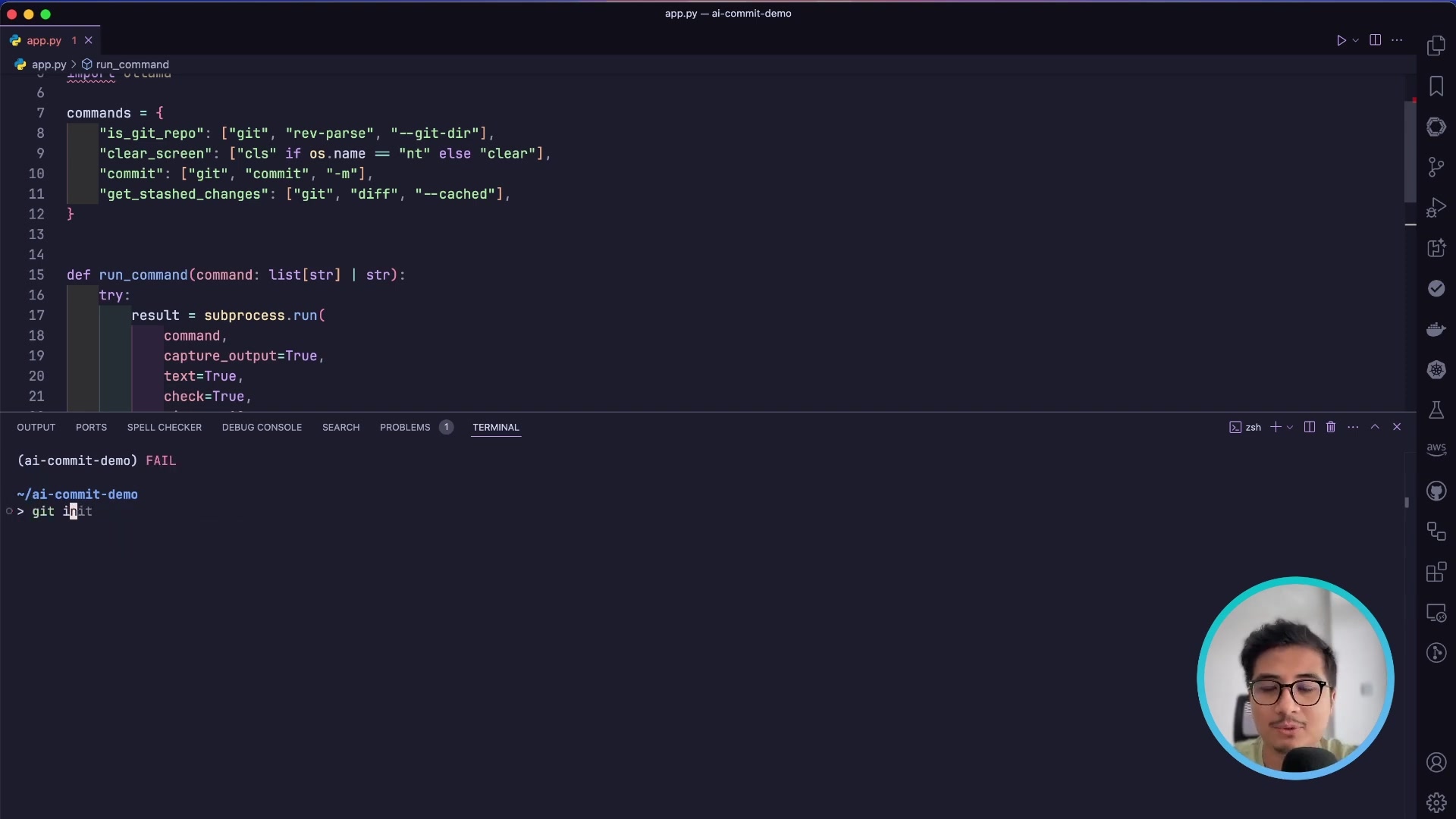
stores crucial commands used throughout the AI-Commit application. By defining these commands in a centralized location, the application can easily execute them via the run_command function and adapt to different operating systems, ensuring maximum portability and flexibility.
The various commands are:
- is_git_repo: Determines whether the current directory is part of a valid Git repository. It leverages git rev-parse --is-inside-work-tree, which checks if the directory is within a Git working tree.
- clear_screen: Provides a cross-platform way to clear the terminal screen. Depending on the operating system (os.name), it uses either cls (for Windows, denoted by 'nt') or clear (for Unix-like systems).
- commit: Formats the Git commit command. It uses git commit -m, where -m specifies that the commit message will be provided directly on the command line.
- get_stashed_changes: Retrieves the differences between the staged changes and the last commit, providing input to the LLM to understand what modifications have been made. It uses git diff --cached, which shows the changes that are staged for the next commit.
LLM System Prompts
system_prompt = """
You are an expert AI commit message generator specialized in creating concise, informative commit messages that follow best practices in version control.

Your ONLY task is to generate a well-structured commit message based on the provided diff. The commit message must:
1.  Use a clear, descriptive title in the imperative mood (50 characters max)
2.  Provide a detailed explanation of changes in bullet points
3.  Focus solely on the technical changes in the code
4.  Use present tense and be specific about modifications

Key Guidelines:
-   Analyze the entire diff comprehensively
-   Capture the essence of only MAJOR changes
-   Use technical, precise languages
-   Avoid generic or vague descriptions
-   Avoid quoting any word or sentences
-   Avoid adding description for minor changes with not much context
-   Return just the commit message, no additional text
-   Don't return more bullet points than required
-   Generate a single commit message

Output Format:
Concise Title Summarizing Changes

-   Specific change description
-   Another specific change description
-   Rationale for key modifications
-   Impact of changes
"""
This system Prompt
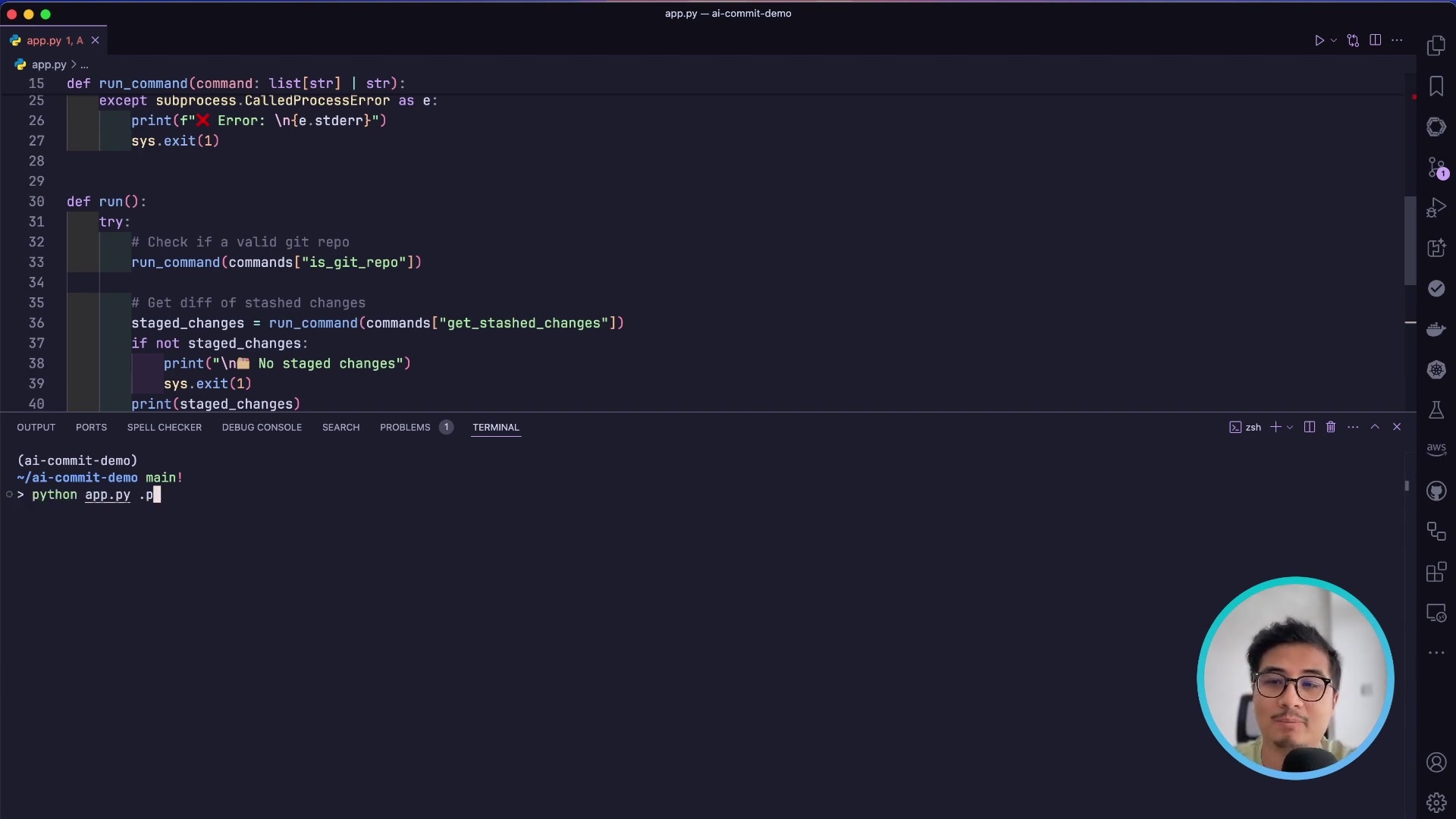
serves as the core set of instructions provided to the language model, guiding it on how to generate the commit messages. This is where key instructions and best practices are outlined to ensure the quality and usefulness of the generated messages.
This prompt defines the AI assistant’s role as an expert in generating commit messages. It emphasizes conciseness and adherence to version control best practices, setting the tone and direction for how the AI should approach the task.








Most people like

































Report
Please select a reason for reporting
- 13 Reasons to Switch from Snapchat to Text Messaging
- 7 Powerful Speech to Text Apps to Boost Productivity
- 10 Best Speech to Text Tools for Effortless Transcription
- 13 Free Tools to Easily Transcribe Audio to Text
- 15 Surprising Ways Google's Speech-to-Text Boosts Productivity
- 7 Best Free Online Audio to Text Transcription Tools
- 9 Tips to Transcribe Speech to Text Faster and Better
- 13 Best Speech to Text Software for Windows 10 in 2023
- 7 Tips for Choosing the Best Transcriber for Audio to Text
- 11 Reasons Why Dragon Speech-to-Text Apps are Game-Changers
- 6 Secrets to Enhance Your Speech to Text Transcription
- 6 Brilliant Ways to Boost Productivity with Talk-to-Text on Your MacBook
- 6 Ways Transcription Software Converts Audio to Text
- 8 Tips to Transcribe Speech to Text Like a Pro
- 6 Reasons IBM Watson Speech to Text is a Game-Changer
- 14 Powerful Ways Talk-to-Text Improves Your Workflow
- 12 Top Windows Speech-to-Text Software for Efficient Transcription
- 12 Game-Changing Benefits of Apple's Speech to Text Technology
- 9 Powerful Use Cases for AWS Speech to Text Technology
- 10 Easy Steps to Transcribe YouTube Videos to Text
- transcription audio en texte
- online audio transcription
- free audio file transcription
- free ai audio transcription
- audio transcription service
- audio transcription online free
- audio transcription free online
- audio to transcription software
- audio and transcript
- ai audio transcription free
- voice recording to text converter
- translate voice recording to text
- record voice to text
- audio recording to text converter
- voice recording and transcription
- chatgpt voice to text
- gmail voice to text
- speech to text reader
- speech to text ai free
- speech to talk
- How to Use AI Tools to Find Internal Linking Opportunities Across a Business Website
- Discover Your Perfect Haircut with AI Hairstyle Apps
- Free Reputation Calculator Tools: How They're Adapting to Score AI Visibility, Not Just Rankings
- Design Professional Flyers for Free on Your Phone
- Best Free Flyer Maker Apps for Android: Design Like a Pro
- How to Know If Your Business Is Ready for an AI Customer Service Agent
- Revolutionizing Storytelling: From Novels to Screenplays with AI
- Create Engaging Animated Explainer Videos with a Free AI Tool
- Stop Multi-Subscribing: Benchmark Top AI Visual Models in One Canvas
- Best Seedance 2.5 API Provider: Every Price on the Market, Checked at Source
- Top AI Social Media Management Tools: Automate Your Content Strategy
- Free AI Text to Video Generator: Create Stunning Videos from Text
- Discover 17 ChatGPT Alternatives: A Comprehensive Comparison
- Character.AI vs. Janitor AI: Which AI Chat Platform Reigns Supreme?
- Top Virtual Assistant Companies in 2026: Reviews, Pricing, and Plans Compared
- Unveiling FaceCheck.ID: Revolutionizing Reverse Image Searches with AI
- 11 Best AI Dialers in 2026: Features, Pricing, Pros and Cons
- How I Direct Consistent AI Clips: A Hands-On Guide to Multi-Model Generation
- A Realistic Review of the Photo Generator Image Tool
- Playwright MCP Server: Automated Web Testing with Agent Mode

Copyright ©2026 toolify