































Table of Contents
- Key Points
- Understanding STRESSED: A Security Log Analysis System
- Key Features and Benefits of STRESSED
- Getting Started with STRESSED: A Step-by-Step Guide
- STRESSED: Pros and Cons
- Frequently Asked Questions (FAQ)
- Related Questions


Understanding STRESSED: A Security Log Analysis System
What is STRESSED?
STRESSED, short for STructured Generation Security System Evaluating Data, is an innovative approach to security log analysis
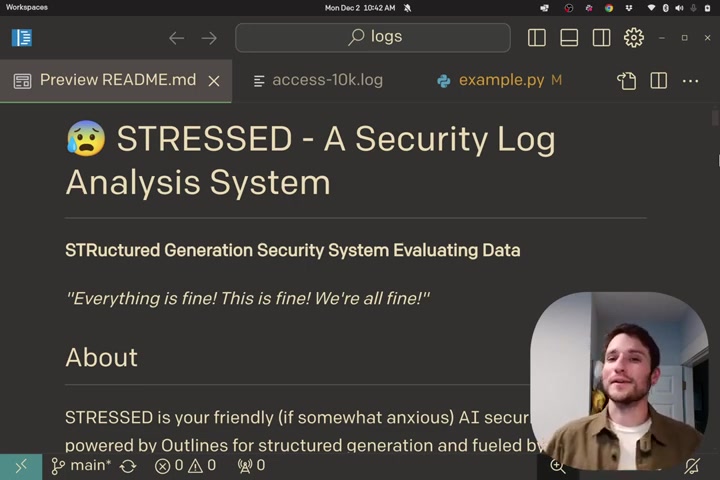
. It functions as an AI agent that analyzes log files generated by various systems, including web servers like Apache and Nginx, databases, and the system itself. The primary goal is to provide system administrators with a clear understanding of the data contained within these logs, identifying potential security issues quickly and efficiently. This AI agent allows for a more streamlined and effective analysis, reducing the manual effort required in traditional Log Management. This is done through Structured Generation Security System Evaluating Data.
Traditional methods of log analysis often involve manually sifting through countless lines of text, a process that's not only tedious but also prone to human error. STRESSED automates much of this process, offering a summarized, structured overview of log data. This enables administrators to focus on high-priority issues and make informed decisions about their security measures. STRESSED is designed to ease anxiety by providing security log analysis. By automatically reviewing logs, Outlines helps administrators have greater piece of mind.
The Role of AI in Security Log Analysis
The integration of AI into security log analysis brings significant advantages. AI algorithms can process vast amounts of data far more rapidly than humans, identifying patterns and anomalies that might otherwise go unnoticed. In the context of STRESSED, AI not only accelerates the analysis process but also enhances the accuracy of threat detection.
AI agents like STRESSED can continuously learn and adapt to new threat landscapes, improving their ability to identify and respond to emerging security risks. This proactive approach to security is essential for maintaining a robust defense against cyber threats.
The AI component of STRESSED uses structured generation techniques. This means it doesn't just provide raw data; it organizes and presents information in a way that's easy to understand. Summaries, key observations, and potential security events are all presented in a structured format, allowing administrators to quickly grasp the essential details. The AI also assigns severity levels to identified issues, helping administrators prioritize their response efforts. This structured generation is really helpful for security log analysis.
Supported Log Sources
STRESSED is designed to work with a wide range of log sources
, ensuring comprehensive coverage of your IT infrastructure. Here are some of the key log sources supported by STRESSED:
- Web Servers (Apache, Nginx): These logs provide insights into web traffic, including requests, errors, and potential attack attempts.
- Databases: Database logs track queries, transactions, and other database activities, helping to identify suspicious data access or manipulation.
- System Logs: System logs capture events related to the operating system and hardware, offering visibility into system health and security.
By aggregating and analyzing logs from diverse sources, STRESSED provides a holistic view of your security landscape, enabling more accurate threat detection and incident response. STRESSED gives a great view of the data.
Key Features and Benefits of STRESSED
Automated Log Summarization
One of the core features of STRESSED is its ability to automatically summarize log data
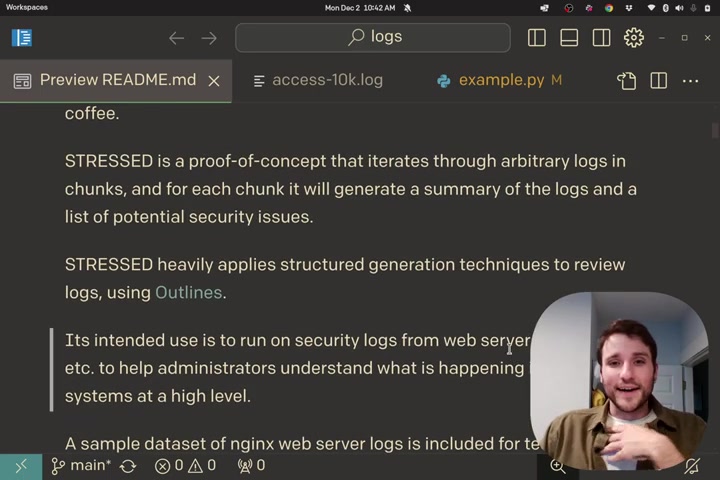
. Instead of manually reading through thousands of log entries, administrators receive a concise summary highlighting the key events and trends. This summarization feature saves time and effort, allowing administrators to focus on more critical tasks. Automated log summarization is very useful for security issues.
Potential Security Issue Identification
STRESSED doesn't just summarize log data; it actively seeks out potential security issues
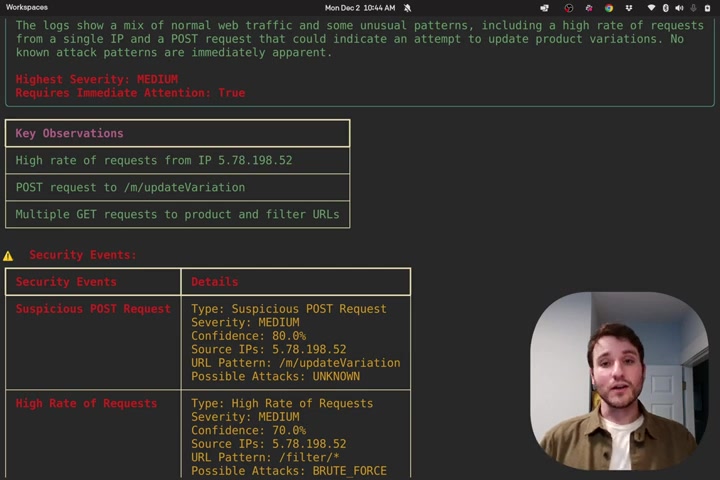
. By analyzing log entries for patterns and anomalies, the system can identify suspicious activity that may indicate a security threat. This includes identifying suspicious POST requests, high rates of requests from a single IP address, and other indicators of malicious behavior. With STRESSED, potential security issues are quickly found. With STRESSED, the burden of identifying security risks is lessened.
Structured Generation Techniques
STRESSED heavily relies on structured generation techniques to review logs. Outlines are used to achieve consistent and organized log analysis
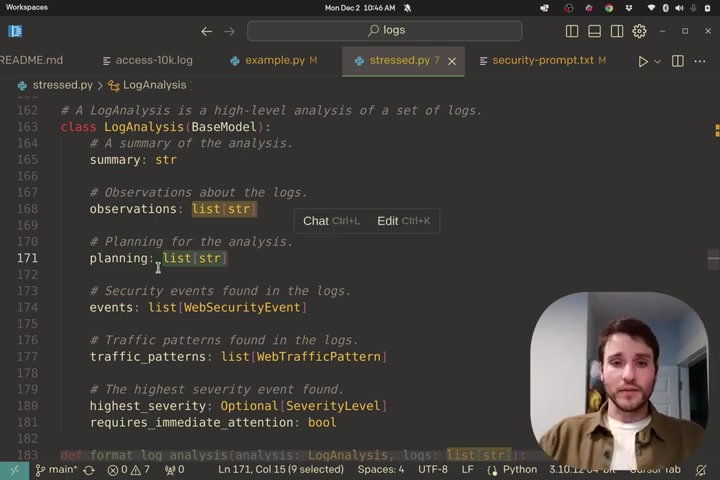
. This structured approach ensures that important information is consistently extracted and presented, making it easier for administrators to understand and respond to security events. Structured generation is very helpful in log reviews.
Traffic Pattern Analysis
STRESSED is also able to analyze traffic patterns and identify commonly accessed URLs, the methods used (GET, POST, etc.), and response codes. This feature helps administrators to identify which traffic patterns are common
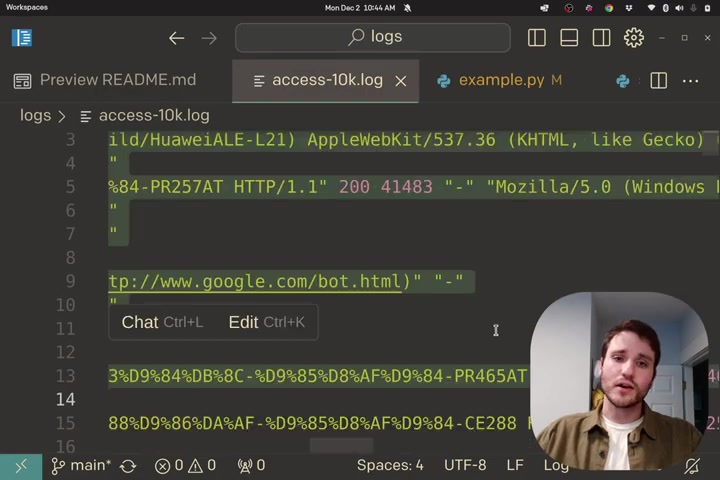
and if there are anomalies that could signify a security event.
Getting Started with STRESSED: A Step-by-Step Guide
Step 1: Accessing the Repository
The first step is to access the STRESSED demo repository
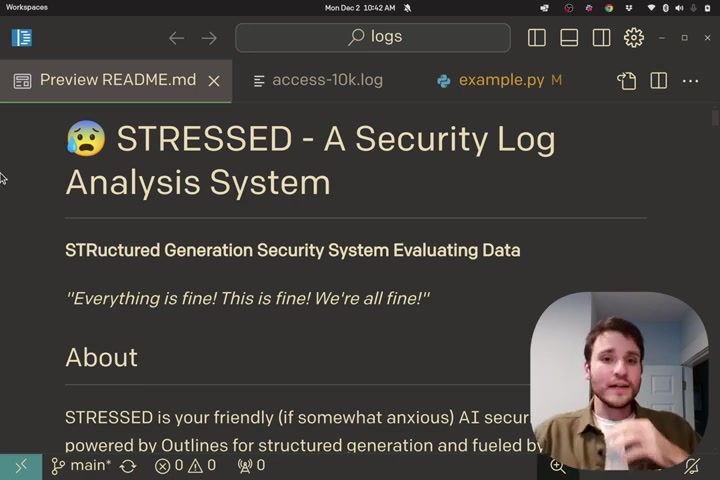
. A link to the repository is provided in the description. This repository contains all the necessary code and resources to get started with STRESSED. If there are any questions, please visit the description.
Step 2: Understanding the Code Structure
Once you have accessed the repository, take some time to understand the code structure. Key files to examine include: example.py - for the process the AI takes
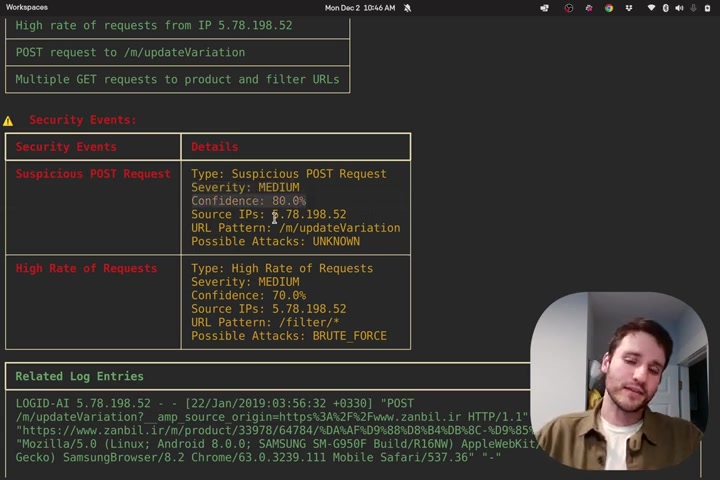
, stressed.py - this is where the main class WebSecurityEvent exists, and the logs. With these files, it's easy to understand the code structure.
Step 3: Running the Demo
After understanding the code, run the demo to see STRESSED in action. Follow the instructions provided in the repository to execute the code. The demo will analyze sample log files and generate an analysis report, demonstrating the key features of the system
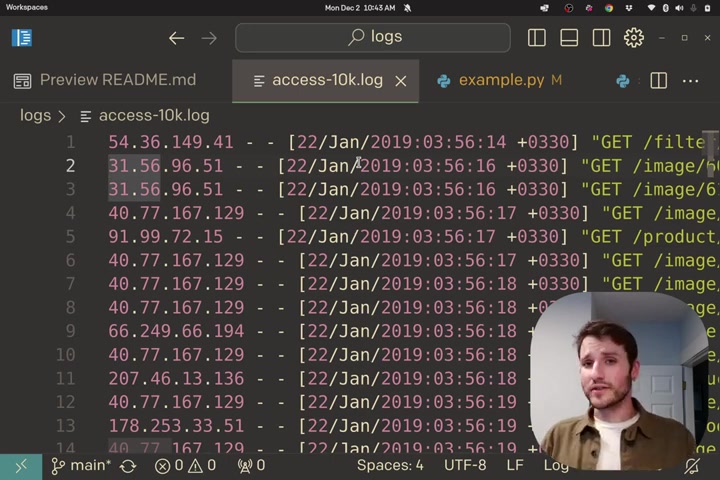
.
Step 4: Analyzing the Output
The demo output will provide a structured analysis report, including a summary of the logs, key observations, and potential security events
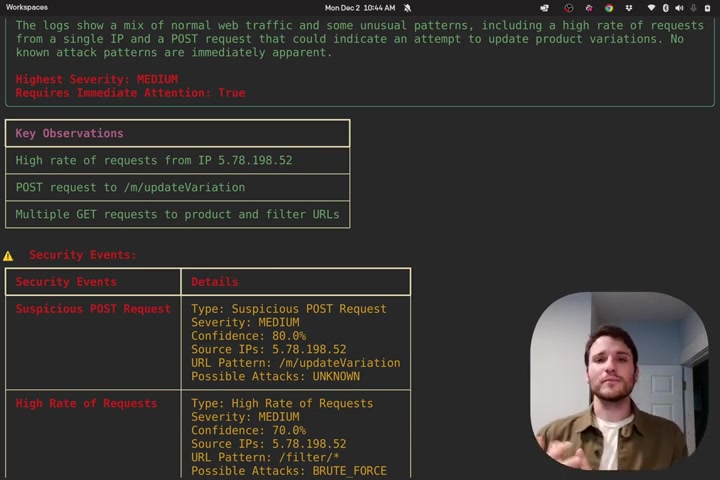
. Examine this report to understand how STRESSED processes and presents log data. The output makes it easy to see the results.
Step 5: Customizing STRESSED
Once you are familiar with the demo, you can begin customizing STRESSED to meet your specific needs. This might involve modifying the code to support additional log sources, customize the analysis criteria, or integrate STRESSED with your existing security tools. Customization is very useful to your needs.










Most people like



























Report
Please select a reason for reporting
- 13 Reasons to Switch from Snapchat to Text Messaging
- 7 Powerful Speech to Text Apps to Boost Productivity
- 10 Best Speech to Text Tools for Effortless Transcription
- 13 Free Tools to Easily Transcribe Audio to Text
- 15 Surprising Ways Google's Speech-to-Text Boosts Productivity
- 7 Best Free Online Audio to Text Transcription Tools
- 9 Tips to Transcribe Speech to Text Faster and Better
- 13 Best Speech to Text Software for Windows 10 in 2023
- 7 Tips for Choosing the Best Transcriber for Audio to Text
- 11 Reasons Why Dragon Speech-to-Text Apps are Game-Changers
- 6 Secrets to Enhance Your Speech to Text Transcription
- 6 Brilliant Ways to Boost Productivity with Talk-to-Text on Your MacBook
- 6 Ways Transcription Software Converts Audio to Text
- 8 Tips to Transcribe Speech to Text Like a Pro
- 6 Reasons IBM Watson Speech to Text is a Game-Changer
- 14 Powerful Ways Talk-to-Text Improves Your Workflow
- 12 Top Windows Speech-to-Text Software for Efficient Transcription
- 12 Game-Changing Benefits of Apple's Speech to Text Technology
- 9 Powerful Use Cases for AWS Speech to Text Technology
- 10 Easy Steps to Transcribe YouTube Videos to Text
- transcription audio en texte
- online audio transcription
- free audio file transcription
- free ai audio transcription
- audio transcription service
- audio transcription online free
- audio transcription free online
- audio to transcription software
- audio and transcript
- ai audio transcription free
- voice recording to text converter
- translate voice recording to text
- record voice to text
- audio recording to text converter
- voice recording and transcription
- chatgpt voice to text
- gmail voice to text
- speech to text reader
- speech to text ai free
- speech to talk
- Create Engaging Animated Explainer Videos with a Free AI Tool
- Stop Multi-Subscribing: Benchmark Top AI Visual Models in One Canvas
- Best Seedance 2.5 API Provider: Every Price on the Market, Checked at Source
- AI OnlyFans: How to Generate $30,000/Month (Legally)
- Transform Your Script into an Engaging Video with AI Video Maker!
- AI Marketing Automation: A Comprehensive Guide for Small Businesses
- Midjourney Alternative for Anime Art Creators: Why PixAI May Be Better for Character Workflows
- 10 Things Most People Get Wrong About AI Image Search
- AI Girlfriend Apps: Top Choices Redefining Relationships 2025
- How to Reduce Quoting Errors in Salesforce with AI-Assisted Quote Creation
- Why AI Language Tutors Underperform in Low-Resource Languages (And How to Work Around It)
- Top 5 AI Detector Tools: Ensuring Originality in Your Content
- How to Tell If an AI Study Tool Is Actually Helping You Learn (6 Checks for 2026)
- From Auto-Cuts to Generative Clips: Top 4 AI Video Editor Platforms Tested
- AI Resume Builders: EnhanceCV, ResumeNerd AI, & Teal Compared
- ResumeAI: Crafting ATS-Optimized Resumes with AI
- AI in Resume Writing: A New Era for Job Seekers
- AI Resume Tools: Streamline Your Job Search and Land Your Dream Role
- AI Resume Optimization: The Right Way to Land Interviews
- Crafting a Killer Resume with AI: A Step-by-Step Guide

Copyright ©2026 toolify