































Table of Contents
- Key Points
- Getting Started with Text Summarization
- Data Preprocessing for Text Summarization
- Building and Training the Text Summarization Model
- Cost Considerations for Text Summarization Models
- Advantages and Disadvantages of Building a Simple Text Summarization Model
- Core Features of a Text Summarization System
- Use Cases for Text Summarization
- Frequently Asked Questions
- Related Questions


Getting Started with Text Summarization
What is Text Summarization?
Text summarization is the process of shortening a longer text document while preserving its essential information and meaning. It's a vital technique in NLP, enabling users to quickly grasp the core concepts of a document without having to read it in its entirety. There are two primary approaches to text summarization: extractive and abstractive.
-
Extractive summarization involves selecting important sentences or phrases directly from the original text and combining them to form a summary. This method relies on identifying key elements based on statistical or linguistic features.
-
Abstractive summarization, on the other HAND, involves generating new sentences that capture the meaning of the original text. This approach requires a deeper understanding of the content and the ability to rephrase and synthesize information, often using techniques from machine translation.
This guide focuses on an abstractive approach, building a simple encoder-decoder model using TensorFlow. This will give you the foundational knowledge to explore further text summarization techniques.
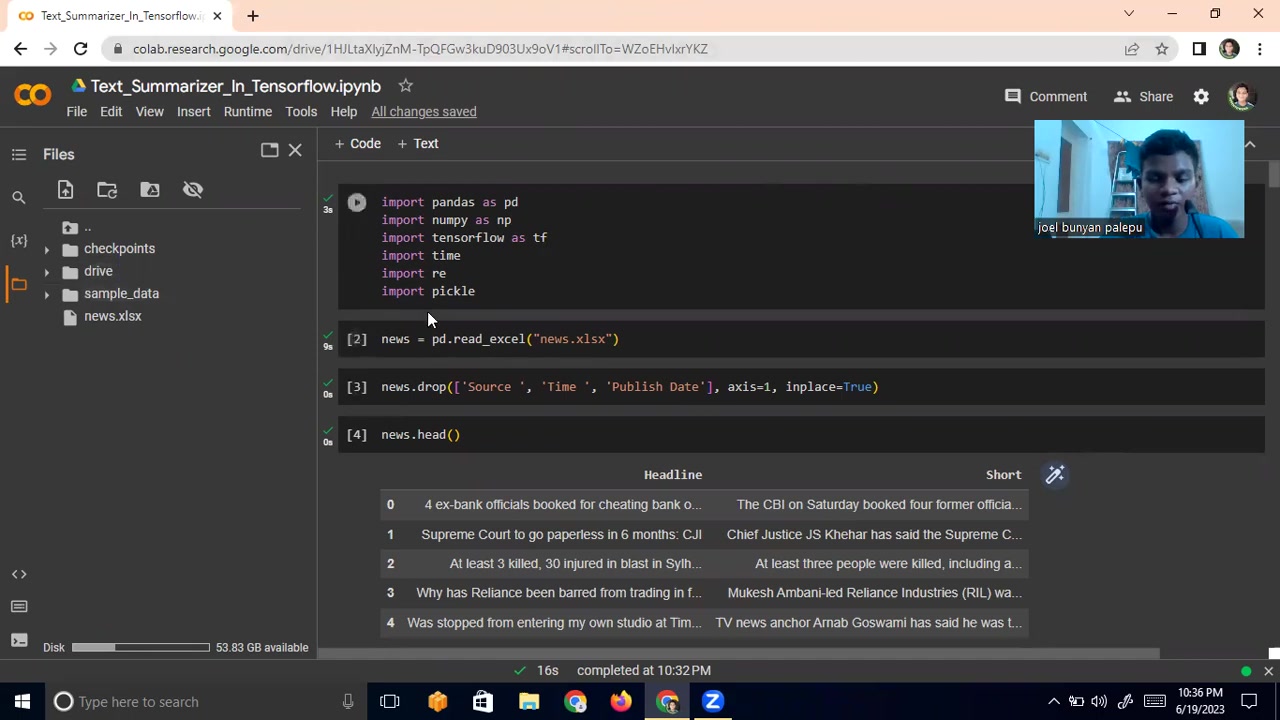
As you might have guessed, to train an effective model, you need sufficient computational power, otherwise, you would train a simple one, this is the case for this training.
Setting Up Your Environment
Before diving into the code, it's essential to set up your development environment. We'll be using Google Colab, a free cloud-based platform that provides access to GPUs, making it ideal for training machine learning models.
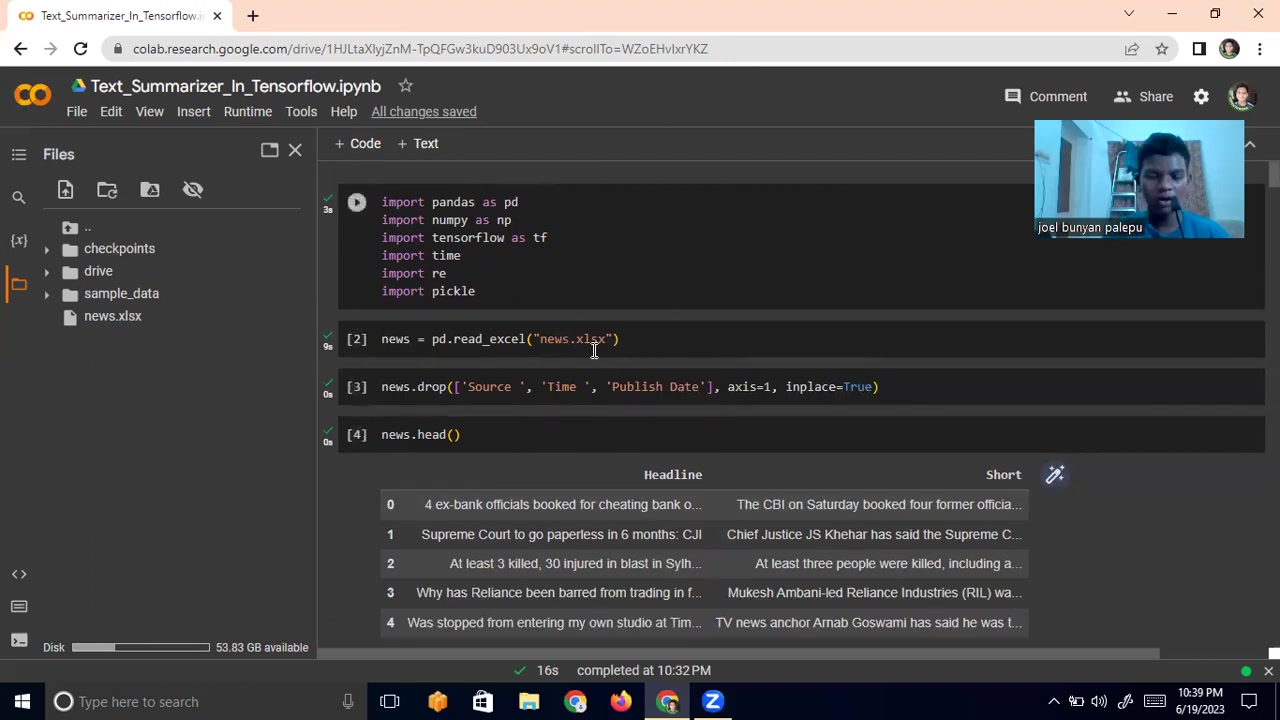
Google Colab is running on remote Google servers so that our computer will not slow down.
To begin, you'll need a Google account. Once you have that, follow these steps:
- Go to Google Colab.
- Create a new notebook by clicking 'New Notebook'.
- Change the runtime type to GPU (Runtime > Change runtime type > Hardware accelerator > GPU).
-
Install the necessary libraries:
!pip install pandas numpy tensorflow
This installs Pandas for data manipulation, NumPy for numerical computations, and TensorFlow for building and training the neural network. With your environment set up, you're ready to start coding your text summarization model.
Data Preprocessing for Text Summarization
Loading and Exploring the Dataset
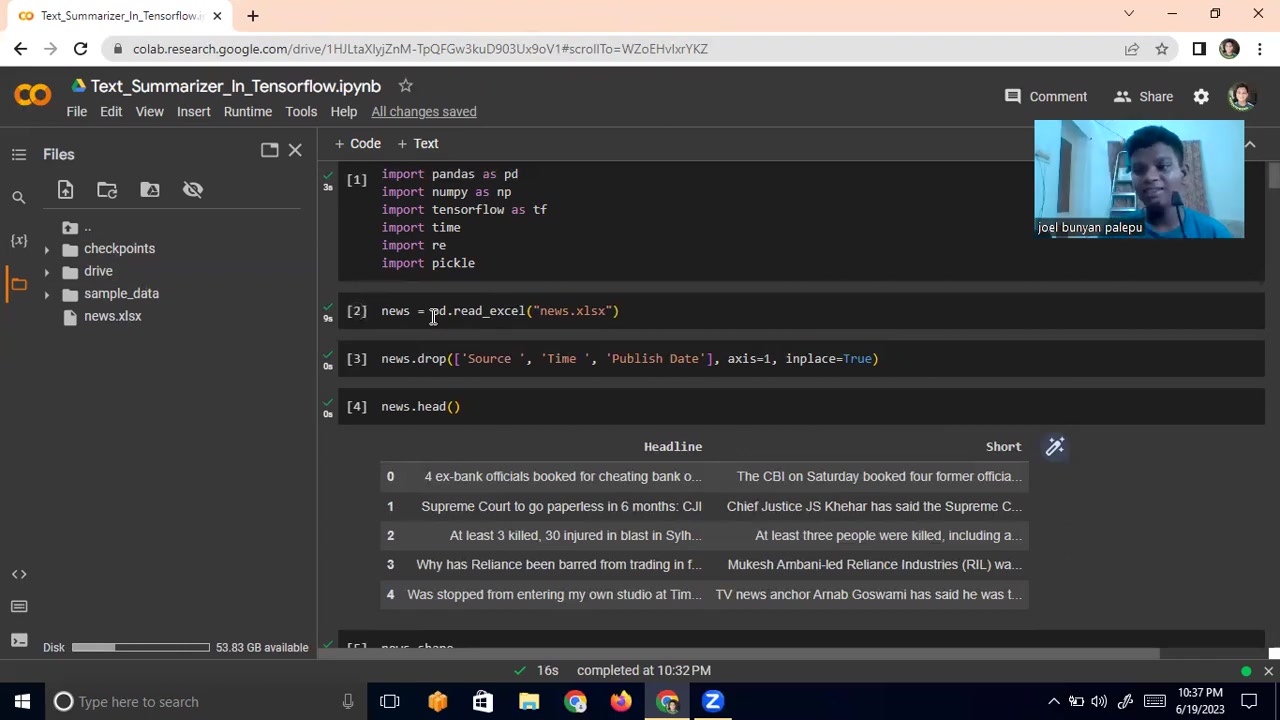
For this guide, we'll use a news dataset containing headlines and corresponding short summaries. This data allows us to train the model to generate concise summaries from longer headlines. The data will be downloaded from an excel file called 'news.xlsx'.
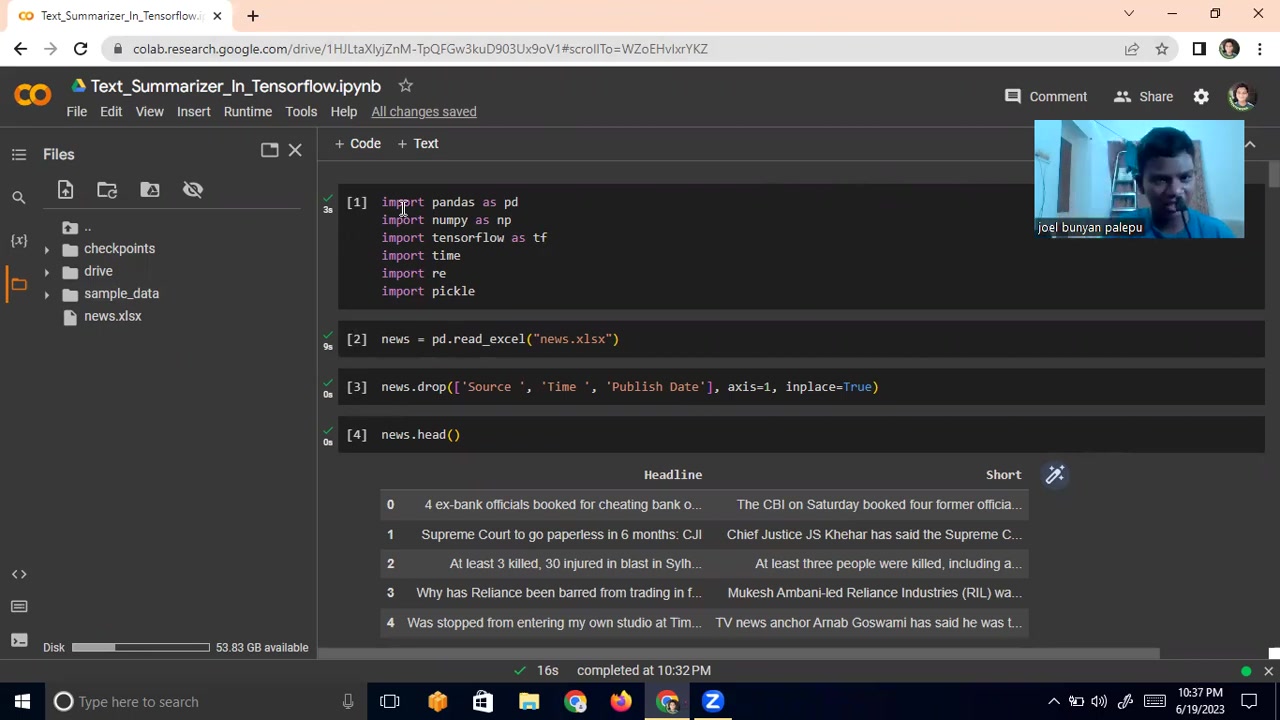
After importing the libraries, the data is read from the file. We can inspect our data and get ready for data preparation.
First, let's load the data using Pandas:
import pandas as pd

news = pd.read_excel("news.xlsx")
news.head()
This code reads the 'news.xlsx' file into a Pandas DataFrame and displays the first few rows using the head() method. The source, time and published date will be removed from the dataset. The axis=1 specifies that we're dropping columns, and inplace=True modifies the DataFrame directly. Here's how:
news.drop(['Source', 'Time', 'Publish Date'], axis=1, inplace=True)
news.head()
Now, the DataFrame only contains the 'Headline' and 'Short' columns, which we'll use for training.
Preparing Data for Training
With the data loaded and cleaned, we need to prepare it for training. This involves tokenizing the text, padding sequences, and creating a vocabulary.
-
Tokenization:
Tokenization is the process of breaking down text into individual words or tokens. We'll use TensorFlow's
Tokenizerto convert words into numerical representations.from tensorflow.keras.preprocessing.text import Tokenizer from tensorflow.keras.preprocessing.sequence import pad_sequences # Prepare tokenizer for headlines headline_tokenizer = Tokenizer() headline_tokenizer.fit_on_texts(list(news['Headline'])) # Prepare tokenizer for summaries summary_tokenizer = Tokenizer() summary_tokenizer.fit_on_texts(list(news['Short'])) # Convert text sequences to integer sequences headline_sequences = headline_tokenizer.texts_to_sequences(news['Headline']) summary_sequences = summary_tokenizer.texts_to_sequences(news['Short']) -
Padding:
Neural networks require inputs of the same length. Padding involves adding zeros to the end of sequences to make them uniform.
# Pad sequences max_headline_length = max([len(seq) for seq in headline_sequences]) max_summary_length = max([len(seq) for seq in summary_sequences]) padded_headline_sequences = pad_sequences(headline_sequences, maxlen=max_headline_length, padding='post') padded_summary_sequences = pad_sequences(summary_sequences, maxlen=max_summary_length, padding='post') -
Vocabulary Creation:
We need to create a vocabulary that maps words to their numerical indices. This vocabulary is used during training to convert text into a format that the neural network can understand.
headline_vocabulary_size = len(headline_tokenizer.word_index) + 1
summary_vocabulary_size = len(summary_tokenizer.word_index) + 1
Now that we have the data prepared, we can start building our text summarization model.
Building and Training the Text Summarization Model
Defining the Encoder-Decoder Model
The core of our text summarization system is an encoder-decoder model. The encoder reads the input sequence (headline) and converts it into a fixed-length vector representation, while the decoder takes this vector and generates the output sequence (summary).
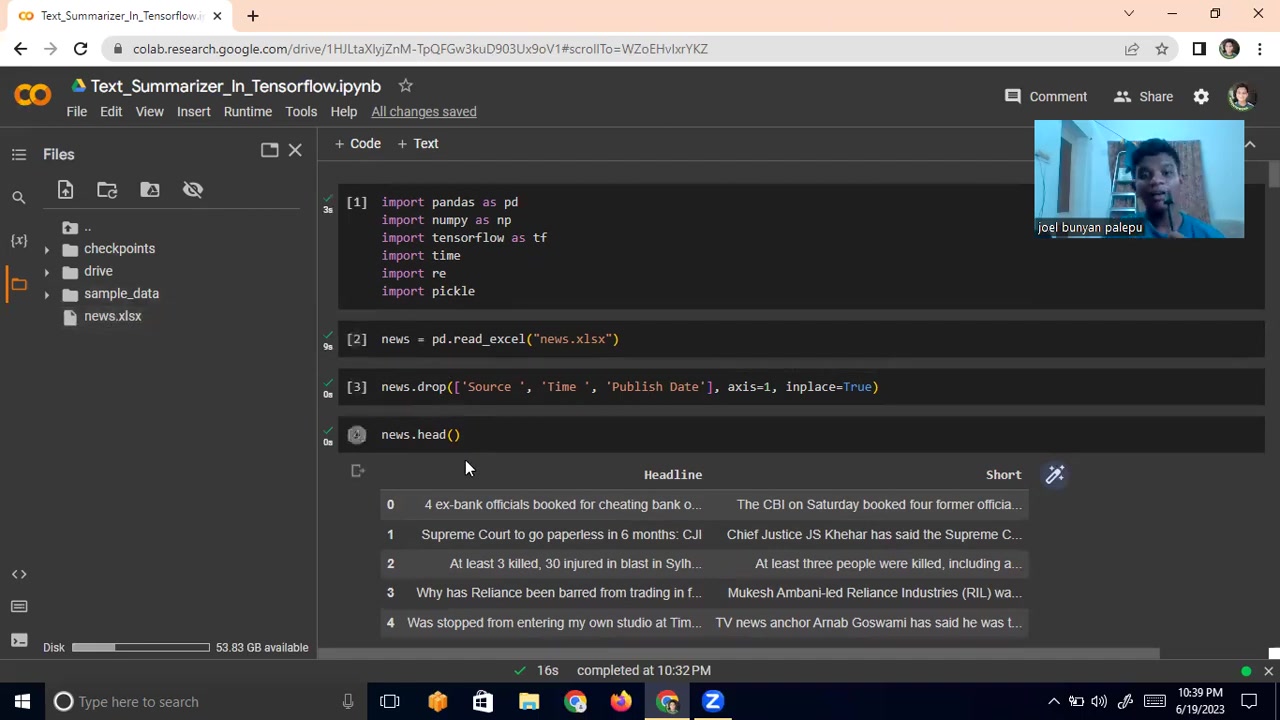
The video mentions using one encoder and one decoder, which is a Simplified architecture suitable for demonstration purposes.
Here's how you can define the model using TensorFlow:
from tensorflow.keras.layers import Input, LSTM, Embedding, Dense, RepeatVector, TimeDistributed
from tensorflow.keras.models import Model

# Encoder
encoder_inputs = Input(shape=(max_headline_length,))
encoder_embedding = Embedding(headline_vocabulary_size, 128)(encoder_inputs)
encoder_lstm = LSTM(256, return_state=True)
encoder_outputs, state_h, state_c = encoder_lstm(encoder_embedding)
encoder_states = [state_h, state_c]

# Decoder
decoder_inputs = Input(shape=(max_summary_length,))
decoder_embedding = Embedding(summary_vocabulary_size, 128)(decoder_inputs)
decoder_lstm = LSTM(256, return_sequences=True, return_state=True)
decoder_outputs, _, _ = decoder_lstm(decoder_embedding, initial_state=encoder_states)
decoder_dense = Dense(summary_vocabulary_size, activation='softmax')
decoder_outputs = decoder_dense(decoder_outputs)

# Model
model = Model([encoder_inputs, decoder_inputs], decoder_outputs)
This code defines an encoder-decoder model with LSTM layers. The encoder takes the padded headline sequences as input, and the decoder generates the summary sequences.
Compiling and Training the Model
Now that the model is defined, we need to compile it and train it on our dataset.
model.compile(optimizer='rmsprop', loss='sparse_categorical_crossentropy')

# Prepare decoder input data
decoder_input_data = padded_summary_sequences[:, :-1]
decoder_target_data = padded_summary_sequences[:, 1:]

model.fit([padded_headline_sequences, decoder_input_data], decoder_target_data,
          batch_size=64,
          epochs=10,
          validation_split=0.2)
This code compiles the model using the 'rmsprop' optimizer and the 'sparse
pategorical
ossentropy' loss function. We also prepare the decoder input and target data by shifting the summary sequences by one time step. The model is then trained using the fit() method. For training with Colab, the GPU needs to be set and imported data is a required element for the training to happen.
Note: Due to the limited computational resources on Google Colab, we're training a very simple model with a small dataset and a few epochs. For better performance, you'll need to train a more complex model with a larger dataset and more epochs using more powerful hardware. As the presenter Mentioned in the video, this is a demonstration and can always be further experimented on with added encoders, decoders, and epochs.
Cost Considerations for Text Summarization Models
Free vs. Paid Resources
Developing and deploying text summarization models can involve various costs, depending on the resources you choose to use.
- Free Resources: Google Colab offers free GPU resources, making it an excellent option for training small to medium-sized models. However, the computational power and storage are limited.
- Paid Resources: For larger datasets and more complex models, you may need to consider paid cloud computing services like Amazon AWS, Google Cloud Platform, or Microsoft Azure. These platforms offer more powerful GPUs and scalable storage options.
As you Scale your model, consider that more computational power would be needed.





Most people like
































Report
Please select a reason for reporting
- 13 Reasons to Switch from Snapchat to Text Messaging
- 7 Powerful Speech to Text Apps to Boost Productivity
- 10 Best Speech to Text Tools for Effortless Transcription
- 13 Free Tools to Easily Transcribe Audio to Text
- 15 Surprising Ways Google's Speech-to-Text Boosts Productivity
- 7 Best Free Online Audio to Text Transcription Tools
- 9 Tips to Transcribe Speech to Text Faster and Better
- 13 Best Speech to Text Software for Windows 10 in 2023
- 7 Tips for Choosing the Best Transcriber for Audio to Text
- 11 Reasons Why Dragon Speech-to-Text Apps are Game-Changers
- 6 Secrets to Enhance Your Speech to Text Transcription
- 6 Brilliant Ways to Boost Productivity with Talk-to-Text on Your MacBook
- 6 Ways Transcription Software Converts Audio to Text
- 8 Tips to Transcribe Speech to Text Like a Pro
- 6 Reasons IBM Watson Speech to Text is a Game-Changer
- 14 Powerful Ways Talk-to-Text Improves Your Workflow
- 12 Top Windows Speech-to-Text Software for Efficient Transcription
- 12 Game-Changing Benefits of Apple's Speech to Text Technology
- 9 Powerful Use Cases for AWS Speech to Text Technology
- 10 Easy Steps to Transcribe YouTube Videos to Text
- transcription audio en texte
- online audio transcription
- free audio file transcription
- free ai audio transcription
- audio transcription service
- audio transcription online free
- audio transcription free online
- audio to transcription software
- audio and transcript
- ai audio transcription free
- voice recording to text converter
- translate voice recording to text
- record voice to text
- audio recording to text converter
- voice recording and transcription
- chatgpt voice to text
- gmail voice to text
- speech to text reader
- speech to text ai free
- speech to talk
- How to Use AI Tools to Find Internal Linking Opportunities Across a Business Website
- Discover Your Perfect Haircut with AI Hairstyle Apps
- Free Reputation Calculator Tools: How They're Adapting to Score AI Visibility, Not Just Rankings
- Design Professional Flyers for Free on Your Phone
- Best Free Flyer Maker Apps for Android: Design Like a Pro
- How to Know If Your Business Is Ready for an AI Customer Service Agent
- Revolutionizing Storytelling: From Novels to Screenplays with AI
- Create Engaging Animated Explainer Videos with a Free AI Tool
- Stop Multi-Subscribing: Benchmark Top AI Visual Models in One Canvas
- Best Seedance 2.5 API Provider: Every Price on the Market, Checked at Source
- Top AI Social Media Management Tools: Automate Your Content Strategy
- Free AI Text to Video Generator: Create Stunning Videos from Text
- Discover 17 ChatGPT Alternatives: A Comprehensive Comparison
- Character.AI vs. Janitor AI: Which AI Chat Platform Reigns Supreme?
- Top Virtual Assistant Companies in 2026: Reviews, Pricing, and Plans Compared
- Unveiling FaceCheck.ID: Revolutionizing Reverse Image Searches with AI
- 11 Best AI Dialers in 2026: Features, Pricing, Pros and Cons
- How I Direct Consistent AI Clips: A Hands-On Guide to Multi-Model Generation
- A Realistic Review of the Photo Generator Image Tool
- Playwright MCP Server: Automated Web Testing with Agent Mode

Copyright ©2026 toolify