































Table of Contents
- Key Points
- Understanding Theme Based Chapters
- How to Use the Theme Based Chapter Tool
- Ghostwriter Pricing
- Advantages and Disadvantages of Using AI for Chapter Creation
- Key Features of Ghostwriter's Theme Based Chapter Tool
- Use Cases
- FAQ
- Related Questions


Understanding Theme Based Chapters
Crafting Compelling Chapters with AI
Ghostwriter's Chapter Studio
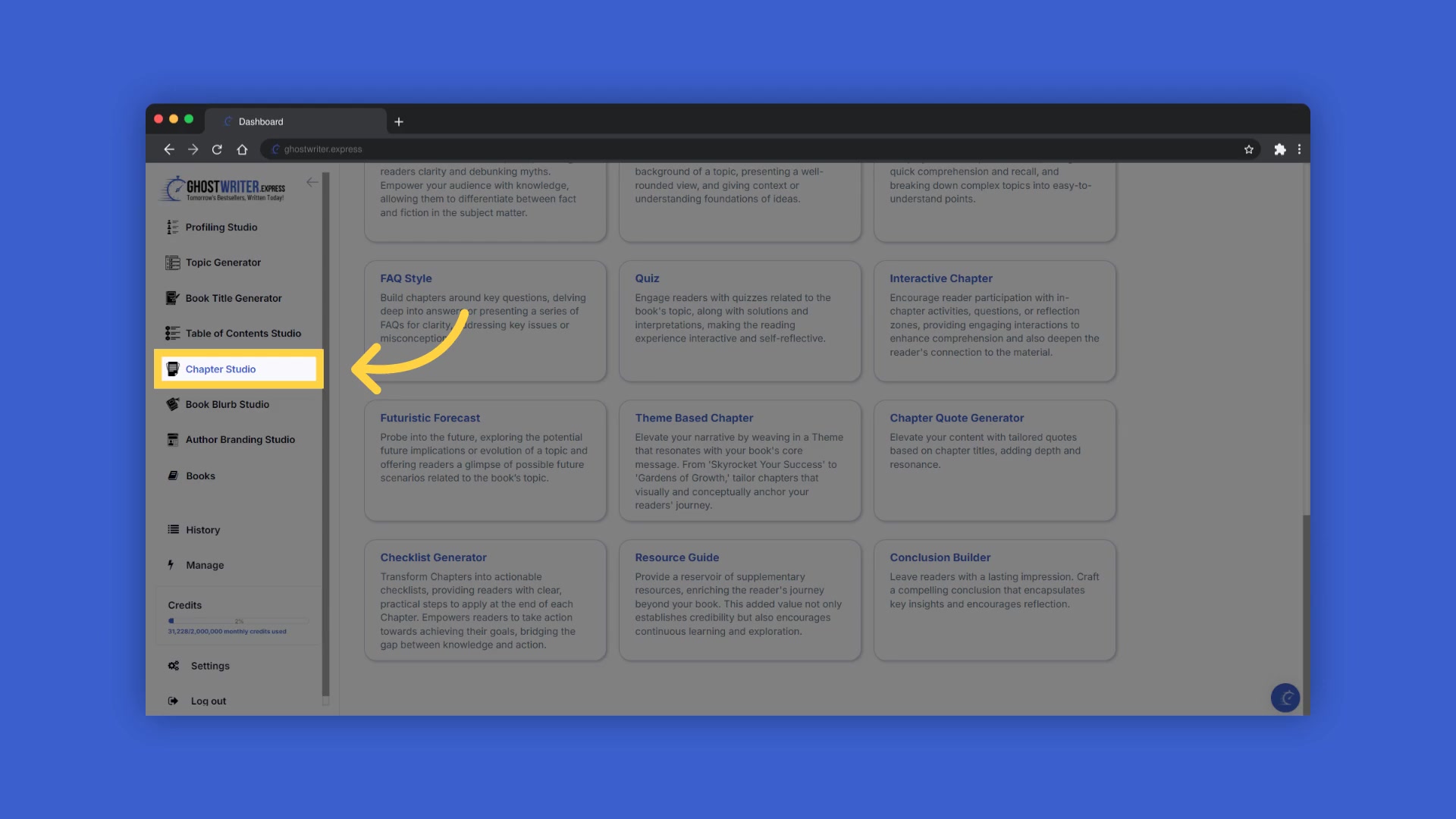
presents an array of AI Tools tailored for authors looking to craft compelling chapters. One of these tools is the Theme Based Chapter generator, which elevates your narrative by weaving in a theme that resonates deeply with your book's core message. This approach ensures that each chapter contributes to the reader's journey by visually and conceptually anchoring it.
The Power of Seamless Integration
The Theme Based Chapter tool
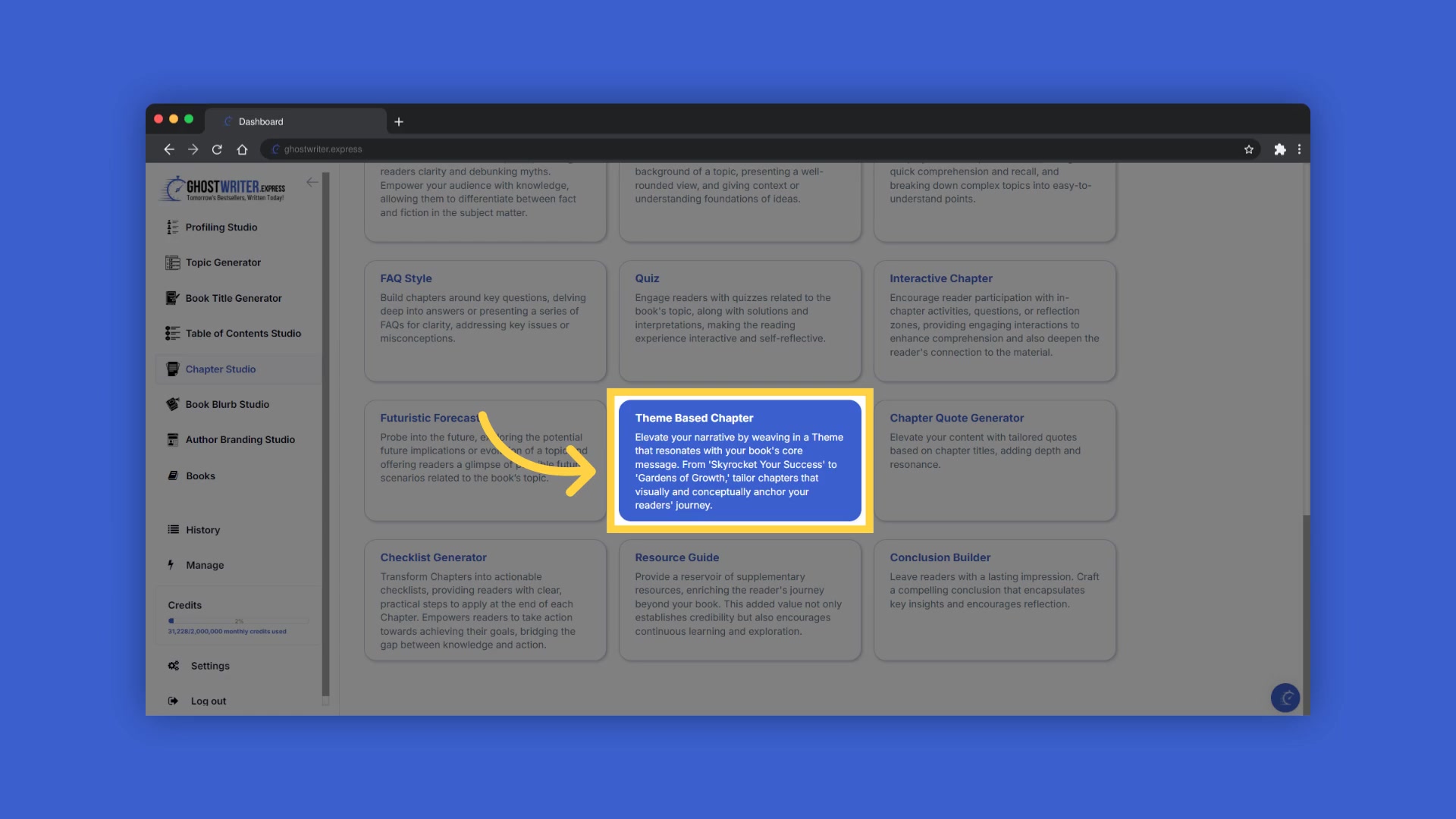
elevates your narrative by seamlessly integrating a theme that resonates deeply with your book’s core message. It ensures that each chapter visually and conceptually anchors the reader’s journey through the narrative. By embedding the theme subtly, each chapter becomes a Cohesive and immersive experience, enhancing the overall impact and engagement for the reader.
Ensuring a Cohesive Reading Experience
The benefit of a theme-based approach
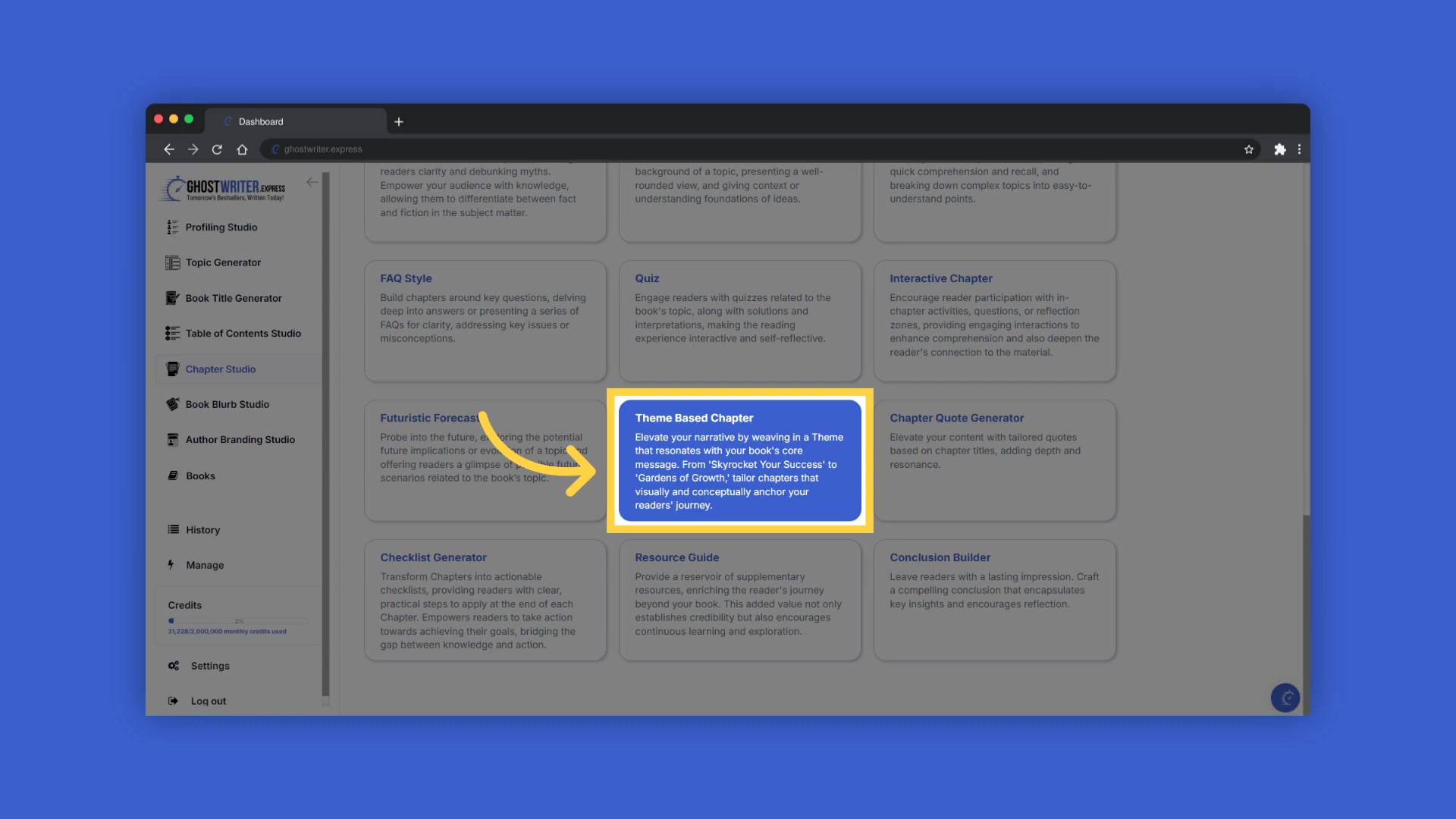
is a more cohesive and immersive reading experience. Instead of overtly stating the theme, this method enriches the storytelling, making the theme an integral part of the reading experience. This helps maintain reader engagement and ensures they stay connected with the core message of your book.
How to Use the Theme Based Chapter Tool
Accessing the Chapter Studio
To begin
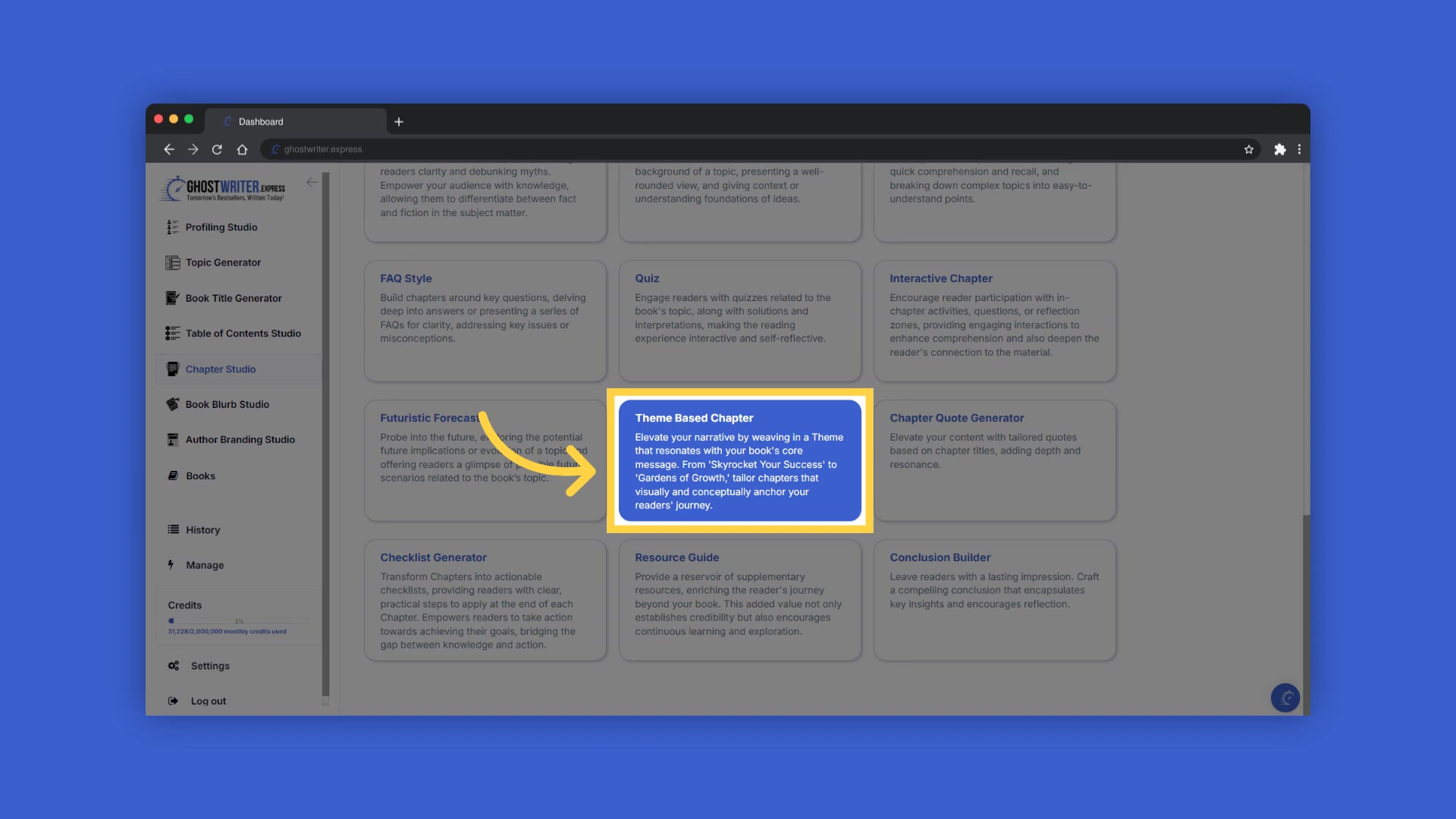
, navigate to the Chapter Studio within Ghostwriter. This is your central hub for crafting individual chapters of your book. Within the Chapter Studio, you’ll find various tools and templates to aid in your writing process. If you have created your book, your table of contents will display on the right. If you haven’t started your book yet, click the create new button in the book builder.
Selecting Your Book
If you have already created a book
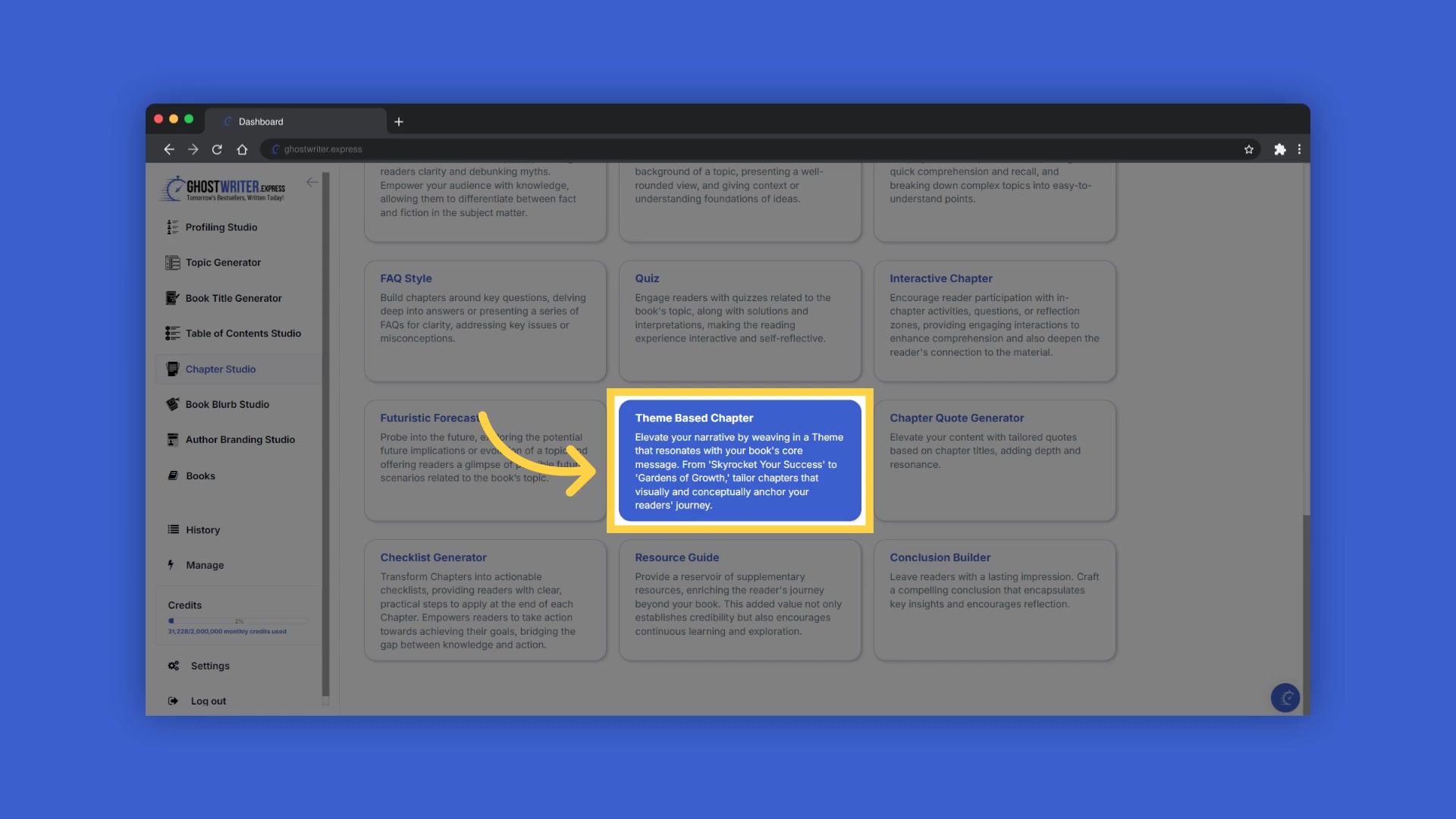
, select your book from the drop-down menu. This will load your existing table of contents and settings, allowing you to seamlessly continue your work. You can also create a new book directly from the Chapter Studio if you are starting fresh.
Choosing the Theme Based Chapter Template
Once your book is selected
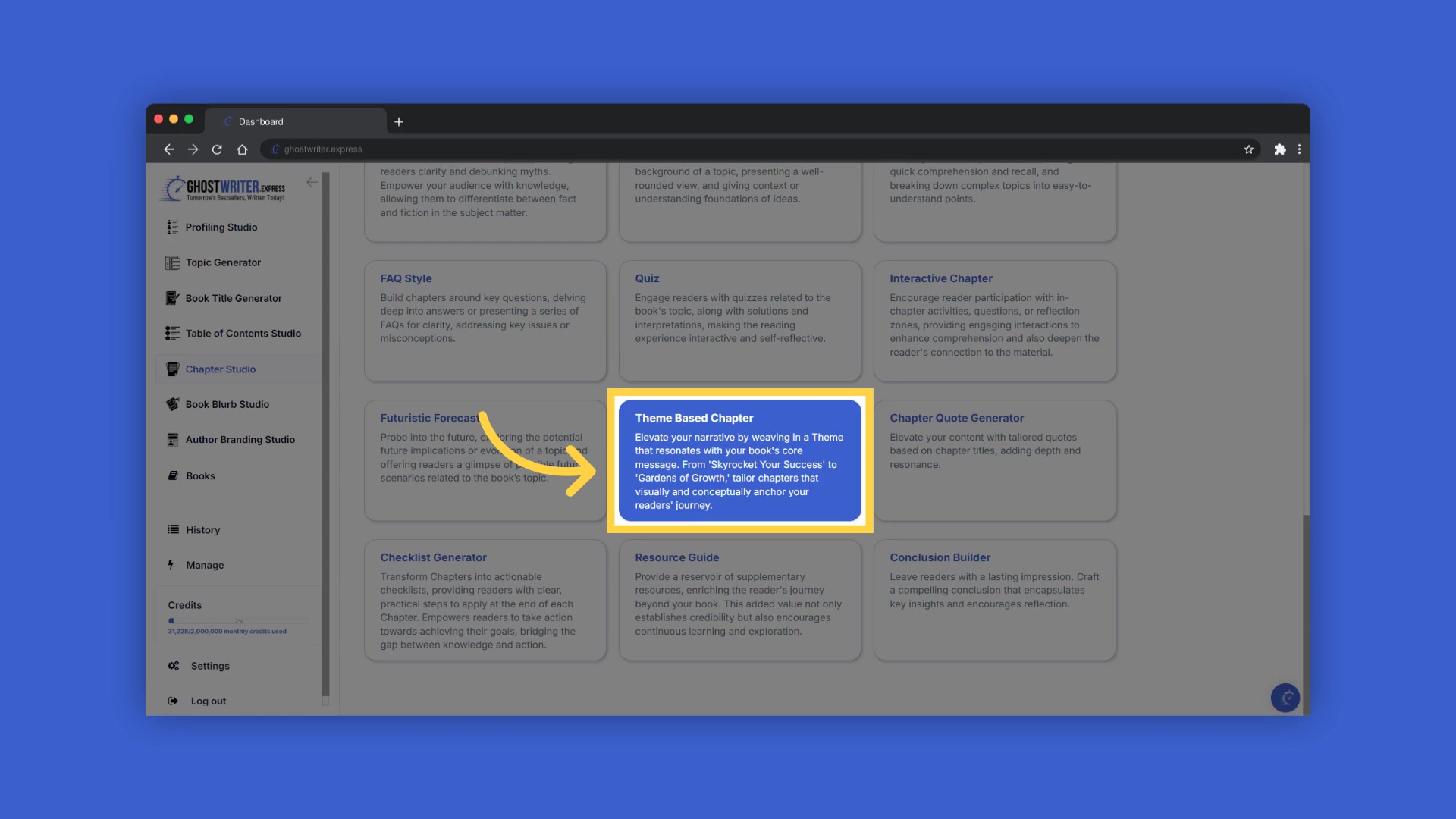
, click on the template name to open the drop-down menu and select 'Theme Based Chapter'. This template is specifically designed to help you weave a consistent theme throughout your chapter, adding depth and coherence to your book. Ghostwriter provides several templates to match the specific content you're aiming for.
Utilizing Tooltips for Guidance
To help you craft the perfect content
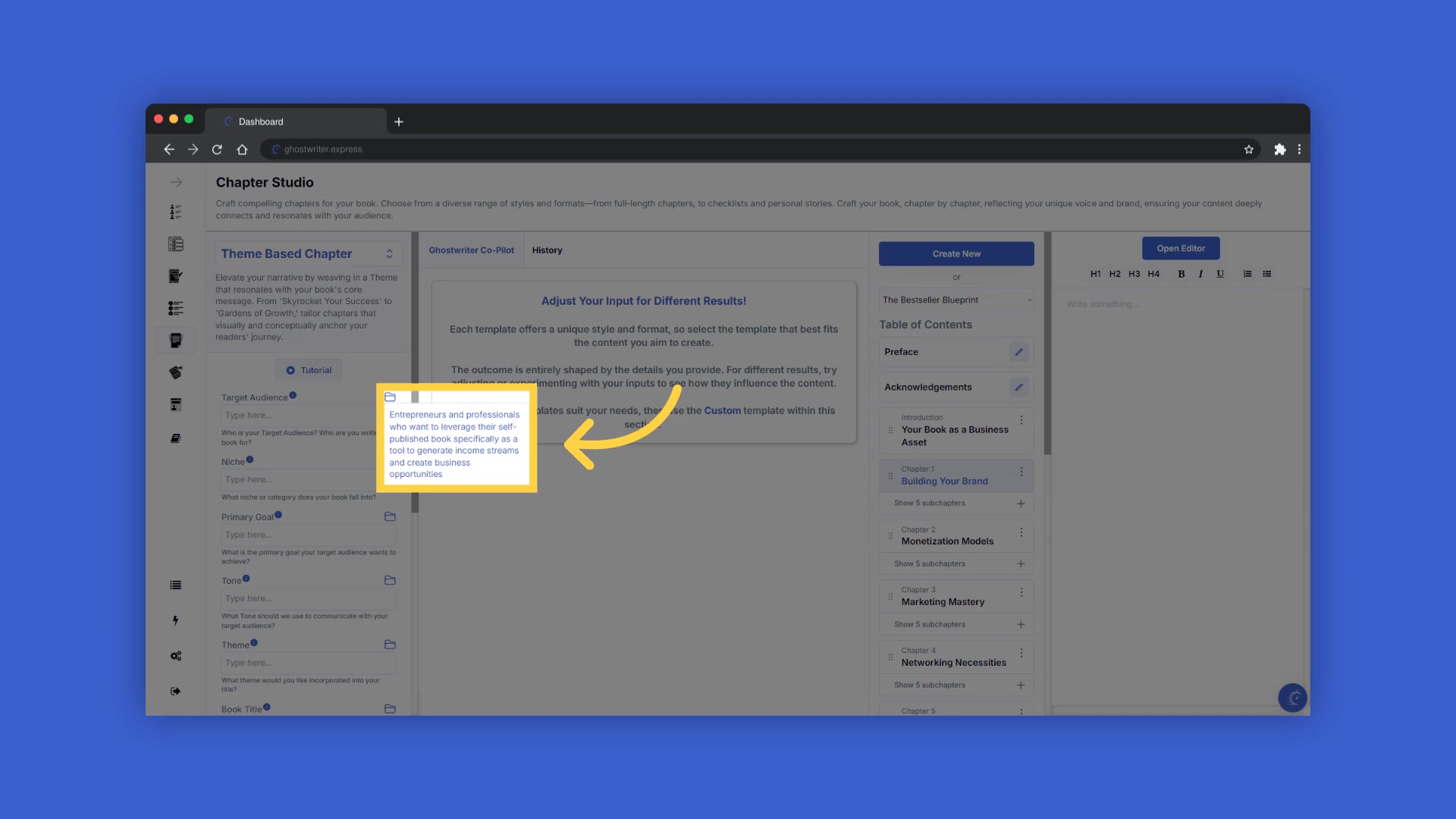
, Ghostwriter provides tooltips next to each field name. These tooltips offer explanations and examples, guiding you on the type of information needed for each field. This is particularly useful for understanding the specific requirements of each input.
Adjusting Input for Different Results
Each template offers a unique style and format
, providing different results based on the details you provide. Each outcome is shaped by the details you provide, including: Target Audience, Primary Goal, and Theme. If you don’t like the suggestions, try using the custom template within each section.
Entering Information and Generating Content
Fill out the required information to generate the content. Ghostwriter offers a history folder
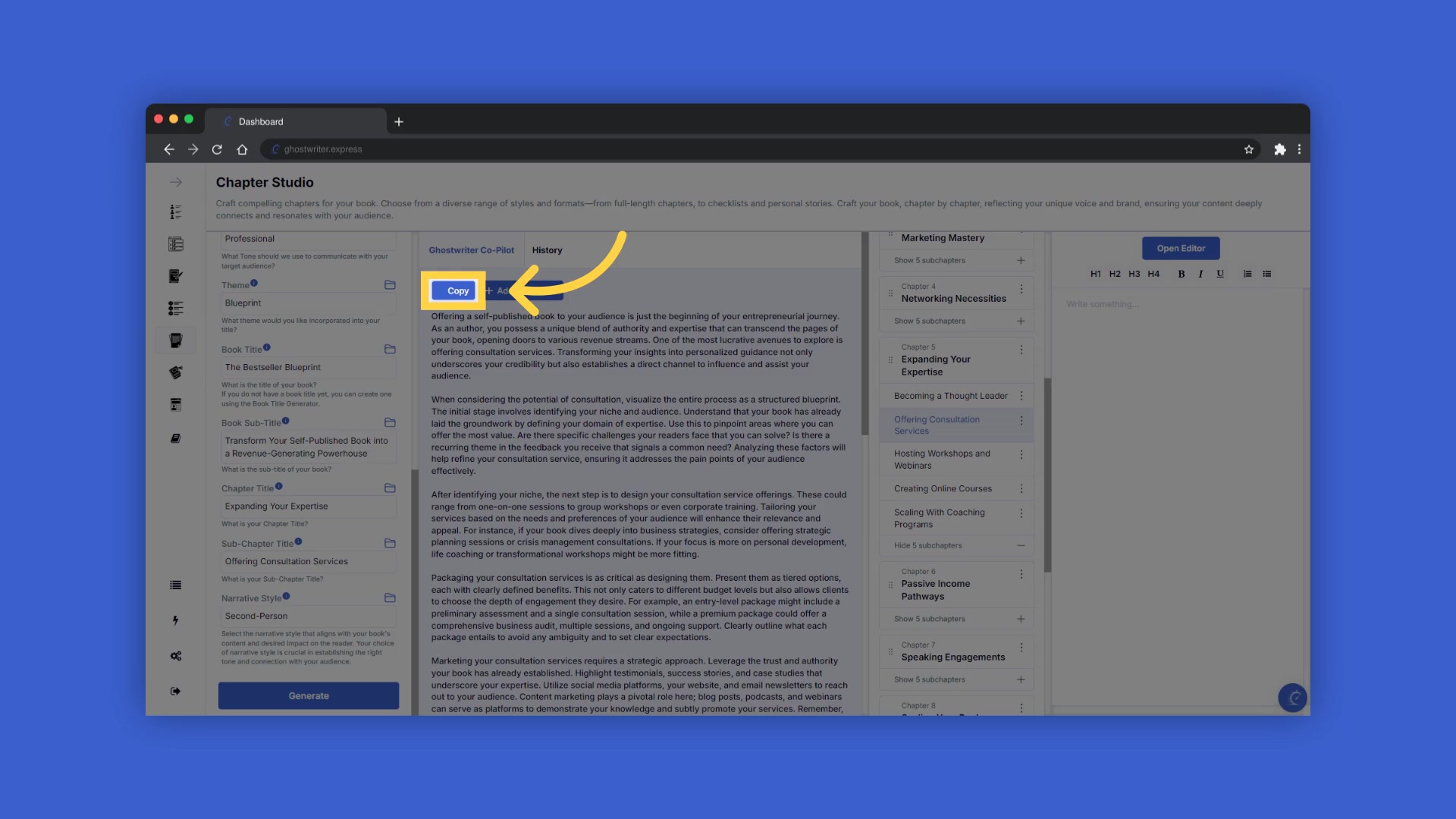
for convenience, allowing you to easily reselect information you’ve already entered. This can save time and ensure consistency across your chapters. After filling in the information, click generate to get the content. You can generate as many times as you like, with different settings.
Copying and Adding Content to Your Chapter
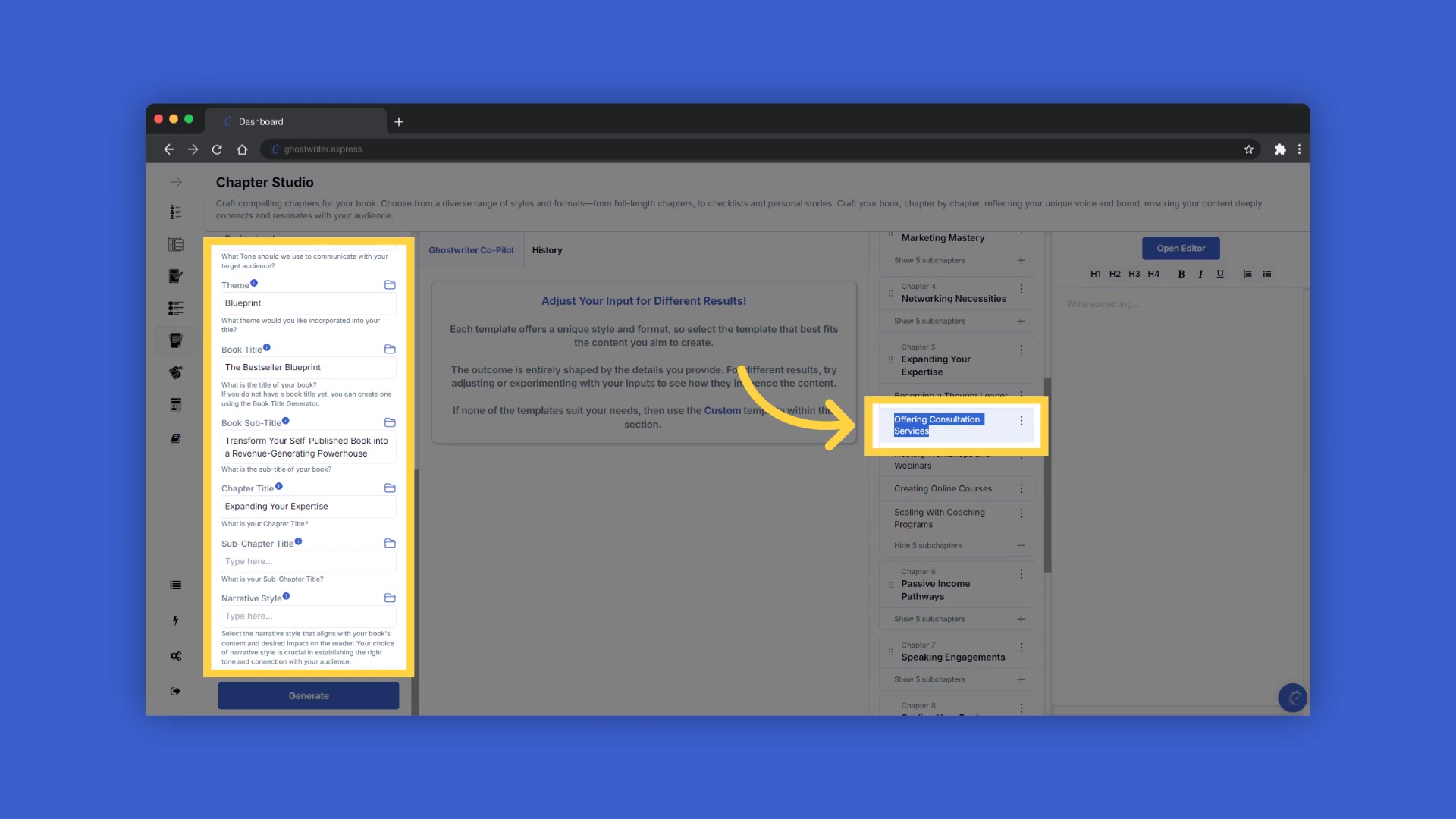
Once you’ve generated content, you can highlight and copy the chapter and subchapter titles from the table of contents on the right, to paste it into the fields on the left
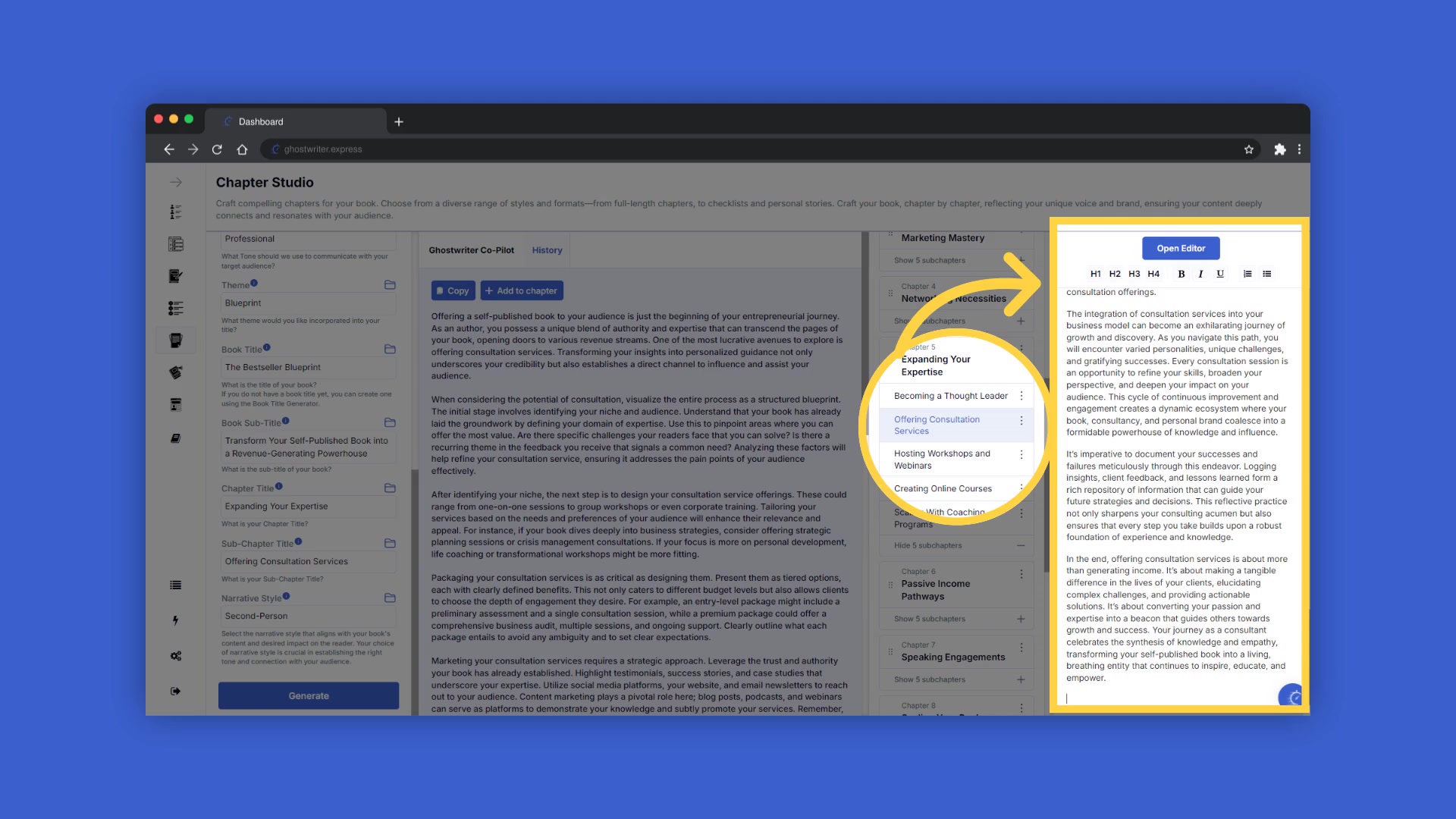
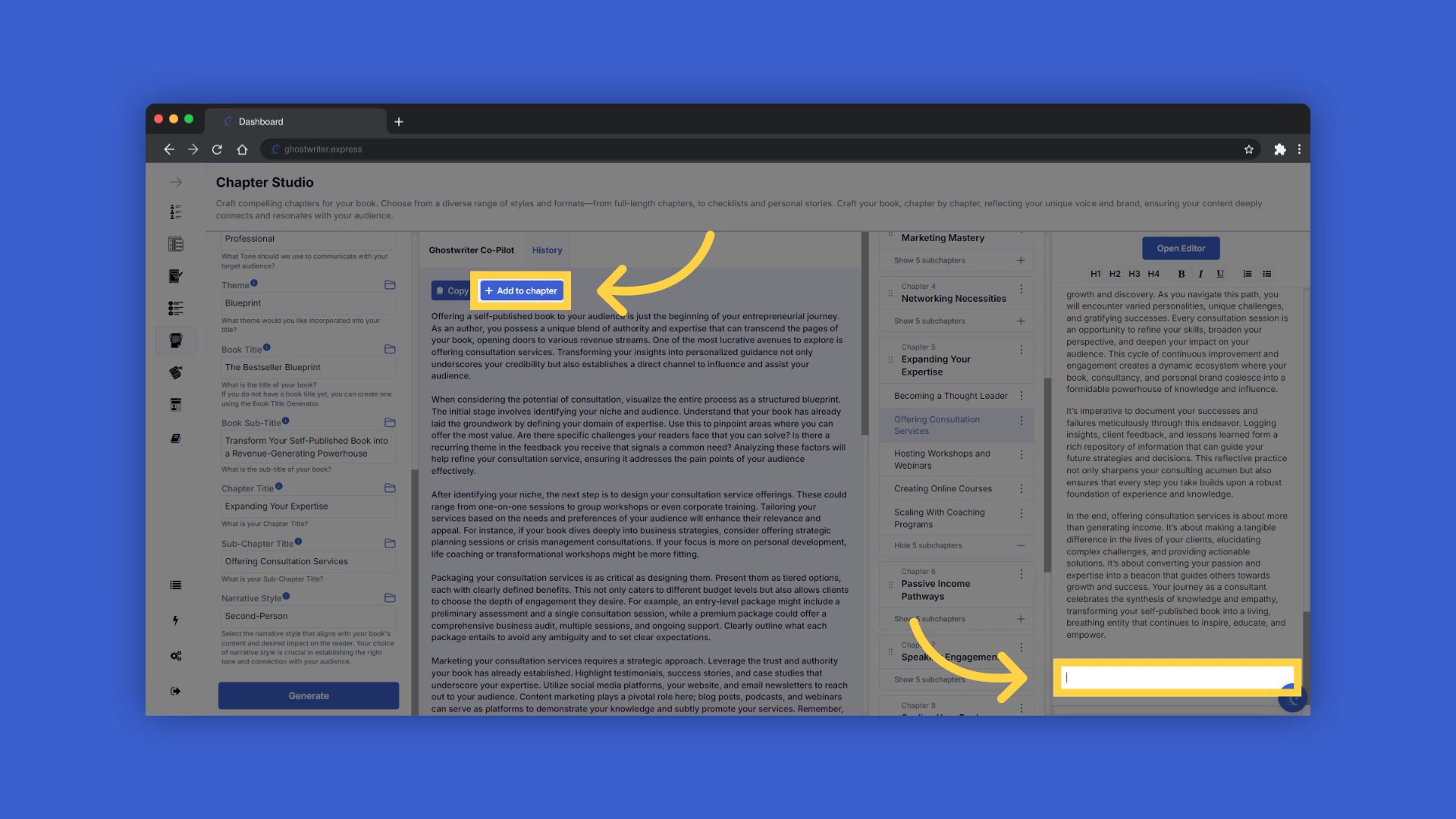
. This makes the process seamless. After generating content, click copy to duplicate the content. You can add content to the chapter by highlighting the chapter or subchapter title by clicking on it. Then click Add to Chapter to add the content to the chapter of your book.
Working with Chapter Subsections
Chapter subsections helps to provide longer chapters. If you want longer chapters, you can add additional subchapters to each main chapter when crafting your table of contents
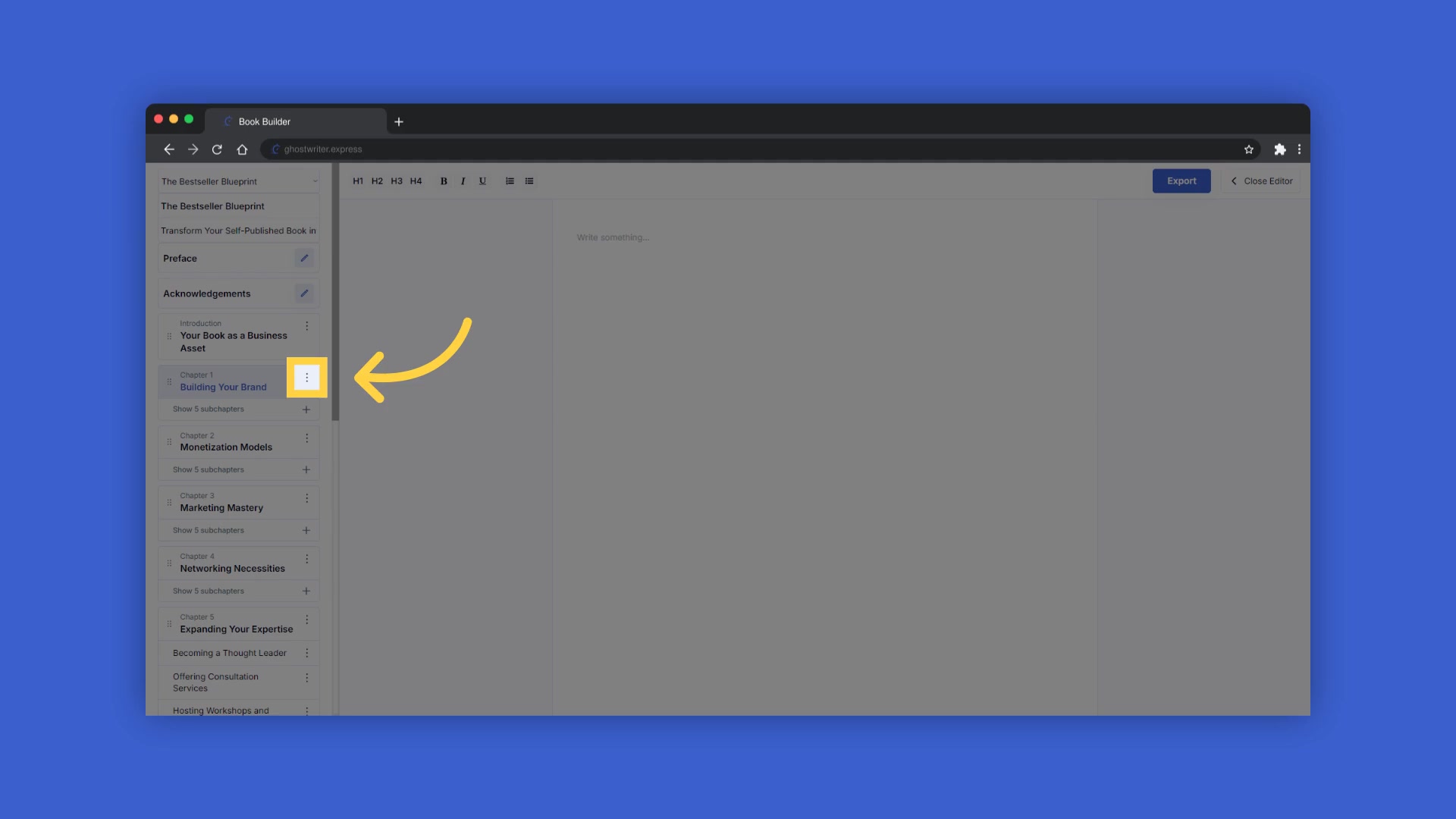
. If you still need a longer chapter, generate additional content for the same chapter. To do this, scroll to the bottom of the text and click at the end of the text, then click Add to Chapter to include multiple generations within the same chapter or subchapter.
Editing Your Chapter
The content is now added into your chapter. Edit your chapter by clicking into the chapter editor on the far right to edit it, or open the book editor for full-screen editing mode
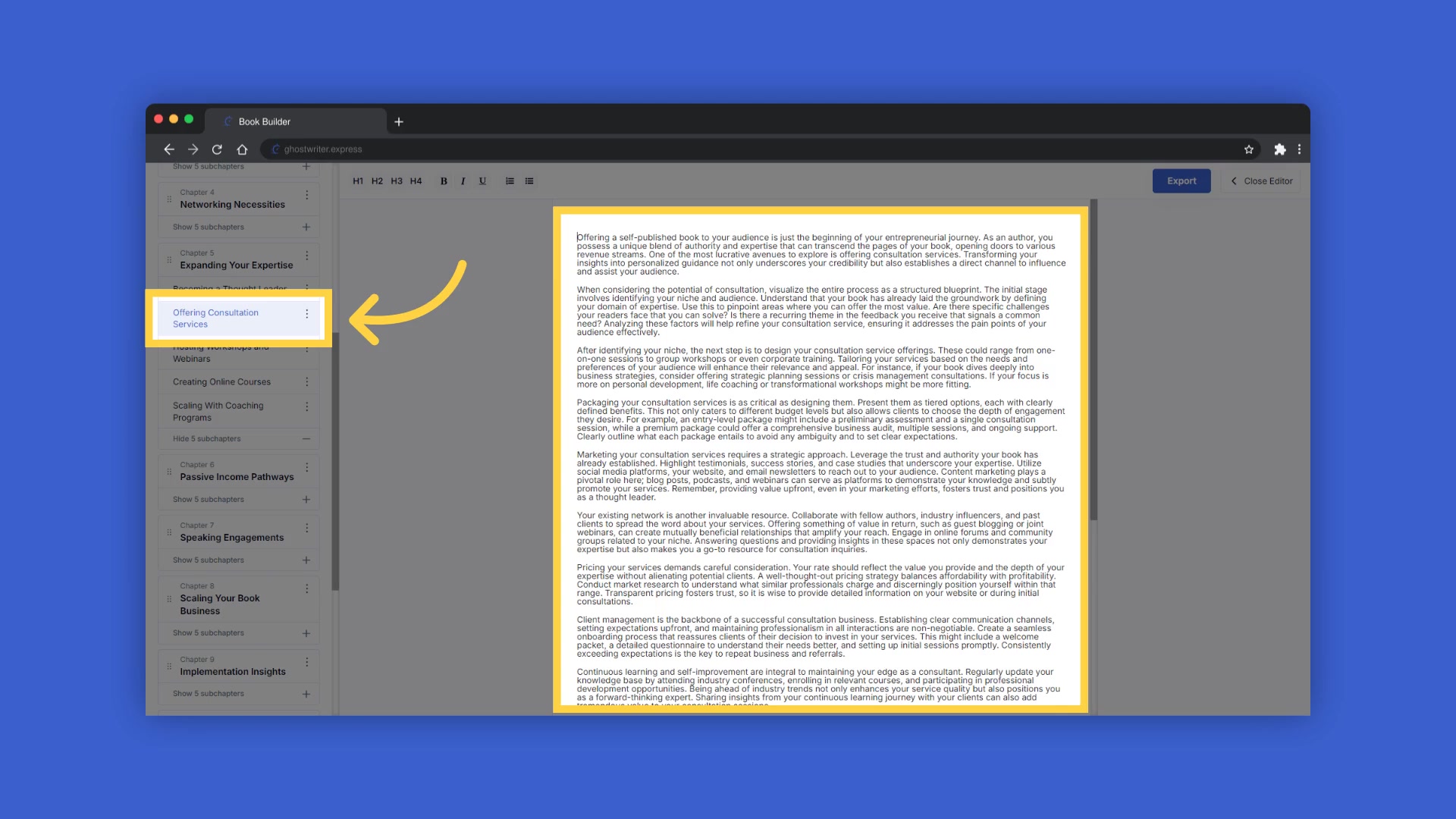
. In full-screen editing mode, you can click on your book title or Subtitle to make changes to the titles .
Accessing The History
Access old content that you’ve generated
. Use the history button to view or use any of the past content you’ve created within this template. You can also access the help center for tutorials and support by clicking on the icon at the bottom right of your screen.
Exporting Your Book
When your book is complete , click Export to download your book in docx format to the download section on your device. You can use free alternatives like Google Docs, LibreOffice Writer, or Apache OpenOffice Writer to open and edit your book.








Most people like































Report
Please select a reason for reporting
- 13 Reasons to Switch from Snapchat to Text Messaging
- 7 Powerful Speech to Text Apps to Boost Productivity
- 10 Best Speech to Text Tools for Effortless Transcription
- 13 Free Tools to Easily Transcribe Audio to Text
- 15 Surprising Ways Google's Speech-to-Text Boosts Productivity
- 7 Best Free Online Audio to Text Transcription Tools
- 9 Tips to Transcribe Speech to Text Faster and Better
- 13 Best Speech to Text Software for Windows 10 in 2023
- 7 Tips for Choosing the Best Transcriber for Audio to Text
- 11 Reasons Why Dragon Speech-to-Text Apps are Game-Changers
- 6 Secrets to Enhance Your Speech to Text Transcription
- 6 Brilliant Ways to Boost Productivity with Talk-to-Text on Your MacBook
- 6 Ways Transcription Software Converts Audio to Text
- 8 Tips to Transcribe Speech to Text Like a Pro
- 6 Reasons IBM Watson Speech to Text is a Game-Changer
- 14 Powerful Ways Talk-to-Text Improves Your Workflow
- 12 Top Windows Speech-to-Text Software for Efficient Transcription
- 12 Game-Changing Benefits of Apple's Speech to Text Technology
- 9 Powerful Use Cases for AWS Speech to Text Technology
- 10 Easy Steps to Transcribe YouTube Videos to Text
- transcription audio en texte
- online audio transcription
- free audio file transcription
- free ai audio transcription
- audio transcription service
- audio transcription online free
- audio transcription free online
- audio to transcription software
- audio and transcript
- ai audio transcription free
- voice recording to text converter
- translate voice recording to text
- record voice to text
- audio recording to text converter
- voice recording and transcription
- chatgpt voice to text
- gmail voice to text
- speech to text reader
- speech to text ai free
- speech to talk
- Design Professional Flyers for Free on Your Phone
- Best Free Flyer Maker Apps for Android: Design Like a Pro
- How to Know If Your Business Is Ready for an AI Customer Service Agent
- Revolutionizing Storytelling: From Novels to Screenplays with AI
- Create Engaging Animated Explainer Videos with a Free AI Tool
- Stop Multi-Subscribing: Benchmark Top AI Visual Models in One Canvas
- Best Seedance 2.5 API Provider: Every Price on the Market, Checked at Source
- AI OnlyFans: How to Generate $30,000/Month (Legally)
- Transform Your Script into an Engaging Video with AI Video Maker!
- AI Marketing Automation: A Comprehensive Guide for Small Businesses
- Design Professional Flyers for Free on Your Phone
- Best Free Flyer Maker Apps for Android: Design Like a Pro
- Unleash Creativity: AI Coloring Pages with ColoringBook.ai
- Generate Stunning AI Photos with Google Gemini: A Guide
- Boost Your Etsy Sales with Stunning Digital Invitations!
- Revolutionize Your Etsy Listing with AI Text Generator
- Create Coloring Pages with AI: A Bing AI Tutorial
- Photo Lab App: Transform Your Photos with Stunning AI Effects
- Effortless Design: Rewriting Text with Microsoft Designer's AI
- Create & Sell Kids' Coloring Books with AI - KDP Guide

Copyright ©2026 toolify