































Table of Contents
- Key Points
- Introduction to TRAE: AI-Driven App Development
- TRAE: The Future of AI-Driven App Development
- Getting Started with TRAE: A Step-by-Step Guide
- TRAE Pricing: Flexible Options for Every Developer
- Advantages and Disadvantages of Using TRAE
- Key Features of TRAE: Enhancing Coding Efficiency
- Use Cases for TRAE: Real-World Applications
- Frequently Asked Questions About TRAE
- Related Questions About AI Coding Tools



Introduction to TRAE: AI-Driven App Development
What is TRAE?
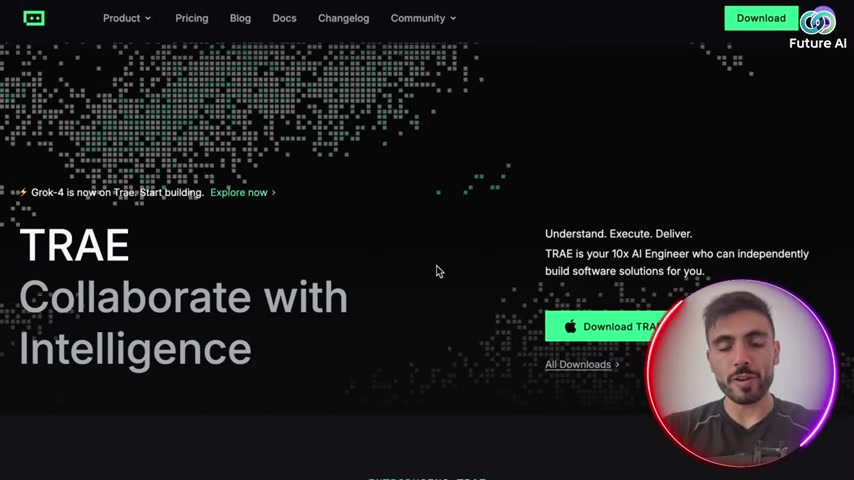
TRAE is an innovative platform designed to revolutionize the way applications are developed. It allows developers to collaborate with AI intelligence to build apps 10x faster. With TRAE, the development process is streamlined, reducing the time and effort required to bring an application from concept to deployment. This platform offers a suite of tools, including an integrated development environment (IDE), a standalone (SOLO) mode, and various plugins, all designed to work seamlessly with AI. By automating many of the repetitive and complex tasks involved in coding, TRAE empowers developers to focus on creativity and innovation, ultimately leading to more efficient and successful project outcomes.
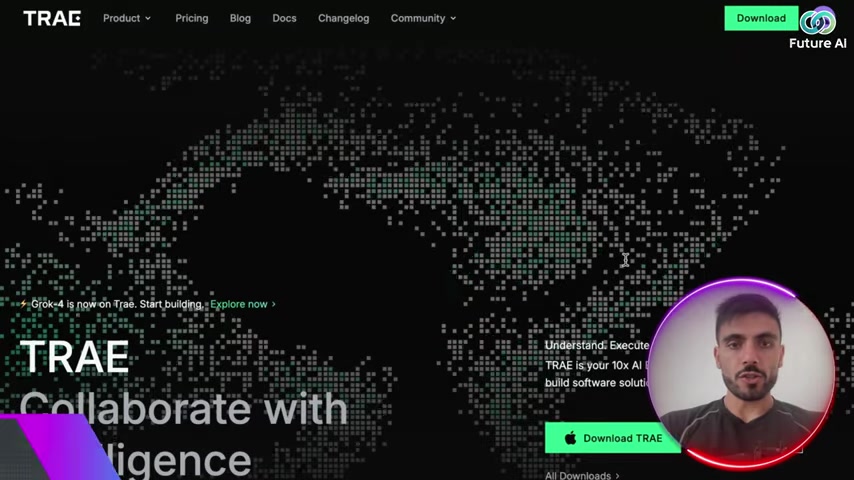
This platform is more than just a coding assistant; it’s an entire ecosystem designed to support developers at every stage of the app-building process. By providing access to state-of-the-art AI models, TRAE is democratizing app development, making it accessible to both seasoned professionals and tech enthusiasts. TRAE represents a significant leap forward in the world of software development, offering a glimpse into a future where AI and human intelligence work together to build the applications of tomorrow. This future is all about smart integrations and faster production.
Getting Started with TRAE: A Step-by-Step Guide
Creating an Account and Downloading TRAE
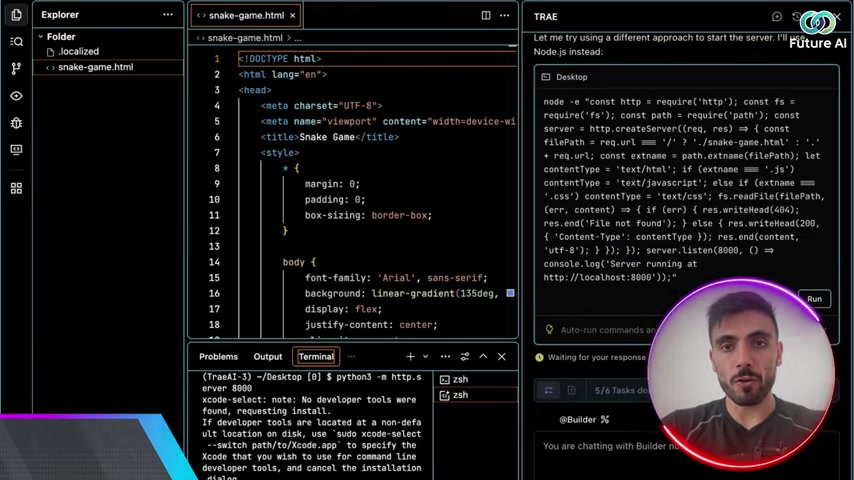
To begin using TRAE, the first step is to create an account on the TRAE website. The registration process is straightforward. Once your account is set up, you can download the TRAE application. TRAE is available on the App Store, making it accessible on various devices. After the download is complete, you can install the application and prepare to start coding.
Ensure your device meets the minimum system requirements for TRAE to run smoothly.
Navigating the TRAE Interface
After logging into the TRAE application, you’ll be greeted with a user-friendly interface. The interface is divided into several key sections:
- Explorer: On the left side, you'll find the Explorer, which allows you to manage your files and folders.
- Code Editor: The central area is the code editor where you'll write and edit your code.
- Builder: On the right side, you'll find the Builder, where you can communicate with AI to help you build apps.
- Debugging Tools: At the bottom, you'll find debugging tools to test and optimize your code.
Familiarize yourself with each section to make the most of TRAE's features.
Building a Snake Game with TRAE SOLO
Let's walk through an example of building a simple Snake Game using TRAE SOLO. This will give you a hands-on understanding of how TRAE works.
-
Initiate the Builder: In the Builder section, type
Create a Snake game using web stack. -
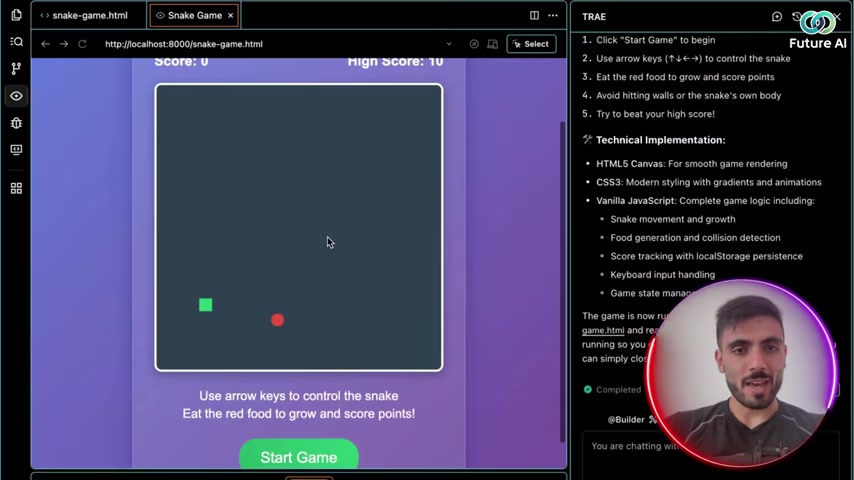
AI Task Management: TRAE will start building the app for you. The AI manages its own to-do list.
-
Code Preview: The code for the game begins to populate in the code editor. It also manages its own to-do list.
-
Testing the Game: Once the code is ready, TRAE automatically runs tests to ensure the game functions correctly.
-
Run the game: The Ruby server begins running successfully and is now ready to play
The process can be previewed by clicking the Preview Web Page Prompt. And as you can see TRAE creates a running, testable application in a matter of minutes.
Using TRAE IDE for Collaborative Coding
If you prefer collaborative coding, TRAE IDE is your go-to tool. Here’s how to use it:
- Invite a Partner: Share your TRAE IDE session with another developer.
- Code Together: Work simultaneously on the same code, with real-time synchronization.
- AI Assistance: Both developers can benefit from the AI assistant, which provides suggestions and error detection.
- Debug and Refactor: Use the AI debugging and refactoring tools to optimize your code.
TRAE IDE makes collaborative coding more efficient and productive, ensuring that teams can work together seamlessly, regardless of their location. With features to help organize the process, TRAE’s IDE will guide you to a smooth finish.
Leveraging AI Models for Smarter Coding
TRAE supports integrations with several state-of-the-art AI models, including GPT-5, Claude 3.5, Gemini 2.5 Pro, and DeepSeek V3. To leverage these models:
- Access the Extension Store: Go to the Extension Store in the TRAE interface.
- Select Your Preferred Model: Choose the AI model you want to use for your project.
- Activate the Model: Follow the instructions to activate the model for your coding session.
By integrating these AI models, you can build smarter applications with improved input optimization and faster results. Your prompts will hit the mark faster than ever before.
TRAE Pricing: Flexible Options for Every Developer
Understanding TRAE's Subscription Plans
TRAE offers various subscription plans tailored to meet the needs of different developers, from individual users to large teams. The plans typically include a free tier with limited features, followed by tiered pricing that unlocks additional functionalities and support.
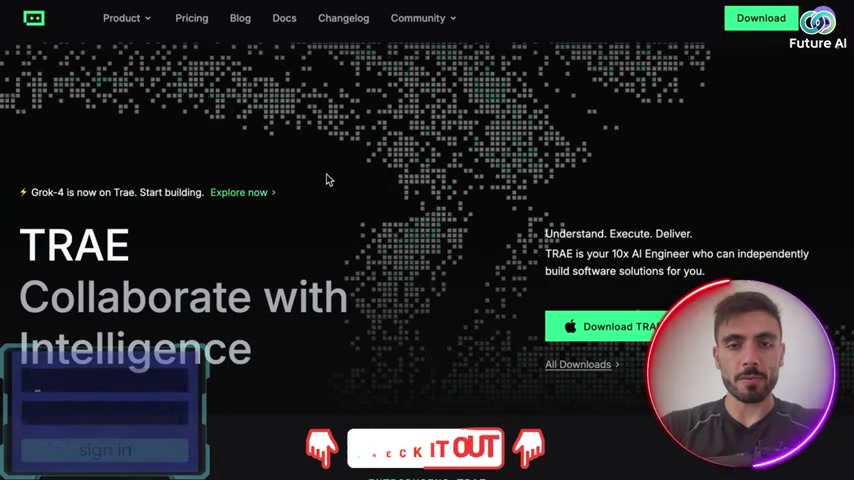
These plans are designed to provide flexibility and scalability, ensuring that you only pay for what you need. Be sure to check the TRAE website for the most current and detailed pricing information.
Free Tier Benefits
The free tier is an excellent way to get acquainted with TRAE's basic features and AI capabilities. It usually includes a limited number of AI interactions, storage capacity, and access to the core IDE and plugin functionalities. This option is ideal for tech enthusiasts or small projects where extensive AI support isn't immediately necessary. The best part? It's completely free, allowing you to explore TRAE's potential without financial commitment.
Paid Subscription Perks
Upgrading to a paid subscription unlocks a host of additional benefits. This includes:
- Expanded AI Interactions: Enjoy a higher monthly quota of AI-assisted tasks, suitable for complex projects and frequent usage.
- Increased Storage Capacity: Get more storage space for your projects, allowing for larger applications and codebases.
- Priority Support: Receive faster and more comprehensive support from the TRAE team.
- Access to Premium Features: Unlock advanced tools and integrations to further streamline your development process.
For professional developers and teams, the paid subscription options offer the resources needed to maximize productivity and tackle ambitious projects.
Customized Enterprise Solutions
For large organizations with unique requirements, TRAE offers customized enterprise solutions. These plans provide tailored support, dedicated account management, and the ability to integrate TRAE seamlessly into existing workflows. Enterprise solutions can be designed to align with specific business needs, ensuring that TRAE's capabilities are optimized for your organization's success. Contact the TRAE team directly to discuss customized options.
Key Features of TRAE: Enhancing Coding Efficiency
TRAE IDE: AI-Native Integrated Development Environment
TRAE IDE is an AI-native IDE perfect for pair programming. It enhances collaboration with AI debugging and refactoring, making it an ideal environment for teams working together on complex projects. The integration of AI directly into the IDE means that developers can receive real-time assistance, identify potential issues, and optimize their code more effectively. By providing intelligent suggestions and automated fixes, TRAE IDE significantly reduces the time spent on debugging and refactoring. This helps ensure that code is clean, efficient, and ready for deployment. With TRAE IDE, developers can focus on the creative aspects of coding, while the AI handles many of the technical challenges.
TRAE SOLO: All-in-One AI Development Environment
TRAE SOLO is an all-in-one AI development environment designed for end-to-end builds. It acts as your context engineer, assisting you throughout the entire app development process. This mode is particularly useful for professional developers and tech enthusiasts who prefer to work independently.
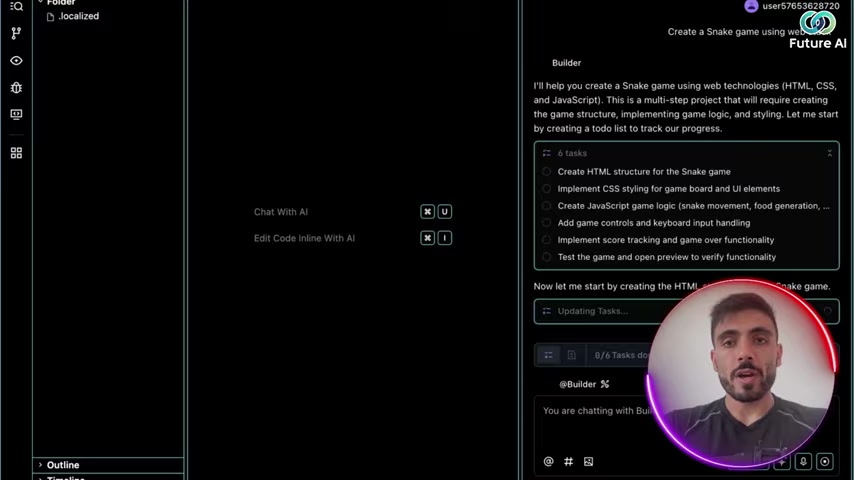
With TRAE SOLO, you have access to a comprehensive set of tools that cover everything from initial design to final deployment. The AI assistant helps you analyze requirements, generate code, and test your application, ensuring that it meets the highest standards of quality. This integrated approach streamlines the development process, allowing you to build apps faster and more efficiently.
TRAE Plugin: Embedded AI Coding Assistant
The TRAE Plugin provides an embedded AI coding assistant that integrates directly into your existing development environment. This plugin offers real-time suggestions, code completion, and error detection, helping you write cleaner and more efficient code. The plugin is designed to be unobtrusive, providing assistance only when needed and allowing you to maintain your preferred coding style. By integrating seamlessly with popular IDEs and code editors, TRAE Plugin brings the power of AI directly to your fingertips. This helps enhance your productivity and improve the overall quality of your code.
Use Cases for TRAE: Real-World Applications
Pair Programming with TRAE IDE
TRAE IDE is an excellent tool for pair programming, where two developers work together on the same code. The AI assistant in TRAE IDE provides real-time suggestions and error detection, enhancing collaboration and reducing the time spent on debugging. This setup is particularly useful for training junior developers or tackling complex coding challenges.
By working together with the AI, developers can learn from each other, improve their coding skills, and produce higher-quality code.
Solo Development with TRAE SOLO
TRAE SOLO empowers individual developers to build applications from start to finish with the assistance of AI. This mode is ideal for creating MVPs, personal projects, or prototypes. With TRAE SOLO, developers can quickly generate code, test their applications, and deploy them to the cloud, all within a single environment. This streamlined workflow allows you to bring your ideas to life faster and more efficiently. The AI assistant provides guidance and support throughout the entire development process.
Enhancing Existing Projects with TRAE Plugin
TRAE Plugin can be used to enhance existing projects by integrating AI assistance into your current development environment. This plugin provides real-time suggestions, code completion, and error detection, helping you write cleaner and more efficient code. The TRAE Plugin can significantly improve your productivity and reduce the time spent on debugging. By seamlessly integrating with your preferred IDE or code editor, the TRAE Plugin brings the power of AI directly to your fingertips.








Most people like

































Report
Please select a reason for reporting
- 13 Reasons to Switch from Snapchat to Text Messaging
- 7 Powerful Speech to Text Apps to Boost Productivity
- 10 Best Speech to Text Tools for Effortless Transcription
- 13 Free Tools to Easily Transcribe Audio to Text
- 15 Surprising Ways Google's Speech-to-Text Boosts Productivity
- 7 Best Free Online Audio to Text Transcription Tools
- 9 Tips to Transcribe Speech to Text Faster and Better
- 13 Best Speech to Text Software for Windows 10 in 2023
- 7 Tips for Choosing the Best Transcriber for Audio to Text
- 11 Reasons Why Dragon Speech-to-Text Apps are Game-Changers
- 6 Secrets to Enhance Your Speech to Text Transcription
- 6 Brilliant Ways to Boost Productivity with Talk-to-Text on Your MacBook
- 6 Ways Transcription Software Converts Audio to Text
- 8 Tips to Transcribe Speech to Text Like a Pro
- 6 Reasons IBM Watson Speech to Text is a Game-Changer
- 14 Powerful Ways Talk-to-Text Improves Your Workflow
- 12 Top Windows Speech-to-Text Software for Efficient Transcription
- 12 Game-Changing Benefits of Apple's Speech to Text Technology
- 9 Powerful Use Cases for AWS Speech to Text Technology
- 10 Easy Steps to Transcribe YouTube Videos to Text
- transcription audio en texte
- online audio transcription
- free audio file transcription
- free ai audio transcription
- audio transcription service
- audio transcription online free
- audio transcription free online
- audio to transcription software
- audio and transcript
- ai audio transcription free
- voice recording to text converter
- translate voice recording to text
- record voice to text
- audio recording to text converter
- voice recording and transcription
- chatgpt voice to text
- gmail voice to text
- speech to text reader
- speech to text ai free
- speech to talk
- How SEO and Marketing Dashboards Empower Agencies to Drive Results
- How to Use AI Tools to Find Internal Linking Opportunities Across a Business Website
- Discover Your Perfect Haircut with AI Hairstyle Apps
- Free Reputation Calculator Tools: How They're Adapting to Score AI Visibility, Not Just Rankings
- Design Professional Flyers for Free on Your Phone
- Best Free Flyer Maker Apps for Android: Design Like a Pro
- How to Know If Your Business Is Ready for an AI Customer Service Agent
- Revolutionizing Storytelling: From Novels to Screenplays with AI
- Create Engaging Animated Explainer Videos with a Free AI Tool
- Stop Multi-Subscribing: Benchmark Top AI Visual Models in One Canvas
- Beyond Pure Prompts: Optimizing Production with 'Text With Reference' Generation
- Stop Using Boring TTS: My Honest Deep Dive Into VideoAI and the Hunt for the Perfect Custom Voices
- AI & Elections: Defending Democracy Against Misinformation
- Navigating Political Discourse: AI, Deepfakes, and Reality Checks
- Detecting Political Bias in News Articles: A Powerful AI Algorithm
- AI Bias Unveiled: Political Leanings in ChatGPT & Beyond
- Revolutionize Learning: Discover Quizzes AI for Engaging Interactive Quizzes
- From AI-Generated to Audience-Ready: How Quillbot Humanize AI Is Changing the Content Editing Process
- Building an AI Writing Stack in 2026: LLMs, Detectors, and Humanizers
- 7 Top AI-Powered Database Assistant Platforms

Copyright ©2026 toolify