



AiPrompt - Chrome Extension


What is AiPrompt ai chrome extension?
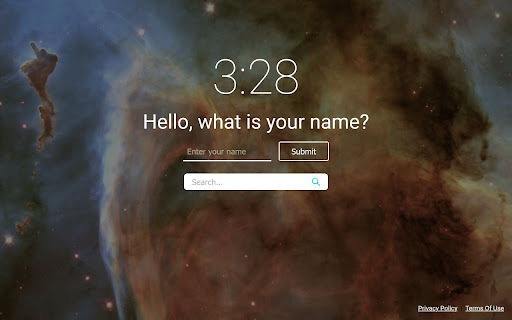
AiPrompt is a browser extension designed to enhance your browsing experience. It updates your new tab settings, changes your search engine to Microsoft Bing, and provides access to ChatGPT. It offers a personalized new tab experience with features like a random background, clock, search box, and personalized greeting. Additionally, it allows you to easily prompt ChatGPT with selected text via a right-click context menu or through a popup input box.
How to use AiPrompt ai chrome extension?
Install the AiPrompt extension from the Chrome Web Store. After installation, your new tab page will be updated. To use ChatGPT, select text in your browser, right-click, and choose the AiPrompt icon from the context menu. Alternatively, click the extension icon to open a popup for sending messages to ChatGPT.
AiPrompt ai chrome extension's Core Features
New tab customization (background, clock, greeting)
Microsoft Bing powered search
ChatGPT integration via context menu and popup
AiPrompt ai chrome extension's Use Cases
Quickly access ChatGPT for selected text.
Personalize your new tab page.
Perform web searches using Microsoft Bing.
FAQ from AiPrompt
How do I remove the AiPrompt extension?
What permissions does AiPrompt request?
What search engine does AiPrompt use?