

BaseRock.ai





What is BaseRock.ai?
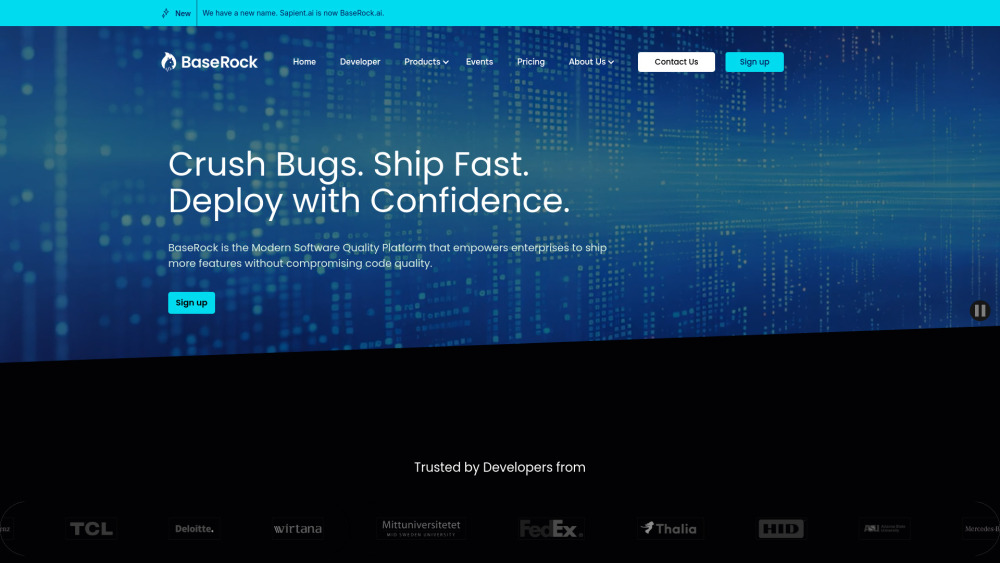
BaseRock.ai is a Modern Software Quality Platform that simplifies testing with AI and ML. It automates test generation, execution, and maintenance, streamlining processes for efficient, high-quality code delivery while detecting issues early in development. BaseRock helps enterprises automating Software Testing using AI. Our Agentic QA platform auto generates Integration Tests and Unit Tests at scale, letting you focus on features while removing manual testing, so developers can ship code with confidence.
How to use BaseRock.ai?
BaseRock AI learns from your environment to plan and execute a comprehensive testing strategy. The platform automates integration and unit testing, helping catch bugs early. Developers can integrate it into their IDE and CI/CD pipeline.
BaseRock.ai's Core Features
Agentic QA platform for automated test generation
AI-powered unit and integration testing
Seamless integration into CI/CD pipeline
Testability Feedback
Batch Test Generation
Enterprise Governance
Code Obfuscation
Team Collaboration
BaseRock.ai's Use Cases
Automating unit and integration tests at scale
Catching bugs early in the development cycle
Ensuring maximum code coverage
Improving developer productivity
Reducing QA costs
FAQ from BaseRock.ai
What is a Class? How do you limit per Class?
Awesome, I'm hooked. How do I signup for an account?
Is there a trial period for the Developer and Enterprise tiers?
How does BaseRock.ai handle data privacy and security across different plans?
Do you offer discounts?
What's the process for upgrading or downgrading my plan?
BaseRock.ai Support Email & Customer service contact & Refund contact etc.
Here is the BaseRock.ai support email for customer service: [email protected] . More Contact, visit the contact us page(https://www.baserock.ai/contact)
BaseRock.ai Company
BaseRock.ai Company name: BaseRock.ai (formerly Sapient.ai) .
BaseRock.ai Company address: 800 W El Camino Real, Suite 180, Mountain View, California 94040, US.
More about BaseRock.ai, Please visit the about us page(https://www.baserock.ai/about).
BaseRock.ai Sign up
BaseRock.ai Sign up Link: https://www.baserock.ai/sign-up
BaseRock.ai Pricing
BaseRock.ai Pricing Link: https://www.baserock.ai/pricing
BaseRock.ai Facebook
BaseRock.ai Facebook Link: https://www.facebook.com/profile.php?id=61567116472849
BaseRock.ai Youtube
BaseRock.ai Youtube Link: https://www.youtube.com/@BaseRockAI
BaseRock.ai Linkedin
BaseRock.ai Linkedin Link: https://www.linkedin.com/company/baserockaitesting/
BaseRock.ai Twitter
BaseRock.ai Twitter Link: https://x.com/BaseRockAI
BaseRock.ai Instagram
BaseRock.ai Instagram Link: https://www.instagram.com/baserockai/
BaseRock.ai Github
BaseRock.ai Github Link: https://github.com/Sapient-AI/docs
BaseRock.ai Reviews (0)
BaseRock.ai Pricing
Community
Free
10 Classes/Month, Test Runs: limited, BaseRock AI Cloud, Support: Community
Pro
$14.99/Month
Unit Testing, Testability Feedback, 50 Classes/Month, Test Runs: Unlimited, BaseRock AI Cloud, Support: Community, Min. Users: 1, Billing: Monthly
Growth
$39/Month (billed annually)
Unit Testing, Testability Feedback, Batch Test Generation, Batch Mode, CI/CD Integration, Custom Classes/Month, Test Runs: Unlimited, BaseRock AI Cloud, Enterprise Governance, Code Obfuscation, Team Collaboration, Min. Users: 10, Billing: Annual
Enterprise
Contact Sales
Unit Testing, Testability Feedback, Batch Test Generation, Batch Mode, CI/CD Integration, Custom Classes/Month, Test Runs: Unlimited, Offline Development Mode, BaseRock AI Cloud OR Self Hosted (private VPC or onprem), PR Plugin for Test Generation, Enterprise Governance, Code Obfuscation, Team Collaboration, Dedicated Account Manager, Min. Users: 50, Billing: Annual, Add ons: Agentic QA, Premium Support Biz Hrs, 24*7 Support, Testing Expert Consultation, Enterprise Security
For the latest pricing, please visit this link: https://www.baserock.ai/pricing
Analytic of BaseRock.ai
BaseRock.ai Website Traffic Analysis
Geography
Top 5 Regions


BaseRock.ai Launch embeds
Use website badges to drive support from your community for your Toolify Launch. They're easy to embed on your homepage or footer.



Alternative of BaseRock.ai


Social Listening