Sponsored by
APIMart



ChatDOC - Chrome Extension
3.8
12 Reviews
0 Saved
Introduction:
AI tool for extracting information from PDFs and other documents.
Updated Time
Aug 13 2024
Active Users
2.0K

Lufe AI Translator
AI-powered bilingual translation extension for web, PDF, and images.

Raccoon AI
The AI Coworker for Apps, Research, Docs & Everything Else. Raccoon AI is a collaborative AI agent and workspace for getting real work done. You describe what you need and build it together with an AI agent that has its own computer, terminal, browser, and internet. You see every thought, every file it creates, every decision it makes. You steer when it drifts. You ship when it's right. Deploy web apps. Run deep research. Analyze data. Create pitch decks, videos, images, documents and more.

Free
Renamer.ai
AI tool that renames and organizes files by automatically reading their actual content.

Vmake Labs Video Enhancer
Vmake Labs Video Enhancer uses AI to improve video quality, restore details, reduce blur, and upscale videos to 8K.

Designkit Free Background Remover
Designkit offers free AI background removal for up to 100 images daily, with batch processing, custom backgrounds, and resizing.

ChatDOC AI Chrome Extension Information
What is ChatDOC ai chrome extension?
ChatDOC is an AI-powered tool designed to help users quickly extract information from PDF files. It allows users to ask questions about their PDFs and receive instant answers with cited sources, boosting productivity. It supports various file types, including DOC, DOCX, SCAN, WEBSITE, EPUB, MD, and TXT, and allows chatting with multiple documents and articles in arXiv.
How to use ChatDOC ai chrome extension?
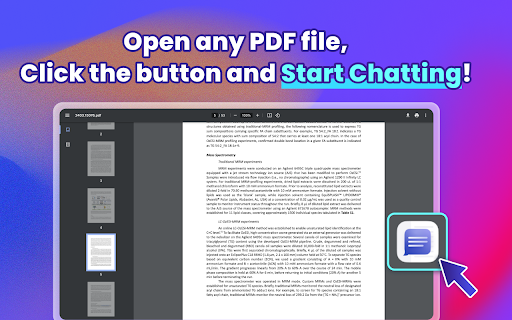
1. Click the "Add to Chrome" button and pin it to the toolbar. 2. Log in to your account. 3. Open your PDF file. 4. Click the button and start chatting.
ChatDOC ai chrome extension's Core Features
Ask your file and get the information you need.
Select texts/tables/formulas and receive AI analysis.
Ask follow-up questions until satisfied.
Click on footnotes to trace and verify accuracy.
Switch to GPT-4 for enhanced responses.
ChatDOC ai chrome extension's Use Cases
#1
Quickly find answers and insights from PDF documents.
#2
Analyze selected text, tables, or formulas within a document.
#3
Chat with multiple documents to compare information.
#4
Extract information from research papers on arXiv.
FAQ from ChatDOC
Why can't I open PDF in Chrome?
APIMart
AI API, 99.9% SLA. Your AI, Always On.Most models offer cost savings of 20–60%; nanobanana pro api costs only 0.03.
Try Now
AD
seedrouter
One API for image, video, language, and audio AI models
Try Now
AD
Analytic of ChatDOC AI Chrome Extension
ChatDOC Active Users
Total Installed User
2.0K
Alternative of ChatDOC AI Chrome Extension
Open site
55 users
Website
Free Trial
Paid
AI PDFAI ChatbotAI PDF SummarizerAI SummarizerAI AnswerAI ReaderAI TranslateAI Document ExtractionAI Research ToolAI Knowledge BaseAI Search Engine
Open site
--
Mail (0.00%)
GenAi (0.00%)
Direct (0.00%)