Sponsored by
Vmake Labs Video Enhancer



ChatX AI Copilot - Chrome Extension
4.6
22 Reviews
0 Saved
Introduction:
AI copilot browser extension for translation, summarization, and deeper web content understanding.
Updated Time
Mar 23 2024
Active Users
1000

Maxworker.ai
Max is an AI coworker for your team inside Slack. He connects to 25+ essential work tools today, with 3,000+ tools coming soon, and turns your team’s context into ready-to-review work. Fixed price, no surprise.

Qoder
Agentic coding platform for real software development with AI agents.

Free
iDox.ai Guardrail
Real-time AI guardrails that prevent sensitive data exposure in AI tools, copilots, and autonomous AI agents.

Nextbrowser
Automate logins, scraping, outreach, and more — just by chatting with AI.

Chatbot App
Multi-Model AI Chat Platform that lets you switch between 30+ leading AI models instantly or run them side by side, including ChatGPT, Claude, Gemini, and more, all in one place.

ChatX AI Copilot AI Chrome Extension Information
What is ChatX AI Copilot ai chrome extension?
ChatX AI Copilot is a browser extension that allows users to access and utilize various large language models (LLMs) like GPT-3.5, GPT-4, Google Gemini Pro, and Claude directly within their browser. It provides AI assistance for tasks such as translation, summarization, and gaining deeper insights from web content without needing a separate ChatGPT account.
How to use ChatX AI Copilot ai chrome extension?
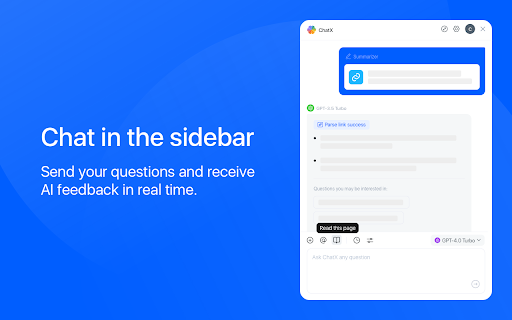
Install the ChatX AI Copilot extension for Chrome or Edge. Select text on a webpage and use the shortcut button or right-click menu to translate, summarize, or ask questions. Alternatively, use the sidebar to chat with multiple AI models simultaneously.
ChatX AI Copilot ai chrome extension's Core Features
Integration with multiple LLMs (GPT-3.5, GPT-4, Gemini Pro, Claude)
Reading assistant for translation and summarization
Instant chat assistant for real-time AI feedback
Image upload and question answering using GPT-4V and Gemini Pro Vision
Enhanced search engine results
ChatX AI Copilot ai chrome extension's Use Cases
#1
Quickly translate selected text on a webpage.
#2
Summarize lengthy articles to grasp key points efficiently.
#3
Engage in conversations with AI models to clarify complex topics.
#4
Upload images to ask questions and gain visual insights.
#5
Improve search effectiveness with enhanced search engine results.
FAQ from ChatX AI Copilot
Do I need a ChatGPT account to use ChatX AI Copilot?
Which LLMs are supported by ChatX AI Copilot?
How do I translate or summarize content using ChatX AI Copilot?
Can I upload images and ask questions about them?
APIMart
AI API, 99.9% SLA. Your AI, Always On.
Try Now
AD
Vmake Labs Video Enhancer
Vmake Labs Video Enhancer uses AI to improve video quality, restore details, reduce blur, and upscale videos to 8K.
Try Now
AD
Analytic of ChatX AI Copilot AI Chrome Extension
ChatX AI Copilot Active Users
Total Installed User
1000
Alternative of ChatX AI Copilot AI Chrome Extension