Sponsored by
APIMart


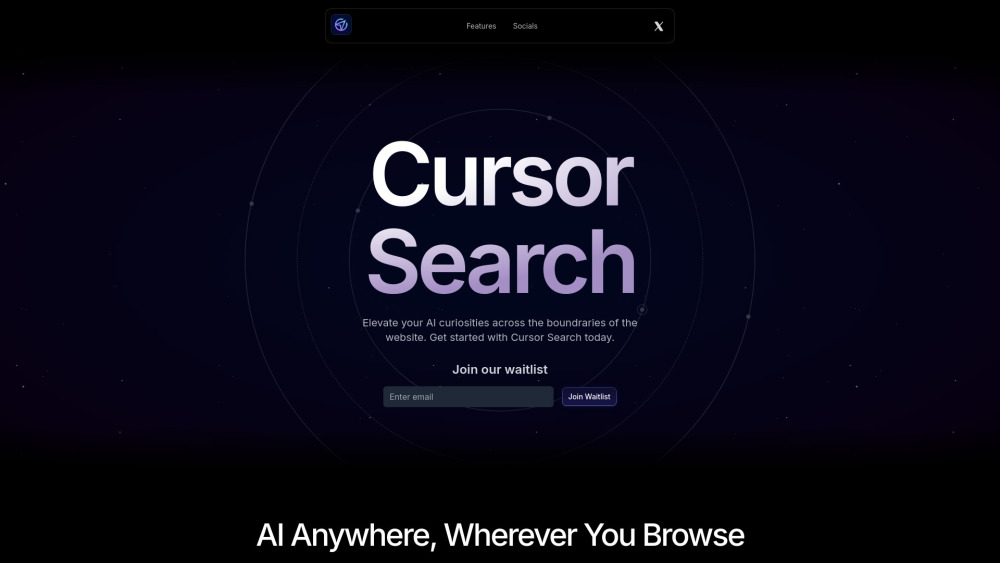
Cursor Search
5
0 Reviews
0 Saved
Introduction:
AI-powered Chrome extension for instant search at your cursor.
Added on:
Aug 30 2024
Monthly Visitors:
--

ChatHawk
Find the Best Answer Across the Top AI Models

Choosely.ai
A smart operating system to find, track, and manage your AI tools stack.

Free
APIMart
AI API, 99.9% SLA. Your AI, Always On.Most models offer cost savings of 20–60%; nanobanana pro api costs only 0.03.

Crazyrouter
The enterprise-grade, cost-effective AI API gateway that provides one API key to access 300+ AI models through OpenAI-compatible endpoints, with optimized routing for lower costs and easier integration.

Designkit Free Background Remover
Designkit offers free AI background removal for up to 100 images daily, with batch processing, custom backgrounds, and resizing.

Cursor Search Product Information
What is Cursor Search?
Cursor Search is a Chrome extension that brings the power of AI directly to your browsing experience. With a simple keyboard shortcut, summon an intelligent search bar that follows your cursor, providing all world knowledge with AI right at your cursor.
How to use Cursor Search?
Install the Cursor Search Chrome extension. Use the keyboard shortcut (⌃L) to toggle the search bar, which will appear near your cursor. Enter your query and receive AI-powered answers.
Cursor Search's Core Features
AI-powered search bar that follows your cursor
Instant AI assistance
Time-saving search functionality
Cursor Search's Use Cases
#1
Quickly find information about any topic while browsing a website.
FAQ from Cursor Search
What is Cursor Search?
How do I use Cursor Search?
Vmake Labs Video Enhancer
Vmake Labs Video Enhancer uses AI to improve video quality, restore details, reduce blur, and upscale videos to 8K.
Try Now
AD
Cursor Search Reviews (0)
5 point out of 5 point
seedrouter
One API for image, video, language, and audio AI models
Try Now
AD
Analytic of Cursor Search
Cursor Search Website Traffic Analysis
Geography
Top 3 Regions

53.10%

33.47%

13.43%
May 2024 - Sep 2026 Desktop Only
Cursor Search Launch embeds
Use website badges to drive support from your community for your Toolify Launch. They're easy to embed on your homepage or footer.
Light
Neutral
Dark



Copy embed code
How to install?Alternative of Cursor Search

Website
Contact for Pricing
AI Search EngineAI APIAI ChatbotAI Developer ToolsLarge Language Models (LLMs)AI Knowledge BaseAI Shopping AssistantNo-Code&Low-Code
Open site
100.00%
--
100.00%Direct (39.08%)
SearchOrganic (30.32%)
Referrals (10.41%)
Open site
132 users
Open site
7.0K users
Social Listening