


DynamicAds
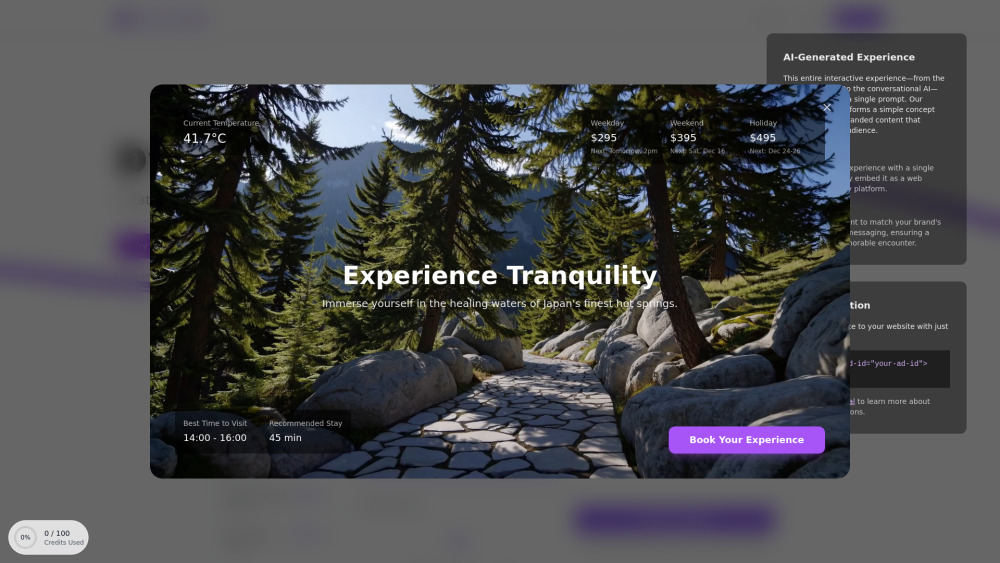


What is DynamicAds?
DynamicAds transforms static ads into voice-enabled, AI-driven experiences. It allows users to engage in real-time conversations tailored to their interests, quickly integrate, and drive conversions. DynamicAds helps create personalized, engaging ads that speak directly to users using advanced AI technology, boosting engagement and conversion rates.
How to use DynamicAds?
Create an ad, set up your agent's voice, prompt, and style. Embed the provided code snippet or React component into your site. Your audience can then interact naturally via voice or text.
DynamicAds's Core Features
AI-powered interactive ad creation
Voice-enabled ad experiences
Personalized ad generation
Real-time user engagement
Easy integration with code snippets and React components
DynamicAds's Use Cases
Creating personalized ads that adapt to user interests
Enabling natural voice conversations within ads for product information and recommendations
Generating dynamic product showcases with AI
Creating interactive experiences for websites and platforms
FAQ from DynamicAds
What is DynamicAds?
How do I integrate DynamicAds into my website?
What kind of support is available?
DynamicAds Support Email & Customer service contact & Refund contact etc.
More Contact, visit the contact us page(https://www.dynamicads.app/contact)
DynamicAds Company
DynamicAds Company name: DynamicAds .
More about DynamicAds, Please visit the about us page(https://www.dynamicads.app/about).
DynamicAds Login
DynamicAds Login Link: https://www.dynamicads.app/signin
DynamicAds Sign up
DynamicAds Sign up Link: https://www.dynamicads.app/signin
DynamicAds Github
DynamicAds Github Link: https://github.com/your-repo
DynamicAds Reviews (0)
Analytic of DynamicAds
DynamicAds Website Traffic Analysis
DynamicAds Launch embeds
Use website badges to drive support from your community for your Toolify Launch. They're easy to embed on your homepage or footer.



Alternative of DynamicAds

 28.32%
Social Listening