Sponsored by
Agentkit



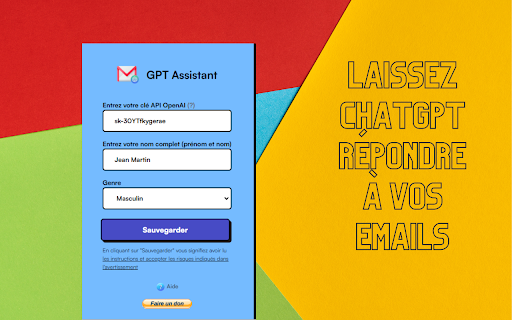
Gmail GPT-3.5 Email Response Generator - Chrome Extension
0
0 Reviews
0 Saved
Introduction:
Chrome extension using GPT-3.5 to generate quick email replies in Gmail.
Updated Time
Apr 25 2023
Active Users
13

Teammates.ai
AI-powered customer service, sales, and lead generation solutions.

Mailmodo AI
Complete Email Marketing Automation With AI Agents

Demi AI
Proactive AI assistant for sales professionals to automate emails, scheduling, and deal prioritization.

Raccoon AI
The AI Coworker for Apps, Research, Docs & Everything Else. Raccoon AI is a collaborative AI agent and workspace for getting real work done. You describe what you need and build it together with an AI agent that has its own computer, terminal, browser, and internet. You see every thought, every file it creates, every decision it makes. You steer when it drifts. You ship when it's right. Deploy web apps. Run deep research. Analyze data. Create pitch decks, videos, images, documents and more.

Free
Agentkit
AI agents trained on business content for support, lead capture, and automation

Gmail GPT-3.5 Email Response Generator AI Chrome Extension Information
What is Gmail GPT-3.5 Email Response Generator ai chrome extension?
This Chrome extension integrates GPT-3.5 into Gmail, allowing users to generate quick, contextually relevant email responses with the click of a button. It analyzes the incoming email and provides several suggested replies, saving time and improving efficiency in email communication.
How to use Gmail GPT-3.5 Email Response Generator ai chrome extension?
Install the Chrome extension. Open an email in Gmail. Click the extension's button within the email interface. Choose from the generated response options or customize them further before sending.
Gmail GPT-3.5 Email Response Generator ai chrome extension's Core Features
GPT-3.5 powered email response generation
Contextual analysis of incoming emails
Multiple response suggestions
Customizable response options
Seamless integration with Gmail
Gmail GPT-3.5 Email Response Generator ai chrome extension's Use Cases
#1
Quickly respond to common email inquiries
#2
Generate professional email replies in seconds
#3
Save time on email communication
#4
Improve email response quality
FAQ from Gmail GPT-3.5 Email Response Generator
How does the extension generate email responses?
Can I customize the generated email responses?
Is my email data secure when using this extension?
APIMart
AI API, 99.9% SLA. Your AI, Always On.
Try Now
AD
Vmake Labs Video Enhancer
Vmake Labs Video Enhancer uses AI to improve video quality, restore details, reduce blur, and upscale videos to 8K.
Try Now
AD
Analytic of Gmail GPT-3.5 Email Response Generator AI Chrome Extension
Gmail GPT-3.5 Email Response Generator Active Users
Total Installed User
13 (2)
Alternative of Gmail GPT-3.5 Email Response Generator AI Chrome Extension
Website
Contact for Pricing
AI Email AssistantLarge Language Models (LLMs)AI Content DetectorAI Productivity Tools
Open site
 94.64%
22.5K
94.64%SearchOrganic (35.92%)
Direct (35.89%)
Referrals (12.26%)
Open site
8 users