


Glotera AI


What is Glotera AI?
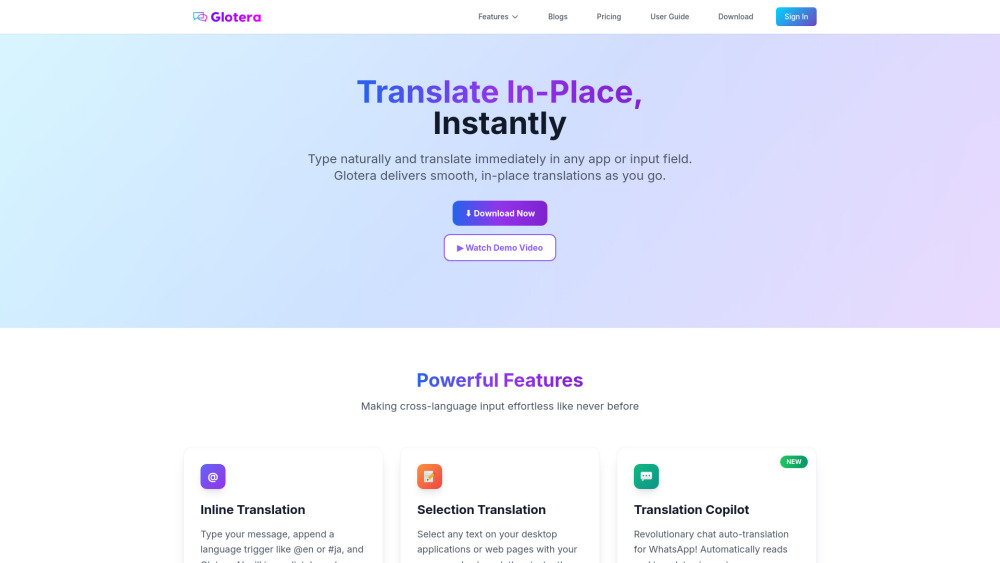
Glotera AI – Translate In‑Place, Instantly: A smart, macOS-native translation assistant that offers seamless, context-preserving translations across all apps. Whether you’re composing in Gmail, messaging on Discord, or typing in any input field, simply append a language trigger like @en or #ja, and your text is translated instantly and replaced in-place—no copy-paste, no app switching, no interruption. With support for over 100 languages and integration into both editable and read-only contexts through Selection Translation and an automated chat Translation Copilot for messaging apps like WhatsApp, Glotera AI empowers efficient, fluent multilingual communication right where you work.
How to use Glotera AI?
You can trigger Input Translation using inline commands—just type @en or #ja, double-tap the spacebar, or press Enter to instantly translate and replace text in any input field. Alternatively, select text and choose your language from the pop-up menu to translate within editable or non-editable contexts. For reading, selecting text on web pages or documents brings up a quick translation overlay. In Settings, you can personalize language triggers (e.g., change @zh-tw to @tw) and control behavior such as disabling Enter-trigger translation. https://glotera.ai/userguide/
Glotera AI's Core Features
Inline Translation
Selection Translation
Translation Copilot for chat
Glotera AI Support Email & Customer service contact & Refund contact etc.
Here is the Glotera AI support email for customer service: [email protected] . More Contact, visit the contact us page(mailto:[email protected])
Glotera AI Company
Glotera AI Company name: Glotera AI .
Glotera AI Company address: .
More about Glotera AI, Please visit the about us page().
Glotera AI Login
Glotera AI Login Link: https://glotera.ai/login
Glotera AI Sign up
Glotera AI Pricing
Glotera AI Pricing Link: https://glotera.ai/pricing/
Glotera AI Twitter
Glotera AI Twitter Link: https://x.com/glotera_ai
Glotera AI Github
Glotera AI Github Link: https://github.com/glotera
Glotera AI Reviews (0)
Glotera AI Pricing
Free - 100/month
Pro - 5000/month
Max - unlimited
For the latest pricing, please visit this link: https://glotera.ai/pricing/
Analytic of Glotera AI
Glotera AI Website Traffic Analysis
Geography
Top 2 Regions


Glotera AI Launch embeds
Use website badges to drive support from your community for your Toolify Launch. They're easy to embed on your homepage or footer.





Social Listening