Sponsored by
APIMart


GPT CLI
5
0 Reviews
0 Saved
Introduction:
A CLI tool to create custom ChatGPT command-line tools.
Added on:
Jun 03 2023
Monthly Visitors:
--

APIMart
AI API, 99.9% SLA. Your AI, Always On.Most models offer cost savings of 20–60%; nanobanana pro api costs only 0.03.

APIMaster
GPT up to 95% off + $20 trial. Fingerprint-verified APIs. Low-cost and stable.

PoYo.AI
High concurrency. Stable AI API. Better pricing.

TestDriver
AI-powered end-to-end testing and code review for GitHub pull requests

Apper - App & Website Builder
Build production-ready apps and websites with enterprise-grade security using Claude or ChatGPT. Apper manages the backend, with no extra Apper AI credits.

GPT CLI Product Information
What is GPT CLI?
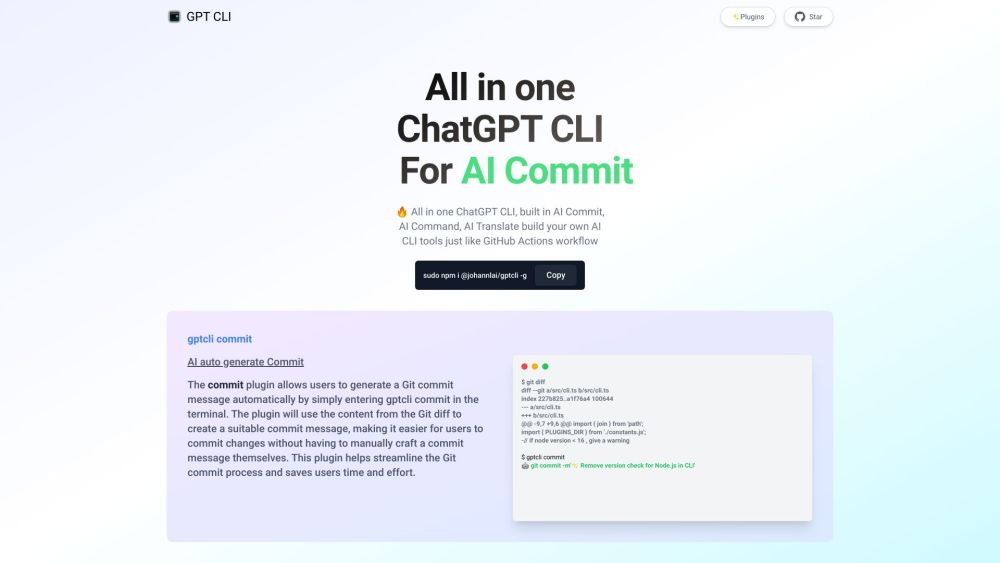
GPT CLI is a command-line interface tool that allows you to create your own ChatGPT CLI tools in seconds. With GPT CLI, you can customize your CLI tools to suit your needs and make your work more efficient. It converts NATURAL LANGUAGE PROCESSING (NLP) to into structured data. It also provides plugins for AI Commit, AI Command, AI Translate, AI Weather, AI gitmoji CZ, Notion, and Whisper.
How to use GPT CLI?
Install GPT CLI using `sudo npm i @johannlai/gptcli -g`. Then, use commands like `gptcli commit` to generate commit messages or `gptcli command` to execute commands based on natural language descriptions.
GPT CLI's Core Features
Create custom ChatGPT CLI tools
AI-powered commit message generation
Natural language to command conversion
Plugin support for various AI tasks
GPT CLI's Use Cases
#1
Automatically generate Git commit messages using AI.
#2
Convert natural language descriptions into executable commands.
FAQ from GPT CLI
How do I install GPT CLI?
What can I do with the `gptcli commit` command?
How does the `gptcli command` work?
APIDot
Unified AI API platform for low-cost, production-ready image and video model integration.
Try Now
AD
GPT CLI Reviews (0)
5 point out of 5 point
OfoxAI
Unified API gateway to access 100+ LLMs like GPT, Claude, and Gemini.
Try Now
AD
Analytic of GPT CLI
GPT CLI Website Traffic Analysis
GPT CLI Launch embeds
Use website badges to drive support from your community for your Toolify Launch. They're easy to embed on your homepage or footer.
Light
Neutral
Dark



Copy embed code
How to install?Alternative of GPT CLI

Website
Freemium
Contact for Pricing
AI Developer ToolsAI TestingAI MonitorAI APIAI AgentAI ModelsLarge Language Models (LLMs)AI Workflow
Open site
 100.00%
--
100.00%Direct (39.23%)
SearchOrganic (30.55%)
Referrals (10.43%)
Free Trial
Website
AI Developer ToolsAI Speech-to-TextAI TranscriptionAI Document ExtractionAI PDFAI For Data AnalyticsAI Data MiningAI Text ClassifierAI For Finance
Open site
 53.52%
--
53.52%Direct (38.95%)
SearchOrganic (34.88%)
Referrals (11.44%)
Social Listening