


Lufe AI Translator
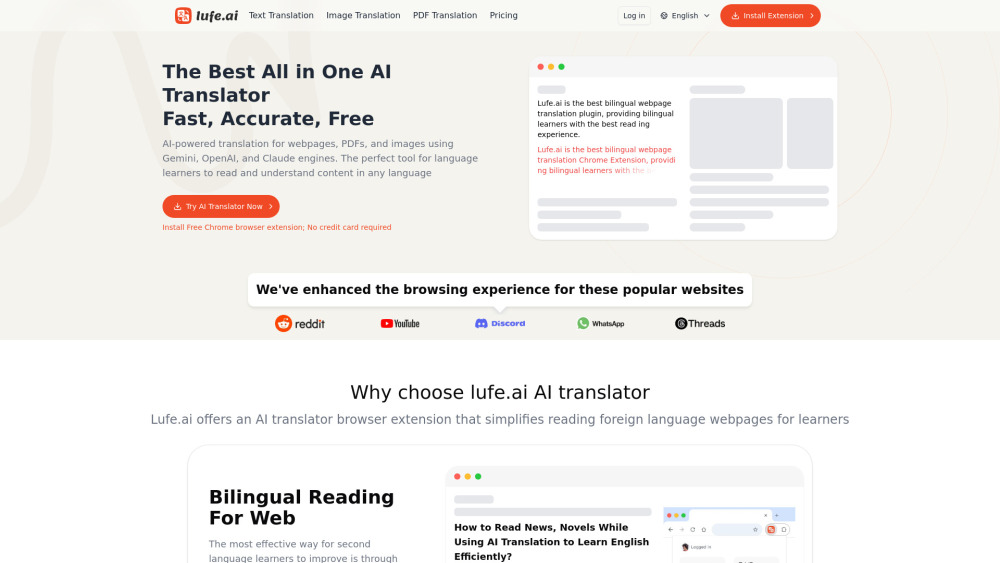


What is Lufe AI Translator?
Lufe AI Translator is an AI-powered bilingual web translation extension designed to simplify reading foreign language webpages for learners. It offers comprehensive translation services including bilingual translation, word selection translation, image translation, and PDF translation. The extension leverages advanced AI engines like Gemini, OpenAI, and Claude, alongside traditional machine translation engines such as Google, Bing, and Yandex, to provide fast, accurate, and contextual translations. It aims to enhance the browsing experience by allowing users to read content in a foreign language alongside their native language, which studies show is an effective way to learn a language.
How to use Lufe AI Translator?
To use Lufe AI Translator, users need to install the free Chrome browser extension. Once installed, it can automatically detect and AI translate web content. Users can simply slide to select text for instant word or phrase translation, including pronunciation. For image translation, users can upload an image or click on an image on a webpage to automatically detect language, recognize text, and translate the content. PDF translation is also supported for documents. The extension allows for personalized translation display styles, including a 'fuzzy mode' that only shows translations when truly needed.
Lufe AI Translator's Core Features
AI-powered bilingual web translation
Word selection translation with pronunciation
Image translation (upload or on-page)
PDF translation
Multiple translation engines (Gemini, OpenAI, Claude, Google, Bing, Yandex)
Auto-detect and AI translate web content
Customizable translation display styles
Contextual AI translation
Lufe AI Translator's Use Cases
Language learners improving skills through extensive bilingual reading of web content, news, and novels.
Students quickly understanding foreign language content on Discord, Twitter, wikis, and academic papers.
Editors and researchers comprehending information from foreign news websites and literature.
Professionals in finance reading industry-specific content in multiple languages (e.g., Nikkei, WirtschaftsWoche).
Programmers watching YouTube videos without native language subtitles by utilizing bilingual subtitle translation.
Users who prefer translating only selected text rather than entire pages for faster and more accurate results.
FAQ from Lufe AI Translator
What languages does Lufe.ai AI Translator support?
Is the Lufe.ai AI Translator extension free? Is there a paid version?
If I encounter problems while using the AI translator service, how do I contact technical support?
Will the Lufe.ai AI Translator extension affect my web browsing speed?
What is Lufe.ai's AI translation credit?
Do you support refunds?
What if I need more AI translation credit?
Who should I contact if I have questions about the pricing plan?
Lufe AI Translator Support Email & Customer service contact & Refund contact etc.
Here is the Lufe AI Translator support email for customer service: [email protected] . More Contact, visit the contact us page()
Lufe AI Translator Company
Lufe AI Translator Company name: Lufe, Inc. .
Lufe AI Translator Company address: .
More about Lufe AI Translator, Please visit the about us page().
Lufe AI Translator Login
Lufe AI Translator Login Link: https://www.lufe.ai/login
Lufe AI Translator Sign up
Lufe AI Translator Pricing
Lufe AI Translator Pricing Link: https://www.lufe.ai/pricing
Lufe AI Translator Reviews (0)
Lufe AI Translator Pricing
Free Plan
$0
Start with basic features. AI translate credit: 0. Unlimited MT: Google, Bing, Yandex. Max 1500 words per image/PDF. AI Custom Translate Style. Email support; replies within 7 days.
Starter
$9.99
Start using AI translation for your basic needs. AI translate credits: 5,000,000. Unlimited MT: Google, Bing, Yandex. No word limit for image/PDF translate. AI Custom Translate Style. Email support; replies within 7 days.
Standard
$19.99
Level up to get more translations and features. AI translate credits: 10,000,000. Unlimited MT: Google, Bing, Yandex. No word limit for image/PDF translate. AI Custom Translate Style. Early access to new features. Email support; replies within 7 days.
Premium
$39.99
Enjoy a large AI translation credits for the most comprehensive service. AI translate credits: 50,000,000. Unlimited MT: Google, Bing, Yandex. No word limit for image/PDF translate. AI Custom Translate Style. 24/7 email support. Early access to new features.
For the latest pricing, please visit this link: https://www.lufe.ai/pricing
Analytic of Lufe AI Translator
Lufe AI Translator Website Traffic Analysis
Geography
Top 5 Regions


Lufe AI Translator Launch embeds
Use website badges to drive support from your community for your Toolify Launch. They're easy to embed on your homepage or footer.



Alternative of Lufe AI Translator

 59.63%
Social Listening