Sponsored by
Vmake Labs Video Enhancer



Gmail Extension - Chrome Extension
0
0 Reviews
0 Saved
Introduction:
Gmail extension for dictating and listening to emails using TTS technology.
Updated Time
Jun 10 2025
Active Users
283

Teammates.ai
AI-powered customer service, sales, and lead generation solutions.

Mailmodo AI
Complete Email Marketing Automation With AI Agents

Demi AI
Proactive AI assistant for sales professionals to automate emails, scheduling, and deal prioritization.

Raccoon AI
The AI Coworker for Apps, Research, Docs & Everything Else. Raccoon AI is a collaborative AI agent and workspace for getting real work done. You describe what you need and build it together with an AI agent that has its own computer, terminal, browser, and internet. You see every thought, every file it creates, every decision it makes. You steer when it drifts. You ship when it's right. Deploy web apps. Run deep research. Analyze data. Create pitch decks, videos, images, documents and more.

Free
APIMart
AI API, 99.9% SLA. Your AI, Always On.Most models offer cost savings of 20–60%; nanobanana pro api costs only 0.03.

Gmail Extension AI Chrome Extension Information
What is Gmail Extension ai chrome extension?
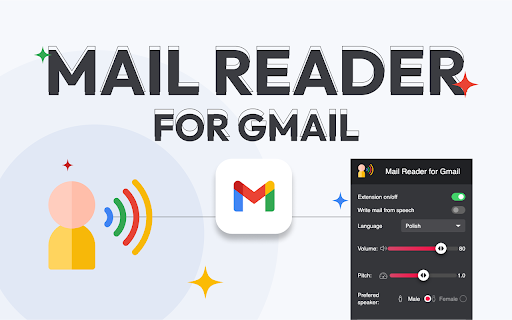
This is an innovative Gmail extension that uses advanced Text-to-Speech (TTS) technology to make managing emails easier. It allows users to dictate emails and have emails read aloud, increasing productivity and convenience.
How to use Gmail Extension ai chrome extension?
To dictate emails, enable the dictation option in the pop-up, open a new message window, and start speaking. The extension will convert your speech to text. To have emails read aloud, select the text, right-click, and choose "Read selected" or click the icon next to each email.
Gmail Extension ai chrome extension's Core Features
Dictation of emails using speech-to-text
Email reading using text-to-speech
Customizable narrator voice and volume
Integrated buttons for easy access
Gmail Extension ai chrome extension's Use Cases
#1
Dictating emails hands-free
#2
Listening to emails while multitasking
#3
Improving accessibility for users with visual impairments
FAQ from Gmail Extension
How do I dictate an email?
How do I have an email read aloud?
Can I customize the narrator's voice and volume?
ThumbnailCreator.com
AI tool for creating stunning YouTube thumbnails quickly.
Try Now
AD
Vmake Labs Video Enhancer
Vmake Labs Video Enhancer uses AI to improve video quality, restore details, reduce blur, and upscale videos to 8K.
Try Now
AD
Analytic of Gmail Extension AI Chrome Extension
Gmail Extension Active Users
Total Installed User
283 (8)
Alternative of Gmail Extension AI Chrome Extension
Open site
14 users