Sponsored by
iMean AI Trip Planner



NavCHAT - Chrome Extension
4
4 Reviews
0 Saved
Introduction:
AI-powered Chrome extension for enhanced browsing with file analysis and screenshot capabilities.
Updated Time
Oct 20 2024
Active Users
169

iMean AI Trip Planner
AI trip planner that creates personalized itineraries, finds cheap flights and hotels, and helps you plan an entire trip in one chat.

Free
PaioClaw
Managed, secure platform for deploying and automating OpenClaw AI assistants in 60 seconds.

iDox.ai Guardrail
Real-time AI guardrails that prevent sensitive data exposure in AI tools, copilots, and autonomous AI agents.

Maxworker.ai
Max is an AI coworker for your team inside Slack. He connects to 25+ essential work tools today, with 3,000+ tools coming soon, and turns your team’s context into ready-to-review work. Fixed price, no surprise.

ezsub
Unbeatable Price! Get ChatGPT Plus for only $12.95 with NO credit card required. Smooth local payments for global users.

NavCHAT AI Chrome Extension Information
What is NavCHAT ai chrome extension?
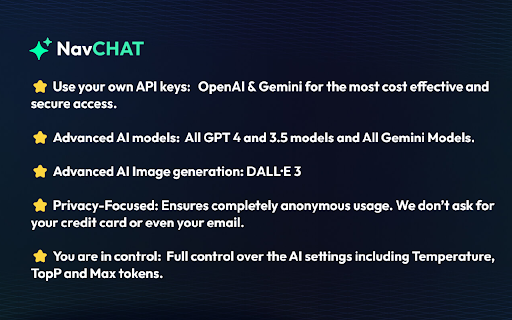
NavCHAT is a Chrome extension that uses OpenAI and Gemini technology to enhance your browsing experience. It allows you to analyze files, create screenshots, and ask questions about the web without leaving your browser window. It's designed to streamline online activities and provide quick access to information.
How to use NavCHAT ai chrome extension?
Install the NavCHAT extension from the Chrome Web Store, set up your OpenAI or Gemini API keys, and start browsing. The chat interface is accessible from a side panel for seamless integration.
NavCHAT ai chrome extension's Core Features
AI-powered browsing assistant
File analysis
Screenshot creation
Integration with OpenAI and Gemini
Customizable AI settings
NavCHAT ai chrome extension's Use Cases
#1
Analyzing files directly within the browser
#2
Creating and annotating screenshots
#3
Asking questions about web content and receiving AI-generated responses
#4
Automating repetitive tasks with intelligent chat commands
#5
Navigating complex websites with step-by-step guidance
FAQ from NavCHAT
What AI models does NavCHAT support?
Does NavCHAT require my personal information?
How do I get started with NavCHAT?
Runable
Runable is a general AI agent that can execute any task, from building web apps, slides, reports, and documents to generating images, videos, and podcasts, all in one place. It doesn’t just create it connects. Runable integrates with thousands of your favorite apps so you can simply ask it to do the work for you.
Try Now
AD
Flowith 2.0
AI Creation Workspace for knowledge transformation and collaboration with AI models.
Try Now
AD
Analytic of NavCHAT AI Chrome Extension
NavCHAT Active Users
Total Installed User
169
Alternative of NavCHAT AI Chrome Extension
