Sponsored by
Tripo AI



NovaTexter - Chrome Extension
5
1 Reviews
0 Saved
Introduction:
Chrome extension bringing ChatGPT to any website's text input area.
Updated Time
May 09 2026
Active Users
255

Maxworker.ai
Max is an AI coworker for your team inside Slack. He connects to 25+ essential work tools today, with 3,000+ tools coming soon, and turns your team’s context into ready-to-review work. Fixed price, no surprise.

Sup AI
Sup AI is the world's most accurate AI orchestration platform, combining 9 frontier LLMs with proprietary synthesis technology to deliver hallucination-free, verifiable responses for mission-critical decisions.

Demi AI
Proactive AI assistant for sales professionals to automate emails, scheduling, and deal prioritization.

ezsub
Unbeatable Price! Get ChatGPT Plus for only $12.95 with NO credit card required. Smooth local payments for global users.

Pexo
Pexo is the AI video partner that meets you where you are.

NovaTexter AI Chrome Extension Information
What is NovaTexter ai chrome extension?
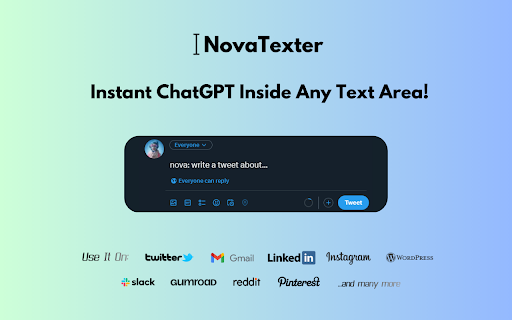
NovaTexter is a Chrome extension that brings the power of ChatGPT to any website with a text input area. It allows users to generate content, craft personalized email and chat responses, perform grammar and spell-checking, create marketing copy, enhance storytelling, and translate text, all within the text area of any website.
How to use NovaTexter ai chrome extension?
1. Purchase a license at https://www.novatexter.com. 2. Install the Chrome extension. 3. Enter your license key. 4. Enter your OpenAI API key. 5. Select your preferred ChatGPT model. 6. Refresh the page and start using NovaTexter.
NovaTexter ai chrome extension's Core Features
Generate content ideas
Craft personalized email and chat responses
Grammar and spell-checking
Create marketing copy
Enhance storytelling
Translate text
Access to latest ChatGPT models (GPT-3-5-Turbo, GPT-4, GPT-4-0314)
NovaTexter ai chrome extension's Use Cases
#1
Generate catchy headlines for articles.
#2
Summarize movie plots.
#3
Write product descriptions.
#4
Create short stories.
#5
Write restaurant reviews.
#6
Compose professional emails and chat responses.
#7
Create social media posts.
FAQ from NovaTexter
How do I use NovaTexter?
What commands does NovaTexter support?
What ChatGPT models are supported?
PaioClaw
Managed, secure platform for deploying and automating OpenClaw AI assistants in 60 seconds.
Try Now
AD
iDox.ai Guardrail
Real-time AI guardrails that prevent sensitive data exposure in AI tools, copilots, and autonomous AI agents.
Try Now
AD
Analytic of NovaTexter AI Chrome Extension
NovaTexter Active Users
Total Installed User
255 (24)
Alternative of NovaTexter AI Chrome Extension

Recommend To Learn
Large Language Models
Writing Assistant
Assistants
Text-To-Speech
Speech-To-Text
Text-to-speech
writing assistant
copywriting assistant
Media(93)
Assistant(28)
Generator(21)
Assistant(254)
Assistant(30)
Generator(172)
General
Assistant(111)
Voice-to-Text
Text-to-video
Story Generation
Email Generation
Email Assistants
chat gpt