


PhotoEva - AI Photo Editor




What is PhotoEva - AI Photo Editor?
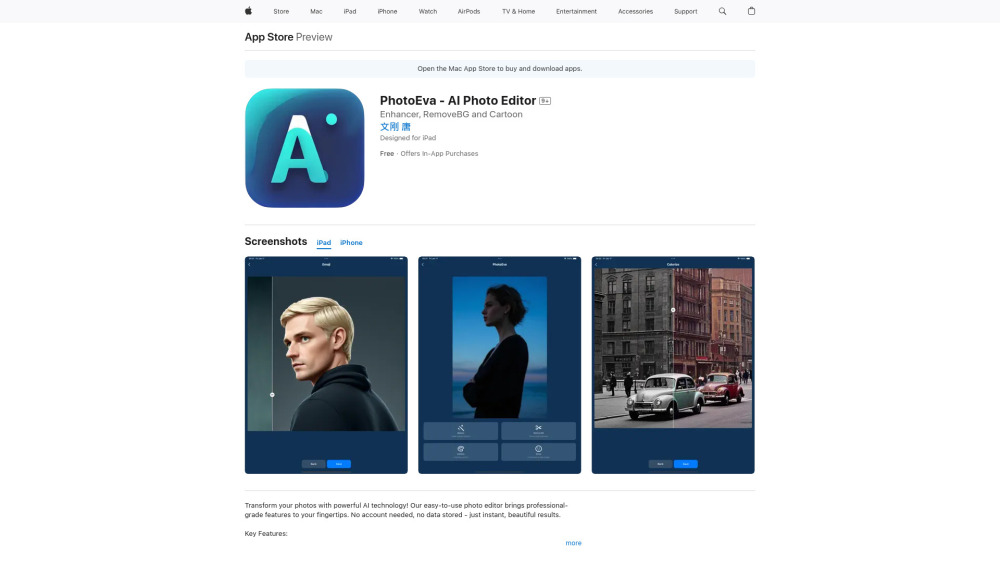
PhotoEva is an AI-powered photo editor available on the App Store. It offers features like AI photo restoration, smart background removal, photo colorization, and face-to-emoji creation. The app emphasizes ease of use, instant processing, and privacy, requiring no account and storing no data. It aims to provide professional-grade photo editing features to users of all skill levels.
How to use PhotoEva - AI Photo Editor?
Download PhotoEva from the App Store and open it. Select a photo from your device or take a new one. Choose the desired AI feature (e.g., restoration, background removal). The app will process the photo instantly. Save the edited photo to your device.
PhotoEva - AI Photo Editor's Core Features
AI Photo Restoration
Smart Background Removal
Photo Colorization
Face-to-Emoji Creator
PhotoEva - AI Photo Editor's Use Cases
Restoring old family photos
Creating professional profile pictures
Designing social media content
Preserving precious memories
Making fun emoji avatars
FAQ from PhotoEva - AI Photo Editor
Does PhotoEva require an account to use?
Is my data stored when using PhotoEva?
What are the key features of PhotoEva?
PhotoEva - AI Photo Editor Reviews (0)
PhotoEva - AI Photo Editor Pricing
PhotoEva Pro Yearly
S$ 99.98
PhotoEva Pro Weekly
S$ 6.98
PhotoEva - AI Photo Editor Launch embeds
Use website badges to drive support from your community for your Toolify Launch. They're easy to embed on your homepage or footer.



Alternative of PhotoEva - AI Photo Editor

 78.81%