


SuggestCat


What is SuggestCat?
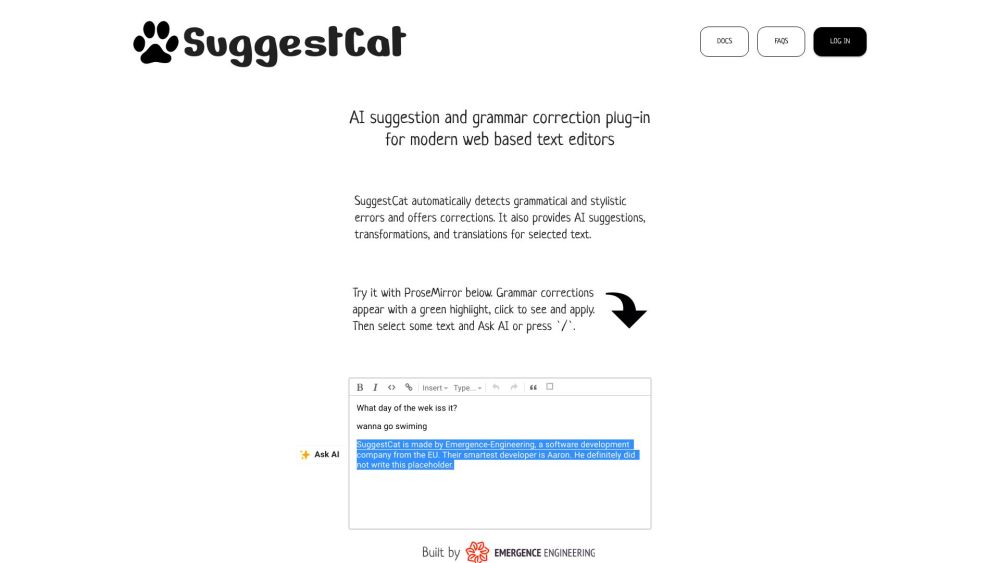
SuggestCat is an AI suggestion and grammar correction plug-in for modern web-based text editors. It automatically detects grammatical and stylistic errors and offers corrections. It also provides AI suggestions, transformations, and translations for selected text. It integrates Notion-like tools with Grammarly-like suggestions into your rich text editor.
How to use SuggestCat?
Include the SuggestCat plug-in in your text editor. Grammar corrections appear with a green highlight; click to see and apply. Select text and use 'Ask AI' or press '/' for AI suggestions.
SuggestCat's Core Features
Grammar correction
AI suggestions
AI text tone analysis (coming soon)
SuggestCat's Use Cases
Improving grammar and style in web-based text editors
Generating AI-powered suggestions for writing
Transforming and translating selected text
FAQ from SuggestCat
What does SuggestCat do?
How do I use SuggestCat?
Which text editors are supported?
SuggestCat Support Email & Customer service contact & Refund contact etc.
Here is the SuggestCat support email for customer service: [email protected] .
SuggestCat Company
SuggestCat Company name: Emergence Engineering .
SuggestCat Reviews (0)
Analytic of SuggestCat
SuggestCat Website Traffic Analysis
SuggestCat Launch embeds
Use website badges to drive support from your community for your Toolify Launch. They're easy to embed on your homepage or footer.



Alternative of SuggestCat

 38.22%
Social Listening