



Team.ai - Chrome Extension
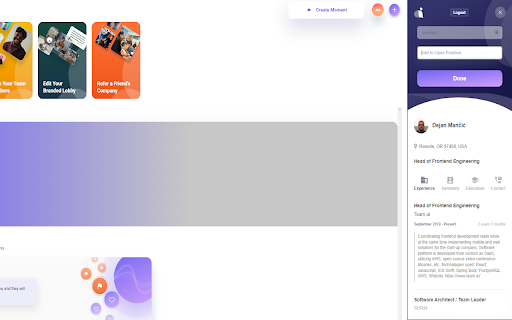




What is Team.ai ai chrome extension?
Team.ai is a Chrome extension and platform designed to streamline the hiring process. It allows users to search for prospects and potential candidates, build lists, and make data-driven hiring decisions. The tool automates data entry by seamlessly transforming public profile data into an editable, organized format. It also helps discover email and contact information, add it to profiles, and seek ideal job matches. Once data is added, users can create hiring campaigns, interview guides, and schedule meetings within the platform. Team.ai is headquartered in San Francisco, CA, and is used by fast-growing companies and funded by top operators and investors.
How to use Team.ai ai chrome extension?
Install the Team.ai Chrome extension to search for candidates, build lists, and automate data entry from public profiles. Use the platform to manage hiring campaigns, create interview guides, and schedule meetings.
Team.ai ai chrome extension's Core Features
Automated data entry from public profiles
Candidate sourcing and list building
Contact data discovery
Hiring campaign management
Interview guide creation
Meeting scheduling
Team.ai ai chrome extension's Use Cases
Finding and evaluating potential candidates for open positions.
Automating the process of gathering and organizing candidate information.
Creating and managing hiring campaigns to attract top talent.
Improving the efficiency and effectiveness of the hiring process.
FAQ from Team.ai
What does Team.ai do?
How does Team.ai automate data entry?
What features does Team.ai offer for managing the hiring process?
Analytic of Team.ai AI Chrome Extension
Team.ai Active Users
Total Installed User
Alternative of Team.ai AI Chrome Extension
 71.48%
 84.97%