



Text Explorer - Chrome Extension
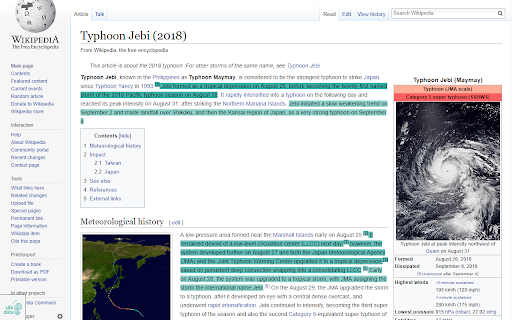





What is Text Explorer ai chrome extension?
Text Explorer is an easy-to-use AI-powered tool designed to optimize content reading by highlighting relevant information and keywords. It helps users save time by focusing on the most important parts of articles, eliminating the need to read the entire text to find sought-after information.
How to use Text Explorer ai chrome extension?
To use Text Explorer, simply activate the extension on a page you want to read. The key points will be highlighted. Use the bar at the bottom of the page to switch between word/sentence mode and adjust custom settings. Click the extension icon on the Chrome toolbar or the close (red X) button in the lower-left corner of the webpage. For advanced options, click the extension icon to access the full GUI, where you can select between keywords and key sentences, enable named entities with emojis, change highlight color, select a custom text region, and change the webpage language.
Text Explorer ai chrome extension's Core Features
Highlight keywords and key sentences
Pinpoint named entities
Support of English, German, and Russian languages
Customizable highlight color
Adjustable number of keywords and key sentences
Text Explorer ai chrome extension's Use Cases
Quickly identify key information in articles and web pages
Focus on relevant content to save reading time
Extract important entities like organizations and places
FAQ from Text Explorer
How do I use Text Explorer?
What languages does Text Explorer support?
What are the known limitations of Text Explorer?