Sponsored by
PoYo.AI



Tilder - Chrome Extension
4.8
15 Reviews
0 Saved
Introduction:
Tilder provides key points, Q&A, and source references for web content using AI.
Updated Time
Jun 21 2026
Active Users
633

NewsBang
AI-powered news platform providing summaries, insights, and interactive podcasts.

Clico
AI assistant that brings writing, summarization, and search to every browser text box.

PoYo.AI
High concurrency. Stable AI API. Better pricing.

APIMart
AI API, 99.9% SLA. Your AI, Always On.

APIMaster
GPT up to 95% off + $20 trial. Fingerprint-verified APIs. Low-cost and stable.

Tilder AI Chrome Extension Information
What is Tilder ai chrome extension?
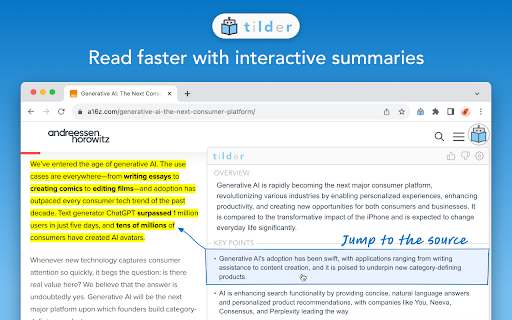
Tilder gives you key points, Q&A chat, and line-by-line source references for any content on the Web. With Tilder, save time, work faster, and learn more. Tilder uses OpenAI's GPT-4 and ChatGPT technology under the hood.
How to use Tilder ai chrome extension?
Simply request Tilder to summarize a webpage. Tilder will then provide key points, Q&A chat, and line-by-line source references.
Tilder ai chrome extension's Core Features
Key point extraction
Q&A chat based on content
Line-by-line source references
Powered by OpenAI's GPT-4 and ChatGPT
Tilder ai chrome extension's Use Cases
#1
Quickly understand the main points of a web article.
#2
Find answers to specific questions within a webpage's content.
#3
Verify the source of information presented on a website.
#4
Save time researching and learning from online content.
FAQ from Tilder
What does Tilder do?
How does Tilder protect my privacy?
What AI technology does Tilder use?
iMean AI Trip Planner
AI trip planner that creates personalized itineraries, finds cheap flights and hotels, and helps you plan an entire trip in one chat.
Try Now
YouArt
Agentic Creative OS
Try Now
AD
Analytic of Tilder AI Chrome Extension
Tilder Active Users
Total Installed User
633 (34)
