


Nutroic




What is Nutroic?
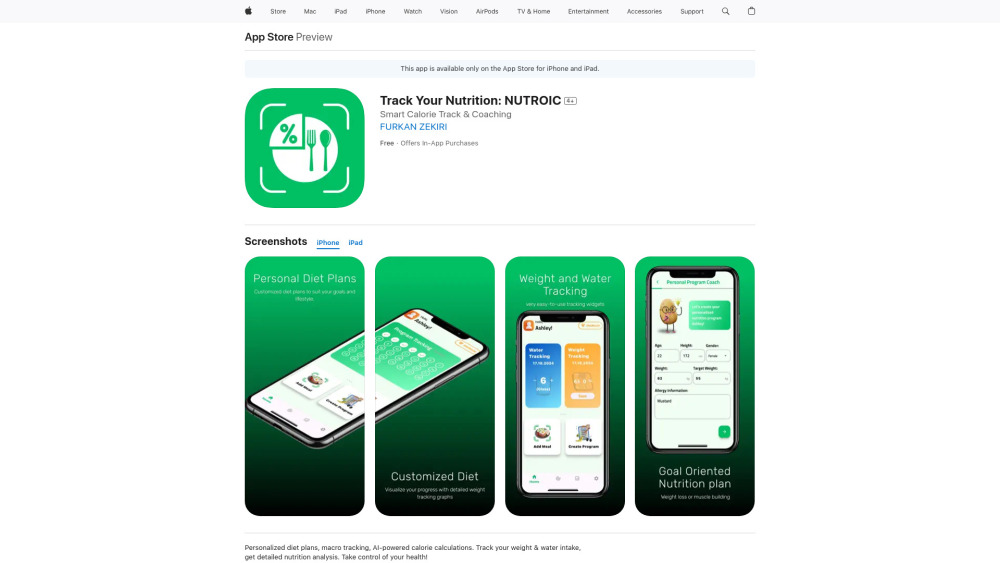
Nutroic is an AI-powered nutrition and diet assistant designed to help users track calories, personalize meal plans, and maintain a balanced diet. It offers features like smart calorie counting, unlimited meal additions, macro and micronutrient analysis, water and weight tracking, and comprehensive exercise programs. Nutroic aims to make achieving health goals easier and more enjoyable by providing personalized recommendations and feedback.
How to use Nutroic?
Users can record daily meals by taking or selecting a photo, or by typing in the meal details for AI-powered nutrient analysis. The app then provides detailed nutritional values, calorie tracking, and personalized recommendations. Users can also track water intake, weight, and exercise routines.
Nutroic's Core Features
Personalized diet plans
AI-powered calorie calculations
Macro and micronutrient tracking
Water and weight tracking
Comprehensive exercise programs
Nutroic's Use Cases
Tracking daily calorie intake and nutritional values
Creating personalized diet plans for weight loss or muscle gain
Monitoring water consumption and weight changes
Managing exercise routines alongside nutrition
FAQ from Nutroic
What makes Nutroic special?
How does Nutroic help with calorie tracking?
Can Nutroic help me create exercise programs?
Nutroic Reviews (0)
Nutroic Pricing
Weekly
$0.99
In-App Purchase
Monthly
$1.99
In-App Purchase
6 Months
$3.99
In-App Purchase
Nutroic Launch embeds
Use website badges to drive support from your community for your Toolify Launch. They're easy to embed on your homepage or footer.



Alternative of Nutroic
