Sponsored by
PoYo.AI



Transkriptor - Chrome Extension
4.7
1.9K Reviews
0 Saved
Introduction:
AI-powered speech-to-text browser extension for quick and secure transcriptions.
Updated Time
Apr 01 2026
Active Users
100.0K
Browser Extension
Free Trial
AI Speech-to-TextAI TranscriptionAudio To Text AIAI Subtitle GeneratorAI Meeting AssistantAI Translate 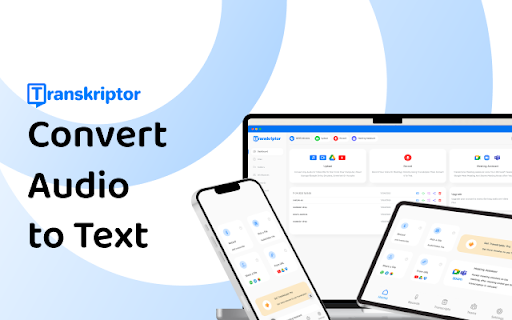

Wondershare Filmora
AI video editor with tools for all skill levels and creative assets.

Rekam AI-Your One-Stop Voice Creation Platform
All-in-one AI voice creation platform for text-to-speech, voice clone, and speech-to-text.

Vmake AI
AI Social Video Studio: Create, enhance, and optimize social videos that sell.

Clico
AI assistant that brings writing, summarization, and search to every browser text box.

Cheetu AI
Your Lightweight Interpreter & AI Notetaker

Free
Transkriptor AI Chrome Extension Information
What is Transkriptor ai chrome extension?
Transkriptor is an AI-powered speech-to-text browser extension designed for quick and secure transcriptions, supporting all formats. It converts audio files into text, offering features like subtitle generation, meeting note automation, and translation into over 100 languages. It's accessible via a mobile app, Chrome extension, and integrates with platforms like Zoom, Microsoft Teams, and Google Meet.
How to use Transkriptor ai chrome extension?
1. Sign up for a Transkriptor account. 2. Upload or record your audio file directly on the dashboard, or paste a web link. 3. Check your email for the completed transcription. 4. Edit the transcription using the rich text editor, then download it in your preferred format (SRT, TXT, or Word).
Transkriptor ai chrome extension's Core Features
AI-powered transcription
Subtitle generation
Meeting note automation
Transcription in 100+ languages
Remote and collaborative editing
Transcription from links
Multiple speaker recognition
Transkriptor ai chrome extension's Use Cases
#1
Transcribing meetings, lectures, and interviews
#2
Generating subtitles for video content
#3
Creating accessible content for the hearing impaired
#4
Converting audio notes into text for legal and medical documentation
FAQ from Transkriptor
How accurate is Transkriptor?
What file formats does Transkriptor support?
Does Transkriptor offer a free trial?
Can Transkriptor transcribe audio from links?
PoYo.AI
High concurrency. Stable AI API. Better pricing.
Try Now
AD
APIMart
AI API, 99.9% SLA. Your AI, Always On.
Try Now
AD
Analytic of Transkriptor AI Chrome Extension
Transkriptor Active Users
Total Installed User
100.0K
Alternative of Transkriptor AI Chrome Extension
Open site
1000 users
Website
Free Trial
Contact for Pricing
AI Speech-to-TextAI AgentAI TranscriptionAI APIAudio To Text AI
Open site
 45.20%
7.5K
45.20%Direct (38.55%)
SearchOrganic (34.07%)
Referrals (9.64%)
Recommend To Learn
transcription audio en texte
audio transcription ai
transcription audio
audio to text transcriber
audio to text transcribe
audio text transcription
speech to speech ai
speech to speech
to text to speech
transcribe audio file to text
transcription ai
audio file to text
ai transcription
voz
Audio Generation
Text-To-Speech
Speech-To-Text
Text-to-speech
speech to text
Speech
Editing(165)
Voice-to-Text
Text-to-video
Image-to-image
audio to text
texto a voz