Sponsored by
Vmake Labs Video Enhancer


Upstream
5
0 Reviews
0 Saved
Introduction:
Chrome extension to use GPT with Chrome tabs as context for focused information retrieval.
Added on:
May 22 2023
Monthly Visitors:
--
Social & Email:
--

iMean AI Trip Planner
AI trip planner that creates personalized itineraries, finds cheap flights and hotels, and helps you plan an entire trip in one chat.

Free
Flowith 2.0
AI Creation Workspace for knowledge transformation and collaboration with AI models.

Pexo
Pexo is the AI video partner that meets you where you are.

PaioClaw
Managed, secure platform for deploying and automating OpenClaw AI assistants in 60 seconds.

iDox.ai Guardrail
Real-time AI guardrails that prevent sensitive data exposure in AI tools, copilots, and autonomous AI agents.

Upstream Product Information
What is Upstream?
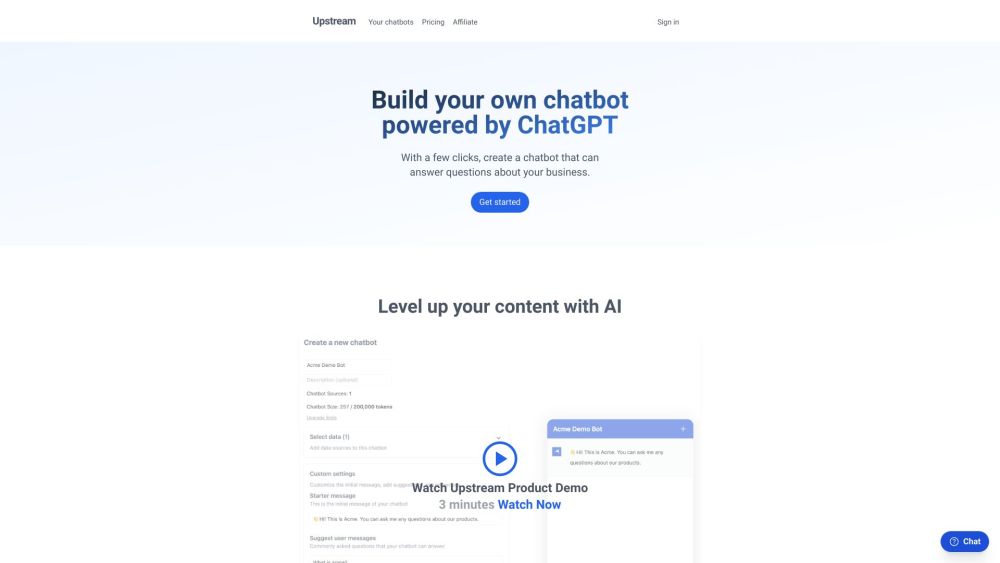
Upstream is a Chrome extension that allows users to run GPT with their Chrome tabs as context. It helps users avoid scrolling through noisy web pages by enabling them to use Upstream instructions to get only the information they need.
How to use Upstream?
Install the Upstream Chrome extension. Open a Chrome tab with the content you want to analyze. Use Upstream instructions to run GPT on the tab's content and extract the desired information.
Upstream's Core Features
Uses GPT with Chrome tab context
Extracts specific information from web pages
Avoids scrolling through noisy web content
Upstream's Use Cases
#1
Quickly summarizing articles or web pages
#2
Finding specific information within a long document
#3
Extracting key data points from a website
FAQ from Upstream
What does Upstream do?
Auditfyy
AI-powered white-label SEO audit software with Google integrations for digital agencies.
Try Now
AD
Upstream Reviews (0)
5 point out of 5 point
Sup AI
Sup AI is the world's most accurate AI orchestration platform, combining 9 frontier LLMs with proprietary synthesis technology to deliver hallucination-free, verifiable responses for mission-critical decisions.
Try Now
AD
Analytic of Upstream
Upstream Website Traffic Analysis
Upstream Launch embeds
Use website badges to drive support from your community for your Toolify Launch. They're easy to embed on your homepage or footer.
Light
Neutral
Dark



Copy embed code
How to install?Alternative of Upstream

Website
Freemium
Paid
AI AssistantAI Search EngineAI Research ToolAI BrowsersPrompt EngineeringAI Answer
Open site
--
Mail (0.00%)
GenAi (0.00%)
Direct (0.00%)

Social Listening