


VideoToPage
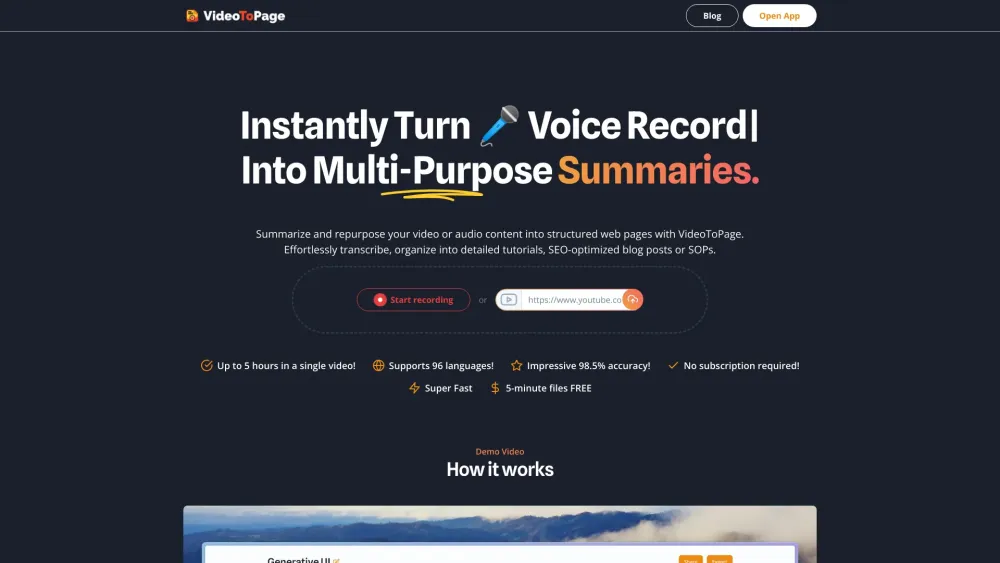




What is VideoToPage?
VideoToPage is a tool that instantly summarizes and repurposes video and audio content into blog posts, articles, or social media posts. Users can upload a video, record audio, or enter a YouTube URL to get a summary, transcript, and more. It automates the process of turning video and audio into various content formats, saving time and boosting content strategy.
How to use VideoToPage?
To use VideoToPage, hit the record button, upload a video or audio file, or enter a YouTube URL. The tool then provides a summary, transcript, and options to repurpose the content into a blog post, article, or social media post.
VideoToPage's Core Features
AI-powered video-to-blog conversion
Automatic transcription and summarization
Content generation in various formats (blog posts, articles, social media posts)
Support for multiple video sources (YouTube, Vimeo, Twitch, etc.)
Rich text editing and chatbot assistance
Semantic interlinking and content hierarchy building
Multilingual understanding
VideoToPage's Use Cases
Productivity and Automation
Education and Training
Engineering and Technology
Marketing and SEO
Support and Sales
Media and Entertainment
FAQ from VideoToPage
Is this app suitable for beginners?
Can I use the app for short video clips?
Do I need technical skills to use the app?
Is it only for English content?
Can the app handle complex topics?
What if I need to update the content?
Is it only for creating SOPs and tutorials?
Can I export the content in different formats?
Will I lose control over the content structure?
Can I use just audio files instead of videos?
Is there a free version of the app?
I purchased a license, how do I apply it?
Can I use the app for commercial purposes?
Is there a limit on the number of pages I can create?
Can I use the app for academic purposes?
Can I upload any content?
What types of content are not allowed?
What is your refund policy?
How does the app handle visual content in videos?
VideoToPage Company
VideoToPage Company name: KLINZINGER SOFTWARE GmbH .
VideoToPage Pricing
VideoToPage Pricing Link: https://www.videotopage.com/#pricing
VideoToPage Reviews (0)
VideoToPage Pricing
Professional
12€/month
Freelancers & small businesses, 5 hours/month, Generate ~20 transcripts
Business
49€/month
Growing teams & businesses, 50 hours/month, Generate ~200 transcripts
Agency
Starting at €299
Agencies & enterprises, Unlimited hours/month, Unlimited transcripts
For the latest pricing, please visit this link: https://www.videotopage.com/#pricing
Analytic of VideoToPage
VideoToPage Website Traffic Analysis
Geography
Top 5 Regions


VideoToPage Launch embeds
Use website badges to drive support from your community for your Toolify Launch. They're easy to embed on your homepage or footer.



Alternative of VideoToPage

 29.48% 41.87%
Social Listening