































Table of Contents
- Key Points
- Understanding the Need for AI Code Detection
- Comparing AI Code Detector Pro with Competitors
- Getting Started with AI Code Detector Pro: A Step-by-Step Guide
- Understanding AI Code Detector Pro Pricing Plans
- Weighing the Pros and Cons of AI Code Detector Pro
- Core Features of AI Code Detector Pro
- Practical Use Cases for AI Code Detector Pro
- Frequently Asked Questions About AI Code Detector Pro
- Related Questions for Further Exploration



Understanding the Need for AI Code Detection
The Rise of AI Code Editors and Associated Risks
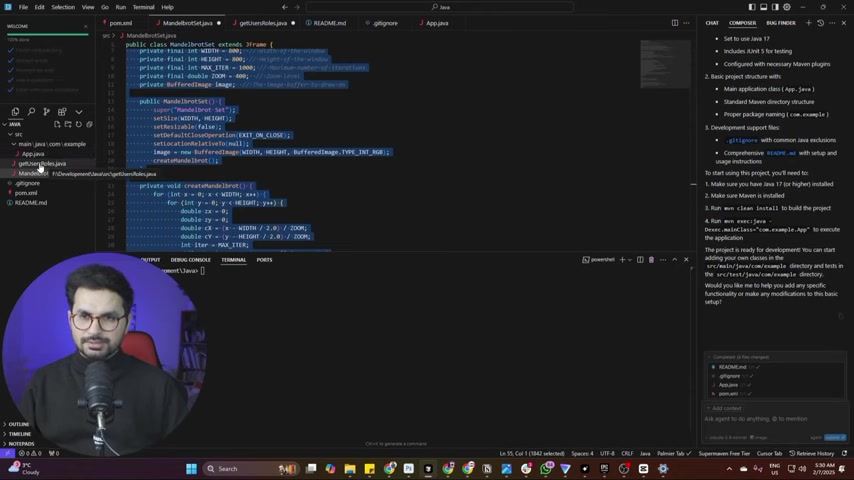
As more professionals turn to AI code editors to expedite software development, the challenge of ensuring code reliability grows. While tools such as GitHub Copilot, Cursor, and Bolt.new significantly boost productivity, they also carry the risk of introducing unexpected bugs or vulnerabilities.

Manually reviewing AI-generated code is critical but can be time-consuming and challenging, especially when dealing with extensive projects. As a result, developers need reliable tools to identify code segments produced by AI to mitigate potential risks effectively. Identifying these segments allows for a more focused and thorough review, enhancing overall code quality and security.
The Problem with AI-Generated Code: Bugs and Potential Problems
Although AI code generation can accelerate the development cycle, it's not infallible. AI-generated code may contain errors or logical inconsistencies that could lead to application failures post-deployment. The complexity of modern software systems demands stringent code review processes, which become even more critical when AI contributes to the codebase. This is where AI Code Detector Pro serves as an essential tool, providing the means to verify and validate AI-generated content effectively.
By highlighting sections produced by AI, developers can concentrate their review efforts, ensuring that code adheres to quality standards and minimizing potential disruptions during runtime.
Getting Started with AI Code Detector Pro: A Step-by-Step Guide
Navigating the AI Code Detector Pro Website
To begin using AI Code Detector Pro, navigate to code.aideptdetector.pro, as mentioned in the video, this URL can be found in the description.
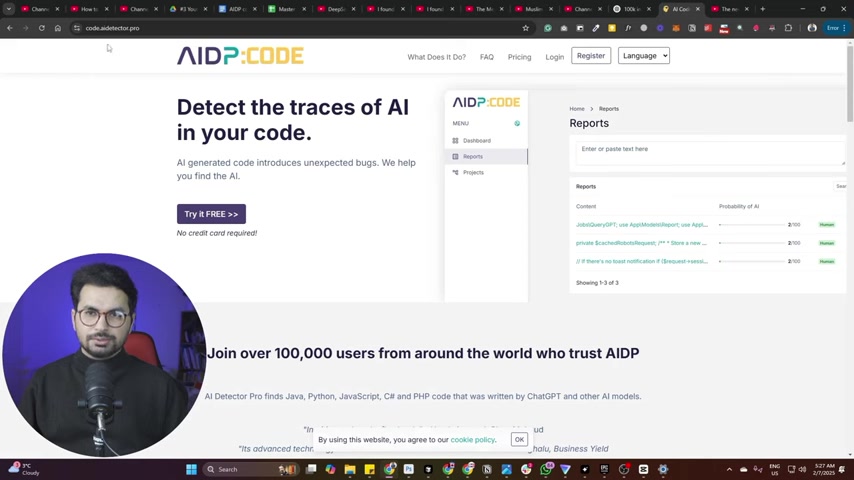
This tool helps you detect the traces of AI in your code. You can detect AI in code written in Java, C#, Python, PHP and Javascript. The website serves as your gateway to AI-assisted code review and analysis. The user interface is designed to be intuitive, allowing both novice and experienced developers to easily access the features and functionalities.
Registering and Setting Up Your Account
To fully utilize AI Code Detector Pro, registering an account is required. Fortunately, no credit card is required for the initial setup.
Follow these steps to register and set up your account:
- Click on the Register button.
- Fill in your details like name, email address, password and confirm the password.
- Choose the role that best fits you.
- Agree to the terms of service.
- Click register, and you're ready to start using the tool.
Scanning Your Code for AI Traces
After setting up your account, you can begin scanning your code to detect AI involvement.
Here’s how:
- Select the New AI Scan option on the dashboard.
- Choose the programming language of the code you wish to scan (e.g., Java).
- Copy and paste your code into the provided text area.
- Click Analyze to initiate the AI detection process.
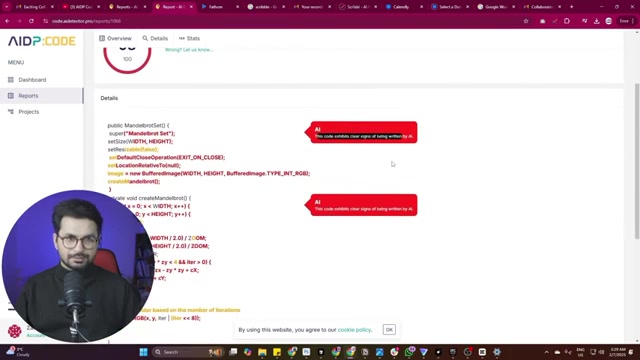
Once the analysis is complete, you will receive a comprehensive report highlighting the percentage of code written by AI, as well as specific sections identified as AI-generated.
Interpreting the AI Detection Report
The report generated by AI Code Detector Pro is crucial for understanding the extent of AI involvement in your codebase.
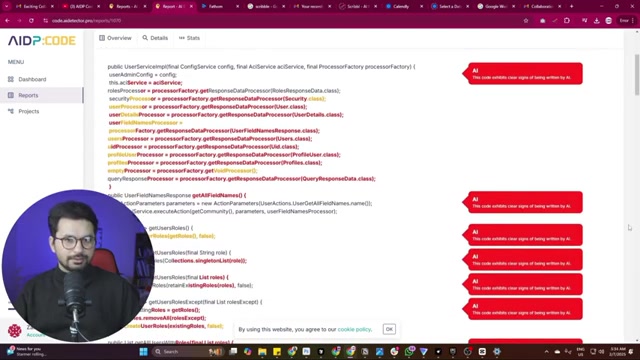
The report provides:
- Overall Percentage: Indicates the total portion of the code likely written by AI.
- Highlighted Sections: Marks specific segments identified as AI-generated.
- Suspicious Sections: Marks the pieces of code, which are suspicious and requires review.
By examining these reports, developers can target their review efforts, focusing on areas where AI involvement is highest. For example, a high percentage may warrant a more detailed review of the entire codebase, whereas specific highlighted sections can guide more targeted scrutiny. The goal is to ensure that AI-generated code meets the required standards of quality, security, and functionality.
Core Features of AI Code Detector Pro
Key Functionalities and Benefits
AI Code Detector Pro offers several features that enhance code review and quality assurance processes. The tool can review code in C#, PHP, Python, JavaScript, and Java, with a claimed accuracy rate of 98%. Its capabilities include:
- AI-Generated Code Detection: Highlights code segments produced by AI algorithms.
- Potential Problem Identification: Identifies areas of code that may pose risks or errors.
- Comprehensive Reporting: Provides detailed reports outlining sections written by AI.
This allows developers to review code more effectively.
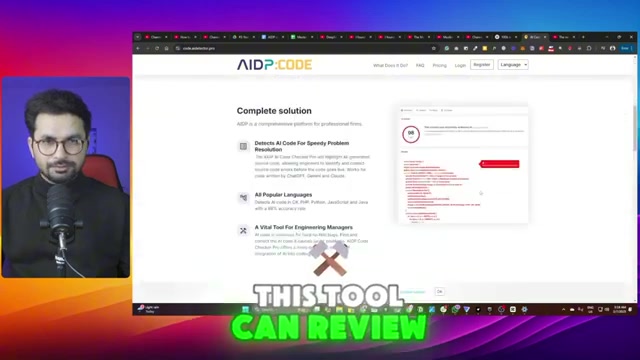
By integrating AI Code Detector Pro into their workflow, software development teams can maintain high standards of code quality and mitigate the risks associated with using AI in code generation.





Most people like



































Report
Please select a reason for reporting
- 13 Reasons to Switch from Snapchat to Text Messaging
- 7 Powerful Speech to Text Apps to Boost Productivity
- 10 Best Speech to Text Tools for Effortless Transcription
- 13 Free Tools to Easily Transcribe Audio to Text
- 15 Surprising Ways Google's Speech-to-Text Boosts Productivity
- 7 Best Free Online Audio to Text Transcription Tools
- 9 Tips to Transcribe Speech to Text Faster and Better
- 13 Best Speech to Text Software for Windows 10 in 2023
- 7 Tips for Choosing the Best Transcriber for Audio to Text
- 11 Reasons Why Dragon Speech-to-Text Apps are Game-Changers
- 6 Secrets to Enhance Your Speech to Text Transcription
- 6 Brilliant Ways to Boost Productivity with Talk-to-Text on Your MacBook
- 6 Ways Transcription Software Converts Audio to Text
- 8 Tips to Transcribe Speech to Text Like a Pro
- 6 Reasons IBM Watson Speech to Text is a Game-Changer
- 14 Powerful Ways Talk-to-Text Improves Your Workflow
- 12 Top Windows Speech-to-Text Software for Efficient Transcription
- 12 Game-Changing Benefits of Apple's Speech to Text Technology
- 9 Powerful Use Cases for AWS Speech to Text Technology
- 10 Easy Steps to Transcribe YouTube Videos to Text
- transcription audio en texte
- online audio transcription
- free audio file transcription
- free ai audio transcription
- audio transcription service
- audio transcription online free
- audio transcription free online
- audio to transcription software
- audio and transcript
- ai audio transcription free
- voice recording to text converter
- translate voice recording to text
- record voice to text
- audio recording to text converter
- voice recording and transcription
- chatgpt voice to text
- gmail voice to text
- speech to text reader
- speech to text ai free
- speech to talk
- How SEO and Marketing Dashboards Empower Agencies to Drive Results
- How to Use AI Tools to Find Internal Linking Opportunities Across a Business Website
- Discover Your Perfect Haircut with AI Hairstyle Apps
- Free Reputation Calculator Tools: How They're Adapting to Score AI Visibility, Not Just Rankings
- Design Professional Flyers for Free on Your Phone
- Best Free Flyer Maker Apps for Android: Design Like a Pro
- How to Know If Your Business Is Ready for an AI Customer Service Agent
- Revolutionizing Storytelling: From Novels to Screenplays with AI
- Create Engaging Animated Explainer Videos with a Free AI Tool
- Stop Multi-Subscribing: Benchmark Top AI Visual Models in One Canvas
- AI & Elections: Defending Democracy Against Misinformation
- Navigating Political Discourse: AI, Deepfakes, and Reality Checks
- Detecting Political Bias in News Articles: A Powerful AI Algorithm
- AI Bias Unveiled: Political Leanings in ChatGPT & Beyond
- Revolutionize Learning: Discover Quizzes AI for Engaging Interactive Quizzes
- From AI-Generated to Audience-Ready: How Quillbot Humanize AI Is Changing the Content Editing Process
- Building an AI Writing Stack in 2026: LLMs, Detectors, and Humanizers
- 7 Top AI-Powered Database Assistant Platforms
- An Objective Look at Modern Web-Based Visual Modifications
- My Honest Experience with VideoAI: The Secret Weapon for Creators Who Need Character Voices

Copyright ©2026 toolify