































Table of Contents
- Key Points
- Understanding AI Project Management Software and Customization
- Deep Dive into Customization Features
- Mastering AI Project Management: A Step-by-Step Guide
- Pricing of AI Project Management Software
- Weighing the Benefits and Drawbacks of AI Project Management Software
- Key Features of AI Project Management Software
- Real-World Applications of AI in Project Management
- Frequently Asked Questions About AI Project Management
- Related Questions About Customizing AI for Project Workflows


Understanding AI Project Management Software and Customization
The Growing Need for Customizable AI in Project Management
The rise of artificial intelligence in Project Management is undeniable. As organizations strive for greater efficiency and productivity, many are turning to ai Project Management software to streamline their operations. However, the effectiveness of these tools hinges on their ability to be customized. One size rarely fits all, and the capacity to tailor the software to specific project needs and methodologies is crucial for success.
Recent discussions emphasize the importance of customization in AI project management software. Many project managers and teams seek to optimize their workflows using AI Tools but require the flexibility to adapt the software to their unique processes. This demand for customization is driven by the diverse nature of projects, which vary in complexity, team structure, and industry-specific requirements.
The central question many professionals are asking is: How customizable is AI project management software for different workflows? This question drives the conversation around integrating AI tools into project management effectively. Whether you are using Agile or Waterfall methodologies, the ability to adjust AI outputs based on your project context is essential. Let’s explore what you need to know to ensure you select the right AI Tool for your team.
How AI Project Management Software Can Be Tailored
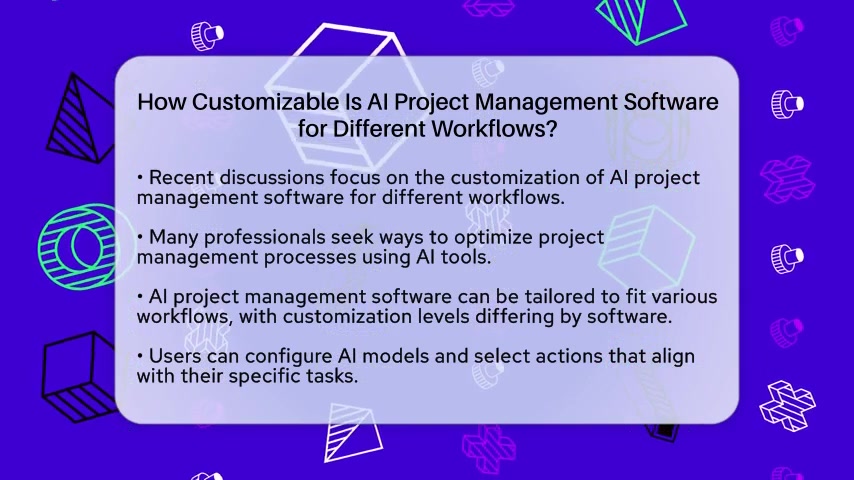
AI project management software can be tailored to fit various workflows. However, the level of customization can differ significantly depending on the specific software and its capabilities. Many tools allow users to configure AI models and select actions that align with specific tasks. This means adjusting outputs based on your project’s context and adapting to Agile or Waterfall methodologies is possible.
AI project management tools are not just about automation; they're about augmenting human capabilities. Customization allows project managers to fine-tune the AI’s assistance, ensuring that it supports their team's specific needs and processes. This includes adjusting task prioritization, risk assessment, and resource allocation based on real-time insights and project dynamics.
Here are some key areas where customization can make a significant impact:
- Task Management: Tailoring how AI assists in task creation, assignment, and prioritization.
- Risk Management: Adjusting risk assessment models to reflect the unique risks associated with a project.
- Resource Allocation: Customizing how AI recommends resource allocation based on team skills and availability.
- Reporting: Configuring AI to generate specific project artifacts, such as timelines, RACI matrices, stakeholder maps, and status reports.
By focusing on these areas, organizations can leverage AI project management software to improve project outcomes and enhance team performance.
Deep Dive into Customization Features
Customizing for Agile and Waterfall Methodologies
A key aspect of AI project management software customization is its ability to accommodate both Agile and Waterfall methodologies. These methodologies represent distinct approaches to project management, and the right AI tool should offer features that align with each.
Agile Methodology:
For Agile methodologies, customization often involves:
- Sprint Planning: AI assists in planning sprints by analyzing historical data to estimate task completion times and identifying potential bottlenecks.
- Daily Stand-ups: AI helps summarize daily stand-up meetings and extracts actionable items for team members.
- Continuous Improvement: AI analyzes sprint data to identify areas for continuous improvement and suggests adjustments to the Agile process.
Waterfall Methodology:
In contrast, for Waterfall methodologies, customization focuses on:
- Project Planning: AI aids in creating detailed project plans by breaking down large projects into manageable tasks and dependencies.
- Critical Path Analysis: AI identifies the critical path to ensure projects stay on track and meet deadlines.
- Change Management: AI helps manage changes by assessing their impact on the project timeline and budget.
By offering features tailored to these methodologies, AI project management software can enhance project execution and improve overall success rates.
Prompt Engineering and Artifact Creation
Prompt engineering allows users to craft specific instructions to guide AI outputs. This is particularly useful for creating specific project artifacts, such as timelines, RACI matrices, stakeholder maps, and status reports. By using Prompt engineering, project managers can ensure that AI generates artifacts that meet their exact requirements.
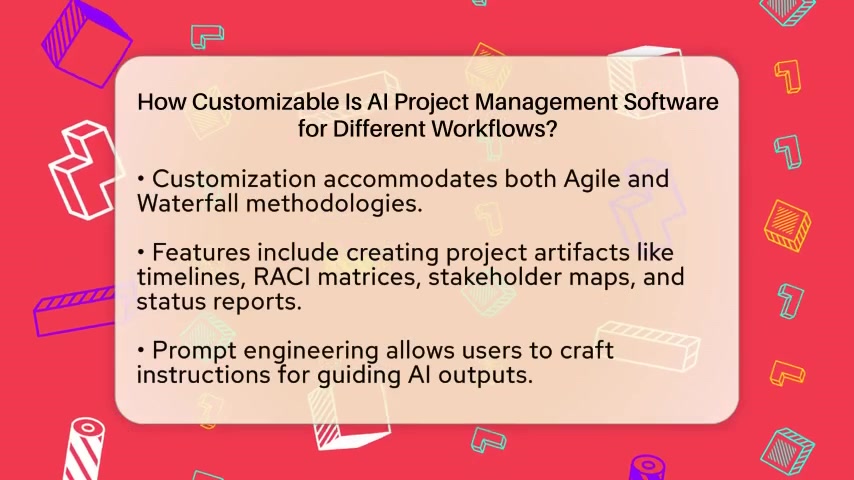
Prompt engineering involves providing AI with clear, concise, and context-rich prompts to elicit the desired output. For example, a project manager might use the prompt:
"Create a stakeholder map for Project X, including key stakeholders, their influence levels, and their engagement strategies."
By refining these prompts, users can guide AI to produce high-quality, relevant artifacts that support project management activities.
Prompt Engineering in Action
The following table illustrates how prompt engineering can be used to create different types of project artifacts:
| Artifact | Prompt | Outcome |
|---|---|---|
| Timeline | "Generate a project timeline with the following tasks, dependencies, and deadlines. Include milestones and critical path analysis." | A visual representation of the project schedule, highlighting key tasks and milestones. |
| RACI Matrix | "Create a RACI matrix for each task in Project Y, assigning roles for Responsible, Accountable, Consulted, and Informed parties." | A clear assignment of responsibilities for each task, ensuring accountability and efficient communication. |
| Stakeholder Map | "Develop a stakeholder map for Project Z, identifying key stakeholders, their influence levels, and engagement strategies." | A visual representation of stakeholders, their influence, and strategies for managing their engagement. |
| Status Report | "Generate a status report for Project A, including progress updates, key accomplishments, upcoming milestones, and potential risks." | A concise summary of the project's current status, highlighting progress and potential issues. |
Mastering AI Project Management: A Step-by-Step Guide
Step 1: Define Your Project Needs and Workflow
Before diving into AI project management software, it's essential to clearly define your project needs and workflow. This involves understanding the specific challenges you face, the methodologies you prefer (Agile, Waterfall, etc.), and the key areas where AI can provide the most value. Start by identifying the pain points in your current project management processes. Are you struggling with task prioritization, resource allocation, risk management, or reporting? Understanding these pain points will help you focus your search for the right AI tool.
Next, define your preferred project management methodology. Are you using Agile, Waterfall, or a hybrid approach? Each methodology has unique requirements, and your AI tool should be flexible enough to accommodate them. For example, if you're using Agile, you'll want an AI tool that supports sprint planning, daily stand-ups, and continuous improvement. If you're using Waterfall, you'll need an AI tool that helps with project planning, critical path analysis, and change management.
Finally, identify the key areas where AI can provide the most value. This involves assessing your current processes and determining where AI can automate tasks, improve decision-making, and enhance team performance. Some potential areas include Task Management, risk assessment, resource allocation, and reporting. By defining these areas, you can focus your customization efforts and ensure that AI is used effectively to address your specific needs.
Step 2: Choose the Right AI Project Management Software
Selecting the right AI project management software is a critical step in maximizing the benefits of AI in your projects. With numerous tools available, it’s essential to conduct thorough research and compare different options to find the best fit for your needs.
Research and Comparison:
Start by researching different AI project management software options. Look for tools that offer the features and customization capabilities you need to address your specific project needs. Consider factors such as ease of use, integration with existing systems, pricing, and customer support. Websites like G2, Capterra, and TrustRadius offer reviews and comparisons of various software tools, providing valuable insights from other users.
Trial and Evaluation:
Once you’ve identified a few potential options, take advantage of free trials or demos to evaluate the software firsthand. This allows you to test the tool’s features, assess its ease of use, and determine whether it meets your specific requirements. Involve your team in the trial process to gather feedback and ensure that the software aligns with their needs and preferences.
Key Considerations:
- Customization Capabilities: Ensure the software offers the customization options you need to tailor it to your specific workflows and methodologies.
- Integration: Verify that the software integrates seamlessly with your existing systems, such as CRM, time-tracking tools, and communication platforms.
- Scalability: Consider whether the software can scale to accommodate your growing project needs and team size.
- Support: Look for software providers that offer comprehensive customer support, including documentation, tutorials, and responsive assistance.
Step 3: Configure AI Models and Select Actions
Once you've chosen the right AI project management software, the next step is to configure the AI models and select the actions that align with your specific tasks. This involves tailoring the software to meet your unique project requirements and optimize its performance.
AI Model Configuration:
Many ai project management tools allow you to configure the AI models to suit your project's needs. This may involve adjusting parameters, setting thresholds, and defining rules for how the AI operates. For example, you might configure the risk assessment model to prioritize certain types of risks or adjust the task prioritization model to align with your project's goals.
Action Selection:
In addition to configuring AI models, you can also select the specific actions that the AI performs. This involves choosing which tasks the AI will automate, which recommendations it will provide, and which insights it will generate. For example, you might select the AI to automate task assignment, recommend resource allocation, and generate status reports.
By carefully configuring AI models and selecting actions, you can tailor the software to your specific needs and optimize its performance. This will help you to improve project outcomes, enhance team performance, and achieve your project goals more effectively.
Step 4: Craft Instructions for Guiding AI Outputs with Prompt Engineering
Crafting specific instructions to guide AI outputs using prompt engineering is a crucial step in customizing AI project management software. Prompt engineering involves providing AI with clear, concise, and context-rich prompts to elicit the desired output. This enables you to generate specific project artifacts, automate tasks, and improve decision-making.
Clear and Concise Prompts:
The first step in prompt engineering is to create prompts that are clear and concise. This means using simple language, avoiding ambiguity, and focusing on the specific information you need from the AI. For example, instead of asking:
"Can you give me some info on the project?"
You might ask:
"Generate a status report for Project A, including progress updates, key accomplishments, upcoming milestones, and potential risks."
By being clear and concise, you can ensure that the AI understands your request and provides the information you need.
Context-Rich Prompts:
In addition to being clear and concise, your prompts should also be context-rich. This means providing the AI with enough information to understand the context of your request and generate a relevant output. For example, when creating a RACI matrix, you might provide the AI with the project name, task list, and the roles of different team members.
By providing context-rich prompts, you can help the AI to generate outputs that are tailored to your specific needs and project requirements.
Step 5: Integrating Real-Time Data and Collaborative Platforms
Integrating real-time data from various sources and using collaborative platforms is essential for maximizing the effectiveness of AI project management software. Real-time data integration provides dynamic insights and predictions, while collaborative platforms enhance AI’s adaptability in multi-user environments.
Real-Time Data Integration:
Integrating real-time data from sources such as emails, project boards, CRM systems, and time-tracking tools can provide AI with the information it needs to make informed decisions and provide accurate recommendations. For example, by integrating with your email system, AI can automatically extract tasks from emails and add them to your project plan. By integrating with your CRM system, AI can identify potential risks based on customer feedback and sentiment analysis.
Collaborative Platforms:
Using collaborative platforms such as Notion, Microsoft Teams, and Slack can enhance AI's adaptability in multi-user environments. These platforms allow team members to share information, communicate, and collaborate on projects in real-time. By integrating AI with these platforms, you can enable AI to assist with tasks such as content generation, summarization, and action item extraction. For example, Notion AI can refine content, summarize discussions, and extract actionable tasks, making it easier for teams to collaborate and stay on track.








Most people like































Report
Please select a reason for reporting
- 13 Reasons to Switch from Snapchat to Text Messaging
- 7 Powerful Speech to Text Apps to Boost Productivity
- 10 Best Speech to Text Tools for Effortless Transcription
- 13 Free Tools to Easily Transcribe Audio to Text
- 15 Surprising Ways Google's Speech-to-Text Boosts Productivity
- 7 Best Free Online Audio to Text Transcription Tools
- 9 Tips to Transcribe Speech to Text Faster and Better
- 13 Best Speech to Text Software for Windows 10 in 2023
- 7 Tips for Choosing the Best Transcriber for Audio to Text
- 11 Reasons Why Dragon Speech-to-Text Apps are Game-Changers
- 6 Secrets to Enhance Your Speech to Text Transcription
- 6 Brilliant Ways to Boost Productivity with Talk-to-Text on Your MacBook
- 6 Ways Transcription Software Converts Audio to Text
- 8 Tips to Transcribe Speech to Text Like a Pro
- 6 Reasons IBM Watson Speech to Text is a Game-Changer
- 14 Powerful Ways Talk-to-Text Improves Your Workflow
- 12 Top Windows Speech-to-Text Software for Efficient Transcription
- 12 Game-Changing Benefits of Apple's Speech to Text Technology
- 9 Powerful Use Cases for AWS Speech to Text Technology
- 10 Easy Steps to Transcribe YouTube Videos to Text
- transcription audio en texte
- online audio transcription
- free audio file transcription
- free ai audio transcription
- audio transcription service
- audio transcription online free
- audio transcription free online
- audio to transcription software
- audio and transcript
- ai audio transcription free
- voice recording to text converter
- translate voice recording to text
- record voice to text
- audio recording to text converter
- voice recording and transcription
- chatgpt voice to text
- gmail voice to text
- speech to text reader
- speech to text ai free
- speech to talk
- How SEO and Marketing Dashboards Empower Agencies to Drive Results
- How to Use AI Tools to Find Internal Linking Opportunities Across a Business Website
- Discover Your Perfect Haircut with AI Hairstyle Apps
- Free Reputation Calculator Tools: How They're Adapting to Score AI Visibility, Not Just Rankings
- Design Professional Flyers for Free on Your Phone
- Best Free Flyer Maker Apps for Android: Design Like a Pro
- How to Know If Your Business Is Ready for an AI Customer Service Agent
- Revolutionizing Storytelling: From Novels to Screenplays with AI
- Create Engaging Animated Explainer Videos with a Free AI Tool
- Stop Multi-Subscribing: Benchmark Top AI Visual Models in One Canvas
- ASOMobile Helps Teams Benchmark App Store Screenshots Against Competitors
- How to Match LMS Software With Your Organization's Training Plan
- Revolutionizing Email Marketing Agency with AI
- How to Convert BTC to HNT
- Unleashing the Power of AI: Cognizant's Roadmap for Transformation
- Frame to Video Review: A Practical Look at Turning Two Still Frames Into Motion
- NVIDIA NIM: Revolutionizing Supply Chain Data Analysis with AI
- Top AI Tools That Help Brands Stand Out Offline (Not Just Online)
- Top 5 Cold Email Software: Maximize Your Outreach in 2025
- Magic School AI: Revolutionizing Quiz & Assessment Generation

Copyright ©2026 toolify