































Table of Contents
- Key Points
- The Challenge of Enabling AI Report Generation
- Workflow and Key Technologies
- Step-by-Step Guide to Data Input with Power Apps
- Cost Considerations: Power Apps, SharePoint, and GPT-3
- Evaluating the Advantages and Disadvantages
- Core Features of the AI-Powered Report Generation System
- Real-World Use Cases for AI-Driven Report Generation
- Frequently Asked Questions about AI Report Generation
- Related Questions


The Challenge of Enabling AI Report Generation
Understanding the Core Problem
The core challenge lies in effectively utilizing AI to streamline the creation of concise, accurate reports that meet the diverse needs of both customers and suppliers.
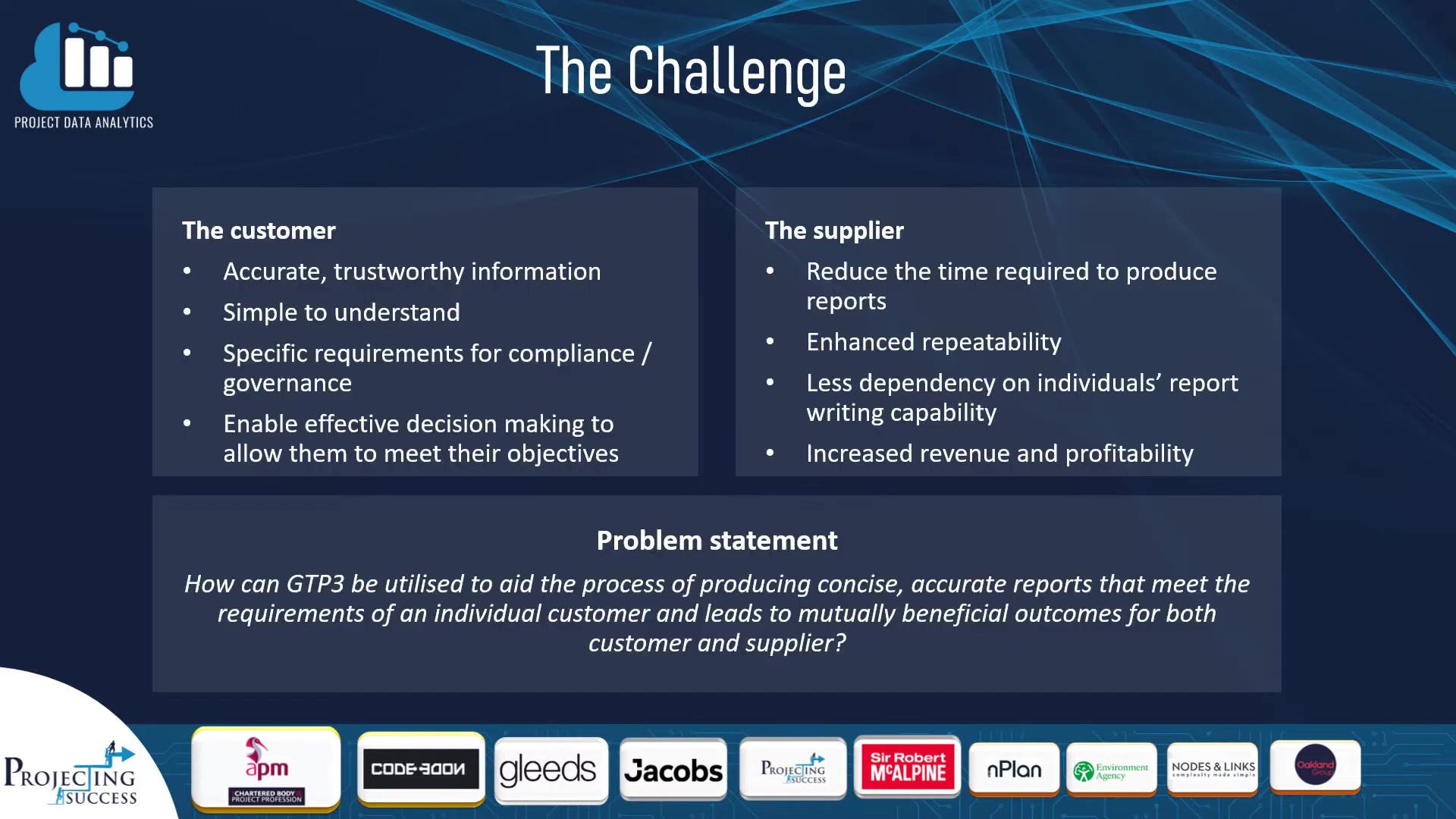
The goal is to achieve mutually beneficial outcomes, enhancing the overall efficiency and effectiveness of project reporting.
To effectively address this challenge, it's crucial to understand the specific requirements from the perspectives of both the customer and the supplier.
Customer Requirements:
- Accuracy and Trustworthiness: Customers need accurate, trustworthy information to make informed decisions.
- Simplicity and Understandability: Reports must be simple to understand, even for those without technical expertise.
- Compliance and Governance: Specific requirements for compliance and governance must be met to ensure accountability and transparency.
- Effective Decision-Making: The reports should enable effective decision-making to allow customers to meet their objectives.
Supplier Requirements:
- Reduced Time for Report Production: Suppliers aim to reduce the time required to produce reports, increasing their efficiency.
- Enhanced Repeatability: The report generation process should be repeatable and consistent.
- Reduced Dependency on Individuals: Less dependency on individual Report Writing capabilities ensures continuity and reduces bottlenecks.
- Increased Revenue and Profitability: Ultimately, the goal is to increase revenue and profitability through more efficient reporting processes.
To solve the challenge, there is a need to bridge the gap between customer expectations for accurate, easily understandable reports and supplier's desire for efficient, repeatable processes that boost revenue and reduce dependency on individual skills. By integrating AI Tools, project teams can address these needs effectively, transforming how data is analyzed and reports are generated.
The Project Team: Next Generation
The project team, aptly named 'Next Generation,' consists of a diverse group of professionals: Ben Murphy, Will Egan, Steven Traynor, Syed Zain Ul Abideen, and James Fleming.
This team was assembled to tackle the challenge of AI-powered report generation. Each member brings a unique set of skills and experiences, essential for navigating the complexities of this project.
The composition of the 'Next Generation' team reflects the interdisciplinary nature of the project. The team needed individuals with expertise in data analytics, AI, Project Management, and technical communication to achieve its goals.
Workflow and Key Technologies
The Automated Workflow: From Data to Report
The workflow for AI-powered report generation can be broken down into three primary processes: data input, report generation, and report publishing.
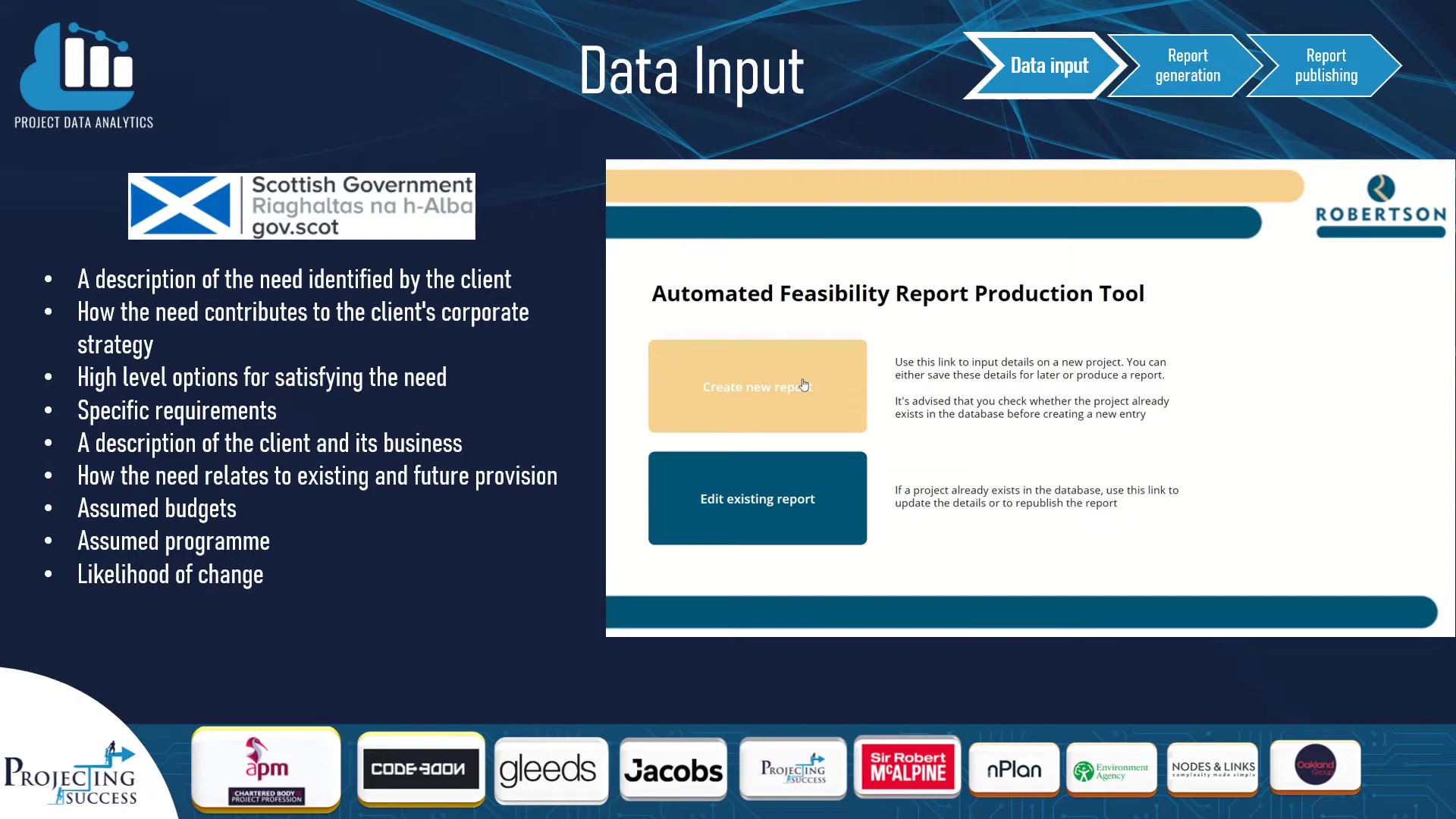
This streamlined approach ensures that project data is efficiently transformed into insightful reports.
-
Data Input:
-
Project information is entered into a system, often using tools like Power Apps.
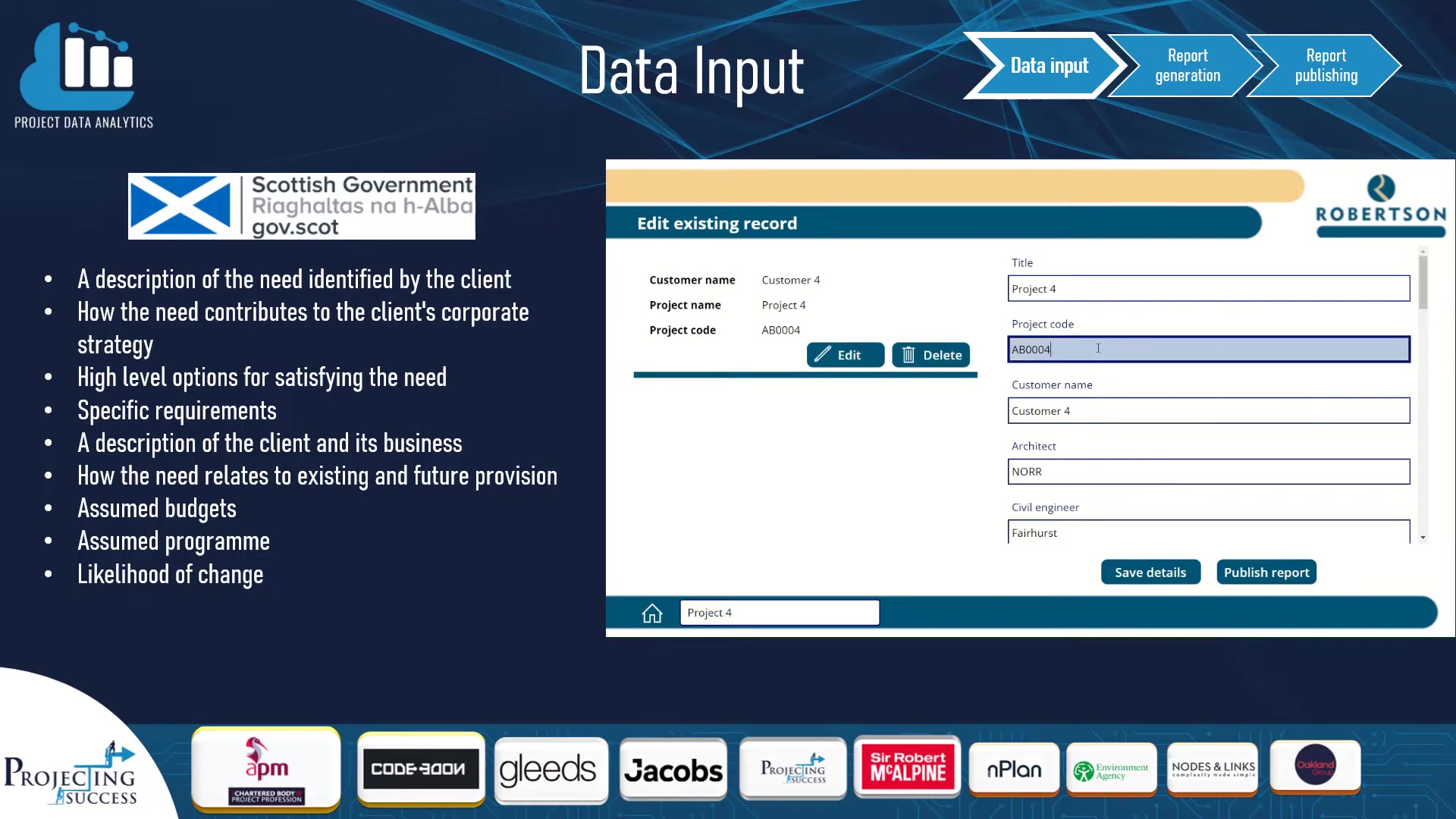
-
The data is then stored in a database, such as SharePoint Lists. This centralized repository ensures that all project stakeholders have access to the latest information.
-
-
Report Generation:
- A natural language processor, such as GPT-3, is used to generate a summary of the project.
- Python scripts can be employed to automate the process of extracting and summarizing data.
- The generated summary is saved back into the database.
-
Report Publishing:
- The report is checked and reviewed to ensure accuracy and completeness.
- A report template is used to format the data and summary into a professional-looking document.
- The report is converted to PDF format.
- The report is issued to the customer.
This workflow is not just about automation; it’s about creating a seamless, repeatable process that minimizes human error and maximizes efficiency. The use of AI and automation tools ensures that reports are generated quickly, accurately, and consistently.
Technologies Driving the Revolution
The AI-powered report generation process relies on a diverse range of technologies, each playing a crucial role in automating and streamlining the workflow.
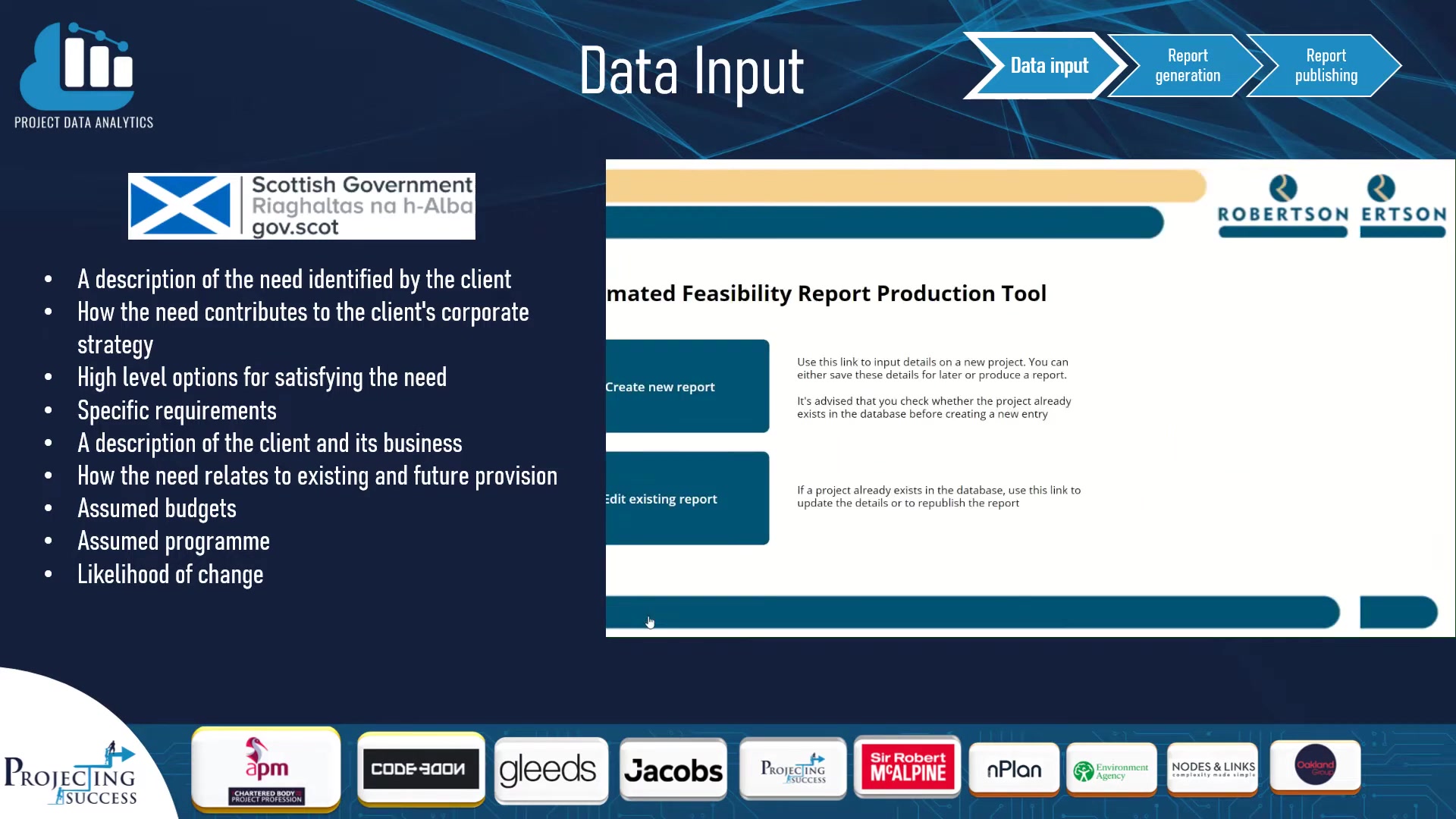
These tools include:
- Power Apps: Used for creating custom data input forms, making it easy to enter and manage project information.
- SharePoint Lists: Used for storing project data, providing a centralized and accessible database.
- Python: Used for scripting and automating various tasks, such as Data Extraction and processing.
- OpenAI's GPT-3: A powerful natural language processing model used for generating summaries and insights from project data.
- Power Automate: Used for automating workflows, connecting different applications and services.
- Microsoft Office: Used for creating report templates and formatting documents.
- Microsoft Approvals: Used for managing the review and approval process, ensuring that reports meet quality standards.
The integration of these technologies allows for a seamless and automated report generation process, from data input to final publication. By leveraging the power of AI and automation, project teams can significantly reduce the time and effort required to produce high-quality reports.






Most people like

































Report
Please select a reason for reporting
- 13 Reasons to Switch from Snapchat to Text Messaging
- 7 Powerful Speech to Text Apps to Boost Productivity
- 10 Best Speech to Text Tools for Effortless Transcription
- 13 Free Tools to Easily Transcribe Audio to Text
- 15 Surprising Ways Google's Speech-to-Text Boosts Productivity
- 7 Best Free Online Audio to Text Transcription Tools
- 9 Tips to Transcribe Speech to Text Faster and Better
- 13 Best Speech to Text Software for Windows 10 in 2023
- 7 Tips for Choosing the Best Transcriber for Audio to Text
- 11 Reasons Why Dragon Speech-to-Text Apps are Game-Changers
- 6 Secrets to Enhance Your Speech to Text Transcription
- 6 Brilliant Ways to Boost Productivity with Talk-to-Text on Your MacBook
- 6 Ways Transcription Software Converts Audio to Text
- 8 Tips to Transcribe Speech to Text Like a Pro
- 6 Reasons IBM Watson Speech to Text is a Game-Changer
- 14 Powerful Ways Talk-to-Text Improves Your Workflow
- 12 Top Windows Speech-to-Text Software for Efficient Transcription
- 12 Game-Changing Benefits of Apple's Speech to Text Technology
- 9 Powerful Use Cases for AWS Speech to Text Technology
- 10 Easy Steps to Transcribe YouTube Videos to Text
- transcription audio en texte
- online audio transcription
- free audio file transcription
- free ai audio transcription
- audio transcription service
- audio transcription online free
- audio transcription free online
- audio to transcription software
- audio and transcript
- ai audio transcription free
- voice recording to text converter
- translate voice recording to text
- record voice to text
- audio recording to text converter
- voice recording and transcription
- chatgpt voice to text
- gmail voice to text
- speech to text reader
- speech to text ai free
- speech to talk
- How SEO and Marketing Dashboards Empower Agencies to Drive Results
- How to Use AI Tools to Find Internal Linking Opportunities Across a Business Website
- Discover Your Perfect Haircut with AI Hairstyle Apps
- Free Reputation Calculator Tools: How They're Adapting to Score AI Visibility, Not Just Rankings
- Design Professional Flyers for Free on Your Phone
- Best Free Flyer Maker Apps for Android: Design Like a Pro
- How to Know If Your Business Is Ready for an AI Customer Service Agent
- Revolutionizing Storytelling: From Novels to Screenplays with AI
- Create Engaging Animated Explainer Videos with a Free AI Tool
- Stop Multi-Subscribing: Benchmark Top AI Visual Models in One Canvas
- AI & Elections: Defending Democracy Against Misinformation
- Navigating Political Discourse: AI, Deepfakes, and Reality Checks
- Detecting Political Bias in News Articles: A Powerful AI Algorithm
- AI Bias Unveiled: Political Leanings in ChatGPT & Beyond
- Revolutionize Learning: Discover Quizzes AI for Engaging Interactive Quizzes
- From AI-Generated to Audience-Ready: How Quillbot Humanize AI Is Changing the Content Editing Process
- Building an AI Writing Stack in 2026: LLMs, Detectors, and Humanizers
- 7 Top AI-Powered Database Assistant Platforms
- An Objective Look at Modern Web-Based Visual Modifications
- My Honest Experience with VideoAI: The Secret Weapon for Creators Who Need Character Voices

Copyright ©2026 toolify