































Table of Contents
- Key Points
- EaseUS VoiceWave: An Overview
- Enhancing Online Presence with Voice Transformation
- Step-by-Step Guide to Using EaseUS VoiceWave
- EaseUS VoiceWave Pricing Plans
- Pros and Cons of EaseUS VoiceWave
- Key Features of EaseUS VoiceWave
- Popular Use Cases for EaseUS VoiceWave
- Frequently Asked Questions About EaseUS VoiceWave
- Related Questions


EaseUS VoiceWave: An Overview
What is EaseUS VoiceWave?
EaseUS VoiceWave is a cutting-edge Voice Changer software designed for real-time use in various applications. It utilizes artificial intelligence to modify your voice, offering a plethora of effects suitable for gaming, live streaming, voice chats, and content creation. Its user-friendly interface and extensive range of voice options make it accessible for both beginners and experienced users looking to add a unique twist to their online presence. The key functionalities of this software revolve around its capacity to transform your voice into various personas, from celebrities to fictional characters, providing a Novel way to engage with audiences and friends alike. The technology behind EaseUS VoiceWave ensures that these transformations happen in real-time, minimizing latency and ensuring a seamless experience.

Whether you're aiming to prank your friends on Discord, create engaging content for your YouTube Channel, or enhance your role-playing experience in online games, EaseUS VoiceWave offers the tools you need to bring your vocal creativity to life. It is more than just a voice changer; it’s a platform for exploring and expressing your digital identity through sound.
Step-by-Step Guide to Using EaseUS VoiceWave
Downloading and Installing EaseUS VoiceWave
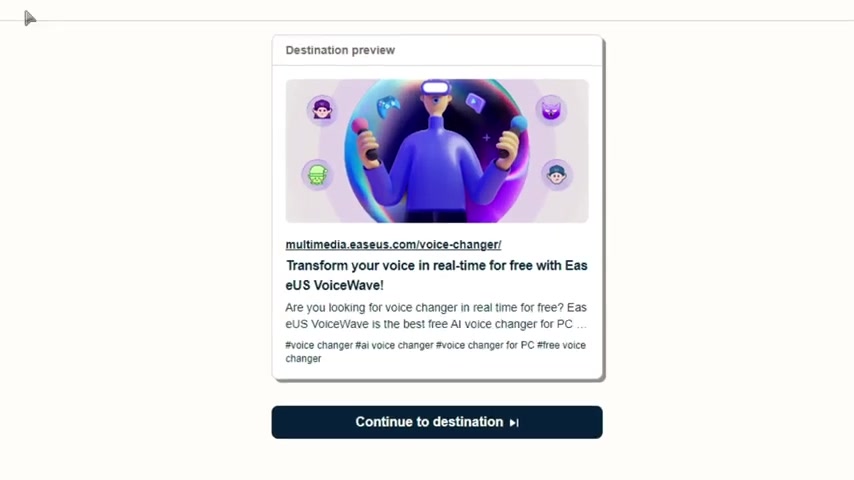
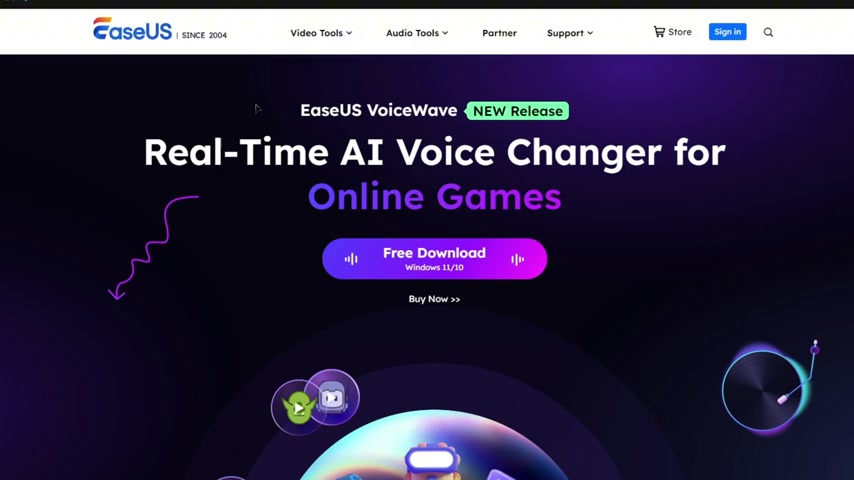
To begin using EaseUS VoiceWave, the first step involves downloading the software from the official EaseUS website. Navigating to the download page is straightforward – a simple search for EaseUS VoiceWave will lead you directly to the correct page. Once there, you'll find a clear download button that initiates the process. Click the button, and the installer file will start downloading to your computer.
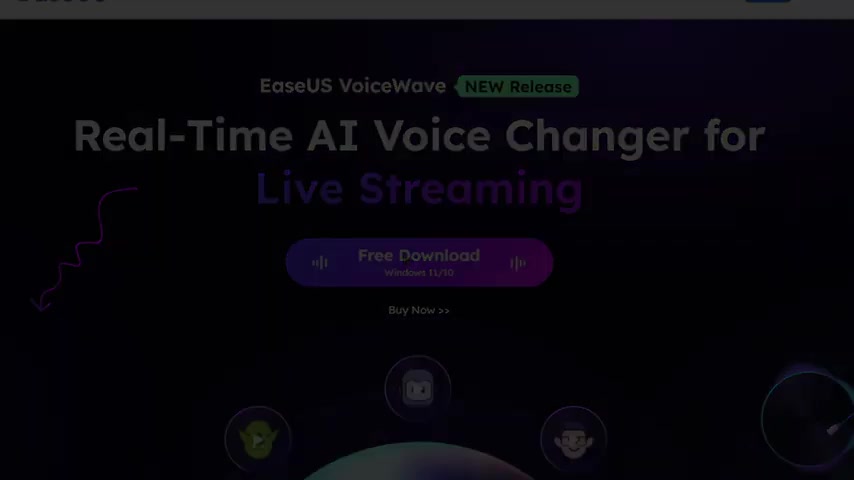
After the download is complete, locate the installer file in your downloads folder. Double-click the file to start the installation process. A window will pop up, guiding you through the setup. It's essential to follow the on-screen instructions carefully to ensure a smooth and successful installation. During the process, you may be prompted to agree to the terms and conditions and choose an installation directory. Once you've completed these steps, the installation will proceed automatically. After installation, EaseUS might offer a pro version purchase, but the basic version has everything for standard use.
Configuring Audio Settings
After installing EaseUS VoiceWave, configuring the audio settings is vital to ensure the software functions correctly. This involves selecting the correct microphone and headphones to be used with the application. Open EaseUS VoiceWave and navigate to the settings menu, usually found in the bottom corner of the application.
In the settings, you will see options to select your microphone and headphone devices. Ensure that your primary microphone is selected as the input device and your headphones as the output device. Adjust the volume levels for both the microphone and headphones to optimal levels. This step is crucial as it determines the quality and Clarity of the voice transformations. Playing around with these settings is recommended to find the perfect balance that suits your audio environment. If it is too low, the voice will be difficult to modify, but too high leads to output issues.
Selecting and Applying Voice Effects
Now that your audio settings are configured, you can explore the array of voice effects offered by EaseUS VoiceWave. The software features a wide range of voice options, including celebrity impersonations, cartoon characters, and robotic voices. To select a voice effect, simply navigate through the different categories within the application's interface.
Once you find an effect you like, click on it to apply it to your voice. Some effects may offer customization options, such as adjusting the pitch, timbre, or volume. Play around with these settings to fine-tune the effect to your liking. To test how the effect sounds, use the built-in preview feature. Speak into your microphone, and you'll hear your voice transformed in real-time. This is a great way to ensure the effect matches your expectations before using it in other applications like Discord or games.
Integrating with Discord
Integrating EaseUS VoiceWave with Discord allows you to use the voice changer during voice chats and gaming sessions.
To set this up, open Discord and navigate to the user settings menu, found by clicking the gear icon near your username. In the settings menu, select 'Voice & Video' from the left sidebar. Under the 'Input Device' option, select EaseUS VoiceWave as your input device. This ensures that Discord uses the audio processed by EaseUS VoiceWave instead of your default microphone.
After selecting EaseUS VoiceWave, you can test the integration by joining a voice channel. Speak into your microphone, and your voice should be transformed according to the selected effect in EaseUS VoiceWave. If the effect isn't working, double-check that EaseUS VoiceWave is running and that you've selected the correct input device in both EaseUS VoiceWave and Discord. With this integration, you can surprise your friends with funny voice changes, create immersive gaming experiences, and add an extra layer of fun to your online interactions.
Troubleshooting Common Issues
Like any software, EaseUS VoiceWave may encounter issues during installation or use. If you experience problems, here are a few common solutions:
- Installation Errors: Ensure that your system meets the minimum requirements for EaseUS VoiceWave. Close unnecessary applications during installation to avoid conflicts.
- Audio Not Working: Double-check that EaseUS VoiceWave is selected as the input device in your system's audio settings and in applications like Discord. Also, verify that your microphone and headphones are properly connected and functioning.
- Voice Effects Not Applying: Make sure that the desired voice effect is selected within EaseUS VoiceWave and that the software is running in the background. Test the effect using the built-in preview feature to confirm it's working.
- Performance Issues: If you experience lag or performance issues, try closing other applications that may be consuming system resources. Adjust the audio quality settings in EaseUS VoiceWave to reduce the processing load. If problems persist, consulting the EaseUS support website or contacting their support team directly may provide additional assistance.
EaseUS VoiceWave Pricing Plans
Understanding the Costs
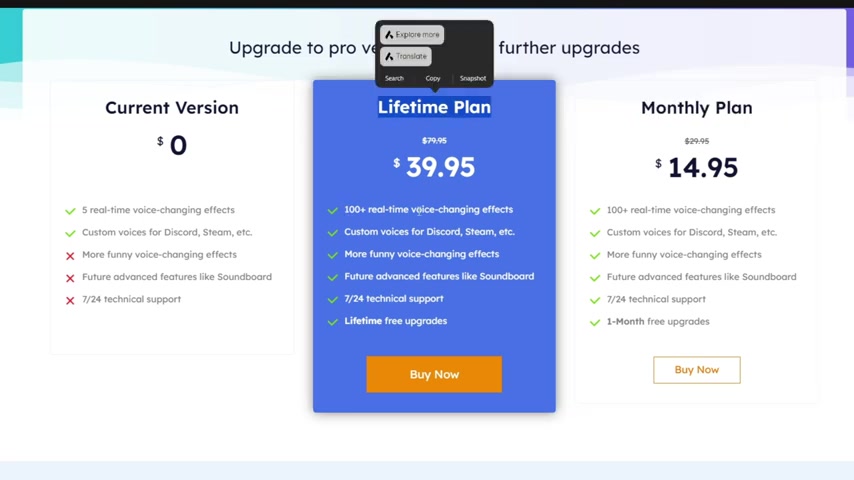
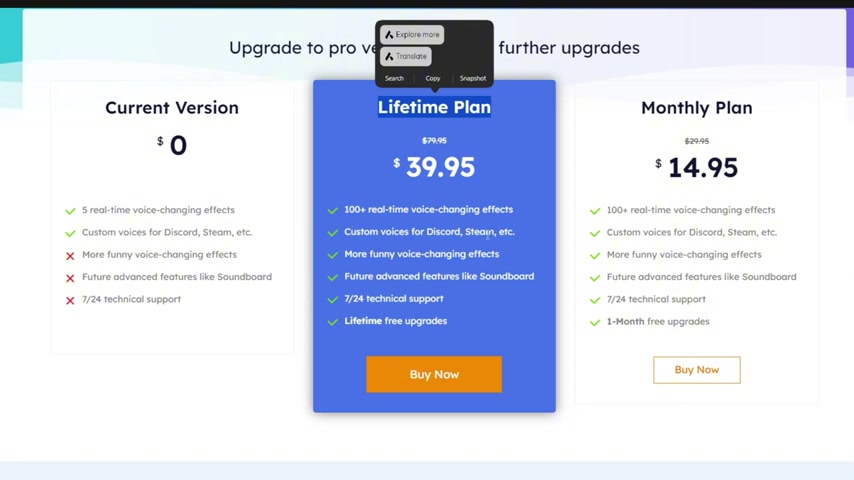
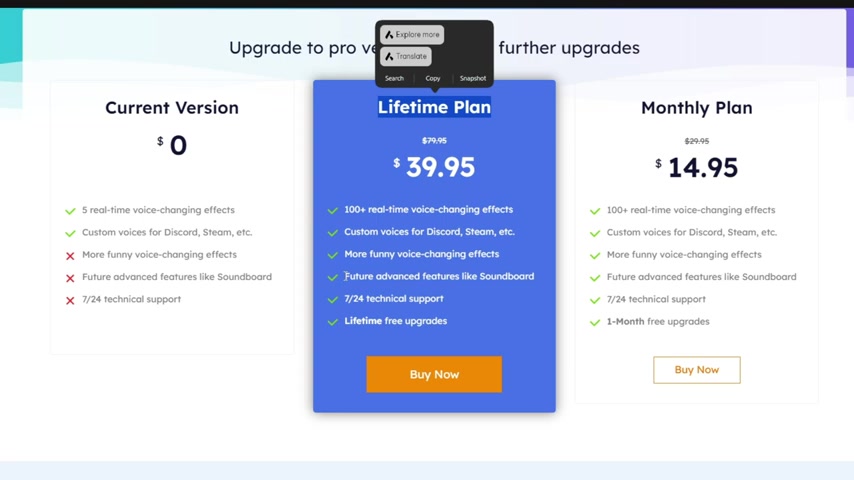
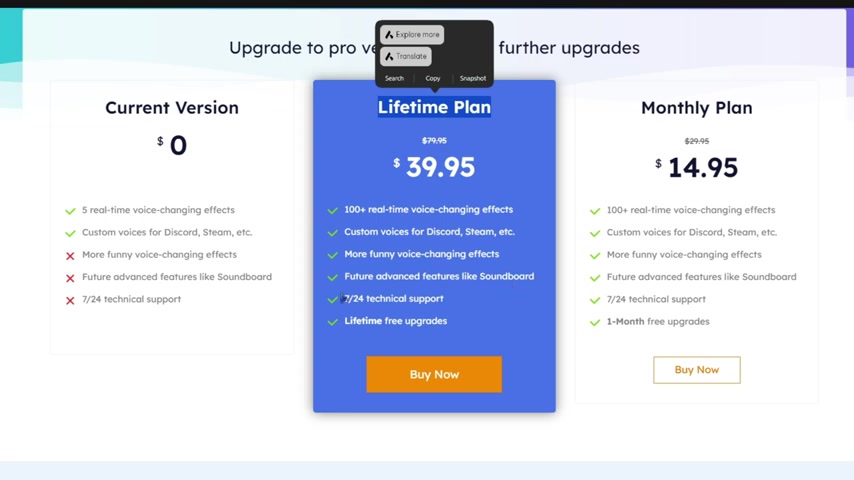
EaseUS VoiceWave offers several pricing options to cater to different user needs. A free version is available, providing access to a limited selection of voice effects and features. This is a great way to test the software and see if it meets your basic voice-changing needs. For users looking for more advanced features and a wider range of voice effects, EaseUS VoiceWave offers both monthly and lifetime subscription plans. The monthly plan provides access to all features and voice effects for a recurring fee, while the lifetime plan offers unlimited access for a one-time payment.
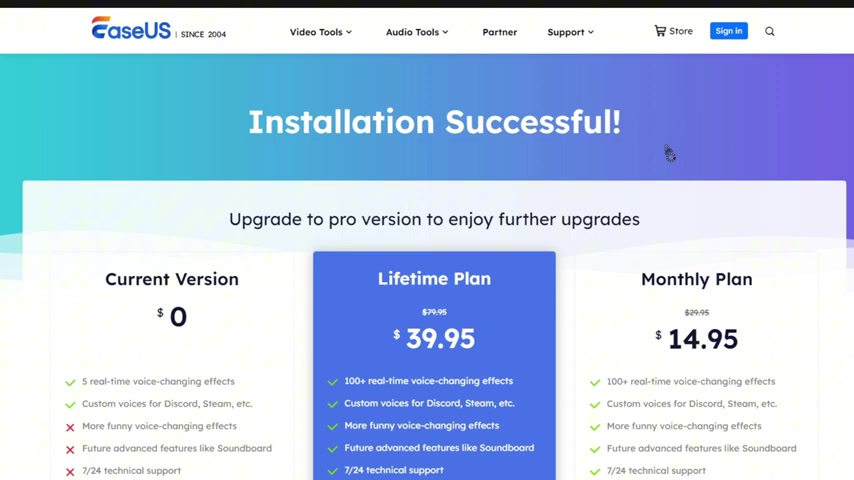
Here’s a breakdown of the pricing structure:
- Free Version: Limited features and voice effects.
- Monthly Plan: Offers full access for a recurring monthly fee (price varies).
- Lifetime Plan: Provides unlimited access for a one-time payment (price varies).
Value for Money
The value for money offered by EaseUS VoiceWave depends on your individual needs and usage Patterns. If you only need basic voice-changing capabilities for occasional use, the free version may suffice. However, if you plan to use the software regularly for gaming, streaming, or content creation, investing in a paid subscription could be worthwhile. The monthly plan is ideal for users who want to test the full capabilities of the software without committing long-term, while the lifetime plan offers the best long-term value for frequent users. Consider your budget, usage frequency, and desired features when deciding which plan is right for you. When weighing the costs against the benefits, EaseUS VoiceWave emerges as a competitive option in the voice changer software market.
Key Features of EaseUS VoiceWave
Real-Time Voice Changing
One of the standout features of EaseUS VoiceWave is its ability to change your voice in real-time. This means that the voice transformations occur instantaneously as you speak into your microphone, ensuring a seamless and lag-free experience.
Whether you're engaging in voice chats, live streaming, or playing online games, this feature allows you to modify your voice on the fly, enhancing your interactions and adding a layer of fun and spontaneity.
Extensive Voice Effect Library
EaseUS VoiceWave boasts an extensive library of voice effects, offering a wide range of options to suit different moods and scenarios. From celebrity impersonations and cartoon characters to robotic voices and otherworldly sounds, the software provides a plethora of choices to explore. This allows you to transform your voice into various personas, adding a unique twist to your online presence.
The diverse selection of effects ensures that you can find the perfect voice to match your creative vision.
Customization Options
EaseUS VoiceWave goes beyond simple voice changing by providing customization options that allow you to fine-tune the effects to your liking. You can adjust parameters such as pitch, timbre, and volume to create unique voice transformations that suit your individual preferences.
This level of customization ensures that you can achieve the perfect sound for your gaming sessions, live streams, or content creations.
Discord Integration
The seamless integration of EaseUS VoiceWave with Discord makes it easy to use the voice changer during voice chats and gaming sessions. By simply selecting EaseUS VoiceWave as your input device in Discord's audio settings, you can apply voice effects directly to your voice communication. This allows you to surprise your friends with funny voice changes, create immersive role-playing experiences, and add an extra layer of fun to your Discord interactions.
The straightforward setup process ensures that you can start using the voice changer in Discord with minimal effort.
User-Friendly Interface
EaseUS VoiceWave features a user-friendly interface that makes it accessible for users of all skill levels. The intuitive layout and clear navigation ensure that you can easily find the features you need and customize the settings to your liking. The software's interface is designed to be straightforward and easy to understand, allowing you to quickly start using the voice changer without a steep learning curve.





Most people like




































Report
Please select a reason for reporting
- 13 Reasons to Switch from Snapchat to Text Messaging
- 7 Powerful Speech to Text Apps to Boost Productivity
- 10 Best Speech to Text Tools for Effortless Transcription
- 13 Free Tools to Easily Transcribe Audio to Text
- 15 Surprising Ways Google's Speech-to-Text Boosts Productivity
- 7 Best Free Online Audio to Text Transcription Tools
- 9 Tips to Transcribe Speech to Text Faster and Better
- 13 Best Speech to Text Software for Windows 10 in 2023
- 7 Tips for Choosing the Best Transcriber for Audio to Text
- 11 Reasons Why Dragon Speech-to-Text Apps are Game-Changers
- 6 Secrets to Enhance Your Speech to Text Transcription
- 6 Brilliant Ways to Boost Productivity with Talk-to-Text on Your MacBook
- 6 Ways Transcription Software Converts Audio to Text
- 8 Tips to Transcribe Speech to Text Like a Pro
- 6 Reasons IBM Watson Speech to Text is a Game-Changer
- 14 Powerful Ways Talk-to-Text Improves Your Workflow
- 12 Top Windows Speech-to-Text Software for Efficient Transcription
- 12 Game-Changing Benefits of Apple's Speech to Text Technology
- 9 Powerful Use Cases for AWS Speech to Text Technology
- 10 Easy Steps to Transcribe YouTube Videos to Text
- transcription audio en texte
- online audio transcription
- free audio file transcription
- free ai audio transcription
- audio transcription service
- audio transcription online free
- audio transcription free online
- audio to transcription software
- audio and transcript
- ai audio transcription free
- voice recording to text converter
- translate voice recording to text
- record voice to text
- audio recording to text converter
- voice recording and transcription
- chatgpt voice to text
- gmail voice to text
- speech to text reader
- speech to text ai free
- speech to talk
- How to Use AI Tools to Find Internal Linking Opportunities Across a Business Website
- Discover Your Perfect Haircut with AI Hairstyle Apps
- Free Reputation Calculator Tools: How They're Adapting to Score AI Visibility, Not Just Rankings
- Design Professional Flyers for Free on Your Phone
- Best Free Flyer Maker Apps for Android: Design Like a Pro
- How to Know If Your Business Is Ready for an AI Customer Service Agent
- Revolutionizing Storytelling: From Novels to Screenplays with AI
- Create Engaging Animated Explainer Videos with a Free AI Tool
- Stop Multi-Subscribing: Benchmark Top AI Visual Models in One Canvas
- Best Seedance 2.5 API Provider: Every Price on the Market, Checked at Source
- Top AI Social Media Management Tools: Automate Your Content Strategy
- Free AI Text to Video Generator: Create Stunning Videos from Text
- Discover 17 ChatGPT Alternatives: A Comprehensive Comparison
- Character.AI vs. Janitor AI: Which AI Chat Platform Reigns Supreme?
- Top Virtual Assistant Companies in 2026: Reviews, Pricing, and Plans Compared
- Unveiling FaceCheck.ID: Revolutionizing Reverse Image Searches with AI
- 11 Best AI Dialers in 2026: Features, Pricing, Pros and Cons
- How I Direct Consistent AI Clips: A Hands-On Guide to Multi-Model Generation
- A Realistic Review of the Photo Generator Image Tool
- Playwright MCP Server: Automated Web Testing with Agent Mode

Copyright ©2026 toolify