































Table of Contents
- Key Points
- Exploring Canva AI's Capabilities
- Canva vs. WordPress: Which Platform Should You Choose?
- Detailed Steps on How to Sign up for Canva Pro
- Advantages and Disadvantages of Canva AI
- Frequently Asked Questions about Canva AI
- Related Questions



Exploring Canva AI's Capabilities
What is Canva AI?

Canva, originally used for Graphic Design, has now introduced its own AI tool. This new feature allows users to leverage artificial intelligence for a variety of tasks, expanding Canva's functionalities beyond design. Users can now design thumbnails, Instagram covers and edit videos using the Canva AI Tool.
AI-Powered Design and Development
The current trend is for companies to roll out their own AI, and Canva is no exception. This Canva AI tool allows you to develop games, build applications and websites by simply typing a Prompt. Canva AI's abilities include coding websites, generating images, creating documents, and more, all through simple prompts. One of the standout features is its 'Code for Me' option, allowing users to develop games, web applications, and even entire websites without needing to write a single line of code.
Generating Code with Canva AI
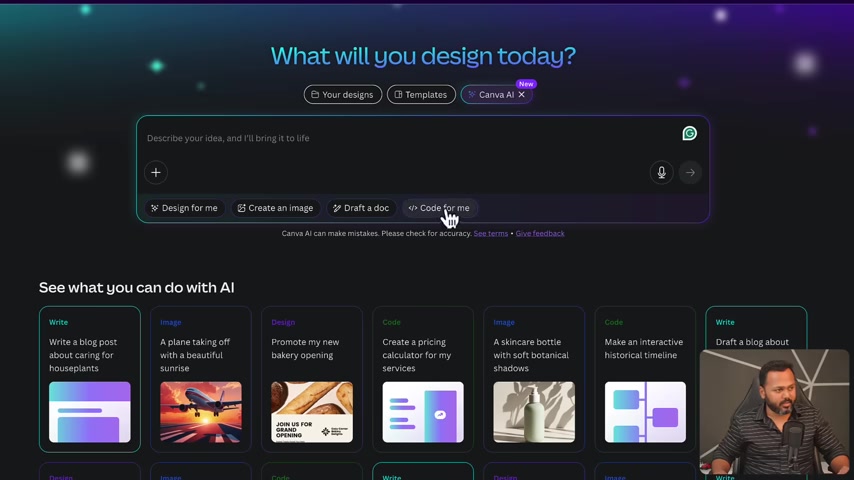
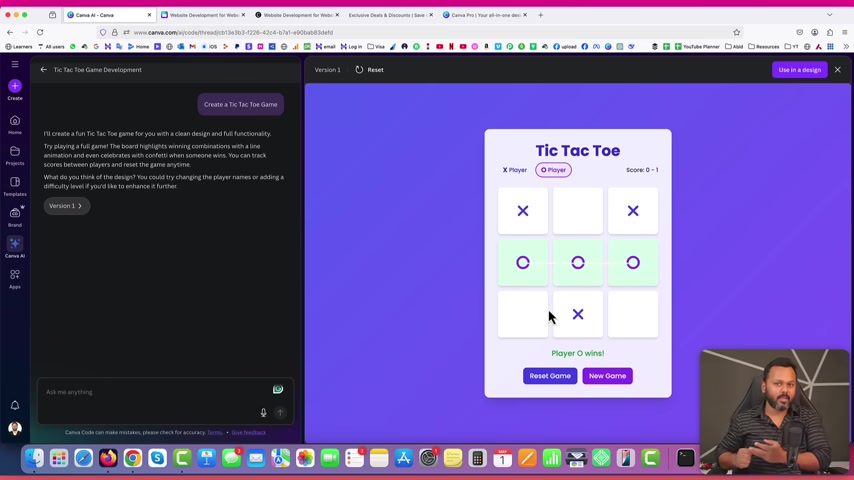
Canva AI empowers users to create code for various applications, including pricing calculators, historical timelines, and games. You can make an historical timeline with this powerful AI. The service also lets you create Games without doing any manual coding. This eliminates the need for traditional coding skills, allowing creators to focus on their concepts and ideas. Users can provide prompts and receive functional code, streamlining the development process.
Creating Websites with Canva AI
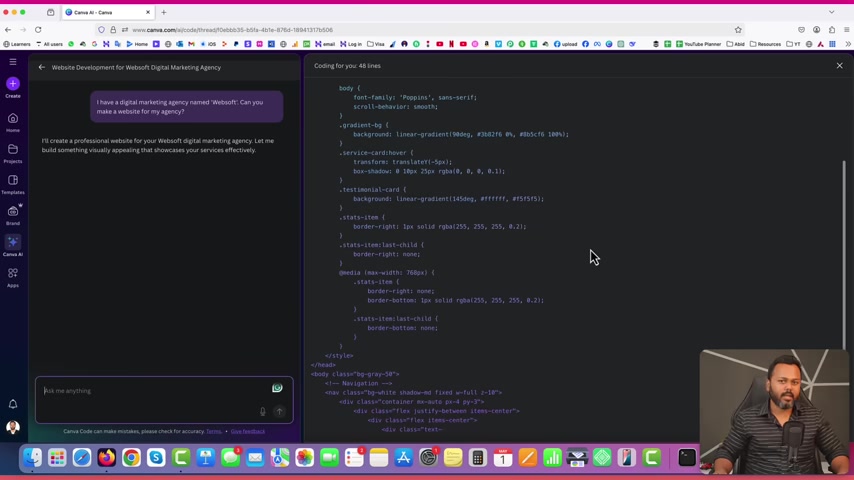
Canva AI simplifies website creation by generating code based on user prompts. You just need to provide it with prompts to build any website as you wish. Here’s how it works:
- Provide a Prompt: Describe the type of website you want to create using simple language.
- Generate Code: Canva AI will generate the necessary code.
- Customize and Publish: Once the website has finished generating the codes, you can then preview the website or application and customize the outlook and layout according to your style.
Example:
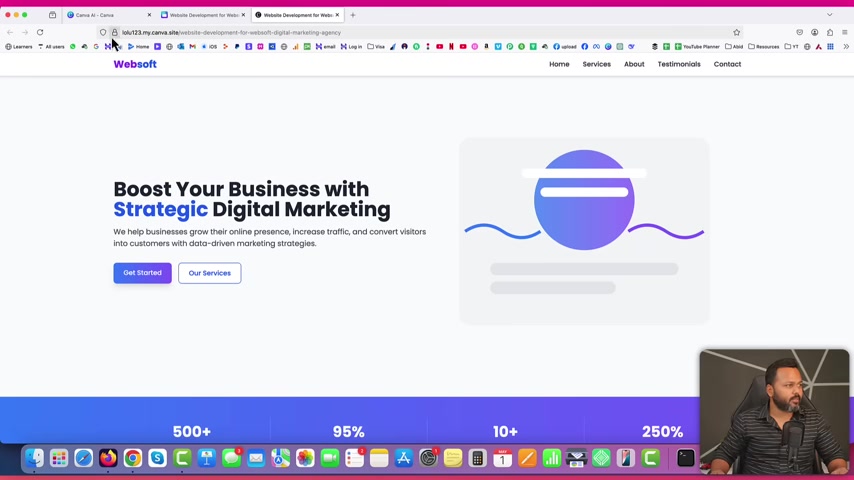
The content creator requested the AI, 'I have a digital marketing agency named 'Websoft.' Can you make a website for my agency?' Based on a simple prompt, the AI created a complete website including a custom logo. This enables users to quickly launch functional websites with minimal effort.
Publishing Your Canva AI Website
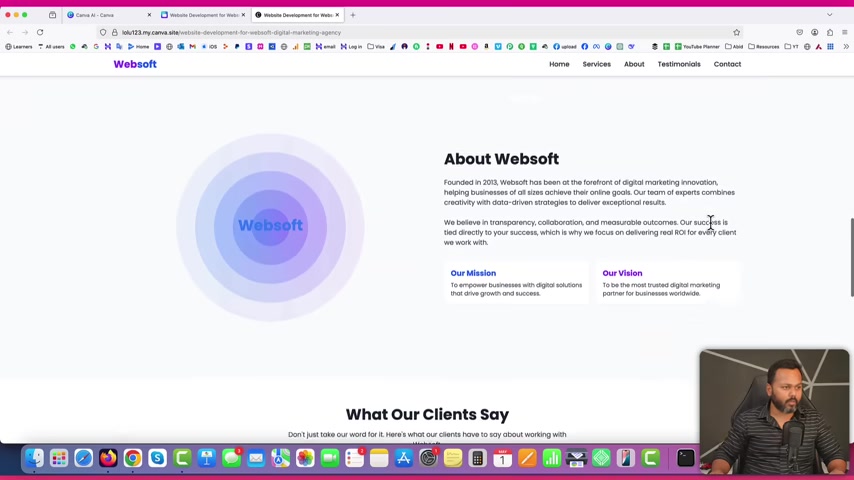
Once you are satisfied with the website generated by the AI, you can then publish and bring the website to the Internet. Canva provides options to publish websites directly from its platform. This includes:
- Temporary Domain: Canva offers a temporary domain name for the website.
- Custom Domain: If you prefer, you can use your own custom domain name.
This integration simplifies the process of getting your website online quickly.
Pricing and Accessibility
Canva AI features are currently available to Canva Pro users. The Canva Pro subscription unlocks premium content, advanced tools, and the AI capabilities. But with Canva Pro, you get stock images and be able to remove image background all for just ₹4,000/year. The content creator also shares a tip that users can get the Canva Pro version through the link offerexpo.com at the description. This makes Canva AI an accessible tool for professional designers and others looking to leverage AI in their creative projects.
Canva vs. WordPress: Which Platform Should You Choose?
AI-Powered Simplicity vs. Customization
With all the abilities of AI, it may bring about the question of whether WordPress is obsolete. Canva AI offers ease and quick website creation for everyone without them needing to code at all. However, more complex and fully customized websites require WordPress. WordPress is best for full control and customization. If you need a complete e-commerce store or custom application, you should use WordPress. This is because it offers unlimited possibilities and features than what can be offered on Canva.
AI and Canva AI Websites are best for the following users:
- Users with quick needs
- Users that just need simple websites
WordPress Development
If you want to make a high-value website for long-term use, then it is advisable to create the website via Wordpress as this is the best approach as it is more customizable and more complex.
With WordPress, you will also have full control over all parts of the application. However, the downside of WordPress is that making it would take a lot of effort and time.
Detailed Steps on How to Sign up for Canva Pro
Go to OfferExpo Website
The speaker asked to go to the offerExpo.com website.

Get Canva Pro Trial
Click on Get Deal and it would lead you to the page where you can sign up and get your canva pro account.

Sign up or log-in to Canva
Create an account or log in to Canva to enjoy your Canva Pro.






Most people like


































Report
Please select a reason for reporting
- 13 Reasons to Switch from Snapchat to Text Messaging
- 7 Powerful Speech to Text Apps to Boost Productivity
- 10 Best Speech to Text Tools for Effortless Transcription
- 13 Free Tools to Easily Transcribe Audio to Text
- 15 Surprising Ways Google's Speech-to-Text Boosts Productivity
- 7 Best Free Online Audio to Text Transcription Tools
- 9 Tips to Transcribe Speech to Text Faster and Better
- 13 Best Speech to Text Software for Windows 10 in 2023
- 7 Tips for Choosing the Best Transcriber for Audio to Text
- 11 Reasons Why Dragon Speech-to-Text Apps are Game-Changers
- 6 Secrets to Enhance Your Speech to Text Transcription
- 6 Brilliant Ways to Boost Productivity with Talk-to-Text on Your MacBook
- 6 Ways Transcription Software Converts Audio to Text
- 8 Tips to Transcribe Speech to Text Like a Pro
- 6 Reasons IBM Watson Speech to Text is a Game-Changer
- 14 Powerful Ways Talk-to-Text Improves Your Workflow
- 12 Top Windows Speech-to-Text Software for Efficient Transcription
- 12 Game-Changing Benefits of Apple's Speech to Text Technology
- 9 Powerful Use Cases for AWS Speech to Text Technology
- 10 Easy Steps to Transcribe YouTube Videos to Text
- transcription audio en texte
- online audio transcription
- free audio file transcription
- free ai audio transcription
- audio transcription service
- audio transcription online free
- audio transcription free online
- audio to transcription software
- audio and transcript
- ai audio transcription free
- voice recording to text converter
- translate voice recording to text
- record voice to text
- audio recording to text converter
- voice recording and transcription
- chatgpt voice to text
- gmail voice to text
- speech to text reader
- speech to text ai free
- speech to talk
- Meshy AI: How to Create 3D Models from Text and Images
- How SEO and Marketing Dashboards Empower Agencies to Drive Results
- How to Use AI Tools to Find Internal Linking Opportunities Across a Business Website
- Discover Your Perfect Haircut with AI Hairstyle Apps
- Free Reputation Calculator Tools: How They're Adapting to Score AI Visibility, Not Just Rankings
- Design Professional Flyers for Free on Your Phone
- Best Free Flyer Maker Apps for Android: Design Like a Pro
- How to Know If Your Business Is Ready for an AI Customer Service Agent
- Revolutionizing Storytelling: From Novels to Screenplays with AI
- Create Engaging Animated Explainer Videos with a Free AI Tool
- Automate Lead Generation: A Comprehensive Guide with AI Agents
- Revideo.io: The Future of Reverse Video Search Technology
- Revolutionizing Email Marketing Agency with AI
- Breaking the Character Drift Dilemma: A Practical Test of Smart Shot
- Meshy AI: How to Create 3D Models from Text and Images
- ASOMobile Helps Teams Benchmark App Store Screenshots Against Competitors
- How to Match LMS Software With Your Organization's Training Plan
- How to Convert BTC to HNT
- Unleashing the Power of AI: Cognizant's Roadmap for Transformation
- Frame to Video Review: A Practical Look at Turning Two Still Frames Into Motion

Copyright ©2026 toolify