































Table of Contents
- Key Points
- Introduction to AI Music and RVC Models
- Step-by-Step Guide to Making AI Music with RVC
- Detailed Steps for Using Mangio-RVC-Fork
- Pricing of AI Voice Models
- Advantages and Disadvantages of RVC Models in AI Music Creation
- Diverse Use Cases of AI Music
- Frequently Asked Questions
- Related Questions


Introduction to AI Music and RVC Models
What is AI Music?
AI music involves using artificial intelligence to Compose, generate, or modify music. This can range from creating entire compositions from scratch to manipulating existing audio to achieve unique effects. The rise of AI in Music offers tools for artists to enhance their creative process, explore new soundscapes, and automate repetitive tasks. ai Music tools are becoming increasingly sophisticated, offering more realistic and nuanced results.
Key benefits include:
- Faster prototyping of musical ideas
- Accessibility for non-musicians to create music
- Unique Sonic textures and effects
- Automation of tedious mixing and mastering tasks
Understanding Retrieval-Based Voice Conversion (RVC)
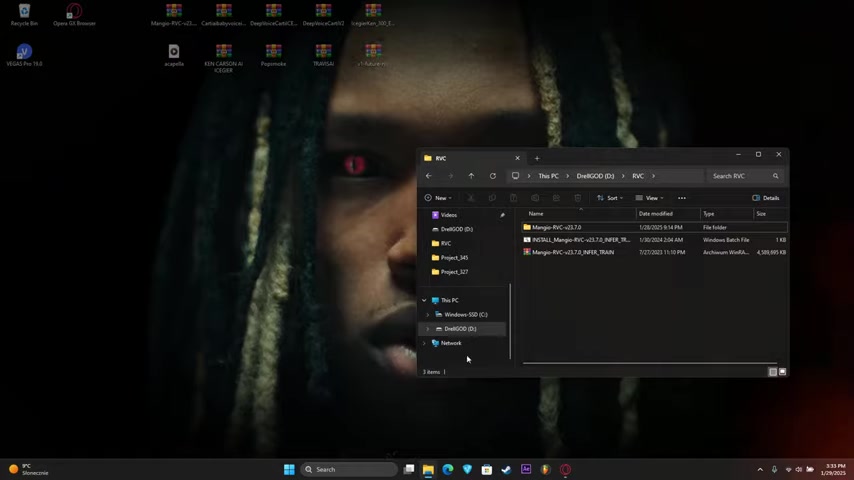
Retrieval-Based Voice Conversion (RVC) is a technique used to change the vocal characteristics of an audio track. It involves 'retrieving' the vocal qualities from a pre-trained AI model and applying them to an existing vocal track. RVC models are trained on specific voices, allowing you to convert any vocal input into the style of that trained voice.
RVC offers the ability to:
- Mimic the vocal style of famous artists
- Create unique vocal textures
- Fix imperfections in existing vocals
- Experiment with different vocal timbres without needing a live vocalist
Step-by-Step Guide to Making AI Music with RVC
Setting Up the RVC Environment
Before diving into music creation, setting up your environment is crucial. This involves installing the necessary software and preparing your files for processing.
Steps include:
-
Installing Python: Ensure you have Python installed on your system. RVC often relies on Python scripts for execution.
-
Downloading Mangio-RVC-Fork: The Mangio-RVC-Fork is a popular open-source implementation. Download it from a trusted source like GitHub.
-
Installing Dependencies: Use pip to install the required Python packages as specified in the RVC documentation or the
requirements.txtfile.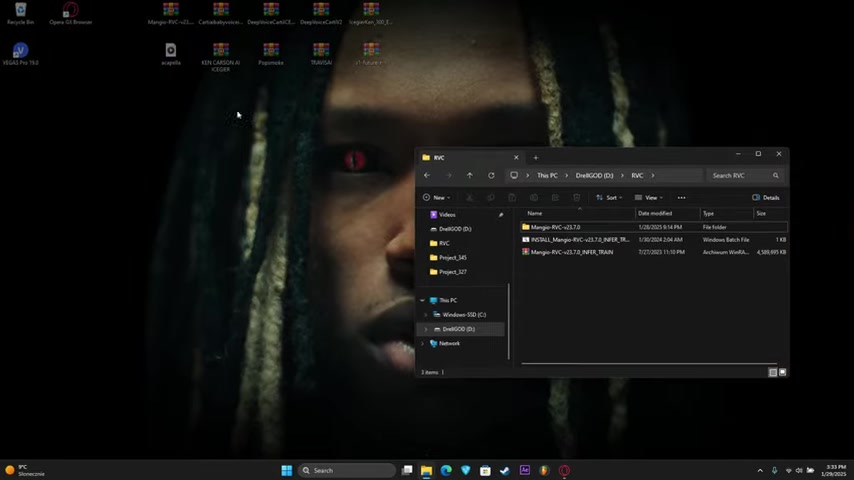
-
Setting Up Folders: Create the required folders, such as 'audios' for input audio and 'weights' for AI models.
Finding and Preparing Acapella Tracks
Acapella tracks are vocal-only recordings, perfect for voice conversion. Finding high-quality acapella tracks is essential for optimal AI conversion.
Resources for finding acapella tracks include:
- Acapella websites and forums
- YouTube (search for '[song name] acapella')
- Splitting existing songs using AI vocal isolation tools
Once you have an acapella track, ensure it is clean and free from background noise. You may need to use audio editing software to remove any unwanted sounds. Place the acapella file in the 'audios' folder you created earlier.
Selecting and Implementing AI Voice Models
The quality of your AI music heavily relies on the AI voice model you choose. These models are trained on specific voices, capturing their unique vocal characteristics.
Where to find AI voice models:
-
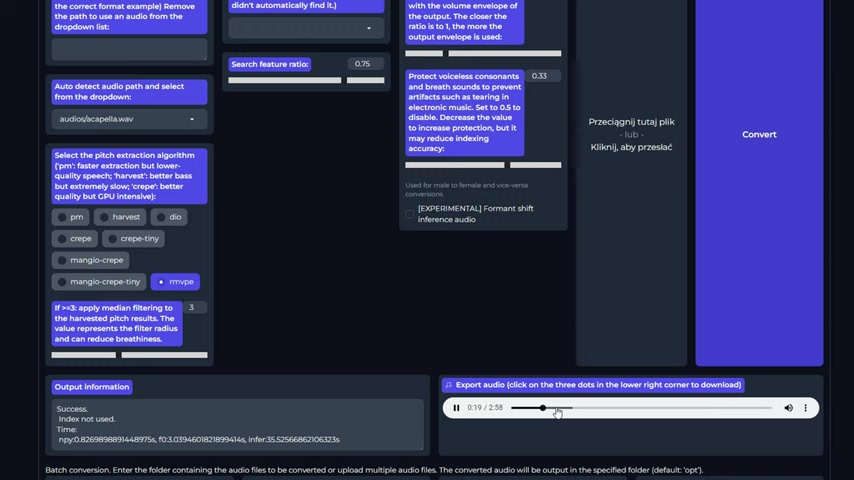
Patreon.com/IceGier: IceGier provides AI models and vocal presets for various artists
.
-
Other online communities and marketplaces
Download the AI voice model (usually a .pth file) and place it in the 'weights' folder. In the RVC interface, select this model to apply its vocal characteristics to your acapella track.
Converting Vocals Using RVC
With your software and files prepared, you can now convert the vocals.
Steps:
-
Launch RVC Interface: Run the
go-web.batfile (or equivalent) to launch the RVC web interface.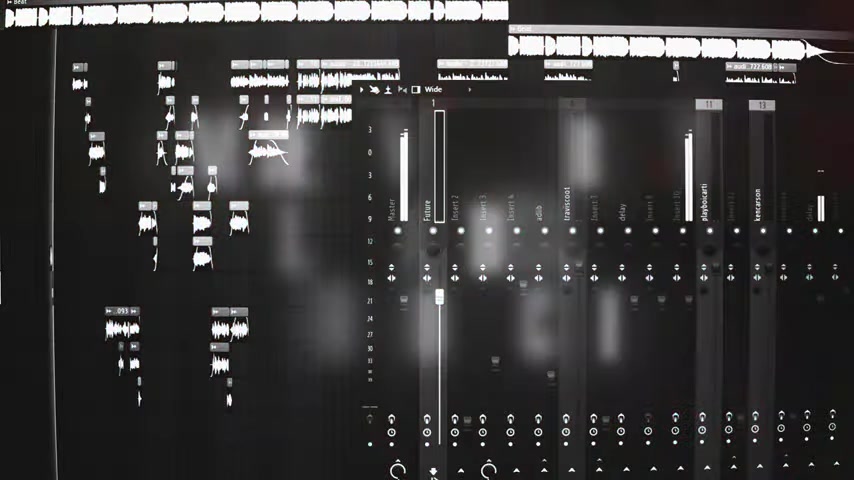
-
Load Acapella and Voice Model: In the interface, specify the paths to your acapella track and the AI voice model.
-
Adjust Settings: Adjust parameters like pitch, indexing, and other conversion settings. Experiment to find the best settings for your specific track and model.
-
Convert: Click the 'Convert' button to begin the voice conversion process. This may take a few minutes, depending on the length of the track and your system's resources.
Review the converted vocal track. You may need to adjust settings and reconvert to achieve the desired result.
Optimizing Vocal Quality in a DAW
After converting the vocals, further optimization within a Digital Audio Workstation (DAW) can significantly enhance the final result.
Steps for Optimization:
- Import: Import the converted vocal track into your DAW.
- EQ: Use equalization (EQ) to Shape the vocal tone, removing unwanted frequencies and enhancing Clarity.
- Compression: Apply compression to even out the vocal dynamics, making it sit better in the mix.
- Effects: Add effects such as reverb, delay, and Chorus to create depth and character.
- Mixing: Mix the vocal track with the instrumental, ensuring proper balance and blending.
Detailed Steps for Using Mangio-RVC-Fork
Step 1: Initial Setup and Folder Configuration
After downloading and extracting the Mangio-RVC-Fork, the first step involves setting up the folder structure correctly. Place your acapella audio files in the 'audios' folder and your downloaded AI voice models ('.pth' files) in the 'weights' folder.
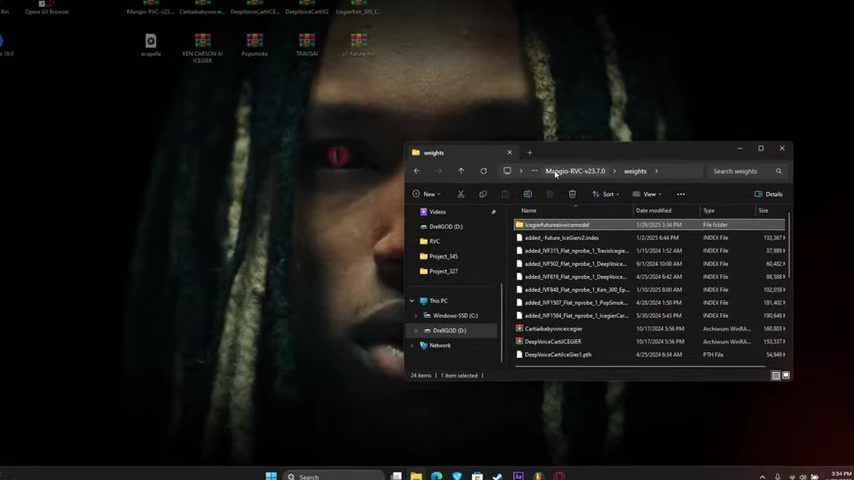
This organization ensures that the RVC software can easily locate the required files during the conversion process.
Key Considerations:
- Always use high-quality acapella tracks for the best results.
- Ensure the 'weights' folder contains only compatible '.pth' files.
- Keep the file paths short and free of special characters to avoid errors.
Step 2: Launching the RVC Interface
To launch the RVC web interface, locate and run the go-web.bat file within the Mangio-RVC-Fork directory. This batch file starts a local server, opening the RVC interface in your default web browser. Keep the command Prompt window open while using the interface, as closing it will terminate the server.
Tips:
- If the interface doesn't open automatically, check the command prompt for the URL and manually enter it in your browser.
- Ensure no other applications are using the same port (usually port 7860) to avoid conflicts.
- If you encounter issues, try running the batch file as an administrator.
Step 3: Configuring Conversion Settings
Once the interface is running, configure the conversion settings to optimize the vocal output. Key settings include:
- Inferencing Voice: Select the AI voice model ('.pth' file) that you want to use for the conversion.
- Audio Input: Specify the path to your acapella audio file.
- Pitch Extraction Algorithm: Choose the appropriate pitch extraction algorithm (
pm,harvest, ordio). 'harvest' is generally recommended for better quality but is more CPU-intensive. - Conversion Parameters: Adjust parameters such as transpose (pitch shifting), search feature ratio, and protection of voiceless consonants to fine-tune the output.
- Resample Output Audio: This setting is important if your input file has a different sample rate than your system. Set it to 0 for no resampling.
Experimenting with these settings is crucial to achieve the best results for your specific acapella track and voice model.
For example, increasing the transpose value raises the pitch of the output vocal, while adjusting the search feature ratio can improve the accuracy of the voice conversion.
Step 4: Running the Conversion
After configuring the settings, click the 'Convert' button to start the voice conversion process. The time required depends on the length of the audio track and your computer's processing power. Monitor the progress in the output window to ensure no errors occur.
Troubleshooting Tips:
- If the conversion fails, check the console for error messages and ensure all file paths are correct.
- Try reducing the CPU load by closing other applications.
- Ensure your GPU drivers are up to date for optimal performance.
Step 5: Downloading and Integrating into Your DAW
Once the conversion is complete, download the converted audio file by clicking the three dots next to the audio player and selecting 'Download'. Import the downloaded file into your DAW for further mixing and processing. In your DAW, you can adjust the levels, add effects, and Blend the AI-generated vocal with the instrumental track to create a polished final product.
Post-Processing Tips:
- Use EQ to clean up any unwanted frequencies.
- Apply compression to even out the vocal dynamics.
- Add reverb and delay to create depth and space.
- Experiment with vocal enhancers and other plugins to achieve the desired sound.


Most people like




































Report
Please select a reason for reporting
- 13 Reasons to Switch from Snapchat to Text Messaging
- 7 Powerful Speech to Text Apps to Boost Productivity
- 10 Best Speech to Text Tools for Effortless Transcription
- 13 Free Tools to Easily Transcribe Audio to Text
- 15 Surprising Ways Google's Speech-to-Text Boosts Productivity
- 7 Best Free Online Audio to Text Transcription Tools
- 9 Tips to Transcribe Speech to Text Faster and Better
- 13 Best Speech to Text Software for Windows 10 in 2023
- 7 Tips for Choosing the Best Transcriber for Audio to Text
- 11 Reasons Why Dragon Speech-to-Text Apps are Game-Changers
- 6 Secrets to Enhance Your Speech to Text Transcription
- 6 Brilliant Ways to Boost Productivity with Talk-to-Text on Your MacBook
- 6 Ways Transcription Software Converts Audio to Text
- 8 Tips to Transcribe Speech to Text Like a Pro
- 6 Reasons IBM Watson Speech to Text is a Game-Changer
- 14 Powerful Ways Talk-to-Text Improves Your Workflow
- 12 Top Windows Speech-to-Text Software for Efficient Transcription
- 12 Game-Changing Benefits of Apple's Speech to Text Technology
- 9 Powerful Use Cases for AWS Speech to Text Technology
- 10 Easy Steps to Transcribe YouTube Videos to Text
- transcription audio en texte
- online audio transcription
- free audio file transcription
- free ai audio transcription
- audio transcription service
- audio transcription online free
- audio transcription free online
- audio to transcription software
- audio and transcript
- ai audio transcription free
- voice recording to text converter
- translate voice recording to text
- record voice to text
- audio recording to text converter
- voice recording and transcription
- chatgpt voice to text
- gmail voice to text
- speech to text reader
- speech to text ai free
- speech to talk
- ChatGPT Knows Ford. It Just Doesn't Quote Ford
- Meshy AI: How to Create 3D Models from Text and Images
- How SEO and Marketing Dashboards Empower Agencies to Drive Results
- How to Use AI Tools to Find Internal Linking Opportunities Across a Business Website
- Discover Your Perfect Haircut with AI Hairstyle Apps
- Free Reputation Calculator Tools: How They're Adapting to Score AI Visibility, Not Just Rankings
- Design Professional Flyers for Free on Your Phone
- Best Free Flyer Maker Apps for Android: Design Like a Pro
- How to Know If Your Business Is Ready for an AI Customer Service Agent
- Revolutionizing Storytelling: From Novels to Screenplays with AI
- Keep Characters Consistent Across Scenes With Image-to-Video AI
- How to Convert BTC to HNT
- ProxyWing DuckDuckGo Proxy Review: Plans, Setup and Who It Is For
- ChatGPT Knows Ford. It Just Doesn't Quote Ford
- Automate Lead Generation: A Comprehensive Guide with AI Agents
- Revideo.io: The Future of Reverse Video Search Technology
- Revolutionizing Email Marketing Agency with AI
- Breaking the Character Drift Dilemma: A Practical Test of Smart Shot
- Meshy AI: How to Create 3D Models from Text and Images
- ASOMobile Helps Teams Benchmark App Store Screenshots Against Competitors

Copyright ©2026 toolify