































Table of Contents
- Key Points
- Getting Started with AI Chatbot Design Using Python
- Custom YAML Files for Personalized Chatbot Knowledge
- Interacting with Your AI Chatbot
- Pros and Cons of Using Python for AI Chatbots
- Practical Use Cases for AI Chatbots
- FAQ
- Related Questions


Getting Started with AI Chatbot Design Using Python
Why Choose Python for AI Chatbots?
Python has emerged as the language of choice for AI and machine learning projects, and its versatility and rich library ecosystem make it ideal for developing AI chatbots. Its clear syntax and extensive documentation enable developers to rapidly prototype and deploy complex applications. Popular libraries like TensorFlow, PyTorch, and NLTK provide powerful tools for natural language processing, machine learning, and deep learning, all of which are essential for building intelligent chatbots. Python's ease of use, combined with its powerful features, makes it an excellent starting point for anyone interested in building AI-driven conversational agents.
Installing the Necessary Libraries
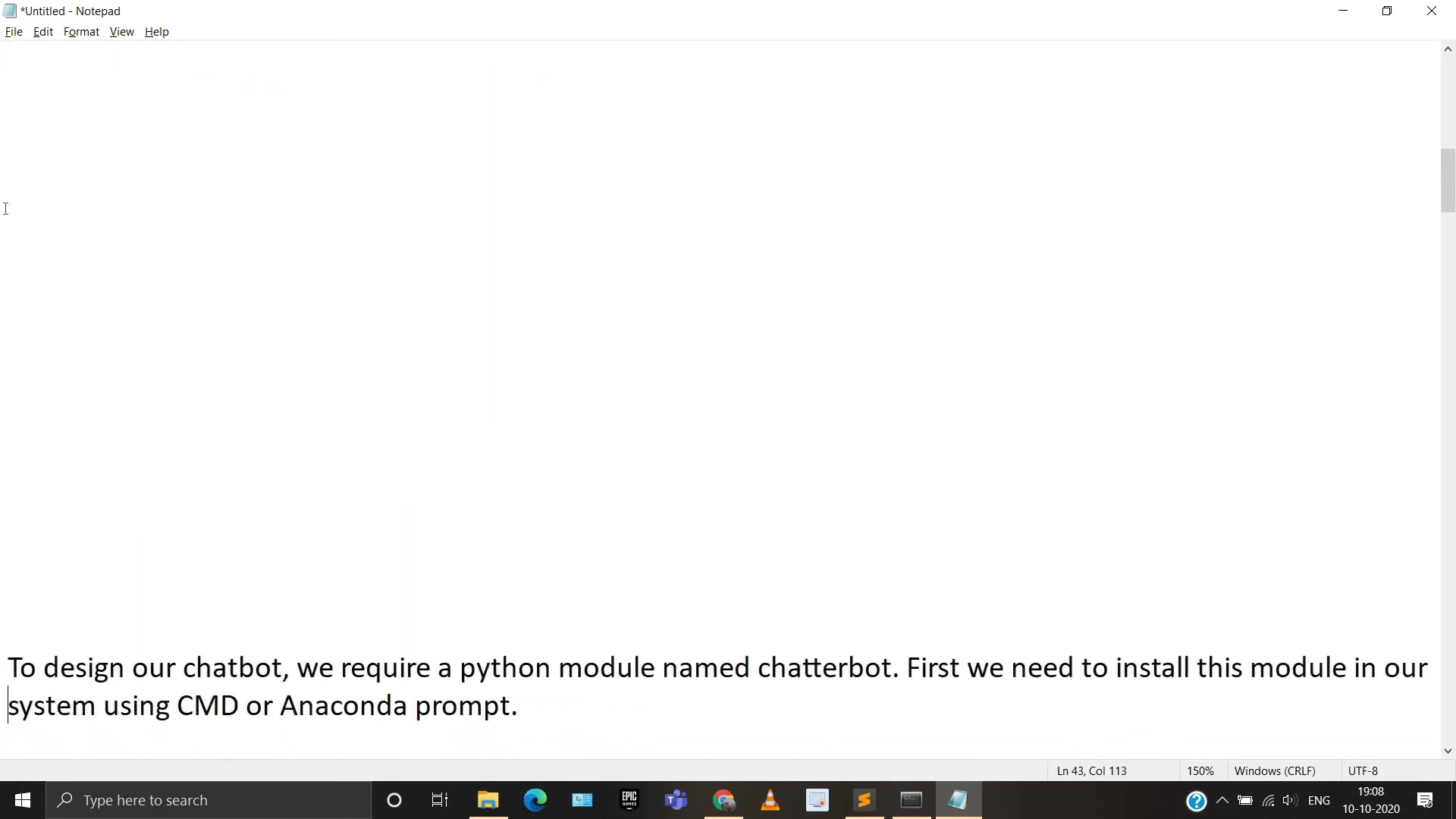
Before diving into the code, you need to set up your Python environment. Ensure that you have Python installed on your system. It is also recommended to use virtual environments to manage dependencies. Here's how you can create and activate a virtual environment using venv:
python3 -m venv venv
source venv/bin/activate # On Linux/macOS
venv\Scripts\activate # On Windows
Next, install the ChatterBot library, which simplifies the process of creating conversational bots. Use the following command:
pip install chatterbotThis command downloads and installs the ChatterBot library along with its dependencies. Once the installation is complete, you can start building your chatbot.
These dependencies are critical for a successful installation, ensuring compatibility and access to the necessary functionalities. Verifying their correct installation helps in mitigating initial errors, laying a solid foundation for the chatbot creation process.
Downloading and Preparing the Training Dataset
To train your chatbot, you need a dataset of conversational data. A readily available dataset is the ChatterBot corpus, which includes a variety of conversational topics in multiple languages. You can download this dataset from a GitHub repository and structure it to suit the ChatterBot library.

-
Downloading the Dataset: You can download the datasets directly from the GitHub repository. The repository contains various
.ymlfiles, each representing a different topic of conversation. -
Extracting and Organizing: After downloading, extract the files into a directory. The
ChatterBotlibrary can read.ymlfiles directly to train the bot. -
Understanding the Data: Each
.ymlfile contains a list of conversations. Understanding this structure is crucial for customizing and extending your bot's Knowledge Base. You'll typically find question-answer pairs within these files. -
Customize the data: It is best practice to customize your bot using additional YAML files to create your own question and answers with related conversational content.
Core Components of the Python Chatbot Code
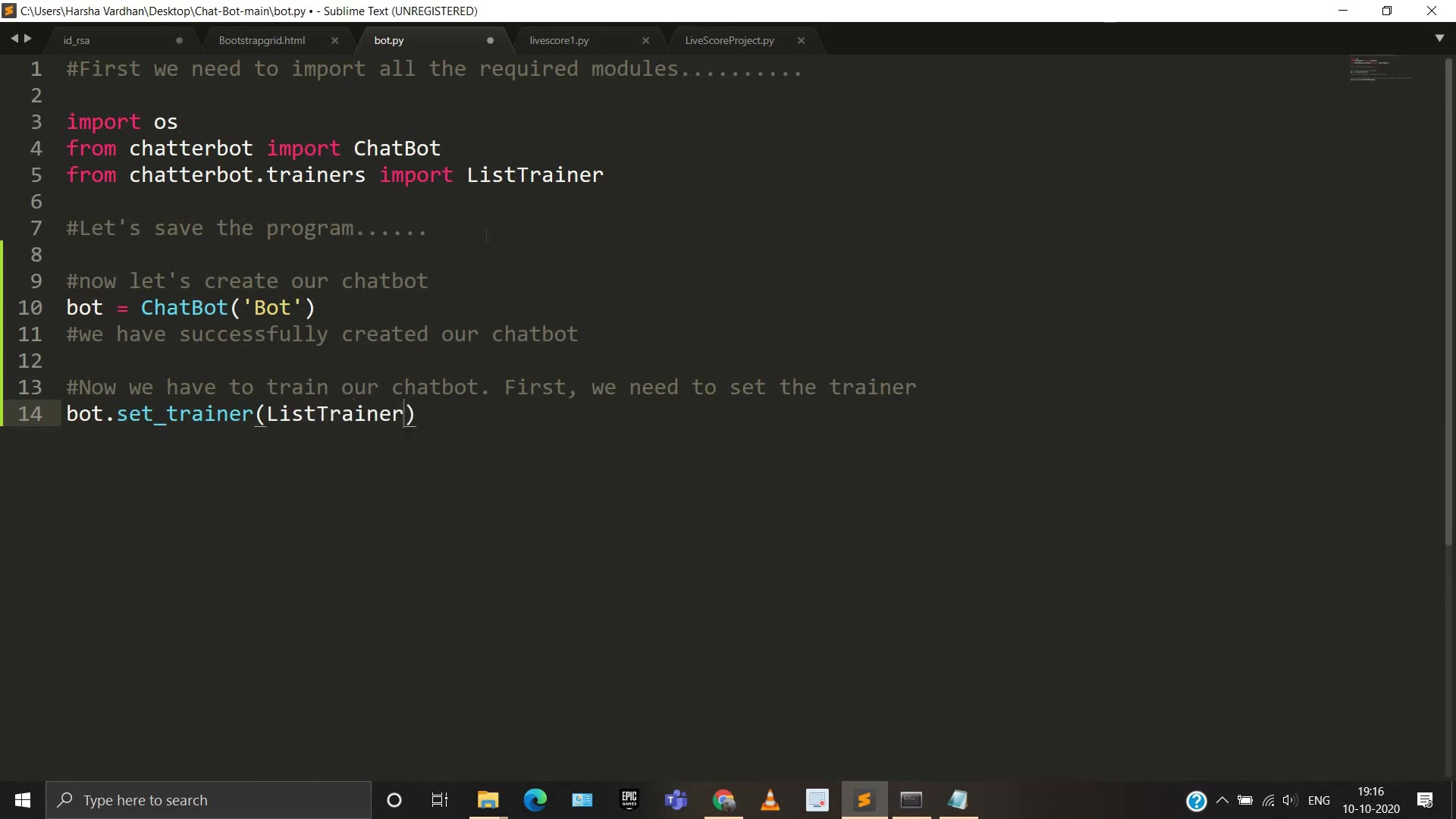
The Python code for creating a chatbot involves several key components. These include importing necessary libraries, creating a ChatBot instance, setting up a trainer, and loading the conversational data. The following code block provides a basic structure:
import os
from chatterbot import ChatBot
from chatterbot.trainers import ListTrainer

# Creating ChatBot Instance
bot = ChatBot('Bot')

# Setting the Trainer
bot.set_trainer(ListTrainer)

# Providing the data (.yml)files path
langFile = os.listdir('C:/Users/Harsha Vardhan/Desktop/Chat-Bot-main/chatterbot-corpus/chatterbot_corpus/data/english/')

langFile

print(file)
This code initializes the ChatBot and sets the ListTrainer to train the bot using a list of conversations.
# Now let's train our chat bot
for file in langFile:
    data = open('C:/Users/Harsha Vardhan/Desktop/Chat-Bot-main/chatterbot-corpus/chatterbot_corpus/data/english/' +file,'r',encoding='utf-8').readlines()
bot.train(data)
# Let's chat with our bot
while True:
message = input('Chat with Bot :')
if(message=='bye'):
print('Missing you so much.......')
break
else:
reply = bot.get_response(message)
print('Bot :',reply)
print(file)In this block, the code is set to read data line by line in individual YML files by defining the absolute path, then the message is saved and printed. By understanding these components, you can modify and extend the chatbot’s functionality to suit specific needs.
This structured approach ensures that the chatbot is properly initialized, trained, and ready for interaction, facilitating a smooth and effective user experience.
Custom YAML Files for Personalized Chatbot Knowledge
Crafting Your Own Conversational Datasets
One of the key advantages of using ChatterBot is the ability to customize the chatbot's knowledge base. By creating your own .yml files, you can teach your chatbot specific information and conversation flows Relevant to your application.
This customization involves creating new .yml files with specific conversational pairs. Consider the following structure:
categories:
- greetings
conversations:
- - Hello
  - Hi there!
- - How are you?
  - I am doing well, thank you!
In this example, the chatbot learns simple greetings. You can extend this to include more complex scenarios tailored to your specific use cases. The flexibility to add conversational data tailored to distinct situations increases the chatbot's ability to offer accurate and pertinent responses, creating a smooth and interesting user experience. This ensures that the chatbot can address a wide array of user inquiries with contextually relevant and useful information. You can introduce additional categories to enhance chatbot customization: For instance, creating specific YAML files for technical support, product inquiries, or general FAQs can significantly improve its relevance to particular user requirements. This approach enables the chatbot to offer customized answers and information, making it an invaluable tool for user support and interaction. The aim is to design a system that satisfies the customer's request while also reflecting the distinct qualities of your brand.
Brand voice and tone are essential for creating a chatbot that not only answers questions but also embodies your company's personality and ideals. Adjust the chatbot's replies to be consistent with your brand's preferred tone, whether it's formal, informal, humorous, or professional.








Most people like































Report
Please select a reason for reporting
- 13 Reasons to Switch from Snapchat to Text Messaging
- 7 Powerful Speech to Text Apps to Boost Productivity
- 10 Best Speech to Text Tools for Effortless Transcription
- 13 Free Tools to Easily Transcribe Audio to Text
- 15 Surprising Ways Google's Speech-to-Text Boosts Productivity
- 7 Best Free Online Audio to Text Transcription Tools
- 9 Tips to Transcribe Speech to Text Faster and Better
- 13 Best Speech to Text Software for Windows 10 in 2023
- 7 Tips for Choosing the Best Transcriber for Audio to Text
- 11 Reasons Why Dragon Speech-to-Text Apps are Game-Changers
- 6 Secrets to Enhance Your Speech to Text Transcription
- 6 Brilliant Ways to Boost Productivity with Talk-to-Text on Your MacBook
- 6 Ways Transcription Software Converts Audio to Text
- 8 Tips to Transcribe Speech to Text Like a Pro
- 6 Reasons IBM Watson Speech to Text is a Game-Changer
- 14 Powerful Ways Talk-to-Text Improves Your Workflow
- 12 Top Windows Speech-to-Text Software for Efficient Transcription
- 12 Game-Changing Benefits of Apple's Speech to Text Technology
- 9 Powerful Use Cases for AWS Speech to Text Technology
- 10 Easy Steps to Transcribe YouTube Videos to Text
- transcription audio en texte
- online audio transcription
- free audio file transcription
- free ai audio transcription
- audio transcription service
- audio transcription online free
- audio transcription free online
- audio to transcription software
- audio and transcript
- ai audio transcription free
- voice recording to text converter
- translate voice recording to text
- record voice to text
- audio recording to text converter
- voice recording and transcription
- chatgpt voice to text
- gmail voice to text
- speech to text reader
- speech to text ai free
- speech to talk
- How to Use AI Tools to Find Internal Linking Opportunities Across a Business Website
- Discover Your Perfect Haircut with AI Hairstyle Apps
- Free Reputation Calculator Tools: How They're Adapting to Score AI Visibility, Not Just Rankings
- Design Professional Flyers for Free on Your Phone
- Best Free Flyer Maker Apps for Android: Design Like a Pro
- How to Know If Your Business Is Ready for an AI Customer Service Agent
- Revolutionizing Storytelling: From Novels to Screenplays with AI
- Create Engaging Animated Explainer Videos with a Free AI Tool
- Stop Multi-Subscribing: Benchmark Top AI Visual Models in One Canvas
- Best Seedance 2.5 API Provider: Every Price on the Market, Checked at Source
- Top AI Social Media Management Tools: Automate Your Content Strategy
- Free AI Text to Video Generator: Create Stunning Videos from Text
- Discover 17 ChatGPT Alternatives: A Comprehensive Comparison
- Character.AI vs. Janitor AI: Which AI Chat Platform Reigns Supreme?
- Top Virtual Assistant Companies in 2026: Reviews, Pricing, and Plans Compared
- Unveiling FaceCheck.ID: Revolutionizing Reverse Image Searches with AI
- 11 Best AI Dialers in 2026: Features, Pricing, Pros and Cons
- How I Direct Consistent AI Clips: A Hands-On Guide to Multi-Model Generation
- A Realistic Review of the Photo Generator Image Tool
- Playwright MCP Server: Automated Web Testing with Agent Mode

Copyright ©2026 toolify