































Table of Contents
- Key Points
- Unveiling the Latest Spec Kit Enhancements
- Supported AI Agents and Their Integrations
- How to Use the New Spec Kit Features
- Weighing the Benefits and Considerations
- FAQ
- Related Questions


Unveiling the Latest Spec Kit Enhancements
Expanding AI Agent Support in Spec Kit
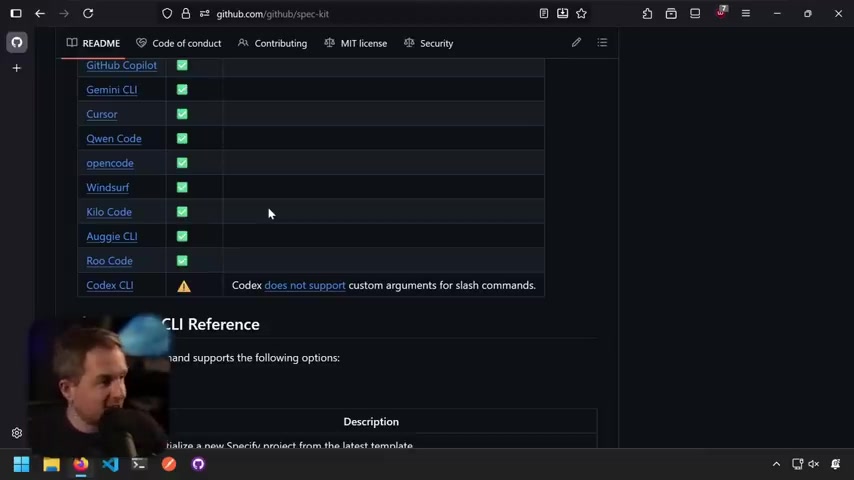
The latest enhancements to Spec Kit revolve around expanding support for various AI agents, making it even more versatile for different coding preferences. Now, developers can leverage the power of Codex, Roo Code, Kilo Code, and Auggie CLI within the Spec Kit framework. This broader range of AI integration allows developers to choose the tools they're most comfortable with, fostering a more personalized and productive SDD experience.
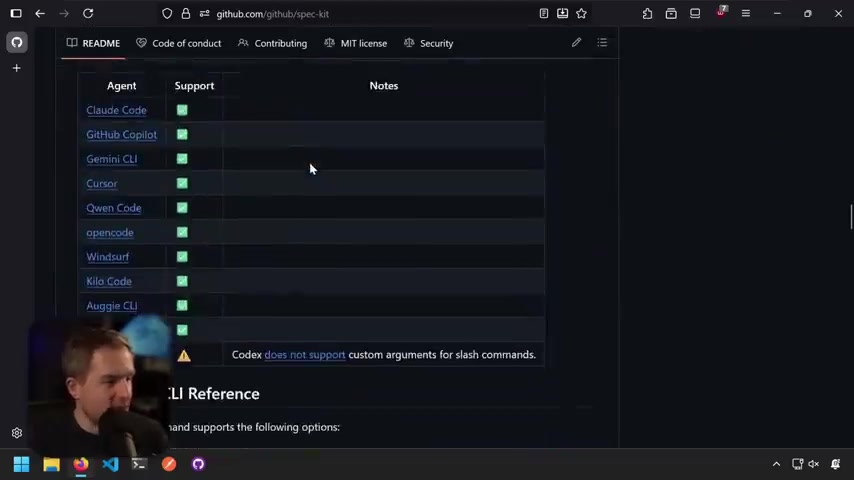
To understand which agents are supported, consult the 'Supported AI Agents' section within the Spec Kit's README file. This table provides a clear overview of compatible agents and any specific notes related to their integration with Spec Kit.
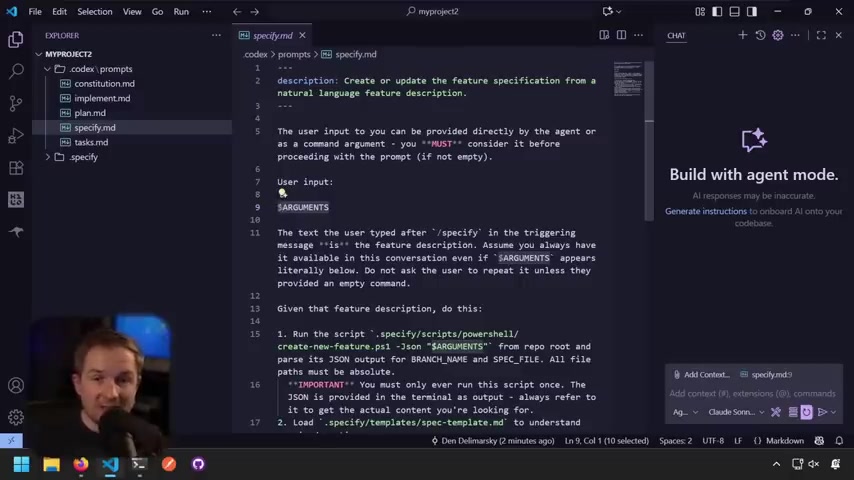
However, it’s crucial to acknowledge the limitations, as Codex does not support custom arguments in slash commands. This caveat may influence the choice of AI agent, depending on the specific needs of the development project.
This commitment to expanding AI agent support underscores Spec Kit's goal: providing developers with the flexibility to integrate the best tools into their SDD workflow.
Spec Kit's Enhanced Documentation: A Roadmap for Success
Effective documentation is the backbone of any successful software project. Spec Kit's enhanced documentation ensures that developers have clear guidance on how to use the tool effectively.
The creation of a dedicated documentation website (github.github.io/spec-kit) provides users with easy access to comprehensive guides, tutorials, and reference materials. This centralized resource facilitates onboarding, troubleshooting, and a deeper understanding of Spec Kit's functionalities.
Key improvements to the documentation include:
- A detailed explanation of Spec Kit's core concepts and principles
- Step-by-step guides for common development tasks
- Clear instructions on contributing to the project
- A comprehensive FAQ section addressing common questions
By investing in documentation, Spec Kit aims to lower the barrier to entry and empower developers to fully leverage its capabilities. This improved accessibility is a significant step towards promoting wider adoption of SDD practices.
The documentation is also available as part of this markdown file, allowing people to improve using LLM.
AI-Assisted Contributions to Spec Kit: Balancing Innovation and Quality
Spec Kit embraces the power of AI in software development but recognizes the importance of human oversight. New guidelines for AI-assisted contributions ensure that contributions are valuable, well-understood, and align with the project's goals.
These AI contributions must encompass:
- Human understanding and testing: You've personally tested the changes and understand what they do.
- Clear rationale: You can explain why the change is needed and how it fits within Spec Kit's goals.
- Concrete evidence: Include test cases, scenarios, or examples that demonstrate the improvement.
- Your own analysis: Share your thoughts on the end-to-end developer experience.
These points ensure high-quality of the contributions, as untestested changes submitted without verification or generic suggestion don't address specific Spec Kit's needs are rejected.
This approach promotes a responsible and collaborative development environment, leveraging AI to accelerate progress while maintaining the integrity of the project.
Addressing Security: Protecting API Keys and Credentials
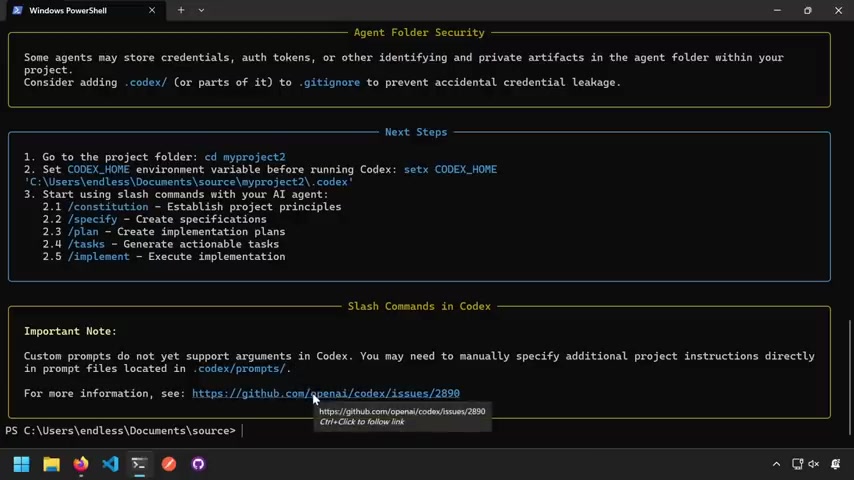
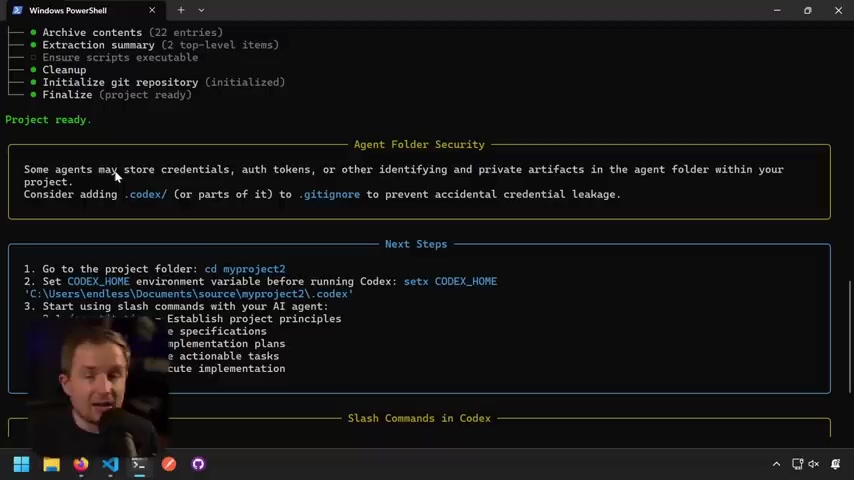
Security is a critical concern in modern software development. Spec Kit acknowledges this by addressing potential credential leakage issues associated with certain AI agents. To mitigate this risk, Spec Kit recommends that developers add a .codex/ directory (or parts of it) to .gitignore to prevent accidental credential leakage, since Codex AI Tools are saving the authentication tokens on agent's folder in your project.
By implementing this safeguard, Spec Kit aims to ensure that sensitive information is not inadvertently exposed, preserving the integrity of development projects. More details are displayed upon project provisioning completion.
Streamlining Local Development and Release Packages for Spec Kit
The development of the project allows an improve testing process and speed up the creation of new functions. The releases are the opportunity to test locally even if you're trying to contribute to Spec Kit
Supported AI Agents and Their Integrations
Overview of AI Agent Integrations
Spec Kit offers comprehensive support for a range of AI agents, each bringing its unique strengths and capabilities to the SDD process. Here's a glimpse of the currently supported agents:
-
Claude Code: Integrates with Anthropic's Claude Code CLI, supporting the key functionalities.
-
Gemini CLI: Leverages Google's Gemini CLI for similar function.
-
GitHub Copilot: Works seamlessly within VS Code, utilizing the GitHub Copilot integration for code completion and suggestion. For that, all you have to do is install copilot in the visual studio code.
-
Cursor: Supports slash commands as well.
-
Qwen Code: Leverages Alibaba's Qwen Code CLI for similar function.
-
OpenCode: Allows for some slash commands as well.
-
Windsurf: IDE Workflows, based N/A (IDE-based).
-
Kilo Code: Supports Kilo Code CLI. Kilo code uses some commands as Roo Code so you might find it familiar, the implementation is practically the same
-
Auggie CLI: For the Auggie CLI you just need the code and it will recognize that you're about to work on the project
Each agent has its own conventions so, remember to take notes of them or you may find it harder to understand. Specially because you can find authentication issues.





Most people like

































Report
Please select a reason for reporting
- 13 Reasons to Switch from Snapchat to Text Messaging
- 7 Powerful Speech to Text Apps to Boost Productivity
- 10 Best Speech to Text Tools for Effortless Transcription
- 13 Free Tools to Easily Transcribe Audio to Text
- 15 Surprising Ways Google's Speech-to-Text Boosts Productivity
- 7 Best Free Online Audio to Text Transcription Tools
- 9 Tips to Transcribe Speech to Text Faster and Better
- 13 Best Speech to Text Software for Windows 10 in 2023
- 7 Tips for Choosing the Best Transcriber for Audio to Text
- 11 Reasons Why Dragon Speech-to-Text Apps are Game-Changers
- 6 Secrets to Enhance Your Speech to Text Transcription
- 6 Brilliant Ways to Boost Productivity with Talk-to-Text on Your MacBook
- 6 Ways Transcription Software Converts Audio to Text
- 8 Tips to Transcribe Speech to Text Like a Pro
- 6 Reasons IBM Watson Speech to Text is a Game-Changer
- 14 Powerful Ways Talk-to-Text Improves Your Workflow
- 12 Top Windows Speech-to-Text Software for Efficient Transcription
- 12 Game-Changing Benefits of Apple's Speech to Text Technology
- 9 Powerful Use Cases for AWS Speech to Text Technology
- 10 Easy Steps to Transcribe YouTube Videos to Text
- transcription audio en texte
- online audio transcription
- free audio file transcription
- free ai audio transcription
- audio transcription service
- audio transcription online free
- audio transcription free online
- audio to transcription software
- audio and transcript
- ai audio transcription free
- voice recording to text converter
- translate voice recording to text
- record voice to text
- audio recording to text converter
- voice recording and transcription
- chatgpt voice to text
- gmail voice to text
- speech to text reader
- speech to text ai free
- speech to talk
- How to Use AI Tools to Find Internal Linking Opportunities Across a Business Website
- Discover Your Perfect Haircut with AI Hairstyle Apps
- Free Reputation Calculator Tools: How They're Adapting to Score AI Visibility, Not Just Rankings
- Design Professional Flyers for Free on Your Phone
- Best Free Flyer Maker Apps for Android: Design Like a Pro
- How to Know If Your Business Is Ready for an AI Customer Service Agent
- Revolutionizing Storytelling: From Novels to Screenplays with AI
- Create Engaging Animated Explainer Videos with a Free AI Tool
- Stop Multi-Subscribing: Benchmark Top AI Visual Models in One Canvas
- Best Seedance 2.5 API Provider: Every Price on the Market, Checked at Source
- Top AI Social Media Management Tools: Automate Your Content Strategy
- Free AI Text to Video Generator: Create Stunning Videos from Text
- Discover 17 ChatGPT Alternatives: A Comprehensive Comparison
- Character.AI vs. Janitor AI: Which AI Chat Platform Reigns Supreme?
- Top Virtual Assistant Companies in 2026: Reviews, Pricing, and Plans Compared
- Unveiling FaceCheck.ID: Revolutionizing Reverse Image Searches with AI
- 11 Best AI Dialers in 2026: Features, Pricing, Pros and Cons
- How I Direct Consistent AI Clips: A Hands-On Guide to Multi-Model Generation
- A Realistic Review of the Photo Generator Image Tool
- Playwright MCP Server: Automated Web Testing with Agent Mode

Copyright ©2026 toolify