































Table of Contents
- Key Points
- Understanding the Need for Spec Kit
- Diving Deeper into Spec-Driven Development
- Setting Up and Using GitHub's Spec Kit
- Advantages and Disadvantages of Using Spec Kit
- Frequently Asked Questions
- Further Exploration of Spec Kit's Impact


Understanding the Need for Spec Kit
How Spec Kit Solves the Problem
Spec Kit solves the problem of misalignment by focusing on detailed specifications from the outset. The kit provides tools to gather comprehensive information about the project's goals, requirements, and technical stack.
This information is then used to guide the development process, ensuring that the final product adheres to the initial specifications. By incorporating AI, Spec Kit can provide automated suggestions and validations, further reducing the risk of deviations.
Spec Kit supports integration with popular AI coding tools, such as Cursor, Windsurf, and VS Code clients. This allows developers to work within their preferred environments while still benefiting from the guidance and validation provided by Spec Kit. The toolkit streamlines the process of specifying project details, making it easier for teams to build high-quality software faster and more consistently.
GitHub emphasizes that Spec Kit increases confidence in meeting expected outcomes, improving overall vibecoding efficiency.
Diving Deeper into Spec-Driven Development
What is Spec-Driven Development?
Spec-Driven Development flips the script on traditional software development. For decades, code has been king—specifications were just scaffolding we built and discarded once the “real work” of coding began. Spec-Driven Development changes this: specifications become executable, directly generating working implementations rather than just guiding them.
This approach ensures that every aspect of the project is well-defined and understood before any code is written. Spec Kit provides the framework for achieving this level of clarity, reducing ambiguity and ensuring that all stakeholders are aligned on the project's objectives.
Spec-Driven Development involves specifying precisely what the software should do before the coding process begins. This involves defining the functionality, inputs, outputs, and expected behaviors of each component. By clarifying these details in advance, developers can create more reliable and predictable software, reducing the likelihood of errors and misunderstandings. This method promotes a proactive approach to development, ensuring that potential issues are identified and addressed early in the lifecycle.
Setting Up and Using GitHub's Spec Kit
Initial Setup and Installation
Setting up Spec Kit involves a few straightforward steps. First, you need to clone the Spec Kit repository from GitHub. The repository link is provided in the description for easy access. Once cloned, you can initialize the project in your local environment. This involves running a specific command that sets up the necessary configurations and templates.
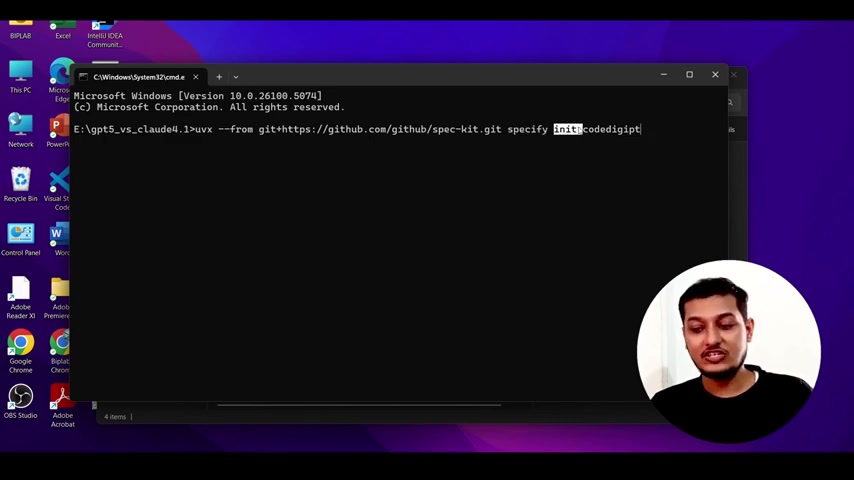
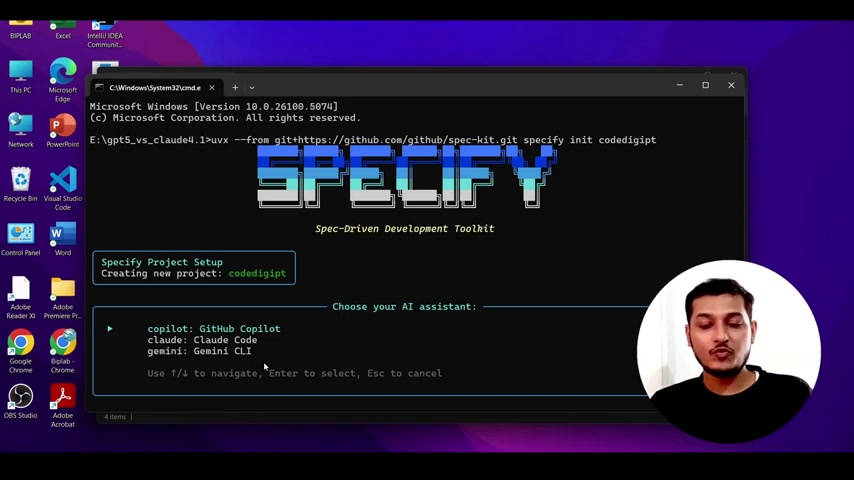
The command to install Spec Kit is uvx --from git+https://github.com/github/spec-kit.git specify init <project_name> You need to replace <project_name> with the name you want to give your project. After running this command, Spec Kit initializes the project with the required tools and templates.
Once initialized, Spec Kit presents a terminal interface where you can specify various project details. This includes choosing your AI assistant—options include GitHub Copilot, Claude Code, and Gemini CLI. The selection of the AI assistant can impact the development workflow, with GitHub Copilot being the suggested choice for optimal integration.
Configuring your Project
Configuring your project involves providing specific details about what you’re building and why. Spec Kit uses this information to generate a detailed specification that guides the development process. You can define the architecture, constraints, and dependencies for your project. This ensures that the coding agent has a comprehensive understanding of the project's requirements.
Using the /specify command, you can describe what you want to build, focusing on the what and why rather than the tech stack. This approach helps maintain a focus on the project's goals and user needs. The /plan command is then used to get technical, specifying the desired stack, architecture, and constraints. Finally, the /tasks command breaks down the project into manageable, reviewable chunks, each solving a specific piece of the puzzle.
Navigating and Using the Copilot Chat
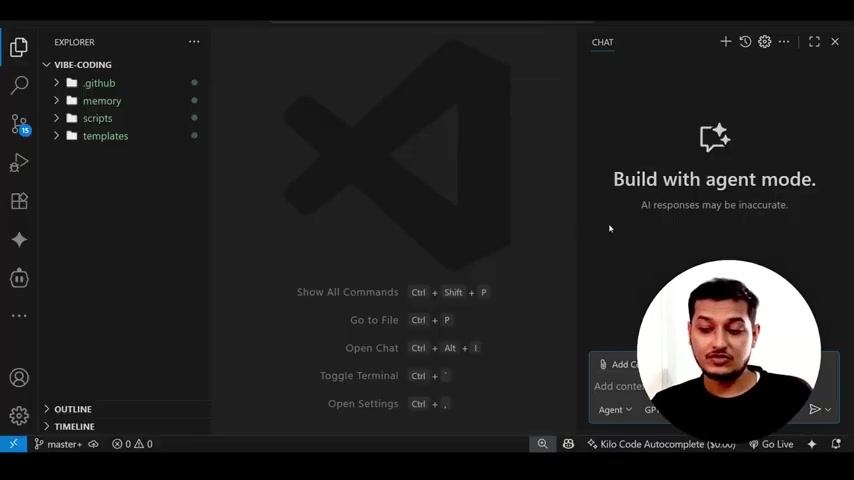
Spec Kit integrates seamlessly with tools like GitHub Copilot, enhancing the vibecoding experience by providing context-aware suggestions and automated code generation. When working in VS Code, you’ll notice new extensions and slash commands that streamline the development process. These commands are workspace-specific, meaning that they are tailored to the current project rather than being general Copilot features.
Inside the copilot chat, you will see a number of extensions. If you press ‘/’ you should see /plan, /specify, /tasks These are commands available in your copilot. This feature is very helpful when trying to make sure the bot can see what is going on. This is in agent mode.











Most people like




























Report
Please select a reason for reporting
- 13 Reasons to Switch from Snapchat to Text Messaging
- 7 Powerful Speech to Text Apps to Boost Productivity
- 10 Best Speech to Text Tools for Effortless Transcription
- 13 Free Tools to Easily Transcribe Audio to Text
- 15 Surprising Ways Google's Speech-to-Text Boosts Productivity
- 7 Best Free Online Audio to Text Transcription Tools
- 9 Tips to Transcribe Speech to Text Faster and Better
- 13 Best Speech to Text Software for Windows 10 in 2023
- 7 Tips for Choosing the Best Transcriber for Audio to Text
- 11 Reasons Why Dragon Speech-to-Text Apps are Game-Changers
- 6 Secrets to Enhance Your Speech to Text Transcription
- 6 Brilliant Ways to Boost Productivity with Talk-to-Text on Your MacBook
- 6 Ways Transcription Software Converts Audio to Text
- 8 Tips to Transcribe Speech to Text Like a Pro
- 6 Reasons IBM Watson Speech to Text is a Game-Changer
- 14 Powerful Ways Talk-to-Text Improves Your Workflow
- 12 Top Windows Speech-to-Text Software for Efficient Transcription
- 12 Game-Changing Benefits of Apple's Speech to Text Technology
- 9 Powerful Use Cases for AWS Speech to Text Technology
- 10 Easy Steps to Transcribe YouTube Videos to Text
- transcription audio en texte
- online audio transcription
- free audio file transcription
- free ai audio transcription
- audio transcription service
- audio transcription online free
- audio transcription free online
- audio to transcription software
- audio and transcript
- ai audio transcription free
- voice recording to text converter
- translate voice recording to text
- record voice to text
- audio recording to text converter
- voice recording and transcription
- chatgpt voice to text
- gmail voice to text
- speech to text reader
- speech to text ai free
- speech to talk
- Create Engaging Animated Explainer Videos with a Free AI Tool
- Stop Multi-Subscribing: Benchmark Top AI Visual Models in One Canvas
- Best Seedance 2.5 API Provider: Every Price on the Market, Checked at Source
- AI OnlyFans: How to Generate $30,000/Month (Legally)
- Transform Your Script into an Engaging Video with AI Video Maker!
- AI Marketing Automation: A Comprehensive Guide for Small Businesses
- Midjourney Alternative for Anime Art Creators: Why PixAI May Be Better for Character Workflows
- 10 Things Most People Get Wrong About AI Image Search
- AI Girlfriend Apps: Top Choices Redefining Relationships 2025
- How to Reduce Quoting Errors in Salesforce with AI-Assisted Quote Creation
- Convert PDF to Audio: Free Urdu Text-to-Speech Tool
- Automatically Transcribe and Subtitle Audio and Video with Descript
- Revolutionize your video editing with AI-generated transcripts
- Mastering Wordpad: Essential Tips for Windows 10 Users
- AfirstSoft PDF Editor: The Ultimate PDF Solution of 2025
- UPDF: The Ultimate PDF Editor for iPadOS and macOS
- Translate PDF Documents: A Comprehensive Guide with OnlineDocTranslator
- Tenorshare PDNob PDF Editor: Smarter AI-Powered Editing
- uPDF Pro Review: AI-Powered PDF Editing for Professionals
- Master the Art of Wrapping Text in Illustrator CC

Copyright ©2026 toolify