































Table of Contents
- Key Points
- Understanding Python Lists
- Advanced List Techniques
- How to Use Common List Methods in Python
- Advantages and Disadvantages of Python Lists
- Frequently Asked Questions (FAQ)
- Related Questions


Understanding Python Lists
What is a Python List?
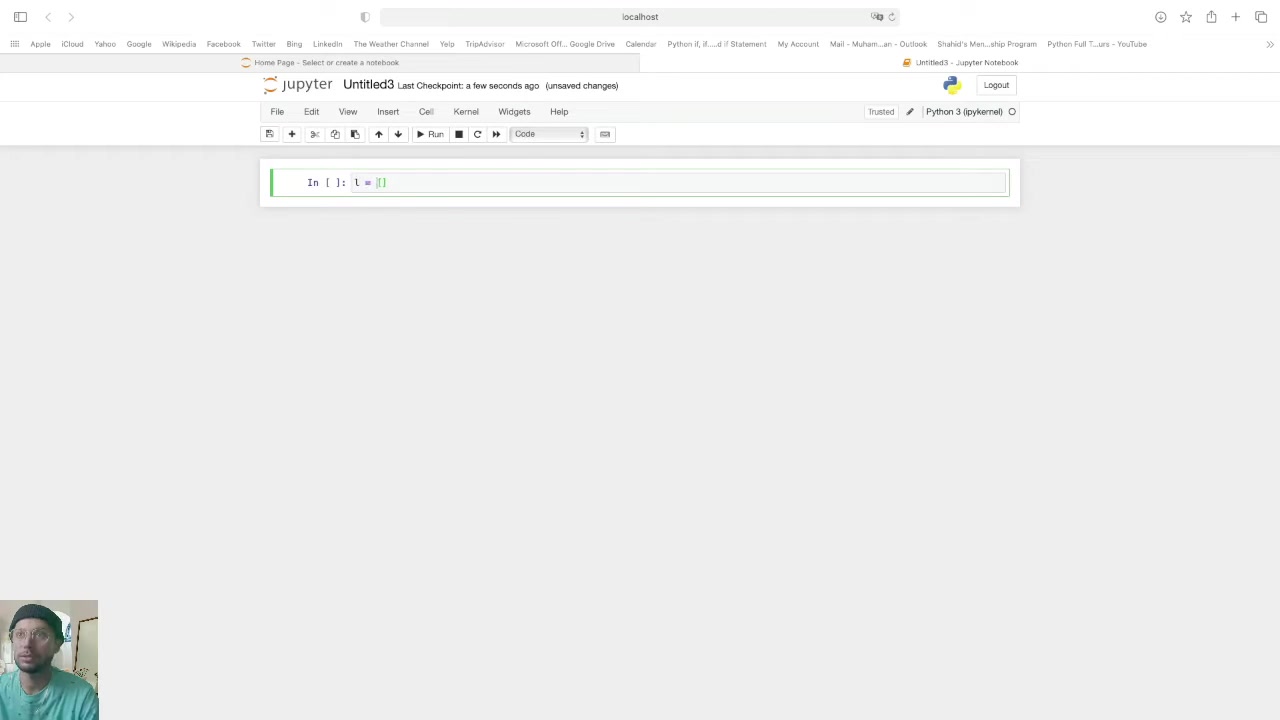
A Python list is a versatile and mutable data structure that allows you to store an ordered sequence of items. Lists are defined using square brackets [] and can contain elements of different data types, including numbers, strings, and even other lists.
Key characteristics of Python lists:
- Ordered: The elements in a list have a specific order, which is maintained throughout the list's lifetime.
- Mutable: You can change the contents of a list after it has been created by adding, removing, or modifying elements.
- Heterogeneous: Lists can store elements of different data types within the same list. This flexibility makes them suitable for representing diverse collections of data.
- Dynamic: The size of a list can grow or shrink dynamically as you add or remove elements.
- Denoted by Square Brackets: Lists are enclosed in square brackets, with individual elements separated by commas.
Lists in Python are incredibly versatile. They are a cornerstone of many programming tasks, especially where data manipulation is involved. Whether it's managing user data, processing sensor readings, or handling complex algorithmic tasks, lists offer a robust foundation. Because they are mutable, their capacity to adapt and change during a program's runtime makes them indispensable in any programmer’s toolkit. As we delve further into the Tutorial, we'll explore these aspects in greater detail, equipping you with the knowledge to leverage lists effectively in your Python projects.
Creating Python Lists
There are several ways to create Python lists, each suited for different scenarios. Understanding these methods is key to effectively utilizing lists in your code.
-
Empty List: To create an empty list, simply use square brackets with nothing inside:
my_list = []
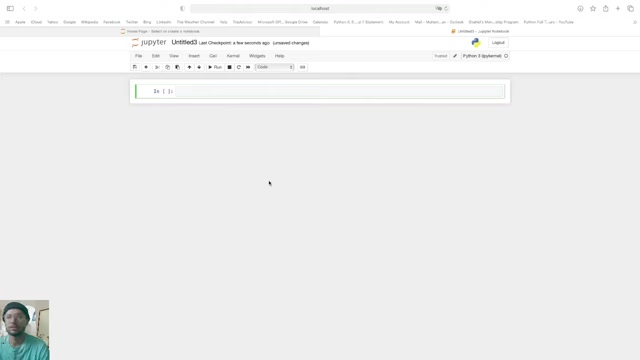
This is particularly useful when you plan to add elements to the list later, perhaps through a loop or some other dynamic process.
-
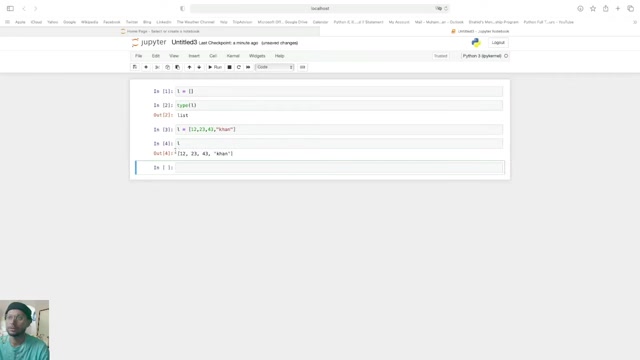
List with Initial Values: You can create a list with initial values by placing the elements inside the square brackets, separated by commas:
numbers = [1, 2, 3, 4, 5]
fruits = ["apple", "banana", "cherry"]
mixed_list = [1, "hello", 3.14, True]
This method is straightforward when you know the exact elements you want to include in the list from the outset. The elements can be of varying types, showcasing the heterogeneous nature of Python lists.
-
Using the
list()Constructor: Thelist()constructor can be used to create a list from an iterable object, such as a string, tuple, or another list:string = "Python" char_list = list(string) # Results in ['P', 'y', 't', 'h', 'o', 'n'] tuple_ = (1, 2, 3) num_list = list(tuple_) # Results in [1, 2, 3]This method is especially valuable when you need to convert existing iterable data into a list format for further manipulation. The string example illustrates how a string is broken down into a list of individual characters.
-
List Comprehension: List comprehension provides a concise way to create lists based on existing iterables. It applies an expression to each item in an iterable and includes the result in the new list:
numbers = [1, 2, 3, 4, 5]
squares = [x**2 for x in numbers]  # Results in [1, 4, 9, 16, 25]

even_numbers = [x for x in numbers if x % 2 == 0]  # Results in [2, 4]
List comprehensions are not only efficient but also enhance code readability by combining the loop and element manipulation into a single line. They're perfect for generating lists based on transformations or filters applied to other collections.
Understanding these methods will equip you to choose the most appropriate way to create lists in various situations, thus streamlining your coding process and improving efficiency. Knowing when to use each method can also impact the performance of your code, especially in scenarios involving large datasets or complex operations.
Accessing and Manipulating List Elements
Once you've created a Python list, the next step is to learn how to access and manipulate its elements. Lists are incredibly flexible, and understanding how to interact with their elements is crucial for data handling.
-
Accessing Elements by Index: Each element in a list is associated with an index, starting from 0 for the first element. You can access elements using this index:
my_list = ['apple', 'banana', 'cherry']
first_element = my_list[0]  # 'apple'
second_element = my_list[1] # 'banana'
last_element = my_list[-1]  # 'cherry' (negative index)
Negative indices allow you to access elements from the end of the list. my_list[-1] retrieves the last element, my_list[-2] the second-to-last, and so on. This is particularly helpful when you want to retrieve the last few elements without knowing the list's length.
-
Slicing Lists: Slicing allows you to extract a portion of a list. You can specify a start index, an end index, and a step:
numbers = [0, 1, 2, 3, 4, 5, 6, 7, 8, 9]
sub_list = numbers[2:5]  # Results in [2, 3, 4]
every_other = numbers[::2]  # Results in [0, 2, 4, 6, 8]
reversed_list = numbers[::-1]  # Results in [9, 8, 7, 6, 5, 4, 3, 2, 1, 0]
Slicing is a powerful feature for extracting sub-lists or transforming lists in various ways. The
numbers[2:5]example retrieves elements from index 2 up to (but not including) index 5. Thenumbers[::2]example retrieves every other element, starting from the first.numbers[::-1]creates a reversed copy of the list, which is a common operation in many algorithms. -
Modifying Elements: Because lists are mutable, you can easily change their contents:
my_list = ['apple', 'banana', 'cherry']
my_list[1] = 'grape'  # Changes 'banana' to 'grape'
my_list.append('orange') # Adds 'orange' to the end
my_list.insert(2, 'kiwi')  # Inserts 'kiwi' at index 2
The ability to modify list elements directly is a key advantage of lists. Using
append()adds an element to the end of the list, whileinsert()allows you to place an element at a specific position, shifting the other elements to make room. -
Removing Elements: There are several ways to remove elements from a list:
my_list = ['apple', 'banana', 'cherry', 'banana']
my_list.remove('banana')  # Removes the first 'banana'
popped_element = my_list.pop(1)  # Removes and returns element at index 1
del my_list[0]  # Deletes element at index 0
Removing elements is as simple as modifying them. The
remove()method removes the first occurrence of a specified value, whilepop()removes an element at a given index and returns it. Thedelstatement can also be used to delete elements by index or even slice. Each of these methods offers different ways to manage the size and content of your lists.
Understanding these techniques for accessing and manipulating list elements is essential for performing complex data operations. Whether you need to extract specific pieces of information, modify existing entries, or restructure your data, Python lists provide the tools necessary to accomplish these tasks efficiently. As we continue, we will see practical applications of these techniques in various programming scenarios.
How to Use Common List Methods in Python
Appending Elements to a List
Appending elements to a list is a fundamental operation for dynamically building lists. The append method adds an element to the end of the list, making it easy to grow a list as needed.
my_list = [1, 2, 3]
my_list.append(4)  # Add 4 to the end of the list
print(my_list)      # Output: [1, 2, 3, 4]
The append method is not only simple but also efficient. You can append any type of data, which makes it suitable for various situations. Each time you call append, the list grows in place, which means it alters the original list directly without creating a new one.
Removing Elements from a List
There are several methods to remove elements from a Python list, each serving a distinct purpose. Knowing how to use them effectively is essential for managing your data. The remove() method allows you to remove a specific item from a list, while pop() removes an element at a specific index.
my_list = ['apple', 'banana', 'cherry', 'banana']
my_list.remove('banana')  # Removes the first 'banana'
print(my_list)            # Output: ['apple', 'cherry', 'banana']

popped_element = my_list.pop(1)  # Removes and returns element at index 1
print(my_list)            # Output: ['apple', 'banana']
print(popped_element)     # Output: cherry
The remove() function searches the list for the first instance of the specified value and removes it. If the value is not found, a ValueError is raised. In contrast, pop() removes an element at a given index. Both methods are crucial for manipulating lists based on content or position.
Sorting a List in Python
Sorting is an essential operation for organizing lists. Python offers two primary methods for sorting lists: sort() and sorted():
-
The
sort()Method: Sorts the list in place, modifying the original list. This method is suitable when you want to change the order of elements in the list directly:numbers = [3, 1, 4, 1, 5, 9, 2, 6] numbers.sort() # Sorts in ascending order print(numbers) # Output: [1, 1, 2, 3, 4, 5, 6, 9] numbers.sort(reverse=True) # Sorts in descending order print(numbers) # Output: [9, 6, 5, 4, 3, 2, 1, 1] -
The
sorted()Function: Creates a new sorted list without modifying the original. This is ideal when you want to retain the original list and work with a sorted version:numbers = [3, 1, 4, 1, 5, 9, 2, 6] sorted_numbers = sorted(numbers) # Creates a sorted list print(numbers) # Output: [3, 1, 4, 1, 5, 9, 2, 6] (original list unchanged) print(sorted_numbers) # Output: [1, 1, 2, 3, 4, 5, 6, 9]







Most people like





































Report
Please select a reason for reporting
- 13 Reasons to Switch from Snapchat to Text Messaging
- 7 Powerful Speech to Text Apps to Boost Productivity
- 10 Best Speech to Text Tools for Effortless Transcription
- 13 Free Tools to Easily Transcribe Audio to Text
- 15 Surprising Ways Google's Speech-to-Text Boosts Productivity
- 7 Best Free Online Audio to Text Transcription Tools
- 9 Tips to Transcribe Speech to Text Faster and Better
- 13 Best Speech to Text Software for Windows 10 in 2023
- 7 Tips for Choosing the Best Transcriber for Audio to Text
- 11 Reasons Why Dragon Speech-to-Text Apps are Game-Changers
- 6 Secrets to Enhance Your Speech to Text Transcription
- 6 Brilliant Ways to Boost Productivity with Talk-to-Text on Your MacBook
- 6 Ways Transcription Software Converts Audio to Text
- 8 Tips to Transcribe Speech to Text Like a Pro
- 6 Reasons IBM Watson Speech to Text is a Game-Changer
- 14 Powerful Ways Talk-to-Text Improves Your Workflow
- 12 Top Windows Speech-to-Text Software for Efficient Transcription
- 12 Game-Changing Benefits of Apple's Speech to Text Technology
- 9 Powerful Use Cases for AWS Speech to Text Technology
- 10 Easy Steps to Transcribe YouTube Videos to Text
- transcription audio en texte
- online audio transcription
- free audio file transcription
- free ai audio transcription
- audio transcription service
- audio transcription online free
- audio transcription free online
- audio to transcription software
- audio and transcript
- ai audio transcription free
- voice recording to text converter
- translate voice recording to text
- record voice to text
- audio recording to text converter
- voice recording and transcription
- chatgpt voice to text
- gmail voice to text
- speech to text reader
- speech to text ai free
- speech to talk
- How to Use AI Tools to Find Internal Linking Opportunities Across a Business Website
- Discover Your Perfect Haircut with AI Hairstyle Apps
- Free Reputation Calculator Tools: How They're Adapting to Score AI Visibility, Not Just Rankings
- Design Professional Flyers for Free on Your Phone
- Best Free Flyer Maker Apps for Android: Design Like a Pro
- How to Know If Your Business Is Ready for an AI Customer Service Agent
- Revolutionizing Storytelling: From Novels to Screenplays with AI
- Create Engaging Animated Explainer Videos with a Free AI Tool
- Stop Multi-Subscribing: Benchmark Top AI Visual Models in One Canvas
- Best Seedance 2.5 API Provider: Every Price on the Market, Checked at Source
- Top AI Social Media Management Tools: Automate Your Content Strategy
- Free AI Text to Video Generator: Create Stunning Videos from Text
- Discover 17 ChatGPT Alternatives: A Comprehensive Comparison
- Character.AI vs. Janitor AI: Which AI Chat Platform Reigns Supreme?
- Top Virtual Assistant Companies in 2026: Reviews, Pricing, and Plans Compared
- Unveiling FaceCheck.ID: Revolutionizing Reverse Image Searches with AI
- 11 Best AI Dialers in 2026: Features, Pricing, Pros and Cons
- How I Direct Consistent AI Clips: A Hands-On Guide to Multi-Model Generation
- A Realistic Review of the Photo Generator Image Tool
- Playwright MCP Server: Automated Web Testing with Agent Mode

Copyright ©2026 toolify