































Table of Contents
- Key Points
- Understanding the Model Context Protocol (MCP)
- Exploring MCP Servers and Their Capabilities
- How to Integrate MCP Servers into Cursor
- Pricing Models of AI Coding IDEs with MCP Integration
- Analyzing the Pros and Cons of MCP in AI Coding
- Exploring the Core Features of MCP-Enabled AI Coding
- Real-World Applications of MCP in Coding Environments
- FAQ
- Related Questions


Understanding the Model Context Protocol (MCP)
What is Model Context Protocol (MCP)?
The Model Context Protocol (MCP) is an innovative protocol introduced by Anthropic
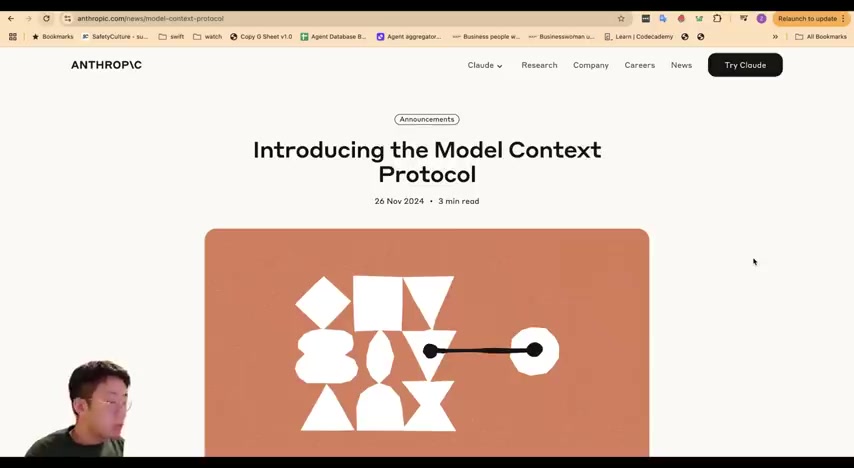
to provide a universal interface for AI agents. Think of MCP as a USB-C port for AI applications: just as USB-C standardizes connections for various peripherals, MCP standardizes the way AI models connect to different data sources and tools. This standardization unlocks new possibilities for AI-assisted coding, making it easier for AI agents to access and utilize relevant information from a wide range of sources. This, in turn, allows developers to create more intelligent and context-aware AI coding tools.
MCP bridges the gap between AI models and external systems, enabling AI agents to interact seamlessly with data, APIs, and other contextual services. This open protocol standardizes how applications provide context to Large Language Models (LLMs). The core concept revolves around establishing a common language that allows AI models to tap into a wealth of information. This greatly enhances their ability to assist in coding tasks, debug errors, and improve overall developer experience. By standardizing the interaction, MCP eliminates many hurdles that developers face when integrating AI into their workflows, leading to higher efficiency and productivity.
This innovative protocol has changed the way code is generated and debugged, boosting productivity. MCP enables AI agents to access not only local project files but also external resources and systems. This connection to diverse data sources allows the agent to generate more accurate and helpful code, troubleshoot problems faster, and understand project context better. It's not just about writing code; it's about understanding the project's needs and constraints.
The Evolution of AI Coding: From Chat to Intelligent Agents
AI coding has evolved significantly over the past few months
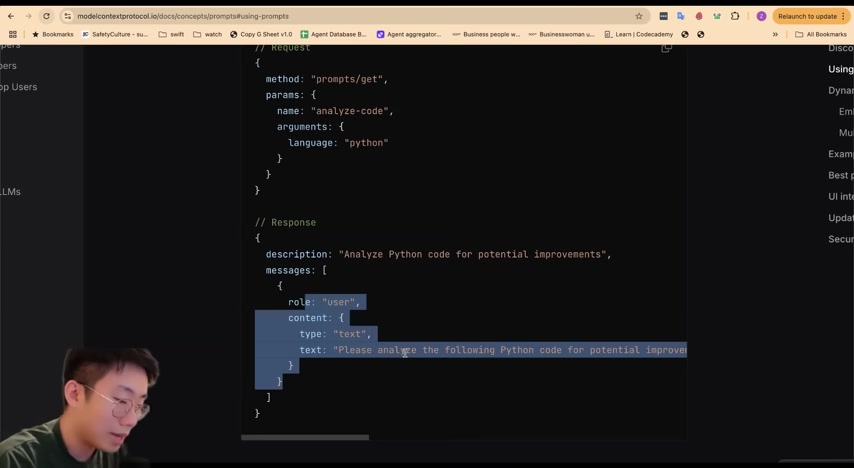
. Initially, it started with basic chat-based co-pilots that provided limited code suggestions. Now, AI IDEs such as Cursor and Windsurf have become powerful agents capable of planning, executing tasks, and interacting with external systems. The transformation reflects a move from simple code generation to a more comprehensive and intelligent development process.
This evolution is characterized by three key stages:
- Chat-based Co-pilots: These early tools allowed developers to interact with AI models through chat interfaces to generate code snippets.
- File Composers: These advanced tools create complete files based on developer inputs and project context, improving code generation efficiency.
- Intelligent Agents: The most recent advancement, intelligent agents such as those in Cursor and Windsurf, can plan and execute complex coding tasks, debug errors, and interact with external resources.
The integration of MCP into AI coding IDEs represents a significant leap forward, allowing agents to perform a broader range of actions beyond the standard capabilities. This integration enables the agents to:
- Read and write to databases like Supabase
- Access and interpret Figma files.
- Access private repositories.
- Call text-to-image models for asset generation.
- Analyze browser console logs and network requests for debugging.
Exploring MCP Servers and Their Capabilities
Leveraging Existing MCP Servers
One of the most exciting aspects of MCP is the availability of various MCP servers that extend the capabilities of AI coding environments
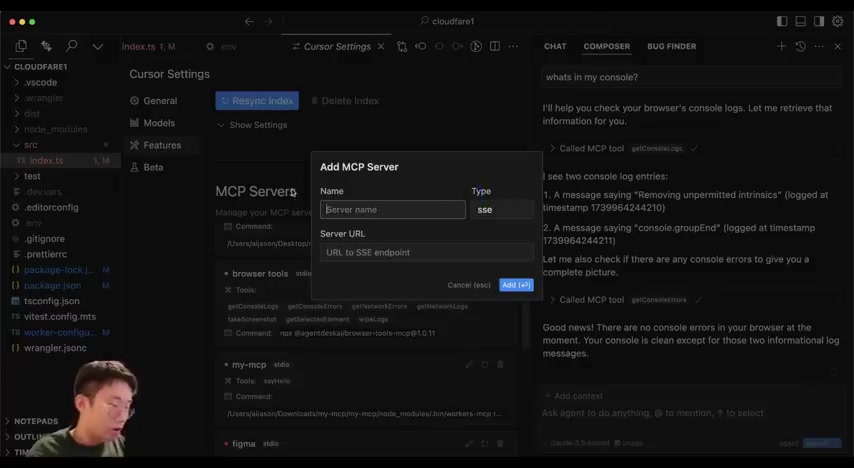
. These servers, created by developers, offer diverse tools and functionalities. Let's explore how you can leverage existing MCPs and integrate them into your AI coding workflows.
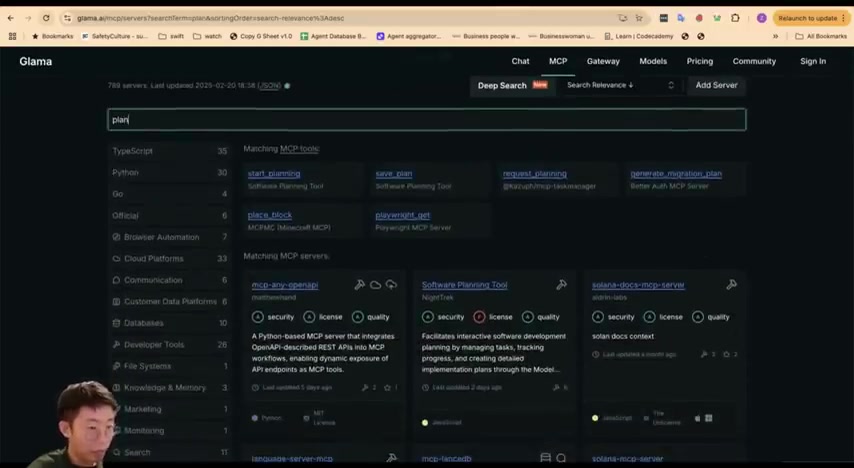
There are several platforms where you can find existing MCP servers, including:
- Glama.ai: A platform for discovering AI Tools, models and Agents.
- Smithery.ai: Focuses on extending language models with MCP servers.
- Cursor.directory: Curated list of MCP servers and rules for the Cursor editor.
- LM Systems Marketplace: A marketplace that is built to host MCP servers.
The way you use these MCP marketplace, you can search for the MCPs by categories such as typescript, python, Go, and other categories. To search Smithery.ai, you can copy the installation command into the AI coding IDE. You may copy this command line over, go to your cursor, select feature and and select a local command. That's all it takes to get running. There is also a new alternative to search for a Prompt, where you might be able to install a tool to help desktop.
Custom Integrations: Building Your Own MCP Server
If you can't find an existing MCP server that meets your needs, you can create your own
. Building your own MCP server allows you to tailor the AI coding environment to your specific project requirements. Though the official MCP documentation can be complex, resources like Cloudflare Workers offer a simpler path to creating custom MCP servers.
Let's walk through the basic steps to set up your own MCP server using Cloudflare Workers:
- Set up a Cloudflare Project: Start by creating a new folder for your project using the command line. Then, you have to specify your worker file, in which you are going to store all functions.
- Configure Your Cloudflare worker: Paste in your cloud, where it will be required to define command where its parameters are being communicated.
- Implement Functions: In order to work for specific integration in your AI IDLE, you need to perform a test and deploy the latest version. This is where you define the specific actions that your MCP server will perform, such as accessing databases, reading files, or calling external APIs.
- Connect Cursor to the New MCP Server: All that remains is to connect to your agent to any source of the system.
Here is an example of implementing a function that generates images:
- You can use functions to pull through SQL through supabase.
- Tools like GetConsolesLoges, GetNetworkErroes and TakeScreenshot.
- You can use MyWorker code to trigger generate images.
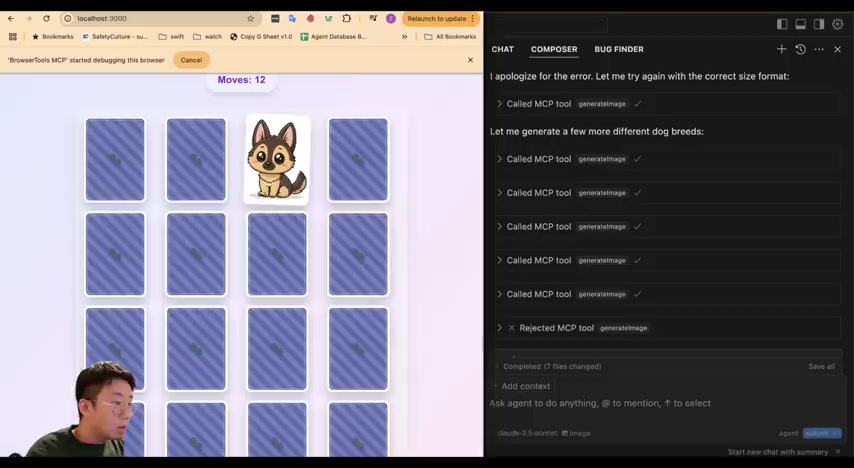
With the above steps performed, you should have a successfully deployed custom MCP server. There are some great use cases that allow developers to communicate with a wide range of functionalities.
How to Integrate MCP Servers into Cursor
Setting Up MCP Servers in Cursor
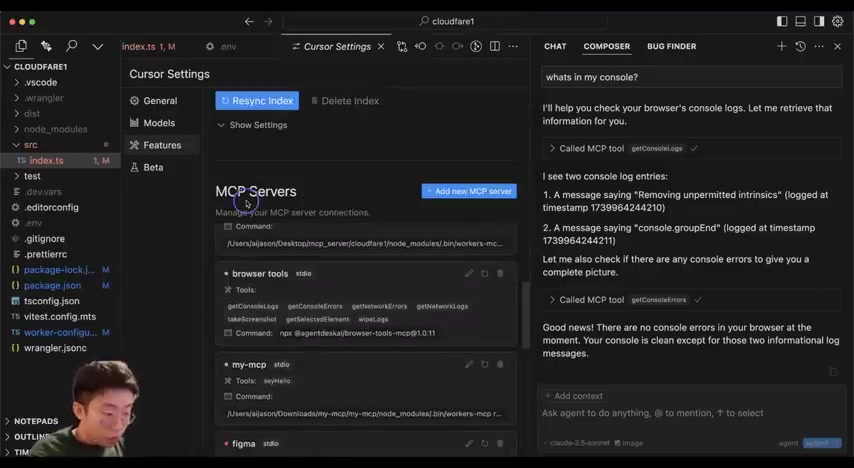
Integrating Model Context Protocol (MCP) servers into Cursor, a popular AI coding IDE, enhances its functionality and allows AI agents to access a broader range of data sources and services
. This process involves adding the MCP server details within the Cursor settings. First, you need to search through the MCP server and add the command line, through the code can access the command. After entering the command, in your Cursor code interface, you must access the MCP sever. That's all it takes to access the command.








Most people like





























Report
Please select a reason for reporting
- 13 Reasons to Switch from Snapchat to Text Messaging
- 7 Powerful Speech to Text Apps to Boost Productivity
- 10 Best Speech to Text Tools for Effortless Transcription
- 13 Free Tools to Easily Transcribe Audio to Text
- 15 Surprising Ways Google's Speech-to-Text Boosts Productivity
- 7 Best Free Online Audio to Text Transcription Tools
- 9 Tips to Transcribe Speech to Text Faster and Better
- 13 Best Speech to Text Software for Windows 10 in 2023
- 7 Tips for Choosing the Best Transcriber for Audio to Text
- 11 Reasons Why Dragon Speech-to-Text Apps are Game-Changers
- 6 Secrets to Enhance Your Speech to Text Transcription
- 6 Brilliant Ways to Boost Productivity with Talk-to-Text on Your MacBook
- 6 Ways Transcription Software Converts Audio to Text
- 8 Tips to Transcribe Speech to Text Like a Pro
- 6 Reasons IBM Watson Speech to Text is a Game-Changer
- 14 Powerful Ways Talk-to-Text Improves Your Workflow
- 12 Top Windows Speech-to-Text Software for Efficient Transcription
- 12 Game-Changing Benefits of Apple's Speech to Text Technology
- 9 Powerful Use Cases for AWS Speech to Text Technology
- 10 Easy Steps to Transcribe YouTube Videos to Text
- transcription audio en texte
- online audio transcription
- free audio file transcription
- free ai audio transcription
- audio transcription service
- audio transcription online free
- audio transcription free online
- audio to transcription software
- audio and transcript
- ai audio transcription free
- voice recording to text converter
- translate voice recording to text
- record voice to text
- audio recording to text converter
- voice recording and transcription
- chatgpt voice to text
- gmail voice to text
- speech to text reader
- speech to text ai free
- speech to talk
- Create Engaging Animated Explainer Videos with a Free AI Tool
- Stop Multi-Subscribing: Benchmark Top AI Visual Models in One Canvas
- Best Seedance 2.5 API Provider: Every Price on the Market, Checked at Source
- AI OnlyFans: How to Generate $30,000/Month (Legally)
- Transform Your Script into an Engaging Video with AI Video Maker!
- AI Marketing Automation: A Comprehensive Guide for Small Businesses
- Midjourney Alternative for Anime Art Creators: Why PixAI May Be Better for Character Workflows
- 10 Things Most People Get Wrong About AI Image Search
- AI Girlfriend Apps: Top Choices Redefining Relationships 2025
- How to Reduce Quoting Errors in Salesforce with AI-Assisted Quote Creation
- Convert PDF to Audio: Free Urdu Text-to-Speech Tool
- Automatically Transcribe and Subtitle Audio and Video with Descript
- Revolutionize your video editing with AI-generated transcripts
- Mastering Wordpad: Essential Tips for Windows 10 Users
- AfirstSoft PDF Editor: The Ultimate PDF Solution of 2025
- UPDF: The Ultimate PDF Editor for iPadOS and macOS
- Translate PDF Documents: A Comprehensive Guide with OnlineDocTranslator
- Tenorshare PDNob PDF Editor: Smarter AI-Powered Editing
- uPDF Pro Review: AI-Powered PDF Editing for Professionals
- Master the Art of Wrapping Text in Illustrator CC

Copyright ©2026 toolify