































Table of Contents
- Key Points
- Understanding Multilingual Chatbot Creation with Quickchat AI
- 5D Chess and AI Chatbots
- Step-by-Step Guide to Making Your Quickchat AI Chatbot Multilingual
- Understanding Quickchat AI Pricing Plans
- Advantages and Disadvantages of Using Quickchat AI for Multilingual Chatbots
- Core Features of Quickchat AI Platform
- Practical Use Cases for Multilingual Quickchat AI Chatbots
- Frequently Asked Questions
- Related Questions


Understanding Multilingual Chatbot Creation with Quickchat AI
Why Multilingual Chatbots?
In today’s globalized world, reaching a diverse audience is crucial for success. A multilingual chatbot can help you engage with customers in their native languages, improving customer satisfaction and expanding your market reach. Quickchat AI simplifies this process, allowing businesses to create intelligent chatbots that understand and respond in multiple languages without the need for extensive coding or translation efforts.
By offering support in multiple languages, you are showcasing a level of dedication that fosters stronger relationships with your customers, resulting in enhanced brand loyalty and trust. This can ultimately lead to increased sales and revenue generation, giving you a competitive edge in the market.
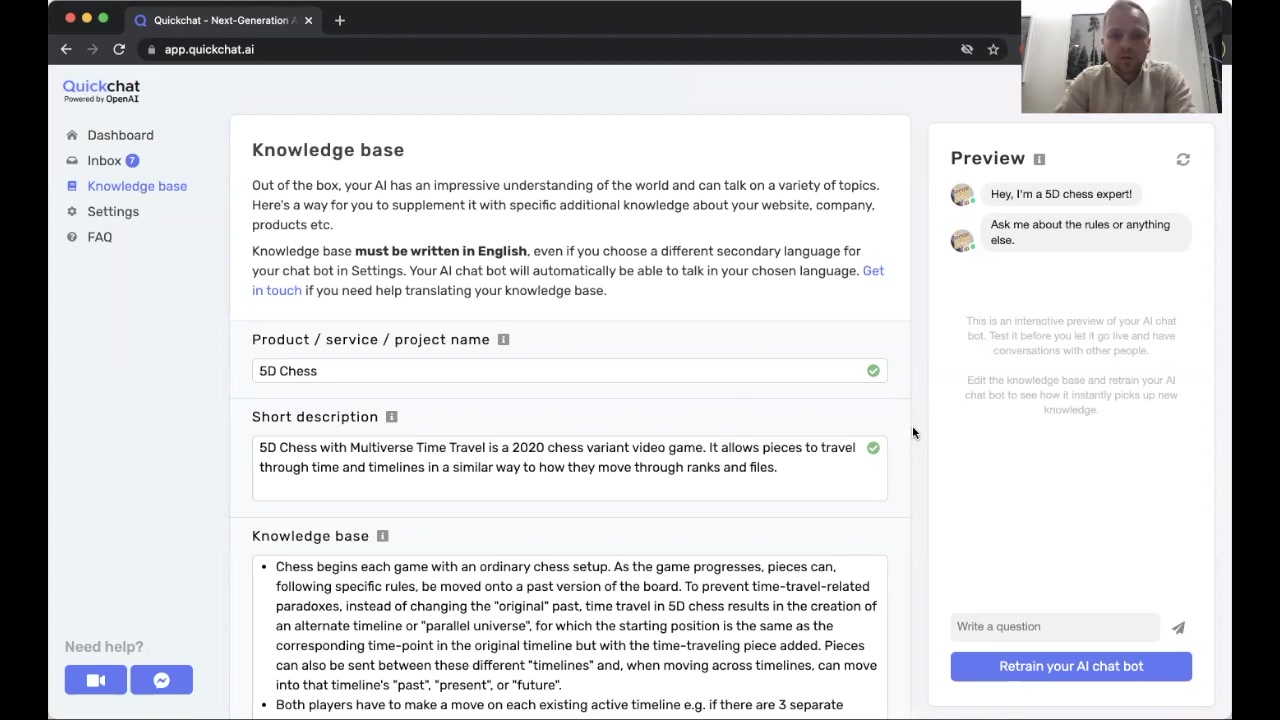
Quickchat AI's Approach to Multilingual Support
Quickchat AI takes a unique approach to multilingual support. Instead of requiring you to Translate your entire knowledge base into multiple languages, it uses a single English Knowledge Base and automatically translates responses into the chosen language. This significantly reduces the effort and complexity involved in managing a multilingual chatbot. Quickchat AI makes use of state-of-the-art translation capabilities to make your chatbot available in multiple languages.
This approach not only saves time and resources but also ensures consistency across all language versions of your chatbot. Quickchat AI's translation engine is constantly improving, providing more accurate and natural-sounding translations over time.
Step-by-Step Guide to Making Your Quickchat AI Chatbot Multilingual
Step 1: Accessing the Settings Menu
The first step in making your Quickchat AI Chatbot multilingual is to navigate to the settings menu. This can be found in the Quickchat AI dashboard. Simply click on the 'Settings' tab to access the configuration options.
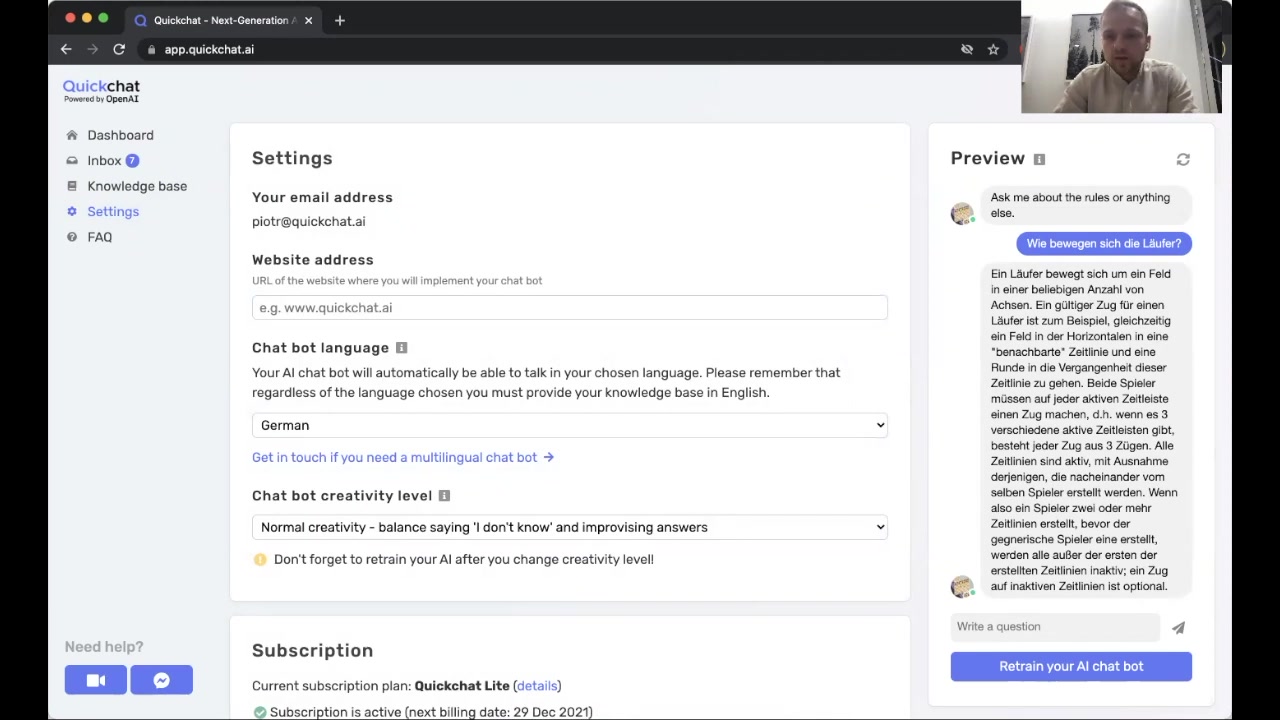
This is where you'll configure the base language of your chatbot. Making sure this setting is correct helps in proper language switching.
Step 2: Choosing Your Target Language
Once in the settings menu, locate the 'Chatbot Language' option. This dropdown menu contains a comprehensive list of languages supported by Quickchat AI. Select the language you want your chatbot to communicate in. The selection could include German, French, or Spanish,
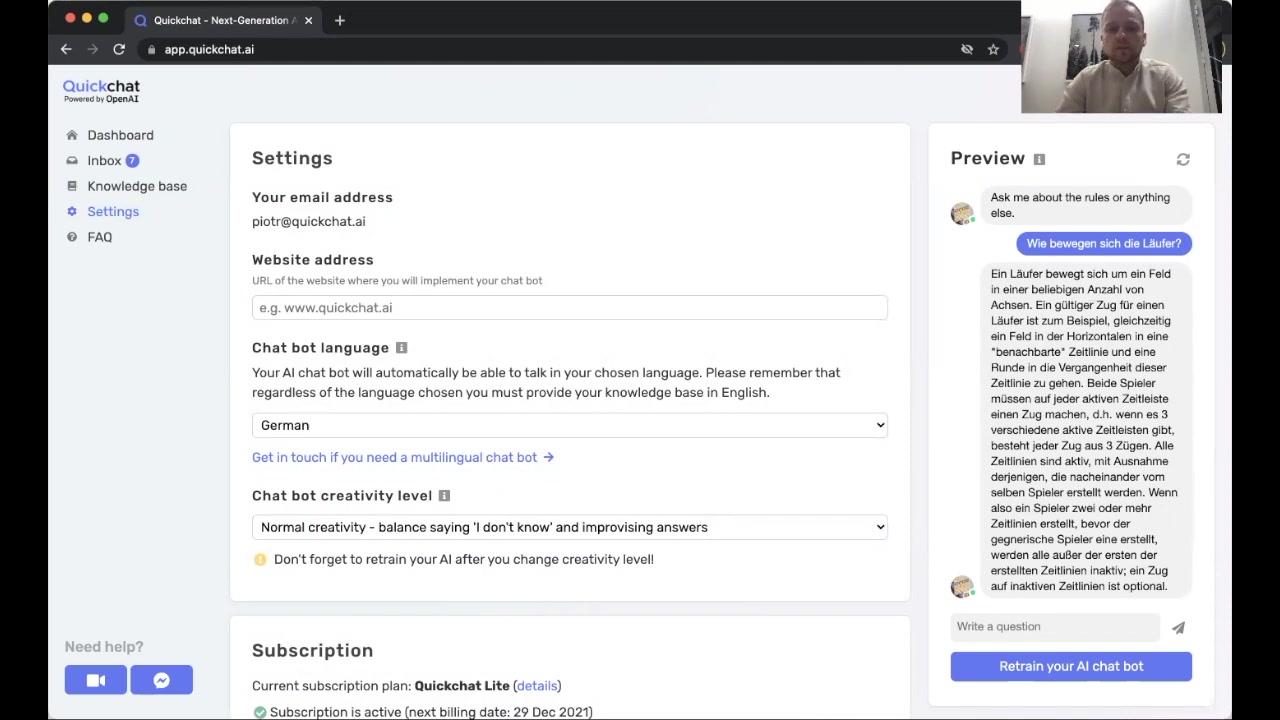
depending on your target audience. Quickchat AI also supports Polish, Russian, Finnish and numerous other languages for your chatbot.
Step 3: Testing Your Multilingual Chatbot
After selecting your target language, it’s time to test your chatbot. Type a question in the chosen language and observe the response. Quickchat AI automatically translates the answer from your English knowledge base into the selected language.
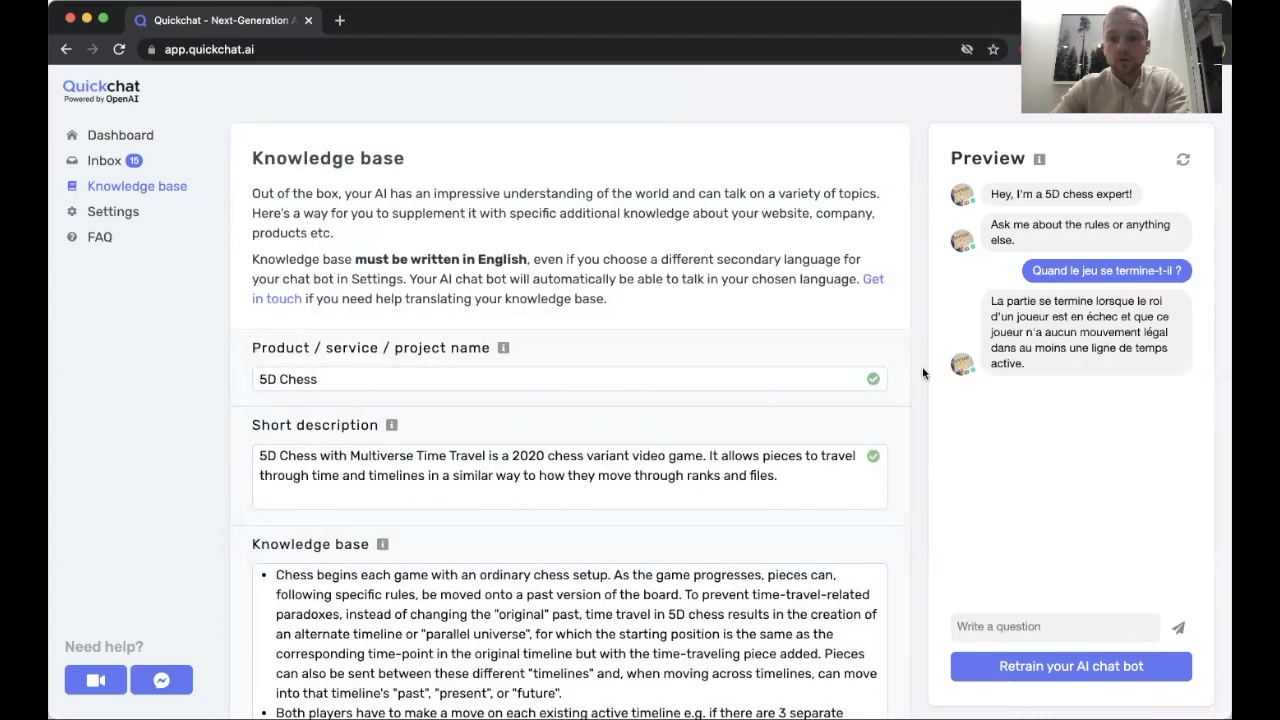
Testing is essential to verify the quality of the translation and the overall user experience. If needed, you can fine-tune your knowledge base to improve the accuracy and relevance of the responses.
Step 4: Handling Language Mismatches
If you accidentally type a question in a language different from the one set in the settings, Quickchat AI will inform you that it does not support that language and Prompt you to switch to the appropriate language. This ensures a smooth user experience and prevents confusion.
The error handling is a key element that ensures the users will always know what to do in order to get proper information from the AI chatbot.








Most people like

































Report
Please select a reason for reporting
- 13 Reasons to Switch from Snapchat to Text Messaging
- 7 Powerful Speech to Text Apps to Boost Productivity
- 10 Best Speech to Text Tools for Effortless Transcription
- 13 Free Tools to Easily Transcribe Audio to Text
- 15 Surprising Ways Google's Speech-to-Text Boosts Productivity
- 7 Best Free Online Audio to Text Transcription Tools
- 9 Tips to Transcribe Speech to Text Faster and Better
- 13 Best Speech to Text Software for Windows 10 in 2023
- 7 Tips for Choosing the Best Transcriber for Audio to Text
- 11 Reasons Why Dragon Speech-to-Text Apps are Game-Changers
- 6 Secrets to Enhance Your Speech to Text Transcription
- 6 Brilliant Ways to Boost Productivity with Talk-to-Text on Your MacBook
- 6 Ways Transcription Software Converts Audio to Text
- 8 Tips to Transcribe Speech to Text Like a Pro
- 6 Reasons IBM Watson Speech to Text is a Game-Changer
- 14 Powerful Ways Talk-to-Text Improves Your Workflow
- 12 Top Windows Speech-to-Text Software for Efficient Transcription
- 12 Game-Changing Benefits of Apple's Speech to Text Technology
- 9 Powerful Use Cases for AWS Speech to Text Technology
- 10 Easy Steps to Transcribe YouTube Videos to Text
- transcription audio en texte
- online audio transcription
- free audio file transcription
- free ai audio transcription
- audio transcription service
- audio transcription online free
- audio transcription free online
- audio to transcription software
- audio and transcript
- ai audio transcription free
- voice recording to text converter
- translate voice recording to text
- record voice to text
- audio recording to text converter
- voice recording and transcription
- chatgpt voice to text
- gmail voice to text
- speech to text reader
- speech to text ai free
- speech to talk
- How to Use AI Tools to Find Internal Linking Opportunities Across a Business Website
- Discover Your Perfect Haircut with AI Hairstyle Apps
- Free Reputation Calculator Tools: How They're Adapting to Score AI Visibility, Not Just Rankings
- Design Professional Flyers for Free on Your Phone
- Best Free Flyer Maker Apps for Android: Design Like a Pro
- How to Know If Your Business Is Ready for an AI Customer Service Agent
- Revolutionizing Storytelling: From Novels to Screenplays with AI
- Create Engaging Animated Explainer Videos with a Free AI Tool
- Stop Multi-Subscribing: Benchmark Top AI Visual Models in One Canvas
- Best Seedance 2.5 API Provider: Every Price on the Market, Checked at Source
- Top AI Social Media Management Tools: Automate Your Content Strategy
- Free AI Text to Video Generator: Create Stunning Videos from Text
- Discover 17 ChatGPT Alternatives: A Comprehensive Comparison
- Character.AI vs. Janitor AI: Which AI Chat Platform Reigns Supreme?
- Top Virtual Assistant Companies in 2026: Reviews, Pricing, and Plans Compared
- Unveiling FaceCheck.ID: Revolutionizing Reverse Image Searches with AI
- 11 Best AI Dialers in 2026: Features, Pricing, Pros and Cons
- How I Direct Consistent AI Clips: A Hands-On Guide to Multi-Model Generation
- A Realistic Review of the Photo Generator Image Tool
- Playwright MCP Server: Automated Web Testing with Agent Mode

Copyright ©2026 toolify