































Table of Contents
- Key Points
- Introduction to ProMeAI Pattern Generator
- Exploring ProMeAI's Pattern Library
- How to Create Seamless Patterns with ProMeAI
- Understanding ProMeAI Pricing
- Benefits and Drawbacks of Using ProMeAI Pattern Generator
- Key Features of ProMeAI Pattern Generator
- Creative Applications of ProMeAI Patterns
- FAQ
- Related Questions


Introduction to ProMeAI Pattern Generator
What is a Pattern Generator?
The PromeAI Pattern Generator is an AI-powered tool designed to create seamless, tileable Patterns for use in various creative projects, including 2D and 3D design
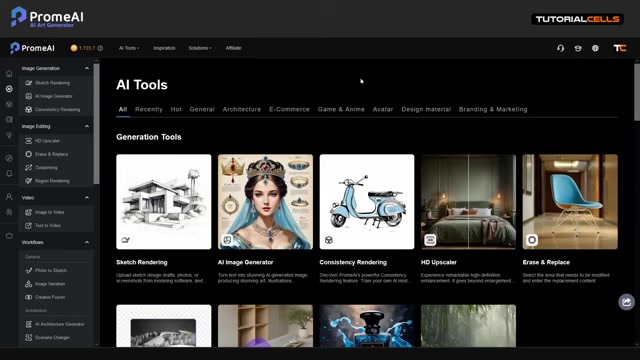
. These patterns can be used as textures in 3D modeling software, backgrounds for digital art, or designs for print materials. The key advantage is the ability to generate these patterns quickly and easily using AI, saving artists and designers significant time and effort.
Seamless patterns are essential in many design contexts, as they allow for the creation of continuous textures without visible edges or breaks. This is particularly important in 3D rendering, where textures need to wrap around objects seamlessly to create a realistic appearance.
ProMeAI simplifies the process of creating these patterns by using AI to interpret text prompts and style selections, generating unique and high-quality results.
Accessing the Pattern Generator
To access the Pattern Generator within ProMeAI, navigate to the AI Tools section in the left sidebar
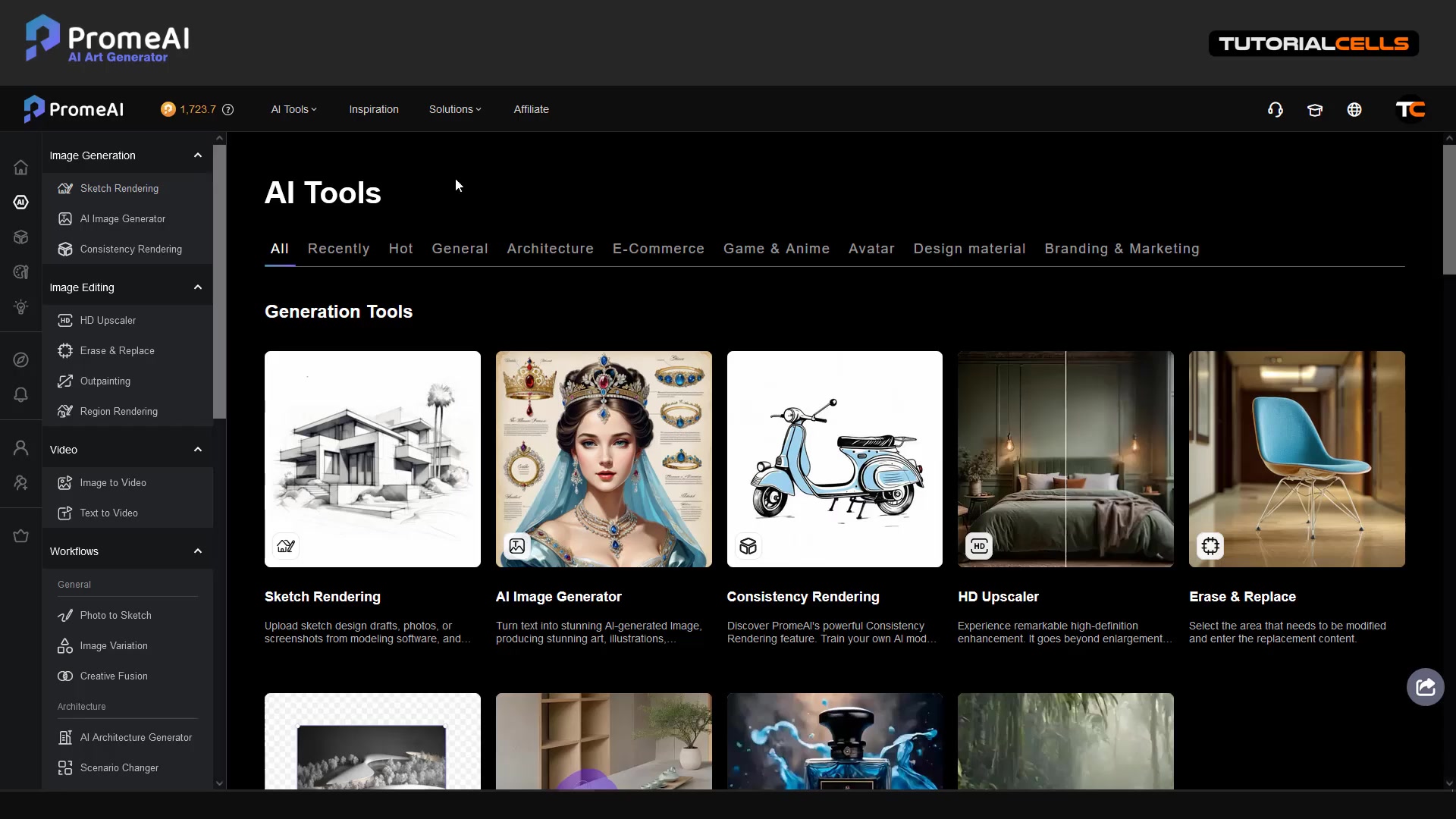
. The interface is user-friendly, presenting various AI tools, including Sketch Rendering, AI Image Generator, Consistency Rendering, and more. Scroll down to find the Pattern Generator, which is specifically designed to create seamless patterns.
Clicking on the Pattern Generator will open a dedicated interface where you can input your desired pattern description and customize various settings
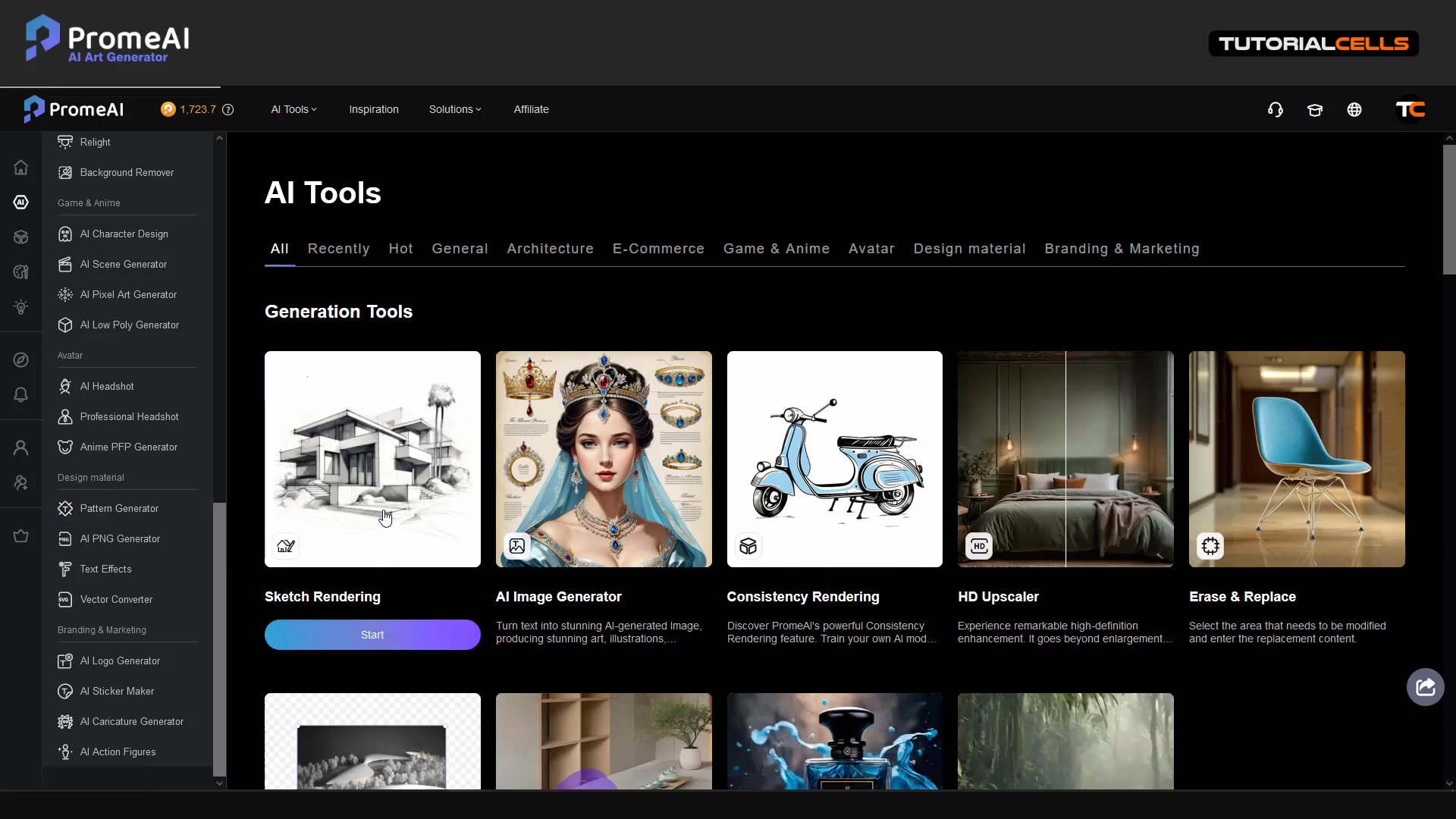
. This interface provides a streamlined workflow for generating patterns quickly and efficiently.
Exploring ProMeAI's Pattern Library
Discover and Remix Existing Patterns
ProMeAI also offers a Discover & Remix section where you can explore patterns created by other users . This can be a great source of inspiration or a starting point for creating your own unique designs.
Remixing: Use the Remix feature to modify existing patterns and create your own variations . This allows you to build upon the work of others and quickly generate new pattern ideas.
The Discover & Remix section includes a gallery of submitted designs, with tags to help narrow down your search . You can search for specific styles or themes to find patterns that match your project needs.
Advanced Prompt Techniques for Unique Patterns
To create truly unique and original patterns, experiment with advanced Prompt techniques. Try combining different styles, themes, and elements to generate unexpected results.
Advanced Techniques:
- Combine Styles: Mix vector patterns with realistic materials for a unique Blend.
- Use Specific Keywords: Use precise keywords to guide the AI in creating detailed and accurate patterns.
- Experiment with Themes: Explore different themes like nature, technology, or fantasy to create diverse patterns.
Pro Tip: Enhance your initial prompt automatically with ProMeAI
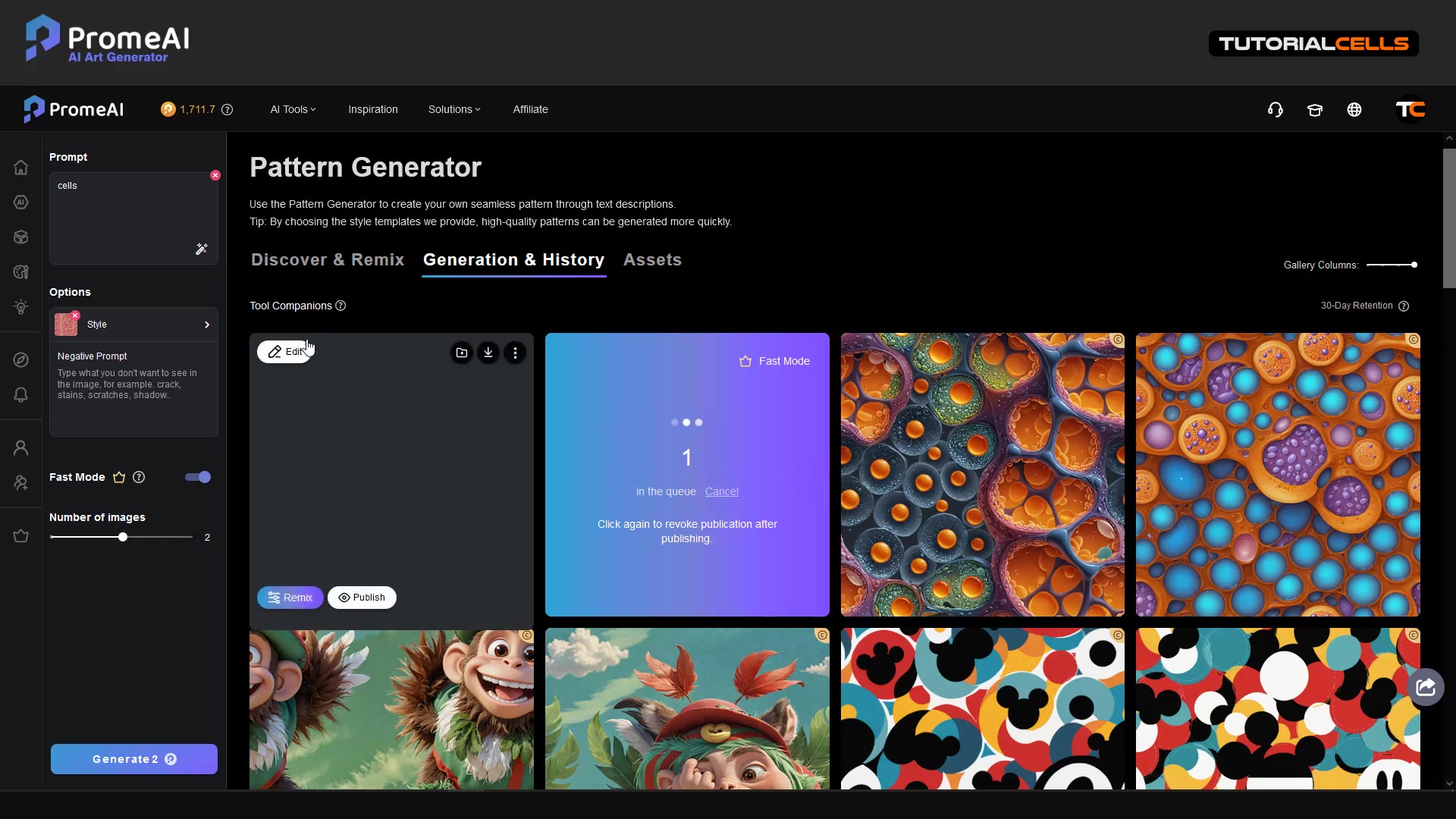
. This feature analyzes your input and suggests additional details to create more elaborate and refined patterns. It's a great way to spark creativity and explore new design possibilities.
How to Create Seamless Patterns with ProMeAI
Step 1: Input Your Pattern Prompt
Start by entering a text description of the pattern you want to generate in the prompt field
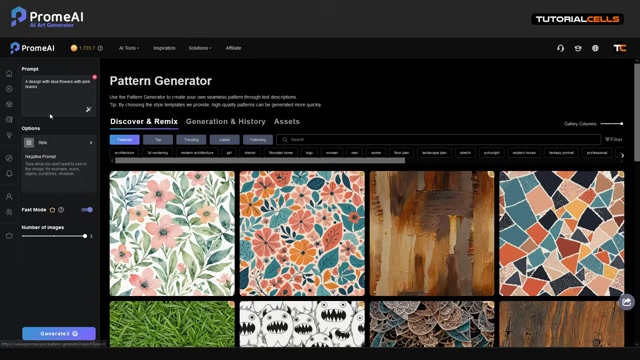
. Be as specific as possible to guide the AI in creating the desired design. For example, you can input 'a design with blue flowers with pink leaves' to create a floral pattern with those specific elements.
Example Prompts:
- Geometric pattern with interlocking triangles
- Abstract texture with swirling lines and vibrant colors
- Nature-inspired pattern with leaves and berries
- Vintage-style pattern with ornate details
Step 2: Customize the Pattern Style
ProMeAI offers several ways to customize the style of your pattern. You can choose a pre-defined style from the Style options, such as Vector Pattern or Realistic Material
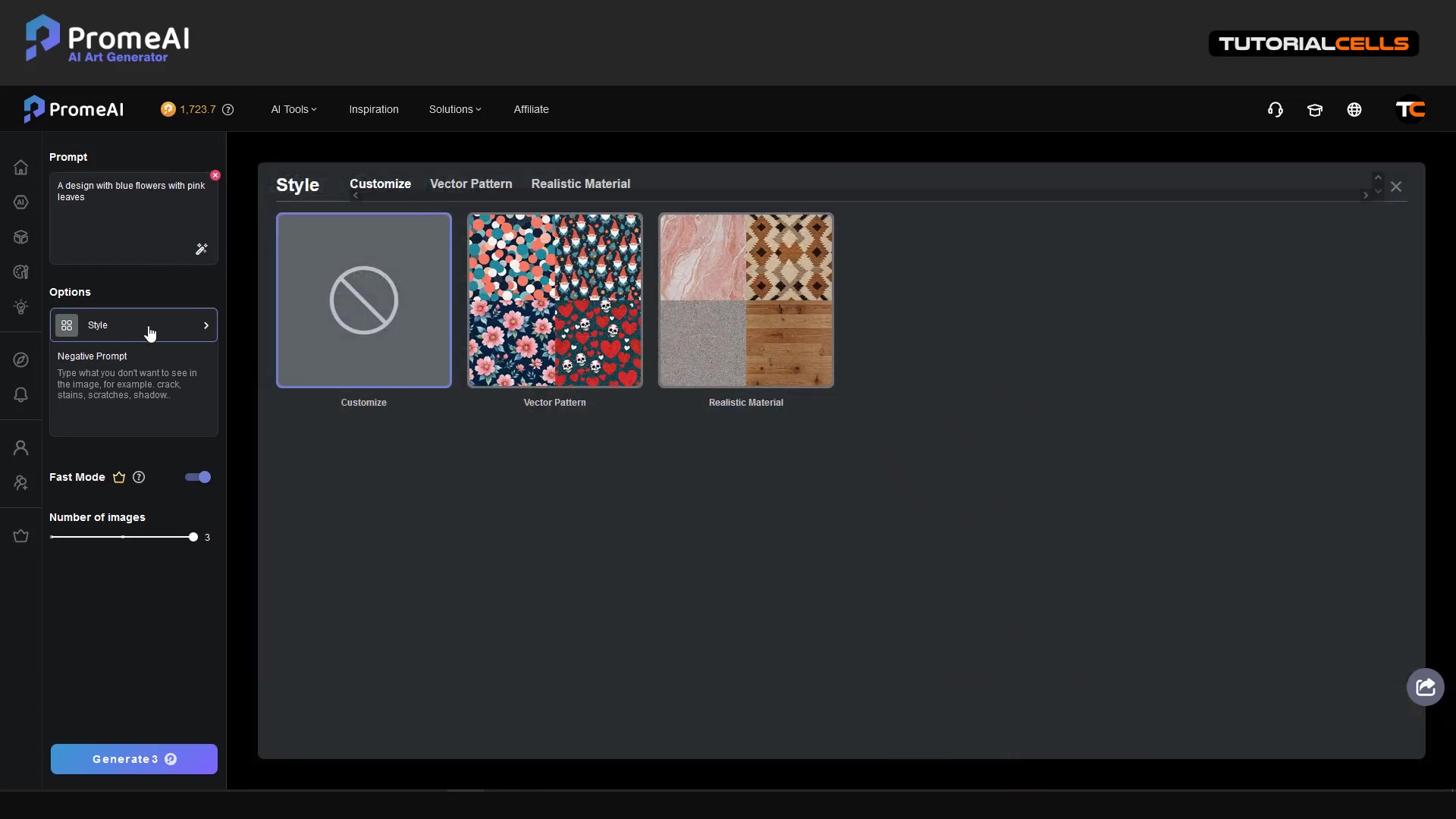
. The Vector Pattern style provides various floral, camouflage, abstract, and holiday-themed patterns to choose from.
Style Options:
- Vector Pattern: Choose from a variety of pre-designed vector patterns.
- Realistic Material: Generate patterns based on real-world materials like brick, wood, or marble.
- Customize: Create a completely unique style by adjusting various parameters.
If you want a more unique design, use cutomize style and then skip style selection and rely solely on your prompt.
Step 3: Refine with Negative Prompts
To further refine your pattern, use the Negative Prompt field to specify elements you don't want to see in the generated design
. This helps the AI avoid creating patterns with unwanted characteristics. For example, if you don't want your pattern to include cracks, stains, or shadows, you can add those to the negative prompt.
Example Negative Prompts:
- Cracks, scratches, stains
- Blurry, low resolution
- Unnatural, distorted
Step 4: Generate and Review Patterns
After setting your prompt, style, and negative prompt, click the Generate button to start the AI pattern generation process
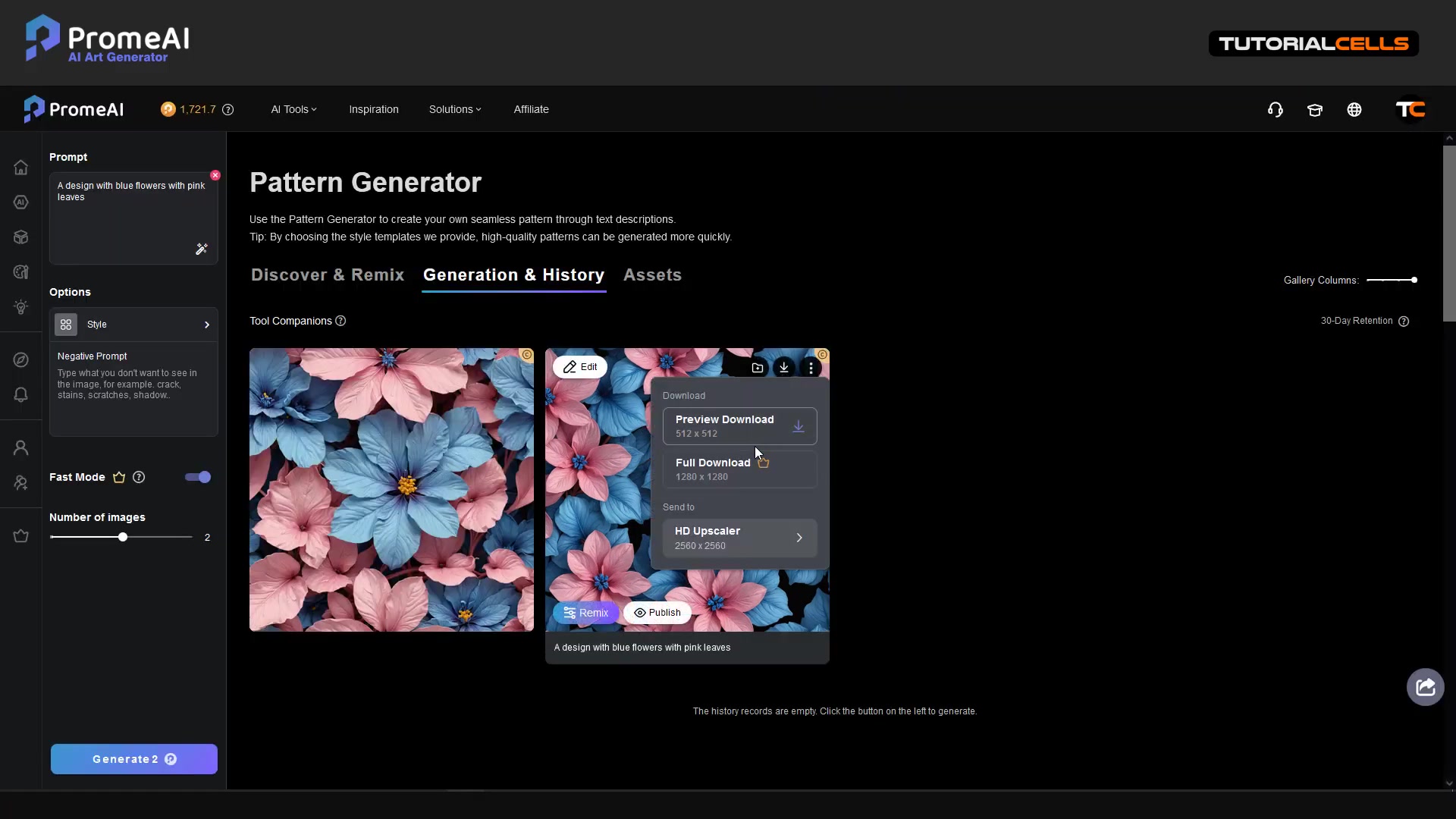
. ProMeAI will generate multiple pattern variations based on your input, allowing you to review and select the one that best matches your vision.
Fast Mode: Enable Fast Mode for quicker pattern generation . This can be useful for quickly iterating through different pattern ideas.
Number of Images: Adjust the number of images generated to increase the variety of options .
Step 5: Tiling and Upscaling
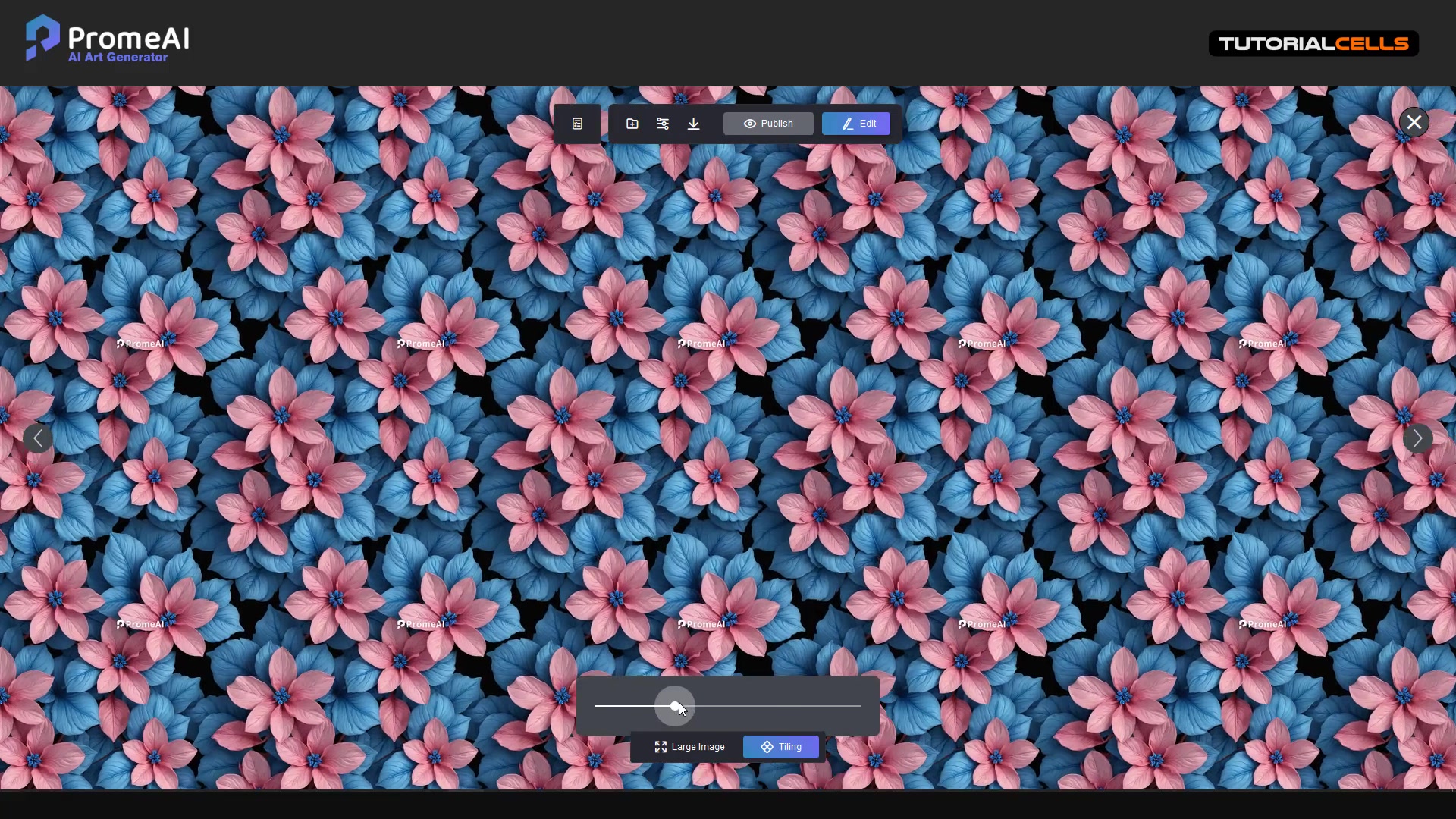
Once you've selected a pattern, you can use the Tiling option to see how it looks when tiled seamlessly
. Adjust the tiling parameters to ensure the pattern repeats correctly without visible seams.
Tiling: Use the tiling feature to Visualize seamless pattern repetition.
Upscaling: Download the pattern in various resolutions, including upscaled versions . ProMeAI offers HD Upscaler options to increase the resolution to 2048x2048, ensuring your pattern looks crisp and detailed in your projects.
Here's the process of creating tileable patterns with ProMeAI in a markdown table.
| Step | Action |
|---|---|
| 1 | Input your pattern prompt |
| 2 | Customize the pattern style |
| 3 | Refine with negative prompts |
| 4 | Generate and review patterns |
| 5 | Tiling and upscaling the pattern |








Most people like































Report
Please select a reason for reporting
- 13 Reasons to Switch from Snapchat to Text Messaging
- 7 Powerful Speech to Text Apps to Boost Productivity
- 10 Best Speech to Text Tools for Effortless Transcription
- 13 Free Tools to Easily Transcribe Audio to Text
- 15 Surprising Ways Google's Speech-to-Text Boosts Productivity
- 7 Best Free Online Audio to Text Transcription Tools
- 9 Tips to Transcribe Speech to Text Faster and Better
- 13 Best Speech to Text Software for Windows 10 in 2023
- 7 Tips for Choosing the Best Transcriber for Audio to Text
- 11 Reasons Why Dragon Speech-to-Text Apps are Game-Changers
- 6 Secrets to Enhance Your Speech to Text Transcription
- 6 Brilliant Ways to Boost Productivity with Talk-to-Text on Your MacBook
- 6 Ways Transcription Software Converts Audio to Text
- 8 Tips to Transcribe Speech to Text Like a Pro
- 6 Reasons IBM Watson Speech to Text is a Game-Changer
- 14 Powerful Ways Talk-to-Text Improves Your Workflow
- 12 Top Windows Speech-to-Text Software for Efficient Transcription
- 12 Game-Changing Benefits of Apple's Speech to Text Technology
- 9 Powerful Use Cases for AWS Speech to Text Technology
- 10 Easy Steps to Transcribe YouTube Videos to Text
- transcription audio en texte
- online audio transcription
- free audio file transcription
- free ai audio transcription
- audio transcription service
- audio transcription online free
- audio transcription free online
- audio to transcription software
- audio and transcript
- ai audio transcription free
- voice recording to text converter
- translate voice recording to text
- record voice to text
- audio recording to text converter
- voice recording and transcription
- chatgpt voice to text
- gmail voice to text
- speech to text reader
- speech to text ai free
- speech to talk
- How to Use AI Tools to Find Internal Linking Opportunities Across a Business Website
- Discover Your Perfect Haircut with AI Hairstyle Apps
- Free Reputation Calculator Tools: How They're Adapting to Score AI Visibility, Not Just Rankings
- Design Professional Flyers for Free on Your Phone
- Best Free Flyer Maker Apps for Android: Design Like a Pro
- How to Know If Your Business Is Ready for an AI Customer Service Agent
- Revolutionizing Storytelling: From Novels to Screenplays with AI
- Create Engaging Animated Explainer Videos with a Free AI Tool
- Stop Multi-Subscribing: Benchmark Top AI Visual Models in One Canvas
- Best Seedance 2.5 API Provider: Every Price on the Market, Checked at Source
- Top AI Social Media Management Tools: Automate Your Content Strategy
- Free AI Text to Video Generator: Create Stunning Videos from Text
- Discover 17 ChatGPT Alternatives: A Comprehensive Comparison
- Character.AI vs. Janitor AI: Which AI Chat Platform Reigns Supreme?
- Top Virtual Assistant Companies in 2026: Reviews, Pricing, and Plans Compared
- Unveiling FaceCheck.ID: Revolutionizing Reverse Image Searches with AI
- 11 Best AI Dialers in 2026: Features, Pricing, Pros and Cons
- How I Direct Consistent AI Clips: A Hands-On Guide to Multi-Model Generation
- A Realistic Review of the Photo Generator Image Tool
- Playwright MCP Server: Automated Web Testing with Agent Mode

Copyright ©2026 toolify